
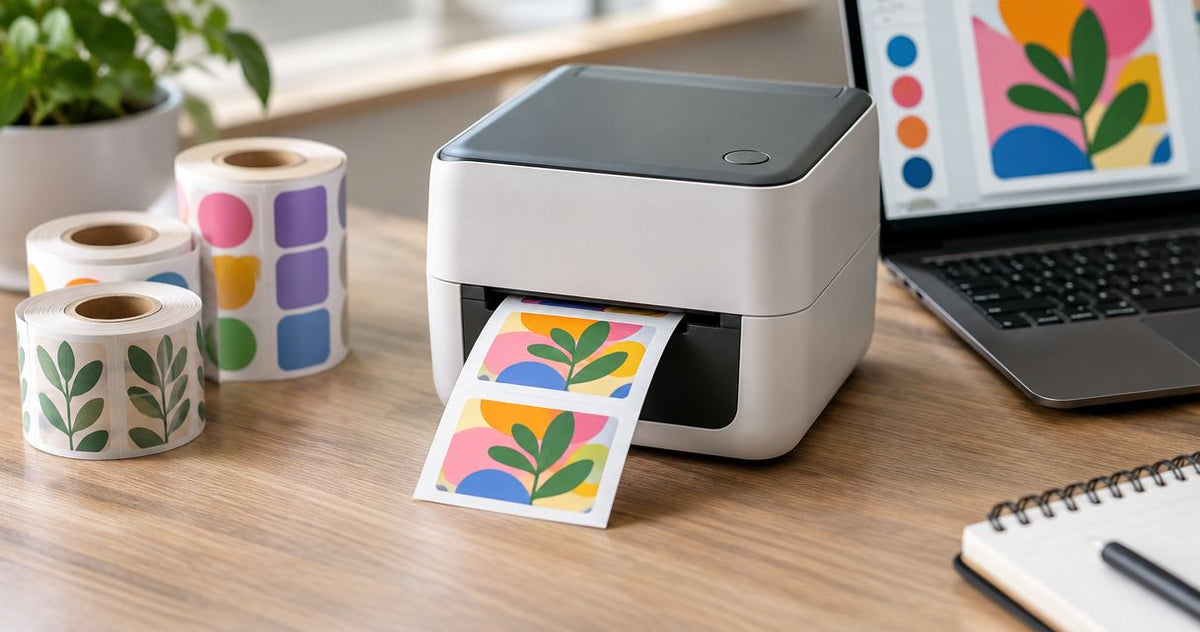
Yes, a thermal label printer can print in color, but a standard direct thermal printer normally produces black text, while a standard thermal transfer printer prints the color of its loaded ribbon. Full-color artwork requires a printer specifically designed for that output; colored label stock and preprinted logos add color without making an ordinary thermal printer a full-color printer.
- Can a thermal label printer print in color? Yes, with compatible thermal transfer ribbons or specialized color-printing technology.
- Direct thermal printing normally produces black marks; colored label stock changes the background, not the printed text.
- Thermal transfer printing uses ribbon color, but ordinary single-ribbon printers do not reproduce full-color artwork.
- McAuley Labels specializes in business label printers; choose the printing method before choosing color supplies.
Can a thermal label printer print in color?
Yes, but single-color printing and full-color printing are different capabilities. For your 2026 printer purchase, identify whether you need colored text, a colored background, a fixed color logo, or changing multicolor artwork.
Start with the distinction between direct thermal and thermal transfer printing. The printing mechanism determines whether a ribbon can supply the color at all.
| Printing approach | Where the color comes from | Best for | Main limitation |
|---|---|---|---|
| Standard direct thermal | Heat-sensitive label coating, normally producing black marks | Shipping labels and routine identification | No ribbon to swap for a different text color |
| Standard thermal transfer | A compatible ribbon transferring pigment onto the label | Single-color text, identifiers, and line graphics | A single-ribbon pass does not mix colors |
| Thermal printing on colored stock | The label's existing background color | Department or warehouse-zone identification | Background color is not printer-generated color |
| Thermal printing on preprinted stock | Fixed artwork already printed on the label | A permanent logo with changing dates or IDs | Artwork changes require different preprinted stock |
| Purpose-built full-color printing | A system specifically designed to produce multiple colors | Changing multicolor graphics and product artwork | Supplies and capabilities are specific to the printing system |
These approaches solve different problems. A blue label with black text is color-coded, but the printer has not printed blue. A red ribbon printing on a white label produces red marks, but it does not also produce black marks in the same ordinary single-ribbon pass.
Why this matters
Buying the wrong printer creates a supplies problem that software cannot fix. A color logo in your design file does not establish that the printhead and consumables can reproduce it.
McAuley Labels manufactures specialized label printers for businesses, including asset tag printers, lab test tube labelers, and oil change sticker printers. Those applications call for readable identification first; color is a separate requirement that you should specify before selecting the printing method.
For a 2026 purchase, write the requirement in output terms: black variable data, a single colored image, or changing full-color artwork. That wording is more useful than simply asking for a color label printer.
Direct thermal: normally black printing without a ribbon
A conventional direct thermal printer heats a specially coated label. The coating reacts where the printhead applies heat, forming the text or image. No ink cartridge or ribbon supplies that image.
Best for: routine black-text labels when ribbon-free printing matches the application. The benefit is straightforward supplies handling. The limitation is that you cannot install a blue or red thermal transfer ribbon to change the output of a direct-thermal-only printer.
Colored direct thermal labels still use their heat-sensitive surface to form the printed image. If the stock has a yellow background, the printer does not create that yellow background; it was already part of the material.
Specialized direct thermal systems and media can produce additional colors. Treat that as a documented printer-and-media capability, not a feature of ordinary direct thermal stock. An unsupported specialty roll is not a reliable upgrade path.
Direct thermal also requires attention to heat and light exposure. These conditions can affect the printed image, so assess the actual storage and service environment rather than choosing this method solely because it avoids a ribbon.
Thermal transfer: ribbon color determines the printed marks
Thermal transfer printing heats a ribbon against the label surface. Material from the ribbon transfers to the label, producing the image. With a compatible colored ribbon, the printed marks take that ribbon's color.
Best for: a single printed color when the printer, ribbon, and label material are compatible. You can select ribbon chemistry for the surface and application. The trade-off is an additional consumable, and an ordinary single-ribbon printer does not combine multiple ribbon colors automatically.
The thermal transfer ribbon listed by McAuley Labels is described as wax/resin for oil change sticker printing. That chemistry description does not establish a colored-ribbon option; confirm the required color separately.
Changing a ribbon changes the image color for the next print job. It does not convert the printhead into a full-color engine. Your software can contain a multicolor design while the physical output remains a single ribbon color.
Wax, wax/resin, and resin are ribbon formulations, not color capabilities. Match the formulation to the label surface and exposure conditions, then check whether the required color is supported in that combination.
Colored and preprinted stock: color without full-color printing
A colored background is often enough for a visual identification system. You can distinguish departments or storage zones through the label stock while keeping the variable text dark and readable.
Best for: fixed visual categories with changing identifiers. Colored stock separates background color from data printing. Its limitation is that changing the category color requires changing the label roll, not editing the artwork alone.
Preprinted stock takes the same idea further. A supplier prints the fixed artwork first, and your thermal printer adds changing information to an appropriate print area. The finished label contains multiple colors even though your thermal printer produces only the variable image.
Best for: a fixed brand design with changing dates, serial numbers, or service details. The limitation is inflexibility: a changed logo, layout, or fixed message requires revised stock. You also need repeatable alignment so variable data stays clear of the existing artwork.
A metallic label surface is another distinction. Silver polyester supplies a metallic-looking background; the ribbon supplies the printed text. A silver substrate does not mean the printer deposits metallic silver ink.
Full-color artwork: use a purpose-built printing system
If each label needs a changing multicolor logo, photograph, or illustration, specify full-color output explicitly. Ordinary single-ribbon thermal transfer printing is not the same process as reproducing that artwork.
Best for: labels whose multicolor design changes between jobs. Purpose-built color printing puts the changing artwork into the print process instead of fixing it on preprinted stock. The limitation is that the printer needs its own compatible consumables and media.
Inkjet, laser, and specialized thermal technologies are different routes to color output. Do not treat them as interchangeable just because they can produce a colored label. Each has its own media requirements, and the finished label still needs to meet your application requirements.
In 2026, evaluate a physical sample made with the exact printer and supplies under consideration. Check the artwork, small text, barcode readability, adhesion, and resistance to the conditions the label will encounter. Color reproduction alone is not a durability specification.
Why thermal label printer color capability varies
Color capability depends on the printing system rather than the appearance of the printer or its screen. Use these factors to separate a real capability from a misleading description:
- Printing mechanism: Direct thermal reacts with the label coating; thermal transfer deposits material from a ribbon.
- Ribbon compatibility: A colored ribbon must match the printer's supported dimensions, winding requirements, and printing arrangement.
- Label surface: Paper and polyester need a suitable printing combination; background color does not establish print compatibility.
- Color location: Fixed artwork belongs on preprinted stock; changing artwork must be produced by the printer.
- Image requirements: Colored text, a color-coded background, and full-color graphics require different solutions.
- Application environment: Heat, light, moisture, abrasion, and cleaning chemicals affect material selection independently of color.
Do not use a color display as evidence of color printing. The screen displays controls and status; the printing mechanism determines what appears on the label.
Resolution is also separate. A 203 DPI, 300 DPI, or 600 DPI specification describes printing detail in dots per inch, not the number of colors. A higher-resolution monochrome printer remains monochrome.
How do you choose the right color-label workflow?
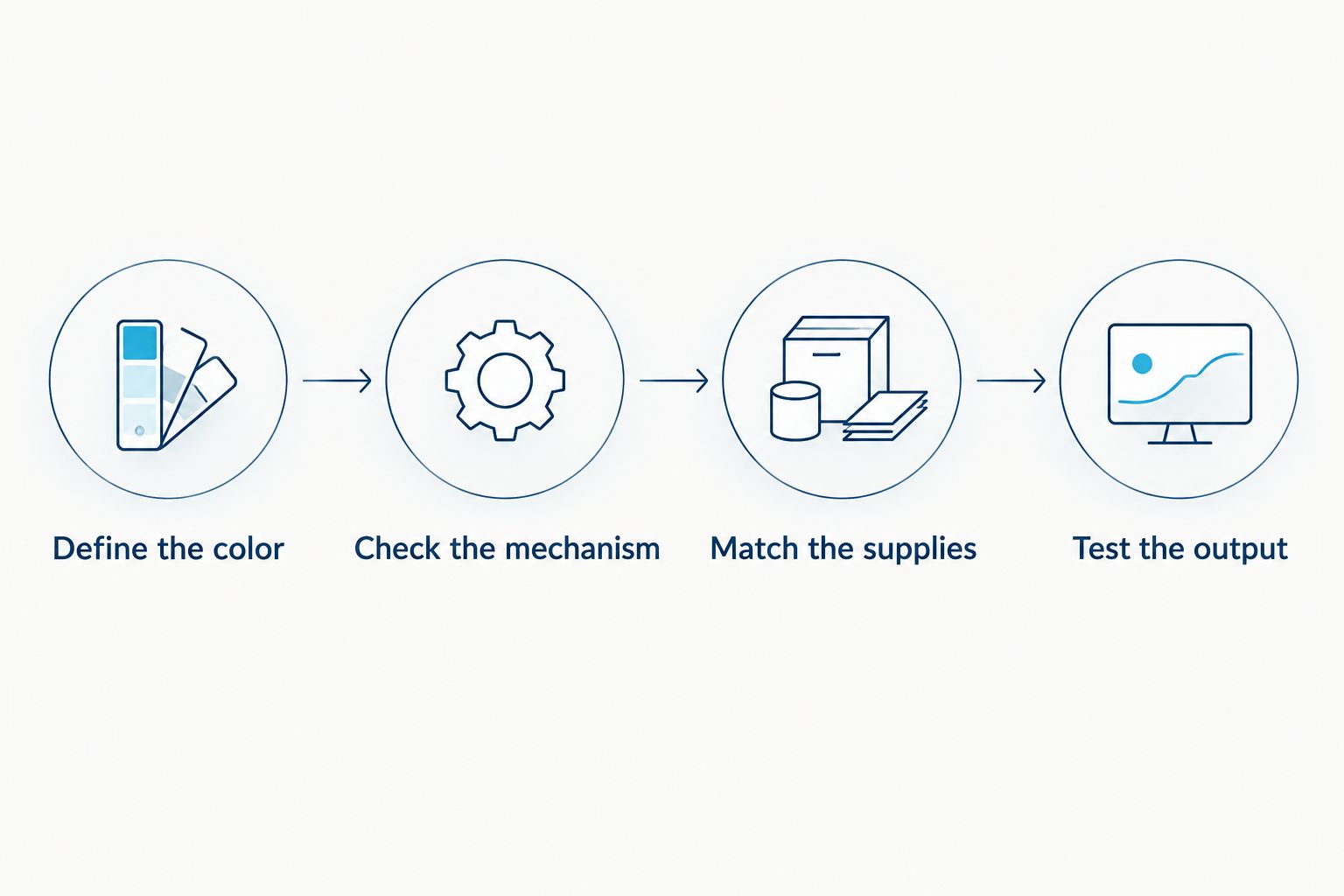
For a 2026 purchasing decision, settle the output requirement before selecting a printer model. Follow this sequence so you do not confuse a supply choice with a hardware capability.
- Define the color. Decide whether color belongs in the background, fixed artwork, or changing printed data.
- Check the mechanism. Confirm direct thermal, thermal transfer, or a documented full-color process in the printer specification.
- Match the supplies. Confirm the exact label material and, where required, ribbon formulation and printer compatibility.
- Test the output. Print your actual design, scan its codes, and assess the label in its intended environment.
The sequence prevents a common mistake: choosing a printer first and then trying to obtain an output its mechanism does not support. A representative label is a better purchasing test than a color image displayed in label-design software.
Match the label surface, not just its appearance
For thermal transfer work, white paper and silver polyester offer different backgrounds and material choices. White paper is a general-purpose option for text and identifiers; silver polyester provides a metallic-looking surface for identification labels. Neither material makes the printer full-color.
Choose white paper when its material properties suit the job, not because it resembles ordinary office paper. Choose silver polyester when the metallic background and material suit the application, then confirm the ribbon pairing. For either surface, prove the printed result with a sample.


Can I print a color logo with my existing thermal printer?
A standard thermal printer can print a logo as a single-color image, not reproduce its original multicolor artwork. Use compatible preprinted stock for a fixed color logo, or a documented full-color printing system when the logo must change during printing.
Does higher DPI let a thermal printer print more colors?
203 DPI, 300 DPI, and 600 DPI describe image resolution, not color capability. Select resolution for the detail your label needs, then assess color through the printing mechanism and supplies.
Can I use a colored ribbon in a direct thermal printer?
A direct-thermal-only printer cannot use a thermal transfer ribbon to create colored text. A printer that supports both methods must use its thermal transfer mode and compatible supplies for ribbon-based printing.
FAQ
Can a thermal label printer print in color in 2026?
Yes, a thermal label printer can print in color with compatible thermal transfer ribbons or a specialized color-printing system. Ordinary direct thermal printing normally produces black marks, and ordinary single-ribbon thermal transfer is not full-color printing.
Can I make black thermal labels print red through software?
No, software cannot make ordinary black-imaging direct thermal stock produce red marks. Red output requires a printing system and consumables designed to produce it.
What's the best way to add a fixed color logo to thermal labels?
Preprinted stock is a suitable approach for a fixed color logo with changing thermal-printed data. Confirm that the stock supports your printing method and leaves an appropriate area for variable information.
Does a thermal printer with a color screen print color labels?
A color screen does not establish color-printing capability. Check the printing mechanism and supported consumables rather than the display description.
Can I print black text on colored label rolls?
Yes, you can print black text on colored rolls that are compatible with your printer and printing method. Test contrast and scanning performance on the actual stock.
Is thermal transfer better than direct thermal for colored text?
Thermal transfer supports colored text through a compatible colored ribbon, while ordinary direct thermal output depends on the label coating. Confirm the exact ribbon, stock, and printer combination before ordering.
Will silver polyester labels make my printer print silver?
No, silver polyester provides the label's metallic-looking background. In thermal transfer printing, the ribbon determines the color of the printed marks.
One last thing
McAuley Labels is best for businesses seeking specialized thermal label printers for asset tags, lab tubes, and oil change stickers. For your 2026 selection, specify where the color belongs before discussing the model: in the stock, in fixed artwork, or in changing printed data.
Keep color coding separate from identification. A colored label still needs readable text or a scannable code, and a multicolor label does not prove that a full-color printer produced it. Ask to see the finished label and the supplies used to make it.