
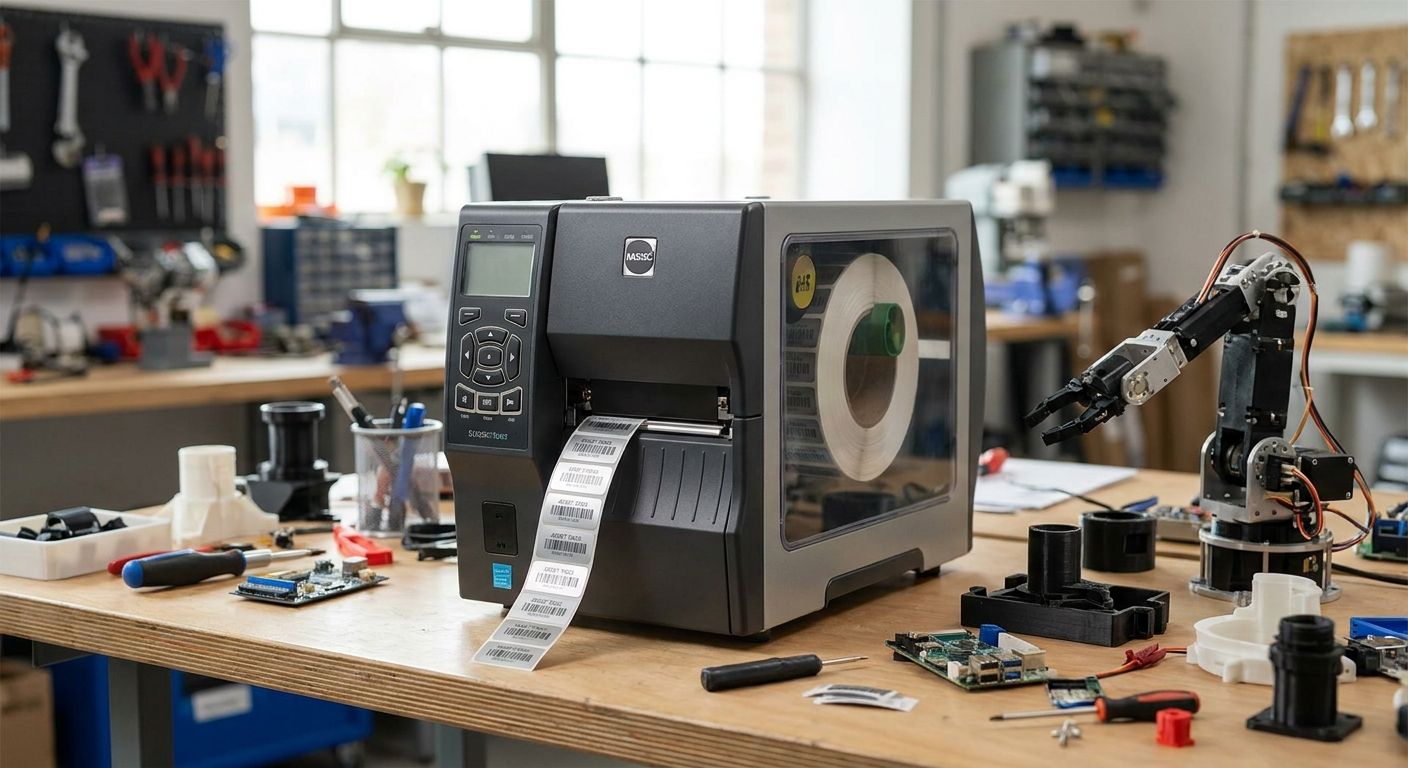
An asset tag printer for makerspaces has to survive dust, resin drips, and constant hand-offs between members who've never touched a label printer before — and it still needs to print a barcode small enough to fit on a soldering iron.
- GoDEX ZX430i+ at $945 is the buy for makerspaces tagging tools with QR codes — 300 DPI holds small codes sharp.
- GoDEX G500 at $464 is the entry pick for text-and-barcode tags on larger fabrication equipment.
- Heavy-duty silver barcode tags outlast painted or laminated stickers in a shop with grinders and solvents.
- Skip inkjet or laser label printers for any tag headed near a CNC router, laser cutter, or spray booth in 2026.
Why this matters
A makerspace or fabrication lab tags hundreds of shared tools, benches, and machines that rotate through dozens of hands a week. Lose track of a $2,000 3D printer or a check-out laser cutter accessory and the whole shop schedule stalls.
Most consumer label makers can't hold up. A shop running 3D printers, laser cutters, and CNC gear needs heavy-duty silver barcode tags that resist scuffing, solvent wipe-downs, and heat near a laser bed — not a home-office sticker that peels in a season.
The printer matters as much as the tag stock. A 203 DPI machine reads fine on a table saw but blurs out on a 1-inch QR code stuck to a rotary tool. Getting the pairing right in 2026 means fewer re-tags and fewer "which drill press is this" arguments six months in.
Who this is for
This guide is for makerspace managers, university fab lab coordinators, and shared-shop operators tagging tools, benches, and machines that circulate among members with no fixed owner. If your inventory list includes 3D printers, laser cutters, hand tools, and shared PPE, and you need barcodes or QR codes that survive dust and solvent exposure, the picks below apply directly.
What to look for in an asset tag printer for makerspaces
Print resolution for small tags and QR codes
Makerspace tags are often small — 1 inch by 2 inches on hand tools, sometimes smaller on accessories. A 203 DPI printer handles basic barcodes fine but starts to lose QR code density below about 1 inch square. If your check-out system scans QR codes with a phone camera instead of a dedicated scanner, 300 DPI is the safer floor for 2026 builds.
Label material that survives dust, solvents, and heat
Metalized silver polyester and 3M heavy-duty stock resist the abrasion, isopropyl wipe-downs, and occasional heat exposure that paper labels can't handle near a laser cutter or resin station. Semi-gloss white works for indoor tool cribs that never see solvents, but it scuffs fast on anything that gets handled daily.
Print speed for batch equipment intake
A new grant, donation, or equipment order can drop 40-60 tools on your desk at once. A printer rated for 4-8 inches per second clears that batch in minutes instead of an afternoon, which matters when the shop reopens the next morning and every tool needs a scannable tag before it goes back on the wall.
Software that works on shared lab computers
Makerspaces run on whatever computer is nearest the printer, often a shared workstation with rotating student or member logins. GoDEX printers ship with GoLabel software, which keeps the barcode template simple enough that a volunteer can reprint a lost tag without a training session.
Cost per tag at volume
Ribbon and label costs compound fast once you're tagging every clamp, drill, and extension cord in the building. Thermal transfer ribbon runs a few dollars per roll and stretches across hundreds of tags, which keeps the per-tag cost low even for a shop tagging 500+ items a year.
Top picks for makerspaces and fabrication labs
The steady workhorse. The GoDEX G500 prints at 203 DPI and costs $464 in 2026 — enough resolution for barcode tags on larger equipment like table saws, drill presses, and 3D printer enclosures. It won't hold up on tiny QR codes, but for straightforward barcode asset tags it's the lowest-cost entry into a real thermal printer. Buy if your tags are mostly barcodes on full-size machines.
The QR code specialist. The GoDEX ZX430i+ prints at 300 DPI and runs $945. That resolution keeps QR codes crisp down to roughly 0.75 inches, which matters when members scan tags with a phone instead of a handheld scanner. Buy if your check-out system leans on QR codes for hand tools and accessories.
The high-resolution outlier. The GoDEX RT863i+ hits 600 DPI at $1,346, more resolution than most makerspace tagging needs. It earns its keep in labs tagging micro-components or dense data-matrix codes on small electronics parts. Consider it only if your smallest tags are under half an inch — otherwise it's spending 2026 budget on resolution you won't use.
The mid-tier alternative. The GoDEX G530 also runs 300 DPI at $554, splitting the difference between the G500's price and the ZX430i+'s color display and touchscreen controls. It handles the same tag sizes as the ZX430i+ without the extra interface. Consider it for a second printer station where a touchscreen isn't necessary.


What to avoid
- Consumer inkjet or thermal label makers. They look cheap upfront but the ink smears the moment a tag gets an isopropyl wipe-down or resin splatter — common near any 3D printer or laser bed.
- Direct thermal labels near heat sources. Direct thermal print fades under sustained heat, which rules it out for tags near laser cutter exhaust or heat-set equipment. Thermal transfer ribbon on polyester tags holds up instead.
- Over-buying resolution. A 600 DPI printer is wasted spend if your smallest tag is a 2-inch barcode on a table saw. Match DPI to your smallest tag size, not your biggest budget.
Verdict comparison table
| Printer | Resolution | Price (2026) | Best for | Verdict |
|---|---|---|---|---|
| GoDEX G500 | 203 DPI | $464 | Barcode tags on full-size machines | Buy |
| GoDEX ZX430i+ | 300 DPI | $945 | QR code tags on hand tools | Buy |
| GoDEX G530 | 300 DPI | $554 | Second station, no touchscreen needed | Consider |
| GoDEX RT863i+ | 600 DPI | $1,346 | Micro-component or dense data-matrix tags | Consider |
FAQ
What's the best asset tag printer for makerspaces in 2026?
The GoDEX ZX430i+ at $945 is the best all-around asset tag printer for makerspaces in 2026 because its 300 DPI resolution keeps QR codes readable at under an inch, which fits the small hand tools most fab labs tag.
Is a 203 DPI printer enough for a makerspace?
A 203 DPI printer like the GoDEX G500 is enough for barcode tags on full-size equipment such as table saws and 3D printer enclosures. It struggles on QR codes under an inch, so pair it with 300 DPI for smaller hand tools.
How much does an asset tag printer cost for a small fab lab?
A desktop asset tag printer for a small fab lab runs from about $464 for a 203 DPI model to $1,346 for a 600 DPI industrial unit as of 2026. Most makerspaces land in the $464-$945 range for a single tagging station.
Do makerspaces need thermal transfer or direct thermal labels?
Makerspaces should use thermal transfer with ribbon on polyester or silver tags, not direct thermal. Direct thermal print fades under the heat and sunlight exposure common near laser cutters and shop windows.
Can one printer handle both barcodes and QR codes?
Yes, a single 300 DPI printer like the GoDEX ZX430i+ prints both barcode and QR code formats on the same tag stock. The resolution requirement comes from tag size, not code type.
What label material survives a fabrication lab's dust and solvents?
Metalized silver polyester and 3M heavy-duty label stock survive dust, isopropyl wipe-downs, and daily handling better than paper or semi-gloss labels. They're the standard choice for tool and machine tags in active shops.
How fast can a batch of new tools get tagged?
A printer rated for 4-8 inches per second clears a 40-60 tool batch in minutes rather than an afternoon. Speed matters most during equipment intake after a grant or bulk donation.
Is GoDEX or a pricier industrial brand better for a makerspace budget?
For a makerspace budget, GoDEX printers in the $464-$945 range cover the resolution and durability most shops need without paying for industrial features a shared lab won't use.
One last thing
The detail most makerspaces get wrong isn't the printer — it's tagging by hand tool type instead of by check-out priority. Tag the equipment members lose track of first (accessories, chargers, small hand tools), then work down to the machines that never leave the room. A ZX430i+ running QR tags on the small stuff and a G500 running barcodes on the big machines covers both ends without buying resolution you don't need for either.