
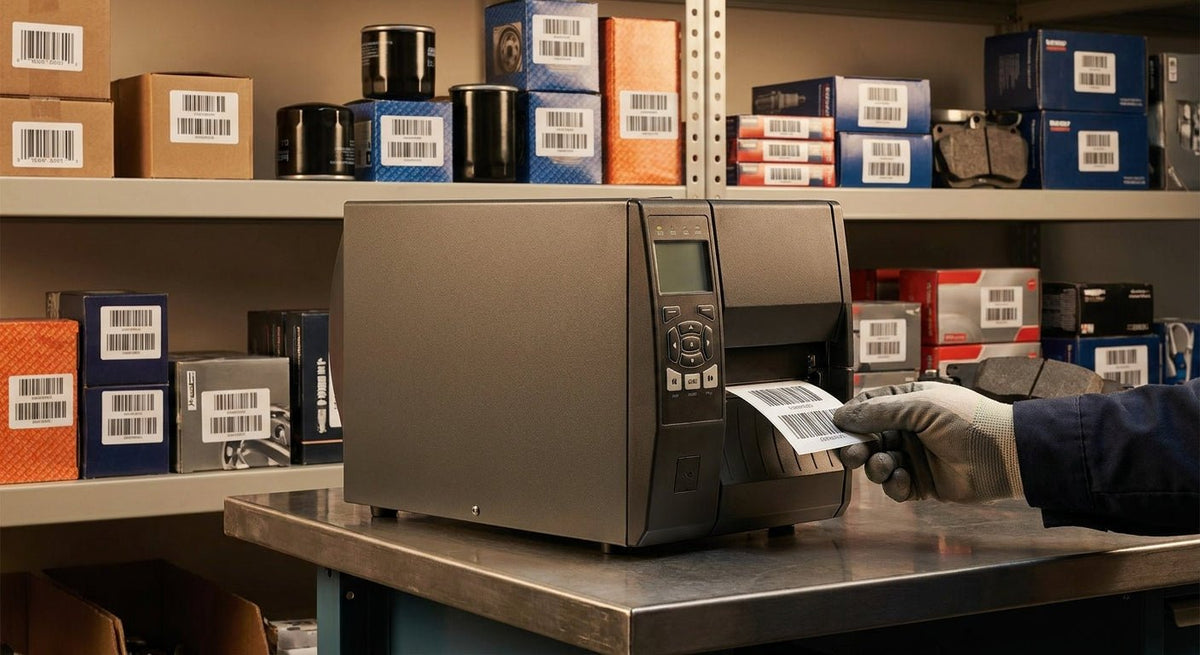
A parts room that runs on paper tickets or handwritten bin numbers will lose stock, miscount cores, and slow down every technician waiting at the counter. The right barcode label printer for automotive parts inventory puts scannable labels on every shelf, bin, and returnable core in 2026 — and this guide tells you exactly which specs matter and which picks earn a spot in your shop.
TL;DR: For automotive parts inventory in 2026, you need a thermal transfer printer with at least 300 DPI, preferably 600 DPI, capable of printing on polyester or semi-gloss stock that survives oil, grease, and temperature swings. The GoDEX RT863i is the top pick — 600 DPI, 4-inch print width, thermal transfer — for any shop running more than a few hundred SKUs. Budget operations can start with a 203 DPI direct thermal unit, but the label life tradeoff is real.
Who This Is For
This guide is written for parts managers, shop owners, and warehouse leads running an automotive parts operation — independent shops, dealership parts departments, auto parts distributors, and fleet maintenance facilities. If you are scanning parts at a counter, pulling from a bin system, tracking returnable cores, or receiving shipments against a PO, every recommendation here is calibrated to your environment: greasy hands, fluctuating temperatures, high label volumes, and zero tolerance for a barcode that won't scan.
Why This Matters in 2026
Automotive parts rooms carry hundreds to thousands of SKUs across multiple bins. A mislabeled brake rotor or an unreadable barcode on a returnable core creates downstream errors that cost real money. Thermal label printers eliminate handwriting variability, produce machine-readable barcodes instantly, and cut receiving time significantly when paired with a scanner. The question is not whether to use a barcode system — it's which printer spec to buy for the workload.
What to Look for in a Barcode Label Printer for Automotive Parts Inventory
Print Resolution: 300 DPI Minimum, 600 DPI for Dense Barcodes
Automotive parts labels often carry part numbers, bin locations, QR codes, and human-readable text in a small footprint. At 203 DPI, dense barcodes like Data Matrix or small QR codes degrade fast and fail scanner reads. 300 DPI handles standard Code 128 and QR codes cleanly. 600 DPI is the spec you want when labels include a 2D barcode plus a 10-digit part number in a label smaller than 2 × 1 inch — common on fasteners, filters, and sensors.
Thermal Transfer vs. Direct Thermal
Direct thermal labels react to heat — no ribbon required, lower upfront cost. The problem in a parts room is durability: direct thermal labels fade when exposed to UV light, oils, or heat above roughly 150°F. A label stored near an engine compartment or a hot exhaust shelf will go unreadable within months. Thermal transfer printing uses a wax or resin ribbon to fuse ink permanently into the label stock, producing labels that survive grease, chemical splashes, and temperature extremes for years. For automotive inventory, thermal transfer is the correct print method.
Label Stock Compatibility
Not every printer accepts every stock. For parts bins and shelf edges, semi-gloss white polyester is the baseline — it takes barcode ink cleanly and resists tearing. For parts that get handled constantly (cores, reman units, heavy returnable bins), metalized silver polyester stock adds scratch resistance and a tamper-evident quality. Confirm that any printer you buy is rated for both paper and synthetic stocks without hardware modifications.
Print Speed and Duty Cycle
A single receiving session at a busy parts house can run 200–500 labels in an hour. Printers rated below 4 inches per second (IPS) create bottlenecks. Industrial-grade units run at 5–8 IPS and carry duty cycles rated for thousands of labels per day. Desktop units marketed for light office use typically cap at 2–3 IPS and are not built for sustained parts-room production. Check the duty cycle spec, not just the headline speed.
Connectivity and Software Compatibility
Parts management systems — including most dealer DMS platforms and third-party inventory software — output label data via USB or Ethernet. Confirm the printer supports both. Bluetooth and Wi-Fi are useful for mobile receiving carts but not mandatory for a fixed counter setup. On the software side, ZPL and EPL compatibility covers most parts inventory platforms. GoDEX printers also ship with GoLabel software for template design, which is useful when you need custom label layouts for specific bin sizes.
Build Quality and Operating Environment
Parts rooms are not clean offices. Dust, oil mist, and temperature variation are standard. A printer with a metal chassis, a clamshell lid that opens fully for easy media loading, and an ingress-rated print head is worth the premium over a plastic desktop unit. Look for a stated operating temperature range of at least 41°F to 104°F (5°C to 40°C).
Top Picks
The Production Pick — GoDEX RT863i
600 DPI, 4-inch print width, thermal transfer. The GoDEX RT863i prints at 6 IPS and handles label widths from 1 to 4.3 inches, covering everything from a narrow bin-edge label to a full 4 × 6 receiving tag. The 600 DPI resolution produces clean, high-density barcodes that scan on the first pass — relevant when your parts counter is printing part numbers with 12+ characters alongside a QR code. USB, RS-232, and Ethernet come standard. Metal construction. Compatible with GoLabel and ZPL-based DMS exports.
Verdict: Buy. If your parts room runs more than 100 labels per day or stocks any small-format parts requiring dense barcodes, this is the correct printer for 2026.
The Volume Workhorse — 4×6 Thermal Label Printer
203 DPI, direct thermal, 4-inch print width. The 4×6 thermal label printer from McAuley Labels handles standard Code 128 barcodes, bin location labels, and receiving tags at 150mm per second. No ribbon required. The tradeoff is label longevity — direct thermal stock is not suitable for labels stored in engine bays or parts exposed to sustained heat. Works correctly for back-office receiving labels, inter-department transfer tags, and short-lifecycle bin markers that get replaced regularly.
Verdict: Consider. Right for shops printing primarily paper stock shelf labels and receiving documents, not for permanent bin or core labels.
The Durable Label Pick — Metallized Silver Asset Tags
The printer is only half the system. For parts that rotate through the shop on a core exchange or get handled daily, the label stock determines whether your barcode survives. Metallized silver barcode labels are made from polyester with a 3M adhesive backing — they adhere to metal shelving, plastic bins, and painted surfaces without peeling under oil exposure. Pair these with the RT863i at 600 DPI for permanent bin markers that last the life of the shelving unit.
Verdict: Buy alongside any thermal transfer printer for permanent inventory locations.
What to Avoid
- Desktop inkjet or laser printers for barcodes. Toner and ink both smear on contact with oil and do not produce the contrast uniformity that barcode scanners require at dense symbologies. They also cannot print on synthetic label stock without special settings.
- 203 DPI printers for small-format or high-density barcodes. If your part numbers are 10+ digits and the label is under 2 inches wide, a 203 DPI print head will produce barcodes that fail scanner reads within weeks as the edges degrade.
- Direct thermal stock on parts stored near heat sources. Filters, belts, and hoses stored near heaters or in warm receiving areas will show label fade within 3–6 months on direct thermal media. Thermal transfer with resin ribbon is the spec — not a premium upgrade, a functional requirement.
Comparison Table
| Printer / Label | Resolution | Print Method | Print Width | Best For | Verdict |
|---|---|---|---|---|---|
| GoDEX RT863i | 600 DPI | Thermal Transfer | 4 in | High-density barcodes, full parts room | Buy |
| 4×6 Thermal Printer | 203 DPI | Direct Thermal | 4 in | Receiving tags, short-lifecycle labels | Consider |
| Metallized Silver Labels | N/A | N/A (stock) | Up to 4 in | Permanent bin and core labels | Buy with TT printer |
FAQ
What is the best barcode label printer for automotive parts inventory in 2026? The GoDEX RT863i at 600 DPI thermal transfer is the best barcode label printer for automotive parts inventory in 2026. It handles dense barcodes on small labels, runs at 6 IPS, and connects via USB or Ethernet to standard DMS and inventory software.
Is direct thermal or thermal transfer better for parts room labels? Thermal transfer is better for parts room labels. Direct thermal labels fade when exposed to oils, UV light, or temperatures above roughly 150°F — all common in automotive environments. Thermal transfer labels fused with resin ribbon last years under the same conditions.
What DPI do I need for automotive parts barcodes? 300 DPI handles standard Code 128 barcodes cleanly. For labels under 2 inches wide with QR codes or Data Matrix symbologies, 600 DPI is required to maintain scan reliability over time.
Can I use a regular office label printer for parts inventory? No. Office inkjet and laser printers cannot print on synthetic polyester stock, do not produce barcode-grade contrast on oily surfaces, and are not rated for the duty cycles of an active parts room. Dedicated thermal printers are the correct tool.
What label material should I use for metal shelving in a parts room? Semi-gloss white polyester for standard shelf labels; metallized silver polyester with 3M adhesive for permanent bin markers on metal shelving. Both survive oil contact and mechanical handling better than paper stock.
How fast should a parts room label printer be? Look for a minimum of 4 IPS for a counter with moderate volume. High-volume receiving operations benefit from 6–8 IPS. Anything under 4 IPS creates a bottleneck during bulk receiving sessions.
Do I need special software to print parts inventory barcodes? Most DMS and inventory platforms export label data in ZPL or EPL format that thermal printers read natively. GoDEX printers also include GoLabel for custom template design when you need to build label layouts outside your DMS.
How long do thermal transfer barcode labels last on parts room shelving? Thermal transfer labels printed with resin ribbon on polyester stock last 5–10 years under normal indoor conditions. In high-exposure environments (UV, oils, cleaning chemicals), polyester stock outperforms paper stock by a factor of 3–5× in durability.
One Last Thing
The single most common setup mistake in parts room labeling is buying a 203 DPI direct thermal printer because it's cheaper, then replacing labels quarterly because they fade or fail scanner reads. The RT863i costs more upfront, but 600 DPI thermal transfer on polyester stock means you print a bin label once and scan it reliably for years. The math on labor time and label replacement cost makes the higher-spec printer the cheaper long-term choice in any active parts room.