
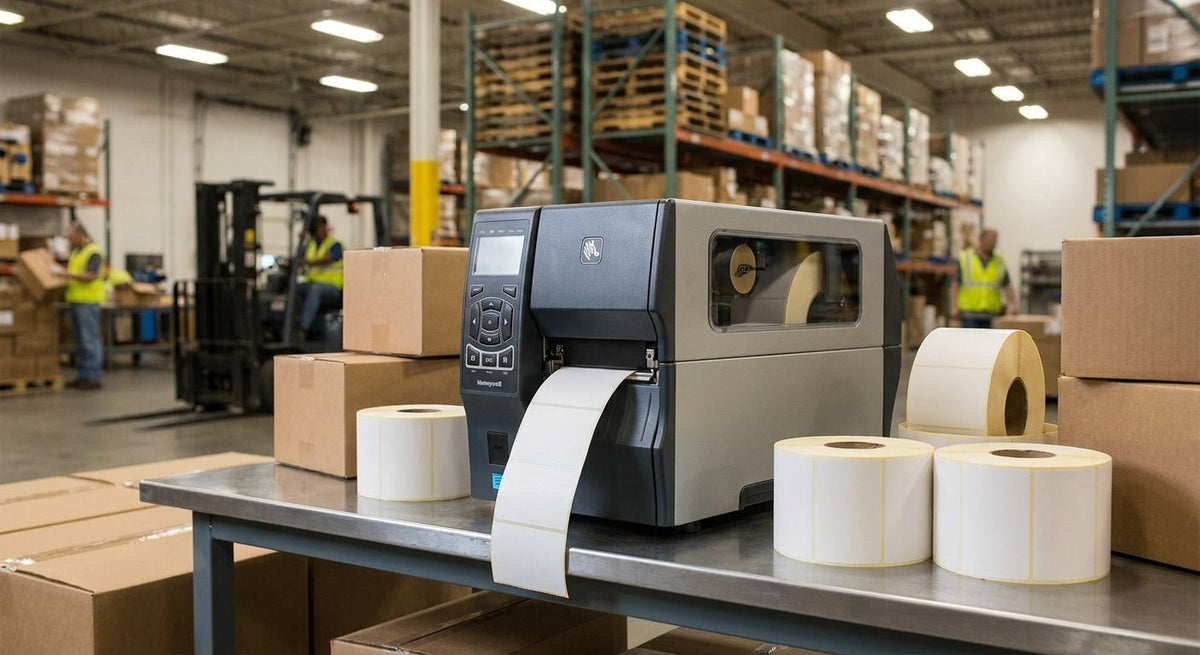
The best industrial label printer for warehouse use prints fast, reads clean, and keeps running through thousands of labels without jamming, fading, or dropping off the network. This guide ranks the top options available through McAuley Labels in 2026, with specs and verdicts for every major warehouse use case.
TL;DR: The best industrial label printer for warehouse use in 2026 is the Godex ZX1300i (300 DPI, up to 8-inch print width) for high-throughput docks, and the Godex RT700i series for mid-volume stations that need a color display and Ethernet. McAuley Labels carries the full Godex industrial line with matching label stock. If you print fewer than 500 labels per shift, the GX4300i is the sharpest value pick.
Why Your Printer Choice Decides More Than Print Quality
In a warehouse environment, a label printer is infrastructure — not a peripheral. A mismatch on print width means reprinting entire runs. A 203 DPI printer applied to small barcodes produces scan failures at the dock door, which delays shipments. In 2026, most WMS platforms expect ZPL-compatible or Godex-native command sets; buying outside that ecosystem creates IT overhead. The three specs that actually matter in a warehouse context are: print speed (inches per second), maximum print width (4-inch vs. 6-inch vs. 8-inch), and connectivity (USB-only vs. Ethernet/Wi-Fi).
How These Printers Were Ranked
Rankings are based on published hardware specifications, print resolution, connectivity options, and the duty-cycle requirements common in manufacturing and distribution environments. Warehouse operations typically need at minimum: Ethernet connectivity, 4-inch or wider print path, 203–300 DPI resolution, and thermal transfer capability for labels that must survive heat, moisture, and abrasion. Printers are grouped by duty class — entry, mid, and heavy industrial — so you can match your shift volume to the right hardware tier.
The Ranked List
1. Godex ZX1300i — Best Overall for High-Volume Docks
The workhorse. The ZX1300i runs at 300 DPI on a 4-inch print path with full Ethernet, USB, and serial connectivity. It handles thermal transfer ribbon up to 300 meters, which means fewer mid-shift ribbon changes on a high-volume line. The front-panel color display and standalone print capability make it usable without a tethered PC at every station.
This is the right unit when you're printing carton labels, pallet placards, or compliance labels at volume across multiple shifts in 2026. The 300 DPI resolution is clean enough for small 2D barcodes that scan at distance.
Verdict: Buy — Godex ZX1300i thermal printer 300 DPI
2. Godex RT700i — Best Mid-Volume Station Printer
The daily driver. The RT700i prints at 203 DPI with a 4-inch print path and ships with a 4-line color display that shows real-time print status — useful when operators are managing queue depth without walking back to a PC. Ethernet is standard, not an add-on.
At a mid-volume receiving or shipping station printing 200–600 labels per shift in 2026, the RT700i fits without over-specifying. It pairs directly with barcode asset tag stock and standard 4×6 shipping label rolls.
Verdict: Buy — Godex RT700i thermal printer 4 color display
3. Godex GX4300i — Best Value for Smaller Operations
The sharp budget pick. The GX4300i delivers 300 DPI at 4 inches wide, which is above average resolution for its price class. It supports thermal transfer and connects via USB and serial. Ethernet is available depending on configuration — confirm at purchase.
If your warehouse runs a single shift printing fewer than 500 labels per day in 2026 and you need 300 DPI for small barcodes or compliance text, this unit saves money without sacrificing scan accuracy.
Verdict: Buy — Godex GX4300i thermal printer 300 DPI
4. Godex ZX1600i — Best for 600 DPI Detail Work
The precision option. Most warehouses do not need 600 DPI. If you're printing serialized asset tags, compliance labels with fine print, or pharmaceutical-adjacent barcodes where scan tolerance is tight, 600 DPI eliminates the margin for error that 203 DPI introduces on small symbols.
The ZX1600i is a specialized investment in 2026 — right for facilities with regulatory label requirements, wrong for generic carton labeling where 203 DPI is perfectly adequate.
Verdict: Hold (buy only if regulatory or QC requirements demand 600 DPI)
5. Godex RT730iW — Best for Wi-Fi-Dependent Layouts
The wireless workhorse. The RT730iW runs 300 DPI with built-in Wi-Fi and a color display. In warehouse layouts where running Ethernet drops to every station is impractical — temporary staging areas, receiving docks added after build-out, or multi-building campuses — Wi-Fi connectivity is the only viable option without infrastructure cost.
As of 2026, most WMS platforms support wireless label printing natively. The RT730iW slots into that stack without a print server appliance.
Verdict: Buy for Wi-Fi-dependent environments — Godex RT730iW thermal printer color display 300 DPI
Comparison Table
| Model | DPI | Print Width | Connectivity | Best For | Verdict |
|---|---|---|---|---|---|
| ZX1300i | 300 | 4 in | USB, Ethernet, Serial | High-volume dock | Buy |
| RT700i | 203 | 4 in | USB, Ethernet | Mid-volume station | Buy |
| GX4300i | 300 | 4 in | USB, Serial | Single-shift, value | Buy |
| ZX1600i | 600 | 4 in | USB, Ethernet | Regulatory/fine print | Hold |
| RT730iW | 300 | 4 in | USB, Ethernet, Wi-Fi | Wireless environments | Buy |
Where to Buy
- McAuley Labels stocks the full Godex industrial line including the ZX, RT, and GX series, plus compatible thermal transfer ribbon and label stock. All printers ship with matching consumables available.
- Match your label stock to the printer method: thermal transfer printers require ribbon; direct thermal printers do not. Using direct thermal labels in a thermal transfer printer — or the reverse — produces blank or smeared output.
- For high-volume operations, order label stock in cases of 12 rolls minimum to avoid mid-week stockouts on a busy shipping floor.
What to Avoid
- 203 DPI for small barcodes. A Code 128 or QR code printed at 203 DPI on a 1×1-inch label will fail handheld scanner reads when the label gets any surface wear. Use 300 DPI minimum for labels under 2 inches.
- USB-only printers at networked stations. A printer without Ethernet or Wi-Fi requires a dedicated PC at every station or a print server workaround. In a warehouse with 6+ stations, that's a significant hidden cost in 2026.
- Mismatched ribbon width. Thermal transfer ribbons must match the print head width. Running a 4-inch ribbon in a printer spec'd for a narrower ribbon causes edge fade and streaking — a common source of scan failures that looks like a printer defect but is a consumables error.
FAQ
What is the best industrial label printer for warehouse use in 2026? The Godex ZX1300i at 300 DPI with Ethernet is the best all-round industrial label printer for warehouse use in 2026. It handles high daily volumes, supports thermal transfer ribbon up to 300 meters, and connects directly to WMS platforms over a wired network.
What DPI do I need for warehouse barcode labels? 203 DPI is adequate for large labels (4×6 inches and above) with standard 1D barcodes. Use 300 DPI for any label under 3 inches or any 2D barcode (QR, DataMatrix) where scan distance and surface wear are factors.
Is thermal transfer better than direct thermal for warehouses? Yes, for most warehouse applications. Direct thermal labels fade when exposed to heat and UV light. Thermal transfer labels printed with wax or resin ribbon resist abrasion, moisture, and temperature swings — critical for outdoor storage, cold storage, and high-friction environments.
How many labels per shift should determine my printer tier? Under 300 labels per shift: a single mid-range 203 DPI unit (RT700i class) is sufficient. 300–1,000 per shift: move to a 300 DPI unit with Ethernet (ZX1300i). Over 1,000 per shift or multiple stations: evaluate a cutter/stacker-equipped unit or multiple ZX1300i stations.
Can I use a warehouse label printer without a connected PC? Several Godex industrial models support standalone operation with onboard memory storing label templates. The RT700i and ZX series with color displays allow operators to select and print stored jobs without a live PC connection.
What label stock should I use with an industrial thermal transfer printer? For general warehouse carton labeling, paper thermal transfer labels work. For equipment tags, asset labels, or any label exposed to chemicals or outdoor conditions, use polyester thermal transfer labels — they resist tearing, moisture, and solvent contact.
What's the difference between the ZX and RT Godex series? The ZX series is positioned as heavy-duty industrial with higher ribbon capacity and more interface options. The RT series targets mid-volume commercial and warehouse stations with color displays and standard Ethernet. Both support thermal transfer in 2026.
Do McAuley Labels printers work with Zebra ZPL label designs? Godex industrial printers support the Godex command language (EZPL). Many WMS and label design platforms also support EZPL alongside ZPL. Check your WMS vendor documentation for Godex driver support before purchasing if you have an existing label template library in ZPL format.
One Last Thing
The single most overlooked cost in warehouse label printing is ribbon waste from improper loading. A thermal transfer ribbon installed with incorrect tension tears at the splice point mid-print, halting the line. Godex industrial printers include tension-adjust guides; configuring them during initial setup — not after the first jam — takes 4 minutes and prevents the majority of mid-shift ribbon failures.