
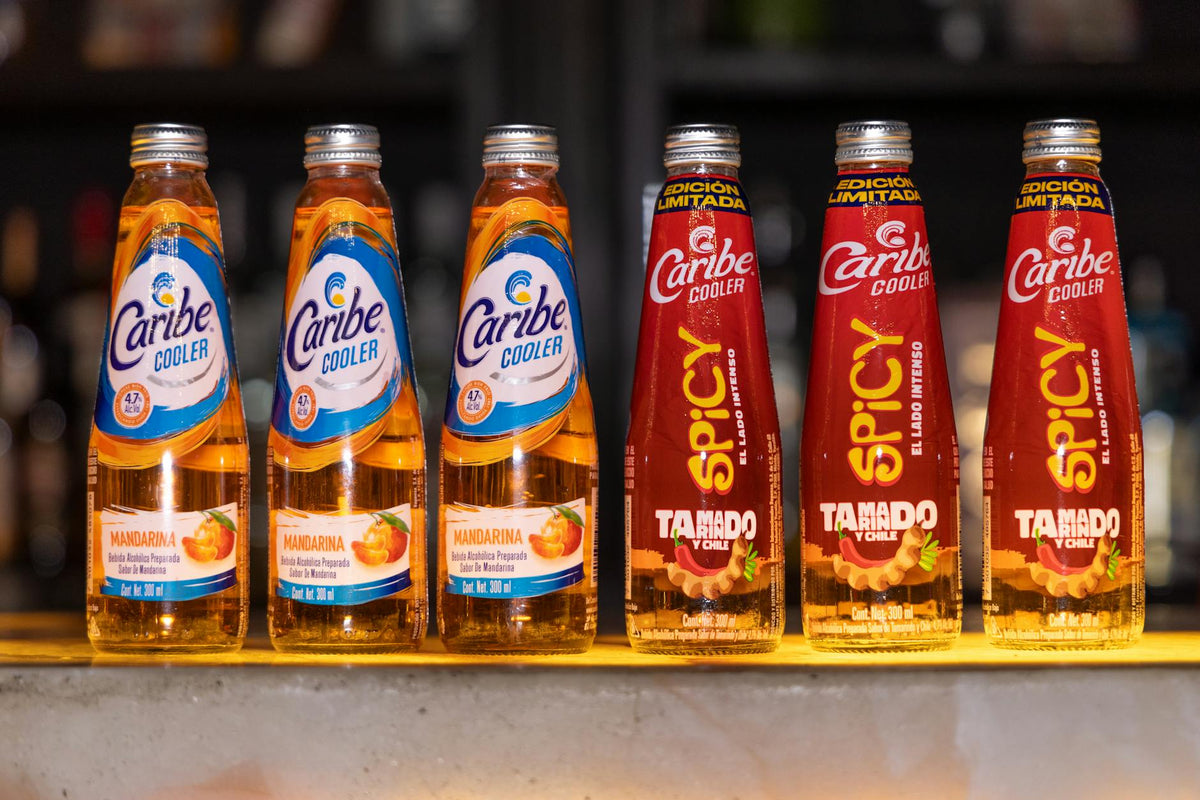
Beverage and cosmetic brands printing custom labels for bottles in 2026 face a choice that shapes both cost and quality: buy pre-printed labels from a vendor on long lead times, or bring label production in-house with a printer built for cylindrical surfaces and demanding materials.
TL;DR: For beverage and cosmetic brands that need custom labels for bottles on demand in 2026, in-house thermal transfer printing is the faster, lower-cost path once volume exceeds a few hundred units per run. The Godex AG1000F bottle applicator paired with a thermal transfer printer handles wrap-around labels on round containers with consistent registration. Brands printing sporadically at low volume may find pre-printed label stock simpler — but lose the ability to update artwork, batch codes, or compliance text without re-ordering.
Why this matters in 2026
Supply chain delays that stretched 8–14 weeks for offshore-printed labels in prior years have pushed more brands to evaluate on-demand production. Custom labels for bottles carry specific requirements — waterproof or water-resistant face stock, aggressive adhesives that grip curved glass or HDPE, and print resolution sharp enough to render barcodes, ingredient lists, and brand graphics at small sizes. Getting these three wrong means labels that peel at the shoulder, smear when wet, or fail retail scanner reads.
Who this is for
This guide is for procurement managers, brand owners, and production leads at beverage startups, craft distilleries, personal care brands, and contract packagers who are evaluating whether to print custom labels for bottles internally versus ordering from a label converter. If you run fewer than 200 bottles per batch with frequent artwork changes, in-house printing pays back fastest. If you run a single SKU at 50,000+ units per month with stable artwork, a converter relationship may cost less per label — though you still need on-demand capability for samples, proofs, and compliance updates.
What to look for in custom labels for bottles
Print resolution
Bottle labels are small. A 3" x 4" front panel must fit brand name, net weight, barcode, and often a QR code. At 203 DPI, fine serif fonts and small barcodes degrade visibly. 300 DPI is the minimum for retail-facing bottle labels; 600 DPI is worth specifying if your design includes 6pt type or EAN-13 barcodes under 25mm wide. Printers like the Godex RT863i at 600 DPI and the Godex RT730i at 300 DPI both handle this range — the right choice depends on your smallest text size.
Face stock and adhesive
Beverage bottles sweat. Cosmetic bottles see oil, water, and repeated handling. Paper labels fail in both environments. Polyester (BOPP or PET) face stock with a permanent, moisture-resistant adhesive is the baseline. Glossy white polyester thermal transfer labels hold color from the ribbon and resist smearing far better than direct thermal stock, which can fade with moisture or UV exposure. For glass bottles with curved surfaces, a conformable face stock that flexes without lifting at the edges matters as much as the adhesive.
Label applicator compatibility
Flat-surface label printers do not wrap cleanly around bottles. A dedicated bottle applicator — like the Godex AG1000F bottle applicator — feeds and applies labels to cylindrical containers with controlled tension and consistent placement. Without this, hand-application at any volume above 50 units per hour introduces crooked labels and wasted stock. The AG1000F integrates directly with Godex thermal printers, eliminating a separate interface step.
Ribbon type and match to stock
Thermal transfer printing uses ribbons — wax, wax-resin, or full resin — and the ribbon must match the face stock. Wax ribbons on paper stock work for dry environments. Resin ribbons on polyester stock are required for moisture, chemical, or heat exposure. A mismatch produces print that scratches off with a fingernail in under 10 seconds. Verify ribbon-stock compatibility before committing to a label stock.
Batch variability and on-demand printing
If your bottles carry batch codes, use-by dates, or variable QR codes, every print run changes. Pre-printed labels from converters price this variability with plate charges per version. In-house thermal transfer has zero plate cost — you update the template in software and print. For brands with 4+ SKUs or frequent regulatory updates, this alone justifies the hardware investment within 6–12 months.
Regulatory compliance readiness
FDA nutrition facts panels, TTB alcohol label requirements, and EU cosmetic ingredient lists all carry specific type-size and placement rules. Whatever printer you choose must handle the label dimensions those regulations demand — often portrait labels in the 2" x 4" to 4" x 6" range. Confirm the printer's maximum media width covers your widest label before purchasing.
Top picks for bottle label printing setups in 2026
The dedicated bottle system — Godex AG1000F + thermal transfer printer
Hook: the production-line pick. The Godex AG1000F bottle applicator is the only item in McAuley Labels' catalog purpose-built for cylindrical label application. It prints and applies in one pass, feeds round containers consistently, and pairs with Godex thermal transfer printers. Throughput is suited for small-batch production runs of 50–500 bottles per session. For beverage or cosmetic brands doing daily or weekly runs, this eliminates the hand-application bottleneck entirely.
Verdict: Buy if you run more than 100 bottles per session and value consistent placement over manual labor.
The high-resolution workhorse — Godex RT863i at 600 DPI
Hook: the fine-print specialist. The Godex RT863i thermal printer prints at 600 DPI on 4" media — the sharpest output in the Godex lineup for 2026. If your label design includes ingredient lists in 6pt type, QR codes smaller than 20mm, or fine-line brand graphics, 600 DPI is the specification that makes them readable and scannable. Pair it with glossy white polyester thermal transfer labels and a resin ribbon for moisture-resistant output.
Verdict: Buy for premium cosmetic or craft beverage labels where design fidelity and retail scannability are non-negotiable.
The mid-range entry point — Godex RT230i at 300 DPI
Hook: the safe start. For brands testing in-house label printing in 2026 before scaling, the Godex RT230i thermal printer at 300 DPI handles standard bottle label sizes cleanly. It prints on polyester stock with resin ribbon, outputs sharp barcodes and readable text at 8pt and above, and fits a tighter capital budget than the RT863i. It is not the right tool for complex 4-color graphics — thermal transfer prints in single color — but for labels where the brand is expressed through die shape, stock finish, and clean typography, it does the job.
Verdict: Consider as a starting point; upgrade to 600 DPI if label complexity grows.
The consumables to match — polyester label stock and resin ribbon
Hardware without the right consumables produces unusable labels. Glossy white polyester thermal transfer labels paired with a thermal transfer ribbon (resin grade for wet environments) are the correct combination for bottle applications. Do not substitute direct thermal labels — they have no ribbon and the image degrades on contact with moisture, a certainty on beverage bottles.
Verdict: Buy both as part of any thermal transfer bottle label setup.
What to avoid
- Direct thermal labels on bottles. Direct thermal requires no ribbon, which reduces consumable cost, but the image is heat- and moisture-sensitive. A cold bottle from a cooler will not cause immediate failure, but extended exposure, oily hands, or UV light will degrade the print. Every thermal transfer printer in the Godex lineup can run direct thermal stock if you pull the ribbon — resist the temptation on bottle applications.
- Paper face stock in any wet or refrigerated environment. Paper labels absorb moisture, edge-lift at the shoulder, and show fingerprints. Even indoors, a cosmetic bottle in a bathroom sees enough humidity to cause paper label failure within weeks. Polyester or BOPP stock is not a premium upgrade — it is the minimum viable specification.
- 203 DPI for complex label designs. 203 DPI is adequate for shipping labels and basic barcode tags. On a 3" bottle label with a logo, ingredient list, and barcode, 203 DPI produces visibly jagged curves and barcodes that may not scan reliably at the register. If your labels carry retail-facing graphics, start at 300 DPI minimum.
Comparison table
| Printer | DPI | Media width | Best for | Verdict |
|---|---|---|---|---|
| Godex AG1000F | 203 | Bottle applicator | High-volume cylindrical application | Buy |
| Godex RT863i | 600 | 4" | Fine-print cosmetic/beverage labels | Buy |
| Godex RT230i | 300 | 2" | Entry-level bottle label printing | Consider |
| Direct thermal labels | — | — | Dry, non-refrigerated, short-life | Skip for bottles |
| Paper face stock | — | — | Any wet/humid environment | Skip |
FAQ
What are the best custom labels for bottles in 2026? Glossy white polyester thermal transfer labels printed with a resin ribbon are the best combination for beverage and cosmetic bottles in 2026. They resist moisture, chemicals, and handling better than paper or direct thermal alternatives.
Is thermal transfer better than direct thermal for bottle labels? Yes. Thermal transfer uses a ribbon to bond ink to the label face stock, producing a durable, moisture-resistant image. Direct thermal labels produce a heat-reactive image that degrades when wet or exposed to UV — both common on bottles.
How much does in-house bottle label printing cost vs. ordering from a converter? Hardware costs vary by model. Consumable costs for thermal transfer labels and ribbon typically run $0.03–$0.12 per label at small volumes, depending on label size and ribbon grade. Converter pricing for short runs (under 1,000 units) often starts at $0.15–$0.40 per label before setup fees, making in-house printing cost-effective at consistent weekly volume.
What DPI do I need for bottle labels with barcodes and small text? 300 DPI handles barcodes and text down to 8pt cleanly. For ingredient lists at 6pt or QR codes under 20mm, specify 600 DPI — the Godex RT863i is the model to consider.
Can I print wrap-around labels for round bottles on a standard label printer? A standard flat-surface label printer can print the label, but applying it consistently to a round bottle at volume requires a bottle applicator. The Godex AG1000F is built specifically for cylindrical containers and integrates with Godex thermal printers.
What label stock works for cosmetic bottles in a bathroom environment? Polyester (BOPP or PET) face stock with a permanent moisture-resistant adhesive. Glossy white polyester thermal transfer labels printed with resin ribbon hold up to humidity, water contact, and repeated handling.
How fast can in-house bottle label printing pay back the hardware investment? At 500 labels per week with a $0.10 per-label cost advantage over outsourcing, annual savings reach approximately $2,600. Most Godex thermal transfer printer models in the $300–$800 range pay back in under 12 months at that volume.
Do I need a separate software system to print variable data on bottle labels? No. Most Godex thermal transfer printers accept templates via standard label design software (Bartender, ZebraDesigner-compatible software, or GoLabel) and can print variable batch codes, dates, and QR codes from a CSV file or database without additional hardware.
One last thing
The most common bottle label failure in 2026 is not a bad printer — it is a mismatch between ribbon grade and face stock. Wax ribbon on polyester stock scratches off. Resin ribbon on paper stock is overkill and may not bond correctly. Before ordering label stock in volume, run a 50-label test with the exact ribbon-stock combination your production environment requires, expose labels to the actual moisture or chemical conditions they'll face, and confirm barcode scannability with the intended scanner. That 30-minute test prevents a 10,000-label waste event.