
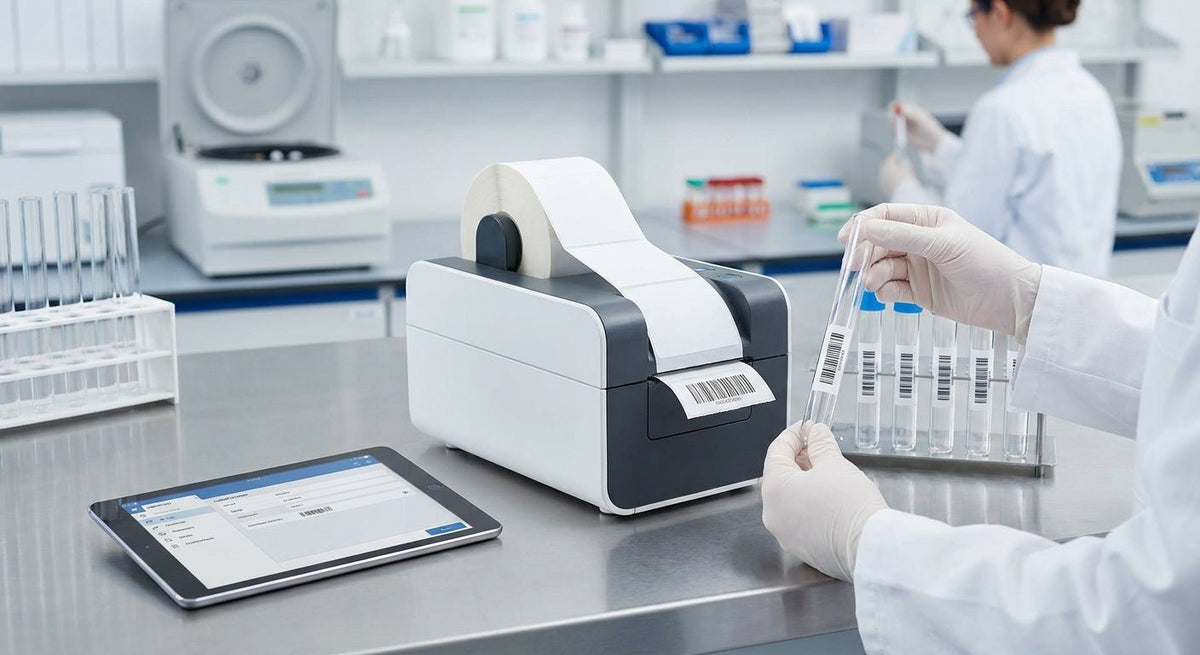
Picking the wrong test tube label printer for labs costs more than the hardware — a smeared barcode or a label that peels in a centrifuge can compromise sample integrity and chain-of-custody compliance. This guide covers what clinical lab buyers should evaluate before purchasing a test tube label printer for labs in 2026.
TL;DR: For clinical lab test tube labeling in 2026, the Godex GTL-100 is the purpose-built pick — it wraps labels flush around tube diameters from 10 mm to 17 mm, prints at 203 DPI, and eliminates the manual alignment errors that plague standard desktop printers. Labs running high specimen volumes daily need a dedicated tube labeler, not a repurposed shipping printer. The Godex RT230i (300 DPI) is the best fallback if you also print flat labels for slides and biohazard bags from the same workstation.
Why This Matters in 2026
Clinical labs face tighter specimen identification requirements under CAP, CLIA, and Joint Commission standards. A label that lifts during centrifugation or fades in a -80°C freezer creates a chain-of-custody break — and that means a re-draw, a delay, or worse. Standard thermal label printers are built for flat surfaces. Test tubes are cylindrical, narrow, and handled in environments that destroy paper labels within hours. The right printer solves all three problems at the point of label application.
Who This Is For
This guide is for lab managers, procurement leads, and LIS coordinators at clinical labs, hospital-based labs, and reference labs who process tubes at volume — think 200 or more specimens per shift. If you hand-write tube labels or use a general-purpose label printer and fight with wrinkles, flagging edges, or illegible barcodes daily, you are the buyer this page is written for. Research labs running smaller batches on a tight budget are also covered in the picks below.
What to Look for in a Test Tube Label Printer for Labs
Tube Diameter Compatibility
Test tubes and blood collection tubes (vacutainers) range from 10 mm to 17 mm in diameter. A printer that cannot handle that range forces you to stock multiple label formats or hand-apply on small tubes. The Godex GTL-100 handles 10–17 mm tubes natively. Confirm the printer's tube diameter spec before ordering — this single number eliminates half the wrong options.
Print Resolution for Barcodes
Clinical labs print Code 128, Code 39, and 2D DataMatrix barcodes on labels as narrow as 0.25 inches wide. At 203 DPI, a narrow barcode is readable. At 300 DPI, the same barcode scans reliably with handheld and fixed-mount scanners under varied lighting. If your LIS uses 2D codes or your lab runs high-speed automated scanners, 300 DPI is the minimum. The Godex RT230i runs 300 DPI and is sold directly through McAuley Labels for labs that print both tube and flat specimen labels.
Label Material: Cryo, Chemical, and Centrifuge Resistance
Lab labels encounter ethanol wipes, liquid nitrogen, -80°C freezer storage, and centrifuge forces exceeding 3,000 × g. Paper labels fail in all four conditions. Cryo-grade polypropylene labels hold adhesion from -196°C to +110°C. Specify cryo stock when ordering media — the printer hardware only matters if the label stock can survive the environment. McAuley Labels carries direct thermal printer labels (no ribbon needed) compatible with lab environments.
Throughput and Print Speed
A 6-inch-per-second print speed sounds fast until you have 300 tubes queued before morning rounds. Purpose-built tube labelers like the GTL-100 apply and wrap the label in one motion, cutting per-tube time by roughly 60% compared to print-then-manually-wrap workflows. For reference labs processing 1,000+ specimens per day, print speed paired with automated wrap is not optional — it is the difference between a 45-minute labeling shift and a 2-hour one.
LIS and Software Integration
Your printer must accept HL7 or direct database queries from your LIS (Sunquest, Epic Beaker, Cerner PathNet, etc.). Most Godex printers support ZPL/EPL emulation and include Godex GoLabel software for label design. Confirm USB, Ethernet, or RS-232 connectivity matches your workstation setup. Printers that require proprietary middleware add cost and a single point of failure.
Footprint and Bench Space
Clinical lab benches are constrained. The GTL-100 is compact — roughly the footprint of a desktop stapler — and sits inline with the tube-receipt workflow. A full 4-inch industrial printer like the RT700i takes up 3× the bench space for no tube-labeling benefit. Match the printer size to the workstation, not to the warehouse.
Top Picks
1. Godex GTL-100 — The Purpose-Built Pick
The safe pick for any clinical lab.
The Godex GTL-100 test tube labeler is the only printer in this list designed specifically for tube labeling. It wraps labels automatically around tubes from 10 mm to 17 mm in diameter at 203 DPI, prints directly from USB or serial, and eliminates the flagging-edge problem entirely because the wrap mechanism tensions the label flush against the tube surface.
- Resolution: 203 DPI
- Tube range: 10–17 mm diameter
- Interface: USB, serial
- Verdict: Buy. For clinical labs running daily specimen intake, this is the one printer that actually solves the problem rather than approximating a solution with flat-label workarounds.
2. Godex RT230i — The High-Resolution Dual-Purpose Pick
The wildcard for labs that print tubes and flat labels from one workstation.
The Godex RT230i (300 DPI) is a thermal transfer printer that handles narrow labels down to 0.5 inches wide at 300 DPI — enough resolution for 2D DataMatrix codes on tube labels. It does not auto-wrap, so it requires a steady hand or a tube-holder fixture, but it covers slide labels, bag labels, and specimen bag inserts from the same roll.
- Resolution: 300 DPI
- Max print speed: Up to 6 inches per second
- Interface: USB, serial, Ethernet
- Verdict: Consider. Best for research labs or satellite draw stations that print multiple label types and can tolerate manual tube application.
3. Godex DT200i — The Budget Direct-Thermal Pick
For low-volume labs that cannot justify a dedicated tube labeler.
The Godex DT200i is a 203 DPI direct-thermal printer — no ribbon needed, which lowers per-label consumable cost. It prints narrow labels for tube applications when paired with cryo-grade direct-thermal stock. At under $300 list, it is the lowest-cost entry point into printable tube labeling.
- Resolution: 203 DPI
- No ribbon: Direct thermal, reduced consumable overhead
- Verdict: Consider for research or low-volume clinical labs. Skip if you run more than 100 tubes per shift — at that volume, the GTL-100's auto-wrap ROI is obvious within the first week.
4. Godex MX30i Mobile Printer — The Bedside/Point-of-Care Pick
For phlebotomy teams labeling at the patient bedside.
The Godex MX30i is a belt-clip mobile printer that pairs via Bluetooth or USB to a tablet or mobile LIS client. It prints 203 DPI labels at the point of collection, which eliminates the transport step where pre-printed labels get mismatched. Battery life supports a full 8-hour shift without recharging.
- Resolution: 203 DPI
- Connectivity: Bluetooth, USB
- Weight: Under 500 g
- Verdict: Buy for hospital phlebotomy teams doing bedside collections. Skip for central processing, where the GTL-100 is faster and more accurate.
What to Avoid
- Standard 4×6 shipping printers for tube labels. A 4-inch minimum print width printer cannot produce the narrow label formats (0.25–1 inch wide) that tube labeling requires. The label either wraps multiple times or flags off the tube.
- Paper label stock. Even in a climate-controlled lab, ethanol wipe-downs destroy paper label adhesion within minutes. Anything going into a centrifuge, freezer, or water bath needs polypropylene or polyester stock.
- Printers without ZPL/EPL emulation. If your LIS cannot talk to the printer natively, you add a software layer that breaks when the vendor pushes an OS update. Confirm emulation support before purchasing — not after.
Verdict Comparison Table
| Printer | Resolution | Auto-Wrap | Tube Range | Interface | Best For | Verdict |
|---|---|---|---|---|---|---|
| Godex GTL-100 | 203 DPI | Yes | 10–17 mm | USB, Serial | Clinical labs, high-volume intake | Buy |
| Godex RT230i | 300 DPI | No | N/A (flat) | USB, Serial, Ethernet | Multi-format workstations | Consider |
| Godex DT200i | 203 DPI | No | N/A (flat) | USB, Serial | Low-volume, research labs | Consider |
| Godex MX30i | 203 DPI | No | N/A (flat) | Bluetooth, USB | Bedside/point-of-care | Buy |
FAQ
What's the best test tube label printer for labs in 2026? The Godex GTL-100 is the top pick for clinical labs in 2026. It auto-wraps labels around tubes from 10 mm to 17 mm in diameter at 203 DPI and eliminates the manual alignment step that causes most tube labeling errors.
Is a direct thermal printer good enough for lab tube labels? Direct thermal works for short-term labeling — same-day processing, ambient storage. For freezer storage at -20°C or below, or for centrifuge runs, thermal transfer labels on cryo-grade polypropylene stock hold adhesion significantly better than direct thermal paper.
What DPI do I need for barcode tube labels? 203 DPI is sufficient for Code 128 and Code 39 barcodes on standard tube labels. If your lab uses 2D DataMatrix codes or automated line scanners, 300 DPI reduces misread rates and is worth the incremental cost.
Can I use a regular shipping label printer for test tubes? No. Standard 4×6 printers cannot produce labels narrow enough for most tube formats, and the label stock they use is not rated for centrifuge forces or freezer storage.
How do lab label printers connect to an LIS? Most Godex printers connect via USB or Ethernet and support ZPL/EPL emulation, which is compatible with Epic Beaker, Cerner PathNet, and Sunquest. Confirm your LIS vendor's driver support before committing to a model.
What label material is cryo-rated for test tubes? Cryo-grade polypropylene labels rated to -196°C are the standard for liquid nitrogen storage. Polyester labels rated to -80°C cover standard ultra-low freezers. Neither paper nor standard vinyl meets these specs.
How many tubes per hour can a GTL-100 handle? Based on manufacturer specifications, the GTL-100 prints and wraps at speeds consistent with processing 300 or more tubes per hour in a continuous workflow — substantially faster than any print-then-wrap manual process.
Does McAuley Labels supply both the printer and compatible label stock? Yes. McAuley Labels manufactures and ships both the printer hardware and compatible label media from the US, so you are not sourcing consumables from a separate supplier.
One Last Thing
The most common mistake labs make in 2026 is buying a general-purpose desktop printer and trying to adapt it to tube labeling with custom fixtures. That workaround costs more in technician time and mislabeled specimens over 12 months than the GTL-100 costs to purchase outright. The math is straightforward: 5 minutes of manual wrap time per 100 tubes, across 250 working days, is over 200 hours of labor annually — before counting re-draws from label failures.