
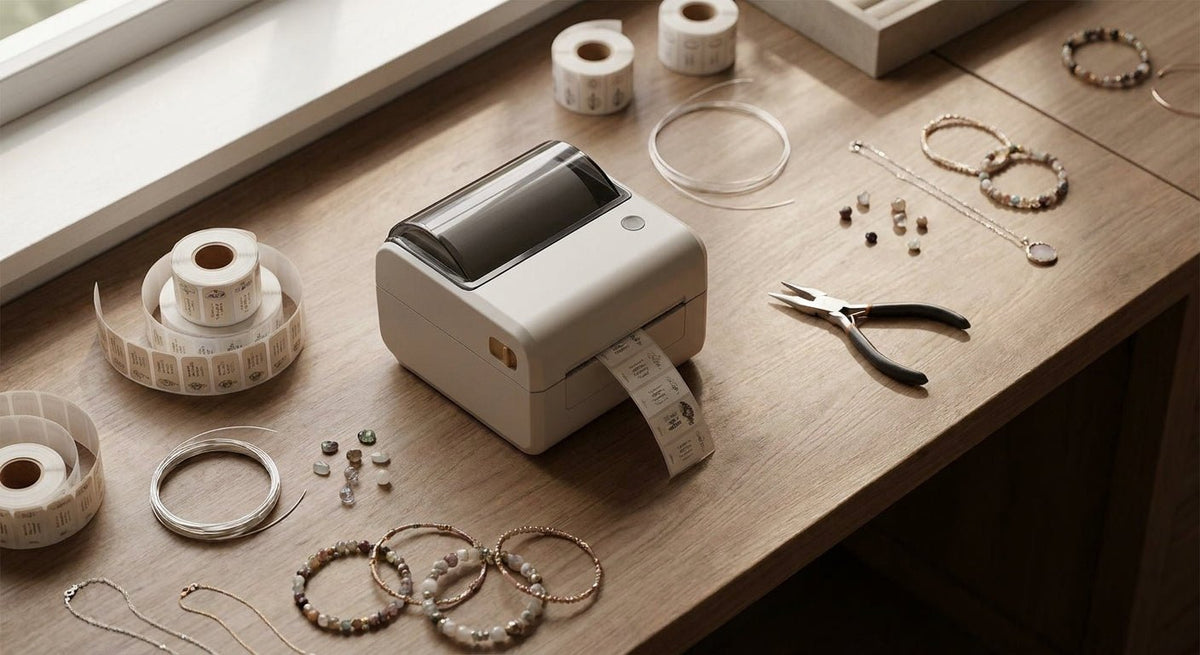
Jewelry makers need labels that are small, precise, and durable enough to survive handling by customers and staff alike. This guide covers what to look for in a thermal label printer for jewelry makers in 2026, which specific printers match each shop size, and what to skip.
TL;DR: The best thermal label printer for jewelry makers in 2026 prints at 300 DPI minimum, handles label widths as narrow as 0.5 inches, and either runs direct thermal (no ribbon, fast swaps) or thermal transfer (ribbon-based, longer-lasting print). For most independent jewelers and Etsy-based makers, a compact direct thermal printer at 203–300 DPI covers price tags, SKU labels, and small poly labels without friction. High-volume studios or wholesale accounts benefit from thermal transfer at 300 DPI for smudge-resistant, archival-quality output.
Why Printer Choice Matters for Jewelry Labeling
Jewelry labels are among the smallest in retail — often 0.5" × 1" or 1" × 1" — and the price point printed on them is visible to paying customers. A blurry barcode or faded price tag reads as unprofessional. Thermal printing eliminates ink cartridge costs and produces crisp output even at tiny sizes, but only if the printer is matched to the label stock and resolution the job requires. In 2026, jewelry makers also increasingly need QR codes on hang tags that link to authenticity pages or care instructions — that use case demands higher DPI than a basic 203 DPI printer delivers reliably at small sizes.
Who This Guide Is For
This guide is for independent jewelers, small-batch jewelry brands, Etsy and Shopify sellers, and studio operations that label anywhere from 50 to 5,000 pieces per month. If you are running a large-scale wholesale operation printing tens of thousands of labels daily, you need an industrial-class printer — that is a different buying decision covered in the thermal label printer for warehouse use guide.
What to Look For in a Thermal Label Printer for Jewelry Makers
Print Resolution (DPI)
At label sizes below 1 inch, resolution is the single most important spec. 203 DPI is adequate for text and basic barcodes on labels 1" wide or larger. Drop to 0.5" labels and 203 DPI starts losing edge sharpness. 300 DPI is the safe floor for jewelry-scale labels — it keeps barcodes scannable and text readable at 6-point font. If you plan to print QR codes on hang tags smaller than 1", 300 DPI is non-negotiable. 600 DPI exists but adds cost and is rarely necessary unless you are printing fine-detail logos directly on label stock.
Label Width Range
Most desktop thermal printers are designed for 4-inch wide shipping labels. Jewelry labels run 0.25" to 2" wide. Confirm the printer's minimum media width before buying — many 4-inch printers technically accept narrow stock but produce calibration errors below 1 inch because the sensor is positioned for wide media. Printers with adjustable media guides and gap sensors designed for narrow stock handle jewelry labels reliably.
Direct Thermal vs. Thermal Transfer
Direct thermal uses heat-sensitive paper — no ribbon needed, faster media changes, lower per-label cost. The tradeoff: direct thermal labels fade when exposed to prolonged heat, UV light, or friction. For price tags that live on jewelry for days or weeks and then get discarded, direct thermal works fine. For permanent inventory tags, barcode labels that stay on display cases, or poly labels on metal findings, thermal transfer with a wax-resin or resin ribbon is the better call — the print is scratch-resistant and lasts years. See the direct thermal vs. thermal transfer breakdown for a full comparison.
Label Stock Compatibility
Jewelry makers use a wider range of label materials than most retail categories: matte paper for hang tags, glossy poly for metal surfaces, clear poly for "no-label" looks on packaging, and sometimes synthetic stock for waterproof display tags. Your printer must accept the media type you need. Thermal transfer printers are compatible with paper, poly, and synthetic stocks. Direct thermal printers are limited to heat-sensitive paper and certain poly stocks — they cannot print on standard polyester or polypropylene.
Connectivity and Software
USB is the baseline. If your labeling station moves around — between a bench, a packaging table, and a show booth — Bluetooth or Wi-Fi cuts the cable clutter. Most Godex printers ship with GoLabel software, which handles small label design including barcodes, QR codes, and logo placement without needing a separate subscription. If you use Shopify or Etsy, confirm the printer works with your order management workflow before you buy.
Footprint and Noise
Jewelry studios are often small. A 4-inch industrial printer on a bench that already holds tools, findings, and a loupe is a space problem. Compact desktop models with a footprint under 7" × 8" fit bench corners without crowding. Thermal printers are also quiet — no impact noise — which matters in home studios.
Top Picks for Jewelry Makers in 2026
The Precision Pick — Godex RT230i (300 DPI)
The hook: Built for exactly the resolution jewelry labels need, without the bulk of an industrial unit.
The Godex RT230i prints at 300 DPI at speeds up to 4 inches per second and handles media as narrow as 1 inch. For hang tags, price stickers, SKU barcodes, and small QR codes, 300 DPI at this speed covers a production run without bottlenecks. It supports thermal transfer, so you can run poly label stock for display-case tags that need to last months. USB and serial connectivity are standard; add Ethernet if your studio network needs it.
Verdict: Buy — this is the right printer for most jewelry makers producing 100–2,000 labels per month who need clean QR codes and barcodes on small stock. Available at Godex RT230i thermal printer 300 DPI.
The Budget Pick — Godex DT230 (300 DPI, Direct Thermal)
The hook: Same 300 DPI resolution, no ribbon cost, ideal if your labels are paper-only.
The Godex DT230 is a direct thermal printer at 300 DPI — it prints crisp hang-tag text and scannable barcodes without the recurring ribbon expense. If your price tags are paper and get replaced with every sale, this saves money per label run. The tradeoff is media limitation: no poly or synthetic stock. For makers whose labels never need to outlast the sale, that is an acceptable constraint.
Verdict: Buy for paper-only label workflows. Consider the RT230i if you ever need poly stock.
The High-Volume Pick — Godex EZ2350i (300 DPI, Thermal Transfer)
The hook: A step up in duty cycle for studios running wholesale or craft fair volume.
The Godex EZ2350i handles higher monthly volumes without the motor wear that shortens cheaper printers' service life. It prints at 300 DPI, accepts media up to 4.25 inches wide, and supports USB, serial, and Ethernet. For a jewelry brand fulfilling wholesale orders — hundreds of SKU tags per batch — this printer runs through a full roll without pausing. The 4-line LCD display makes label calibration faster than on entry models.
Verdict: Consider if your monthly label volume exceeds 2,000 or you are running wholesale batches regularly.
The Mobile Pick — Godex MX30i (Mobile Thermal Printer)
The hook: Print price tags at a craft fair booth without a power cable.
The Godex MX30i is a belt-clip mobile printer with Bluetooth connectivity. At a show booth, you can reprint a price tag on the spot when a customer asks for a custom quote or when a tag goes missing mid-show. It prints 3-inch wide media at up to 3 inches per second — adequate for hang tags and small QR code stickers. Battery life covers a full show day under normal use.
Verdict: Consider as a secondary printer for show use. Not a replacement for a desktop unit in a studio setting.
What to Avoid
- 203 DPI-only printers for sub-1-inch labels. They look fine printing 4×6 shipping labels but produce fuzzy barcodes and illegible fine print at jewelry label sizes. You will rescan failures at checkout.
- Inkjet or laser printers with "label" modes. They are not thermal, they require cartridges, and they cannot handle narrow roll stock. A dedicated thermal label printer costs less per label at any volume above a few hundred per month.
- 4-inch industrial printers without narrow-media support. Large-format industrial units are engineered for 4-inch minimum media widths. Running 0.5-inch jewelry tags through them produces consistent calibration errors and wasted stock.
Comparison Table
| Model | DPI | Method | Min Media Width | Best For | Verdict |
|---|---|---|---|---|---|
| Godex RT230i | 300 | Thermal Transfer | ~1" | QR codes, poly tags, barcodes | Buy |
| Godex DT230 | 300 | Direct Thermal | ~1" | Paper hang tags, price stickers | Buy |
| Godex EZ2350i | 300 | Thermal Transfer | ~1" | Wholesale volume, batch runs | Consider |
| Godex MX30i | 203 | Direct Thermal | ~1" | Craft fair, on-the-go reprints | Consider |
FAQ
What is the best thermal label printer for jewelry makers in 2026? The Godex RT230i at 300 DPI is the best all-around thermal label printer for jewelry makers in 2026. It handles small label widths, supports poly stock via thermal transfer, and prints clean QR codes and barcodes at jewelry-scale sizes.
What DPI do I need for jewelry labels? 300 DPI is the minimum for labels under 1 inch wide. At 203 DPI, small barcodes and QR codes lose resolution and become difficult to scan reliably.
Can I use a direct thermal printer for jewelry tags? Yes, if your labels are paper and get replaced frequently. Direct thermal labels fade with heat and UV exposure, so they are not suitable for long-term display tags or poly stock.
What label size do most jewelers use? Common jewelry label sizes are 0.5" × 1", 1" × 1", and 1" × 2". Always verify your printer's minimum media width supports these dimensions before purchasing.
Do I need special software to design jewelry labels? Most Godex printers include GoLabel design software at no extra cost. It handles barcodes, QR codes, text, and basic logo placement — enough for typical jewelry labeling needs without a subscription.
Is thermal transfer better than direct thermal for jewelry? For any label that needs to last more than a few weeks or print on poly/synthetic stock, thermal transfer wins. For paper price tags replaced at point of sale, direct thermal is cheaper and simpler.
How many labels per month can a desktop jewelry label printer handle? Entry-level desktop models like the Godex DT230 are rated for light-to-medium duty — comfortably 500–2,000 labels per month. For higher volumes, step up to the EZ2350i or a similar mid-range thermal transfer unit.
Can I print QR codes on small jewelry hang tags? Yes, but only reliably at 300 DPI or higher. A QR code printed at 203 DPI on a label smaller than 1 inch often fails to scan with standard smartphone cameras.
One Last Thing
Label stock matters as much as the printer. A 300 DPI printer running cheap generic label rolls will still produce blurry output if the coating is inconsistent. For poly jewelry tags — especially clear or matte finishes — use label stock rated for thermal transfer printing. McAuley Labels carries both thermal transfer printer labels in polyester white and paper options, sized for the Godex printers in this guide.