
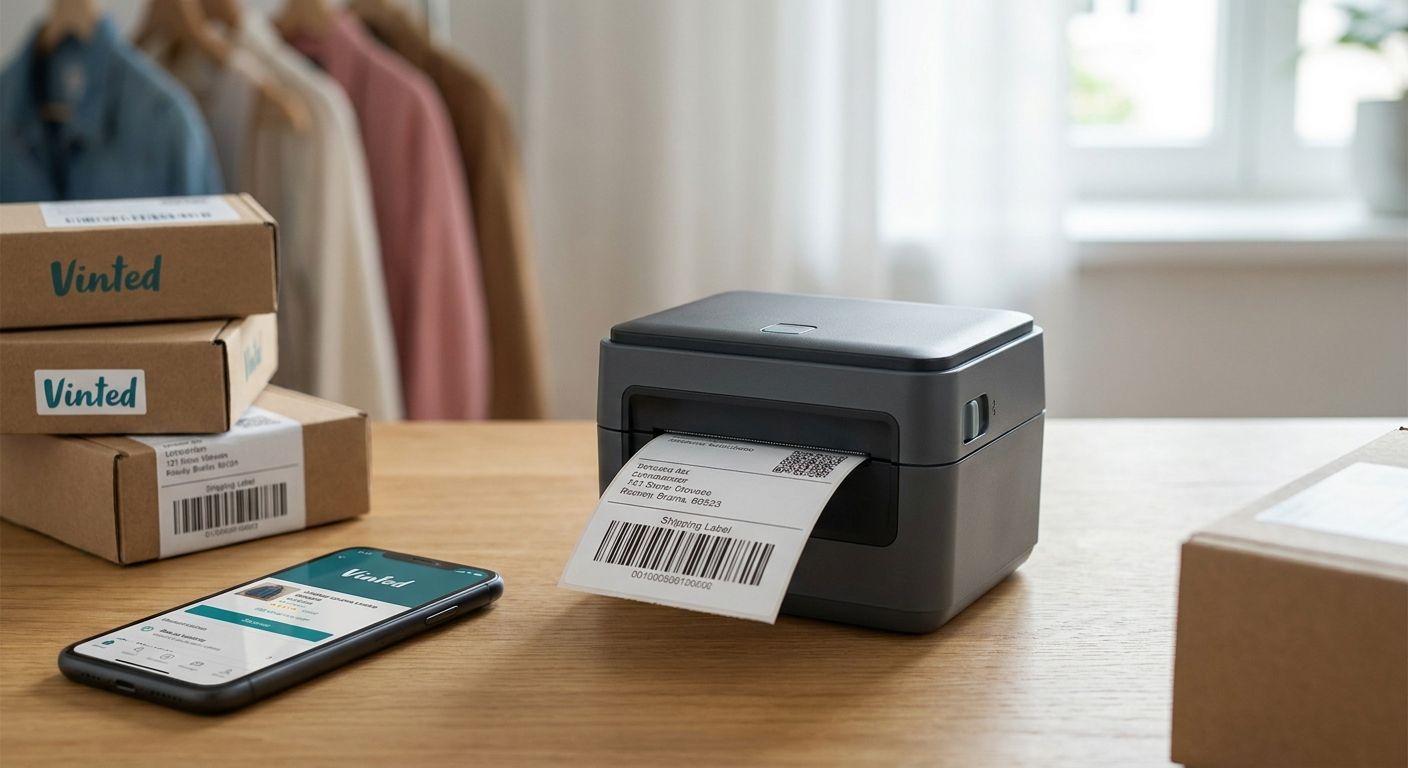
Vinted issues a prepaid shipping label as a PDF, and printing that PDF on a home inkjet or laser burns through ink cartridges fast once you're shipping more than a handful of parcels a week. A thermal label printer for Vinted sellers cuts per-label cost, prints a 4x6 label in seconds, and skips ink entirely.
- GoDEX RT200i (203 DPI) is the safe budget pick for solo Vinted sellers under 50 labels a week — Buy.
- GoDEX G500 handles daily listing volume without jamming or overheating — Consider.
- Direct thermal labels need no ribbon, which matters once you're shipping every day in 2026.
- Skip 300+ DPI industrial printers built for production-line barcode work — Vinted shipping labels don't need that resolution.
Why this matters
A laser or inkjet printer costs pennies per page in toner when you're printing invoices once a month. Print 15-20 shipping labels a week and that cost triples, plus you're feeding full sheets through a tray built for letter paper, not label stock. McAuley Labels' thermal printer lineup exists because direct thermal printers solve exactly this problem: no ink, no ribbon, one roll of 4x6 stock that lasts weeks.
Direct thermal technology heats the label itself to create the image — no cartridge, no ribbon spool, no smudging from a dragging print head. That's the mechanism behind every dedicated shipping label printer on the market in 2026, and it's why resale sellers on Vinted, Depop, and Poshmark have largely moved off home printers.
Who this is for
This guide is for the Vinted seller shipping five or more parcels a week — the closet-cleaner turned regular seller, or the reseller treating Vinted as a second income stream. If you're printing one label a month, a home printer still works fine. Once shipping becomes a weekly task, the math on a dedicated printer starts paying for itself within a few months.
What to look for in a thermal label printer for Vinted sellers
Label width: 4x6, not 4x4
Vinted's shipping labels print at the standard 4x6 carrier size used by most European and US logistics partners. A printer built for 4x4 or 2-inch retail tags will crop or shrink the label, which risks a scan failure at the drop-off point.
Direct thermal vs. thermal transfer
Direct thermal needs no ribbon — the label itself darkens under heat. Thermal transfer uses a wax or resin ribbon and produces a more permanent, scratch-resistant print, which matters for asset tags but not for a shipping label that's scanned once and thrown away. For Vinted sellers, direct thermal is the lower-cost, lower-hassle choice.
Print speed for batch days
If you list and ship in batches — a Sunday afternoon of ten packages — a printer that queues labels without a manual reset between each one saves real time. Look for USB or network printers designed for continuous batch jobs, not single-label desktop units.
Connectivity for phone-based selling
Most Vinted activity happens on a phone. A printer with USB-only connectivity means routing labels through a laptop first; wireless or app-compatible models cut that step out entirely.
Cost per label at your volume
Direct thermal label rolls run in the range of $50-60 per roll of a few hundred labels — that's a few cents per label versus the ink cost of a home printer at that same volume. Do the math against your actual weekly ship count before buying, not against a hypothetical.
Build quality for daily desk use
A printer marketed for occasional home use often can't handle daily on-off cycling. Look for a printer built to sit on a desk and run every day, not one designed for holiday-season-only printing.
Top picks for Vinted sellers
GoDEX RT200i (203 DPI) — the safe pick. This is a 203 DPI direct thermal printer, the resolution standard for shipping labels since barcode and address text don't need higher detail. It's the entry point for a solo seller printing under 50 labels a week. Verdict: Buy.
GoDEX G500 — the volume workhorse. Built for sellers who batch-print daily rather than weekly, this model handles sustained runs without the overheating issues that show up in printers designed for occasional use. If Vinted has become a regular income stream rather than a side hobby, this is where to upgrade. Verdict: Consider.
GoDEX RT730i — the wildcard. Where the RT200i and G500 are meant to sit behind a laptop, the RT730i is built to run more independently on a busy packing desk, which suits a seller who's outgrown printing one label at a time between other tasks. Verdict: Consider.
GoDEX GX4200i — the skip. This is a 203 DPI industrial printer rated up to 16 IPS with a 5-inch touchscreen, built for production-line labeling at a facility, not a home packing station. It's more printer, more price, and more footprint than a Vinted seller needs. Verdict: Skip.


What to avoid
- 600 DPI industrial barcode printers. These are built for production tracking and inventory barcodes, not shipping labels. You're paying for resolution your address text will never use.
- Printers that only run thermal transfer. If a printer requires a ribbon for every print, you're adding an ongoing consumable cost to a job that direct thermal handles for free.
- Printers with proprietary, hard-to-source label rolls. If the only labels that fit your printer come from one supplier at a markup, your per-label cost climbs even if the printer itself was cheap.
Verdict comparison table
| Printer | Resolution | Built for | Verdict |
|---|---|---|---|
| GoDEX RT200i | 203 DPI | Solo seller, under 50 labels/week | Buy |
| GoDEX G500 | Direct thermal | Daily batch printing | Consider |
| GoDEX RT730i | Direct thermal | Standalone desk printing | Consider |
| GoDEX GX4200i | 203 DPI, 16 IPS | Production-line labeling | Skip |
FAQ
What's the best thermal label printer for Vinted sellers in 2026?
The GoDEX RT200i is the best starting point for most Vinted sellers in 2026 because it's a 203 DPI direct thermal printer sized for standard 4x6 shipping labels without the cost of a ribbon. Sellers printing daily rather than weekly should look at the GoDEX G500 for higher batch volume.
Do I need a special printer for Vinted shipping labels?
You don't need one, but a direct thermal printer prints a 4x6 label in seconds without ink or ribbon, which is cheaper per label than a home inkjet or laser once you're shipping regularly. A home printer works fine at low volume; the math changes once you're shipping weekly.
Is direct thermal better than thermal transfer for shipping labels?
For shipping labels, yes — direct thermal needs no ribbon and costs less per label since the label darkens under heat instead of using a wax or resin ribbon. Thermal transfer is better suited to asset tags or labels that need to survive months of handling.
How much does a thermal label printer cost?
Entry-level direct thermal printers built for shipping labels start in the low hundreds of dollars, with 4x6 label rolls running roughly $50-60 for a few hundred labels. Industrial-grade printers built for production lines cost several thousand dollars and are overkill for a Vinted seller.
Can I print Vinted labels from my phone?
Yes, if your printer supports wireless or app-based printing rather than USB-only connection to a laptop. Check the connectivity spec before buying if most of your Vinted activity happens on a phone.
What resolution do I need for shipping labels?
203 DPI is the standard resolution for shipping labels since barcode and address text don't require finer detail. Save 300 DPI or higher for product labels where small text or fine barcodes need to stay sharp.
Will a thermal label fade over time?
Direct thermal labels can fade with heat or sunlight exposure over weeks or months, but that's not a concern for a shipping label scanned once within a day or two of printing. It matters more for permanent asset tags than for parcel labels.
One last thing
Direct thermal labels fade under sustained heat or sunlight over time — that's a real limitation, but it's irrelevant for a shipping label scanned once at drop-off and discarded within days. The fade concern only matters if you're using the same printer for something meant to last, like an asset tag or a permanent product label, which is a different job with a different label stock entirely.