
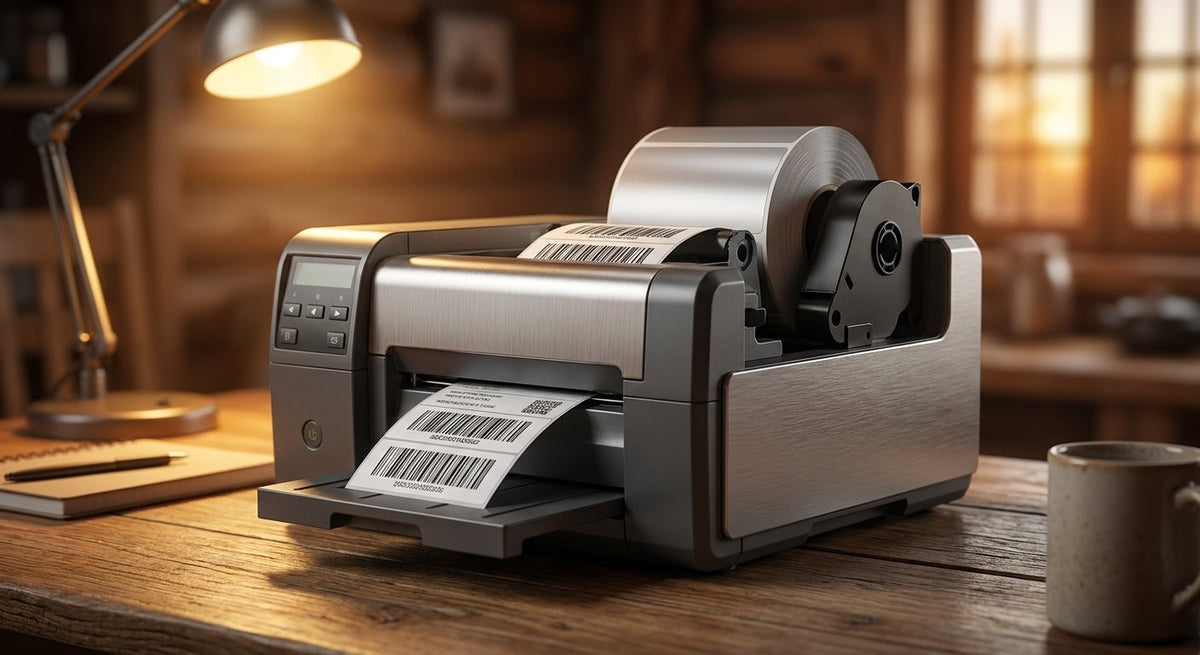
Choosing the right thermal transfer printer for durable barcode labels is a real decision with real cost consequences — wrong DPI, wrong ribbon type, or wrong label stock and your barcodes smear, fade, or delaminate in weeks.
TL;DR: For durable barcode labels in manufacturing, warehousing, or asset tracking in 2026, a thermal transfer printer is the only reliable choice over direct thermal — the ribbon-and-heat process bonds ink to polyester or metallized stock that survives chemicals, heat, and outdoor exposure. McAuley Labels sells Godex thermal transfer printers from 203 DPI entry-level units up to 600 DPI industrial models, paired with compatible label stock and ribbons. If you need one starting point: the Godex GE330 thermal transfer printer at 203 DPI handles the majority of barcode label applications at a low entry price.
Why This Matters
Direct thermal labels — the kind that need no ribbon — fade in 6 to 12 months under UV light or mild chemical exposure. In a manufacturing or warehouse environment, that timeline shrinks. A thermal transfer printer uses a wax, wax-resin, or full-resin ribbon to transfer pigment under heat, producing a print that bonds chemically to the label substrate. On polyester or metallized stock, those labels last 5 to 10 years outdoors and resist solvents, oils, and abrasion. That is the core reason thermal transfer exists for industrial barcode work.
Who This Is For
This guide is written for operations managers, IT asset coordinators, warehouse supervisors, and procurement leads who need to print barcode labels on-site — not outsource them every time a new asset batch arrives. If you track physical equipment, manage inventory across multiple locations, label chemical containers, or tag outdoor assets, you are the buyer this page addresses. You need a printer that handles resin or wax-resin ribbons, accepts 4-inch-wide polyester or metallized stock, and produces scan-reliable barcodes at a minimum of 203 DPI.
What to Look for in a Thermal Transfer Printer for Durable Barcode Labels
Print Resolution: 203 DPI vs. 300 DPI vs. 600 DPI
203 DPI is the floor for readable barcodes on standard asset tags. It works for Code 39, Code 128, and QR codes at normal scan distances. Move to 300 DPI when you need dense 2D barcodes, small-format labels (under 1 inch wide), or fine text like serial numbers in 6-point font. 600 DPI is for pharmaceutical, electronics compliance labels, or anything where a microscope matters. Buying 600 DPI for warehouse carton labels is wasted spend.
Label Width and Media Handling
Most barcode asset tags run between 1 inch and 4 inches wide. A 4-inch print head covers the full range. Confirm the printer supports both gap-sensing and black-mark sensing — different label stocks use different gap formats, and a printer locked to one type limits your label sourcing. Media core size (1-inch vs. 3-inch cores) affects roll capacity and cost per label.
Ribbon Compatibility: Wax vs. Wax-Resin vs. Full Resin
Wax ribbons work on coated paper labels — fine for indoor shipping labels, not for durable applications. Wax-resin ribbons on coated paper or semi-gloss stock hold up to moderate abrasion and humidity. Full resin ribbons on polyester or metallized stock are the combination for labels that must survive chemicals, outdoor UV, or heat above 150°F. Get a printer that specifies resin ribbon compatibility before you commit to a substrate.
Connectivity and Integration
USB covers a single workstation. Add Ethernet for shared printing across a production floor. Wi-Fi matters for warehouse environments where running cable is impractical. If you run a WMS, ERP, or inventory system, confirm the printer supports ZPL, EPL, or the manufacturer's own command language — most Godex printers use EZPL, which most label software supports natively.
Print Speed and Duty Cycle
A 4-inch printer running at 4 inches per second (IPS) prints roughly 240 inches of label per minute. For a batch of 500 labels at 2 inches per label, that is under 5 minutes. If you batch-print thousands of asset tags daily, speed and duty cycle matter — entry-level desktop models typically spec 5–6 IPS; industrial models reach 8–12 IPS with heavier-duty print mechanisms built for continuous runs.
Build Quality and Operating Environment
Desktop thermal transfer printers in plastic housings work in clean, climate-controlled environments. Industrial models in metal housings handle dust, vibration, and temperature swings. If the printer lives on a dock, a production floor, or an outdoor station, the housing material is not cosmetic — it directly affects lifespan.
Top Picks
The Entry-Level Workhorse — Godex GE330
The safe pick for first-time buyers. The Godex GE330 thermal transfer printer runs at 203 DPI with a 4-inch print width, handles wax and wax-resin ribbons, and supports USB connectivity. It is a straightforward desktop unit — no color touchscreen, no Ethernet standard — but it prints clean Code 128 and QR barcodes on semi-gloss and polyester stock. For a small operation printing asset tags or inventory labels in batches of under 500 per day, this printer does the job at a price point that does not require a capital approval. Verdict: Buy for light-duty barcode label printing in 2026.
The Mid-Range Step-Up — Godex RT200i
The pick when you need network printing. The Godex RT200i thermal printer at 203 DPI adds USB, serial, and Ethernet connectivity over the GE330, making it shareable across a workgroup without a print server. At 4-inch width and 203 DPI it covers the same label range, but the connectivity profile fits an IT asset management setup or a warehouse with multiple label printing stations. Verdict: Buy for any operation where two or more people need to print to the same device.
The High-Resolution Option — Godex RT230i
The pick for dense 2D codes and small-format labels. The Godex RT230i thermal printer at 300 DPI jumps resolution to 300 DPI on a 2-inch print head — the right pairing for lab specimen labels, electronics serial tags, or any label where fine text must remain legible after lamination or surface contact. If your barcodes are all 4-inch wide shipping labels, this is overkill. If you print 1-inch by 0.5-inch serial number labels, 300 DPI at this width is exactly right. Verdict: Buy for small-format, high-density barcode work in 2026.
The Industrial Floor Model — Godex ZX430i
The pick for high-volume continuous runs. The Godex ZX430i thermal printer at 300 DPI is a 4-inch industrial unit built for environments where a desktop printer would fail in months. Metal housing, higher duty cycle, support for 3-inch media cores, and 300 DPI output make it the right choice for a production line printing thousands of labels per shift. Verdict: Buy for manufacturing environments; Consider if your volume is under 1,000 labels per day and a desktop unit would suffice.
The 600 DPI Specialist — Godex RT863i
The wildcard for compliance-grade labels. The Godex RT863i thermal printer at 600 DPI is a 4-inch printer at 600 DPI — the highest resolution in the standard desktop/industrial range. That resolution is overkill for most barcode work and is specifically for pharmaceutical lot labels, PCB component tracking, or any application where regulators or customers specify 600 DPI minimum. At this resolution, full resin ribbons on polyester stock are mandatory — wax ribbons at 600 DPI produce muddy output. Verdict: Consider only if a specification or customer requirement explicitly calls for 600 DPI.
What to Avoid
- Buying a direct thermal printer for durable label applications. If a supplier quotes you a "thermal printer" without specifying ribbon capability, it is almost certainly direct thermal. Direct thermal labels fade under UV within months and dissolve on contact with many chemicals. For asset tags and barcode labels that need to survive beyond one year, thermal transfer is non-negotiable.
- Mismatching ribbon type and label stock. Wax ribbon on synthetic polyester stock produces smear-prone output that looks fine on day one and fails within weeks. Always confirm your ribbon chemistry matches your label substrate — resin ribbon for polyester and metallized stock, wax-resin for coated paper.
- Undersizing the print head for your label width. A 2-inch print head printing a 4-inch-wide label requires two passes or produces a partial image. Know your label width before selecting the printer model.
Comparison Table
| Model | DPI | Print Width | Connectivity | Best For | Verdict |
|---|---|---|---|---|---|
| Godex GE330 | 203 | 4 in | USB | Entry-level, light duty | Buy |
| Godex RT200i | 203 | 4 in | USB, Serial, Ethernet | Workgroup / networked | Buy |
| Godex RT230i | 300 | 2 in | USB, Serial, Ethernet | Small-format, dense 2D | Buy |
| Godex ZX430i | 300 | 4 in | USB, Serial, Ethernet | Industrial, high-volume | Buy / Consider |
| Godex RT863i | 600 | 4 in | USB, Serial, Ethernet | Compliance-grade labels | Consider |
FAQ
What is a thermal transfer printer? A thermal transfer printer uses a heated print head to melt ink from a ribbon onto a label surface. Unlike direct thermal printing, it requires a ribbon — but the resulting print is far more durable, making it the standard for barcode labels in manufacturing, warehousing, and asset tracking in 2026.
What is the difference between thermal transfer and direct thermal? Direct thermal uses chemically treated paper that darkens under heat — no ribbon required. It is cheaper per label but fades within 6 to 24 months under UV or chemical exposure. Thermal transfer uses a ribbon to bond pigment to the substrate, producing labels that last 5 to 10 years on polyester stock.
What DPI do I need for barcode labels? 203 DPI handles standard 1D barcodes (Code 39, Code 128) and most QR codes at normal scan distances. Use 300 DPI for dense 2D barcodes, small-format labels, or fine serial number text. 600 DPI is only warranted for pharmaceutical or electronics compliance applications.
Can I print on polyester and metallized labels with a thermal transfer printer? Yes — that is one of the primary use cases. Use full resin ribbon with polyester or metallized stock for labels that survive solvents, outdoor UV, and surface abrasion. Wax ribbon is not compatible with synthetic substrates.
How long do thermal transfer barcode labels last? On polyester stock with resin ribbon, thermal transfer labels routinely last 5 to 10 years outdoors. On coated paper with wax-resin ribbon in an indoor environment, expect 3 to 5 years. Direct thermal labels on unprotected paper typically fade within 6 to 12 months.
What ribbon should I use for durable barcode labels? Full resin ribbon on polyester or metallized stock for maximum durability. Wax-resin ribbon on semi-gloss paper for indoor applications with moderate abrasion exposure. Never use wax ribbon on synthetic label stock.
Is a 4-inch thermal transfer printer enough for most businesses? For the majority of asset tag, inventory label, and shipping label applications, yes. A 4-inch print width covers labels from 0.5 inches up to 4 inches wide — the range used in almost every warehouse, manufacturing, and field service application.
Do I need a separate label design program? Most Godex thermal transfer printers support EZPL, ZPL, and EPL command languages, which are compatible with label design software including Bartender, NiceLabel, and free tools like ZebraDesigner Basic. Many WMS and ERP systems send print jobs directly to the printer without a separate design step.
One Last Thing
The ribbon-to-label match is the detail most buyers get wrong in 2026 — not the printer choice. A $500 industrial printer running the wrong ribbon on the wrong stock will fail just as fast as a $150 desktop unit. Before ordering, confirm your label substrate (paper, semi-gloss, polyester, metallized), then select the ribbon chemistry that matches. McAuley Labels stocks thermal transfer ribbon and thermal transfer printer labels in polyester white matched to the Godex printers above — ordering both from one source eliminates the compatibility guesswork.