
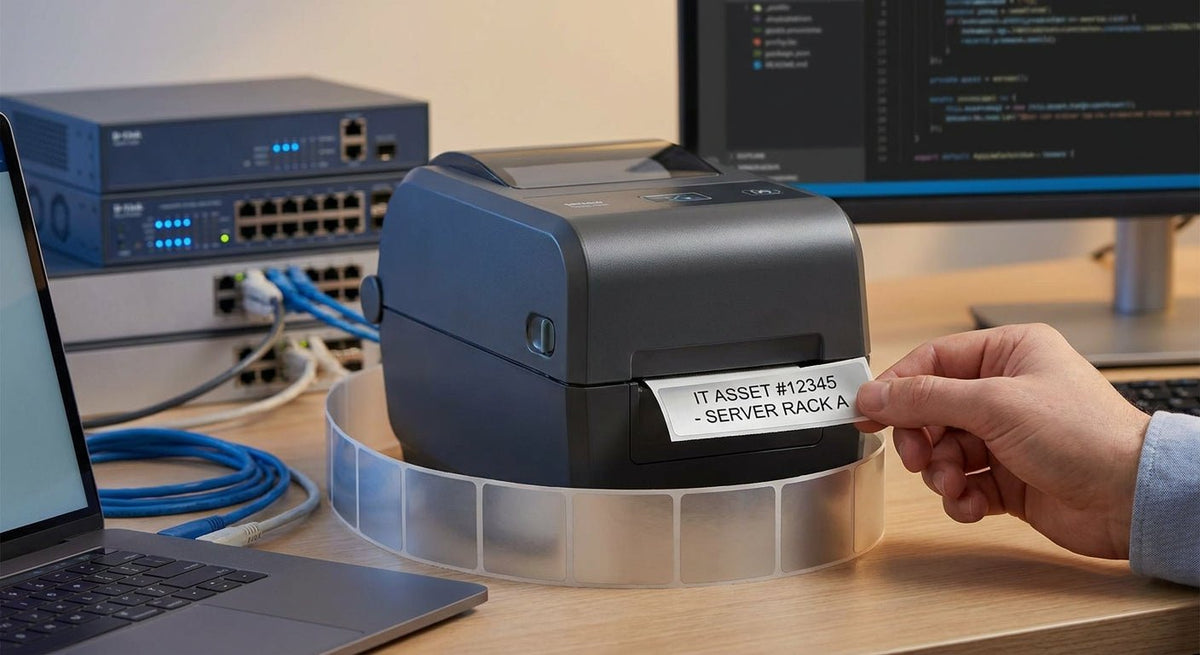
IT departments tag hundreds — sometimes thousands — of devices per year, and the wrong printer setup turns a 20-minute job into a recurring headache. This guide covers every specification that matters when choosing an asset tag printer for IT, from print resolution to label material, so you can build a tagging system that holds up in 2026 and beyond.
TL;DR: The best asset tag printer for IT runs thermal transfer at 300 DPI minimum, pairs with metalized silver or 3M heavy-duty polyester labels, and connects via USB or Ethernet to whatever ITAM software your team already uses. For most departments tagging laptops, monitors, servers, and peripherals, a 4-inch desktop unit handles the full workload. McAuley Labels supplies both the printers and the pre-matched label stock, shipped from the US.
Why This Matters in 2026
Audit failures, insurance claims, and equipment theft disputes all hinge on one question: can you prove what you own, where it is, and what it's worth? A barcode or QR code asset tag answers that question in under a second with any handheld scanner. The tagging system only works if the label survives — on aluminum laptop lids, steel server chassis, and ABS plastic peripherals — for 3 to 7 years without peeling or fading. That durability requirement is what separates an IT-grade asset tag printer from a general office label printer.
Who This Is For
This guide is written for IT managers, sysadmins, and procurement leads at organizations with 50 or more endpoints. You're tagging owned hardware for ITAM tracking, audit readiness, or lease vs. owned reconciliation. You may also be re-tagging inherited equipment after an acquisition or managing a campus refresh cycle. You print in batches — not one label at a time — and you need the printer to sit on a desk, connect to a network or PC, and produce consistent output across a run of 200+ labels without recalibration.
What to Look for in an Asset Tag Printer for IT
Print Resolution: 300 DPI Is the Floor
IT asset tags carry dense data — serial numbers, barcodes (Code 128, QR), and often a sequential asset number — all on a label that may be 1 inch × 2 inches or smaller. At 203 DPI, fine barcode bars and alphanumeric text at 6pt or below start to break down; scan rates drop. At 300 DPI, every bar edge is clean and every character is legible. At 600 DPI, you get photographic-quality output useful for tiny labels on USB adapters or cables. For standard laptop and monitor tags, 300 DPI is the practical sweet spot in 2026.
Print Method: Thermal Transfer, Not Direct Thermal
Direct thermal labels use heat-sensitive paper that fades in sunlight, under fluorescent office lighting, and near warm equipment. Asset tags on a server that runs at 95°F ambient will turn black in under 18 months with direct thermal stock. Thermal transfer printers burn ink ribbon onto the label substrate, producing a print that is chemically stable and rated for 5–10 years on the right material. For IT asset tags, thermal transfer is non-negotiable.
Label Material: Match the Surface
Three materials cover virtually every IT use case:
- Metalized silver polyester — Scratch-resistant, thin enough to conform to slightly curved surfaces (laptop hinges, keyboard bezels), and carries a professional look that discourages casual removal.
- 3M heavy-duty silver — Uses 3M adhesive chemistry for surfaces that see vibration, heat cycling, or occasional moisture. Correct choice for rack-mounted servers and UPS units.
- Semi-gloss white — Lowest cost per label, appropriate for peripherals and accessories that stay inside a climate-controlled office and aren't handling abuse.
The label you stock has to be compatible with your printer's ribbon type. McAuley Labels matches printer and label stock at the point of sale so you don't end up with resin ribbon on a wax-rated label.
Connectivity and Software Compatibility
IT printers need USB, Ethernet, or both. USB covers direct-to-PC use with ITAM tools like Snipe-IT, Asset Panda, or ServiceNow. Ethernet drops the printer on the network so any technician can print to it from their workstation without a dedicated cable run. Wi-Fi is convenient but adds one more variable to troubleshoot during a busy refresh cycle. Confirm the printer ships with a Windows driver and accepts ZPL or EPL commands if your ITAM software generates those natively.
Print Speed: Units Per Hour Matter at Scale
A 200-device refresh that takes 4 inches per second to print adds up fast when you factor in label peel, application, and scanning verification. Most 300 DPI desktop thermal transfer printers run at 4–6 inches per second. For a 500-device deployment, the difference between 4 IPS and 6 IPS is roughly 35 minutes of print time alone. If you're running annual audits across 1,000+ assets, print speed is a real budget line for technician hours.
Build Quality and Duty Cycle
A printer rated for a 3-inch print head width handles standard IT label sizes (1" × 2" through 4" × 2") without waste. Metal chassis printers last longer in environments where the unit is handled daily. Check the rated monthly duty cycle — a unit rated for 5,000 labels per month is fine for a 200-seat company; a 10,000-label-per-month rating covers multi-campus IT teams doing quarterly audits.
Top Picks for IT Asset Tag Printers
The Workhorse: Godex GE330 — 4-Inch, 203 DPI, Thermal Transfer
The safe pick for most IT departments. The GE330 prints at 203 DPI at up to 6 IPS, handles label rolls up to 5.11 inches outer diameter, and connects via USB and RS-232. For standard 2" × 1" metalized silver asset tags, this unit produces clean Code 128 and QR barcodes that pass scanner verification. The metal case holds up to daily handling. At 203 DPI it is not the choice if you're printing 6pt serial number text below a barcode, but for the majority of IT label formats it is accurate and fast.
Verdict: Buy for teams printing standard barcode or QR asset tags at 2" × 1" or larger.
The Resolution Upgrade: Godex RT230i — 4-Inch, 300 DPI
The pick when label size is small or data density is high. The RT230i runs at 300 DPI, prints up to 5 IPS, and ships with a 2.3-inch color LCD for on-printer status monitoring. This is the correct choice when your ITAM labels include both a barcode and a QR code, or when you're printing on labels smaller than 1.5" × 1". The 300 DPI output makes fine text and dense barcodes scannable at arm's length. USB and RS-232 connectivity are standard; add Ethernet via the i-series expansion slot.
Verdict: Buy for IT teams with dense label formats, small label sizes, or mixed barcode/QR requirements.
Godex RT230i thermal printer 300 DPI
The High-Resolution Specialist: Godex RT863i — 4-Inch, 600 DPI
The wildcard for precision-critical environments. At 600 DPI, the RT863i produces labels indistinguishable from pre-printed commercial stock. Relevant for IT departments that print their own serialized tamper-evident labels, very small cable tags, or SFP/GBIC module labels where the printable area is under 0.75 inches. Print speed drops to 3 IPS at full 600 DPI resolution, which is the tradeoff. This unit is overkill for a standard laptop refresh but is the right tool when your labels carry enough information density that 300 DPI starts showing pixelation.
Verdict: Consider if your label format demands 600 DPI; otherwise the RT230i handles 95% of IT use cases at lower cost.
What to Avoid
- Direct thermal printers for asset tags. Office desktop direct thermal printers are fast and ribbon-free, which makes them tempting for bulk tagging. The print fades. Equipment tagged in early 2026 will have unreadable barcodes by 2028 on direct thermal stock. Use thermal transfer.
- Consumer inkjet label printers. Inkjet output on glossy label stock smears when handled and is not rated for the heat cycling in server rooms. The per-label cost is also higher than thermal transfer at volume.
- Generic no-brand printers without Windows drivers. If your ITAM software can't talk to the printer, you're manually printing from a basic label design tool. That introduces layout errors and inconsistency across your asset database. Stick to printers with documented driver support and ZPL/EPL compatibility.
Comparison Table
| Printer | DPI | Method | Speed | Best For | Verdict |
|---|---|---|---|---|---|
| Godex GE330 | 203 | Thermal Transfer | 6 IPS | Standard 2"×1" barcode/QR tags | Buy |
| Godex RT230i | 300 | Thermal Transfer | 5 IPS | Dense formats, small labels | Buy |
| Godex RT863i | 600 | Thermal Transfer | 3 IPS | Micro labels, high-density data | Consider |
Frequently Asked Questions
What's the best asset tag printer for IT departments in 2026? The Godex RT230i at 300 DPI is the best all-around asset tag printer for IT in 2026. It handles standard barcode and QR formats, prints up to 5 IPS, and connects via USB or Ethernet to major ITAM platforms.
Is 203 DPI good enough for asset tags? Yes, for labels 1.5 inches wide or larger with standard Code 128 or QR codes. For dense formats or labels under 1 inch wide, 300 DPI produces meaningfully better scan rates and text legibility.
What label material should IT departments use for asset tags? Metalized silver polyester for laptops, monitors, and most peripherals. 3M heavy-duty silver for servers, rack equipment, and UPS units that see heat and vibration. Semi-gloss white only for low-abrasion indoor devices.
Do asset tag printers work with ITAM software like Snipe-IT or ServiceNow? Yes, provided the printer has a Windows driver and accepts standard label commands. Godex printers ship with GoLabel software and Windows drivers; they also accept ZPL-compatible commands from third-party ITAM tools.
How long do printed asset tags last? Thermal transfer labels on metalized silver polyester are rated for 5–10 years indoors. Direct thermal labels in the same environment fade in 1–3 years. The ribbon type also matters — resin ribbon outlasts wax ribbon on polyester stock.
Can I print both barcodes and QR codes on the same asset tag? Yes. All thermal transfer printers in this guide support both Code 128 barcodes and QR codes simultaneously on one label. Layout is controlled in GoLabel or your ITAM software's label designer.
What size labels do IT asset tags typically use? The most common IT asset tag sizes are 1" × 2", 1.25" × 2", and 2" × 1". All three fit on a standard 4-inch desktop thermal transfer printer.
How much does an asset tag printer cost for IT use? Desktop thermal transfer printers for IT asset tagging range from roughly $200 to $600 depending on DPI and connectivity options. The RT230i at 300 DPI sits in the mid-range. Label stock is a separate recurring cost — metalized silver polyester runs less per label than 3M heavy-duty stock.
One Last Thing
The printer is only half the system. A 300 DPI printer paired with a ribbon designed for wax-only stock will produce smeared, unreadable barcodes on polyester labels — no matter how good the hardware is. Match ribbon type to label substrate before you buy: resin ribbon for polyester and metalized silver, wax-resin for semi-gloss paper. McAuley Labels ships printer and label combinations that are pre-validated for ribbon compatibility, which eliminates this failure point entirely.