
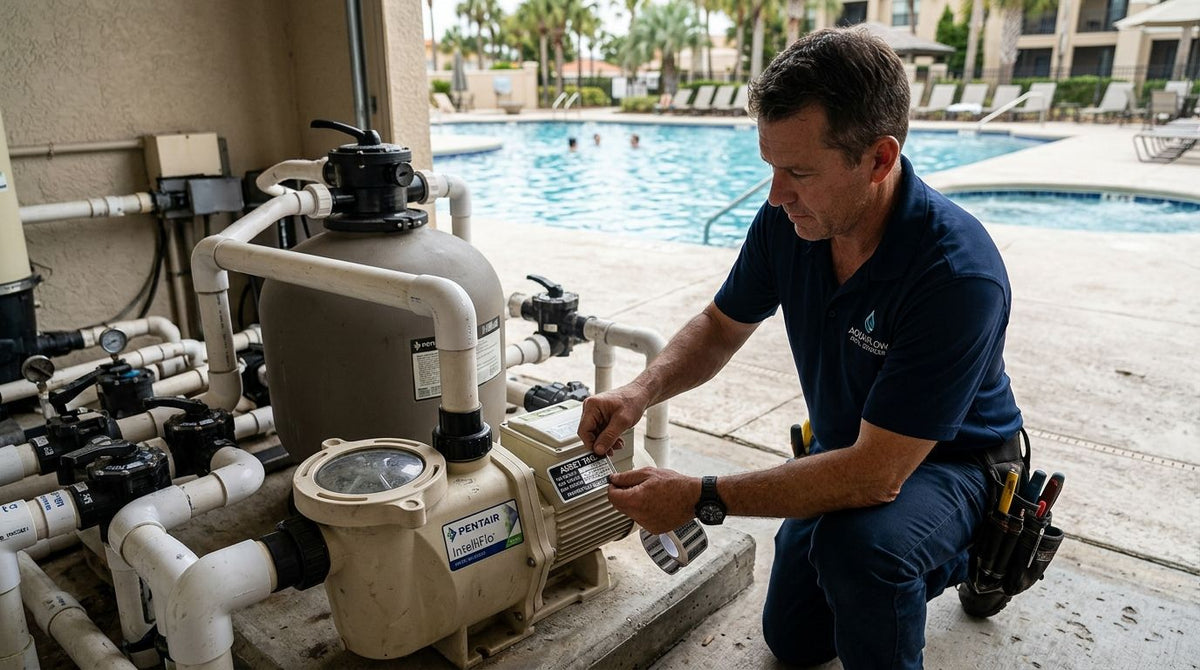
Pool and spa service asset tags identify pumps, heaters, chemical feeders, filter housings, and vacuum units with a scannable barcode or QR code, so a technician can pull service history, warranty status, and route assignment without opening a paper folder. Service equipment in this trade lives outdoors, gets splashed with chlorinated water, and rides in a truck between five or six stops a day — that combination kills a standard paper label inside a season.
- Metalized silver and 3M heavy-duty polyester asset tags outlast paper labels against chlorine splash and UV exposure through 2026 pool seasons.
- McAuley Labels' heavy-duty silver barcode asset tags are the pick for pumps, heaters, and equipment that stays outdoors year-round.
- QR code asset tags let a tech scan a unit at the truck and pull service history instead of searching a spreadsheet.
- In-house printing with a GoDEX thermal transfer printer beats reordering pre-printed tags once you're tagging more than a few dozen units a year.
Why asset tags matter for pool and spa service
A pool and spa service route runs on equipment that moves: a pump comes off a truck, gets installed at a client's backyard, and might come back to the shop for a warranty repair six months later. Without an asset ID on the unit itself, that history lives in someone's memory or a paper invoice that's already been filed.
Chlorine vapor, direct sun, and splash-back are standard conditions for this equipment, not edge cases. A heavy-duty silver barcode asset tag is built for that exposure in a way a printed paper sticker never will be. Techs also work off a route sheet, not a desk — a barcode scan takes three seconds; typing a serial number into a phone takes thirty.
Update your tagging material for wet, sunlit equipment
Start with the tag stock before you touch software or scanners. The wrong material peels, fades, or delaminates before the first summer is over.
- Metalized silver polyester for metal pump housings, heater cabinets, and filter tanks — it resists moisture and UV and holds barcode contrast in direct sun.
- 3M heavy-duty polyester for equipment that sits outdoors year-round in a pool deck or equipment pad enclosure.
- Semi-gloss white stock for equipment kept indoors in a warehouse or prep area, where chlorine exposure is minimal.
- Avoid standard paper labels on anything that gets rinsed, hosed down, or handled with wet gloves.
- Confirm the adhesive is rated for curved or textured surfaces if you're tagging pump housings rather than flat panels.
Assign asset IDs before the tag goes on equipment
A tag without a structured ID behind it is just a sticker. Build the numbering system first, then print.
- Use a sequential or category-based numbering scheme (POOL-001, SPA-001) so techs can identify equipment type at a glance.
- Tie each ID to a record that includes install date, warranty term, and last service date.
- Decide whether barcode or QR code fits your workflow — QR codes hold more data and work with any smartphone camera, barcodes scan faster with a dedicated scanner.
- Reserve a block of unused IDs for new equipment purchases so numbering doesn't collide mid-season.
- Never reissue an old ID to a replacement unit — retire it and assign a new one.
Print or order tags matched to your volume
Companies tagging a handful of units a year are usually better off ordering pre-printed QR code asset tags built for outdoor equipment. Companies adding equipment continuously — service fleets running 10+ trucks, or companies that also manage rental spa units — get more value printing in-house.
- A desktop thermal transfer printer like the GoDEX RT730i handles 203 DPI barcode and QR printing on demand.
- In-house printing lets you add a new tag the same day a unit comes off the truck, instead of waiting on a reorder.
- Pre-printed tags cost less to set up if you're tagging under 100 units a year.
- Either path needs a ribbon rated for the label stock — thermal transfer ribbon is required for polyester and metalized tags; direct thermal paper doesn't need ribbon but won't survive outdoor exposure.


Mount tags where they survive water contact and handling
Placement decides whether a tag lasts one season or five. A tag mounted where a service panel rubs against it, or where standing water pools, fails early regardless of material.
- Mount on a flat, clean section of the housing — never over a seam, vent, or panel edge.
- Keep tags off surfaces that get scrubbed during routine cleaning.
- Face the tag toward the direction a tech will scan from, not toward the ground or a wall.
- Wipe the surface with isopropyl alcohol before applying adhesive — chlorine residue and mineral deposits weaken the bond.
- Re-check tag placement during the first service visit after installation; adjust if a cover or hose routinely contacts it.
Log service history against every tagged unit
The tag is only useful if scanning it pulls something. Build the habit into every service call, not just installs.
- Scan the tag before writing up a work order so the record ties to the correct unit automatically.
- Record chemical feeder recalibrations, heater element replacements, and pump rebuilds against the asset ID, not just the client address.
- Flag warranty expiration dates in the same record so techs see them at time of service.
- Review tagged-unit history quarterly to spot equipment nearing end-of-life before it fails on a client's pool.
Compare your tagging options
| Option | Best for | Key limitation |
|---|---|---|
| Metalized silver barcode asset tags | Pump housings, heater cabinets, metal panels | Silver finish can reduce scan contrast in direct glare |
| 3M heavy-duty QR code asset tags | Outdoor equipment exposed to chlorine and UV year-round | Costs more per tag than standard barcode stock |
| Semi-gloss white asset tags | Indoor warehouse and prep-area equipment | Less abrasion resistance outdoors than metalized polyester |
| In-house GoDEX thermal transfer printing | Fleets adding equipment continuously through the season | Requires a printer, ribbon, and label stock on hand |
Metalized silver and 3M heavy-duty polyester are the two materials worth using outdoors in 2026 — everything else is a compromise on a piece of equipment that sits in chlorine spray all summer.
Common mistakes pool and spa service companies make
- Tagging with paper labels because they're cheaper upfront, then re-tagging every unit within a year once chlorine and sun degrade them.
- Mounting tags on panels that get removed for service, so the tag gets lost the first time a tech opens the unit for maintenance.
- Running a numbering scheme with no linked record — the barcode scans fine, but there's nothing behind it to pull up.
- Reusing an asset ID on a replacement unit instead of retiring the old one, which corrupts the service history for both units.
- Skipping re-tagging after a refurbishment, leaving a rebuilt pump wearing a tag tied to its pre-rebuild history.
FAQ
What are asset tags for pool and spa service equipment?
They are barcode or QR code stickers applied to pumps, heaters, chemical feeders, and other service equipment so technicians can scan a unit and pull its service history and warranty status. Metalized silver and 3M heavy-duty polyester are the standard materials for this use because they hold up against chlorine and UV.
Is metalized silver or semi-gloss white better for pool equipment?
Metalized silver is the better choice for anything installed outdoors or near water because it resists moisture and UV fading. Semi-gloss white works fine for equipment kept indoors in a warehouse or prep area with minimal chlorine exposure.
Can QR code asset tags survive chlorine exposure?
Yes, when printed on 3M heavy-duty or metalized silver polyester stock rated for outdoor and wet-environment use. Standard paper QR labels will not hold up past a few weeks of chlorine splash and direct sun.
Do I need a special printer for asset tags?
A thermal transfer printer, like a GoDEX RT730i or GE300, is needed to print on polyester and metalized tag stock because direct thermal printers can't handle that material. Companies tagging under 100 units a year often skip the printer and order pre-printed tags instead.
How do I track equipment across multiple job sites?
Assign each unit a unique barcode or QR asset ID at the time of install, then scan it at every service visit regardless of which client site it's parked at. The scan ties the visit to the unit's full history instead of just the address on the work order.
What's the difference between asset tags and inventory labels?
Asset tags identify a specific, individually tracked unit like a pump or heater over its service life. Inventory labels typically track stock quantities of interchangeable parts, like filter cartridges or chemical feeder replacement kits.
How often should pool service asset tags be replaced?
A properly mounted metalized silver or 3M heavy-duty tag typically lasts the full service life of the equipment without replacement. Replace a tag immediately if the barcode becomes unreadable during a scan attempt, since a failed scan breaks the service history chain.
Do asset tags need to be reordered every season?
No — tags applied to permanent equipment like pumps and heaters stay on for years, not seasons. Reordering is only needed when adding new equipment or replacing tags that failed a scan check.
One last thing
The biggest failure point isn't the tag material — it's mounting a tag where a service panel gets removed during routine maintenance. Check tag placement on the next three service calls before you order a full batch; a five-minute placement fix saves a re-tagging job across an entire fleet in 2026.