
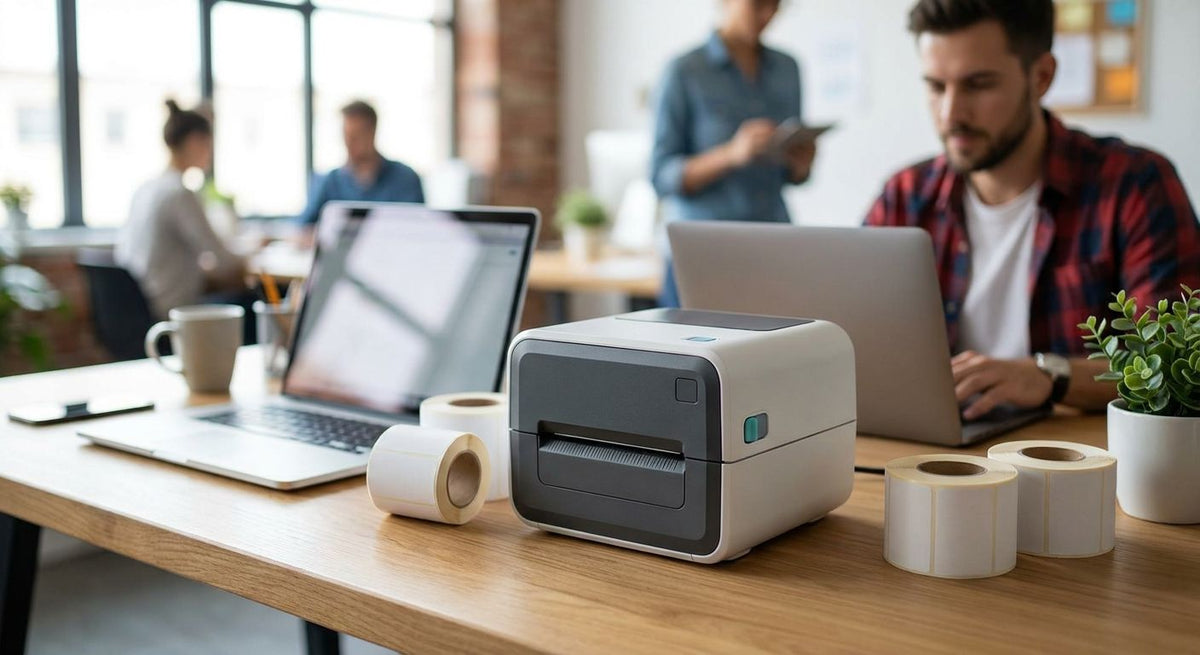
Startups don't need an industrial label printer that costs more than their first month of rent — they need something that prints barcode and shipping labels reliably, sets up in an afternoon, and doesn't need a service contract. This guide ranks the label printers that fit that brief for 2026.
- GoDEX RT200i is the best budget label printer for startups needing 203 DPI barcode and shipping labels.
- GoDEX DT200L costs least and skips ribbon entirely, built for lean teams printing small linerless labels.
- GoDEX GE330 adds thermal transfer durability for asset tags without jumping to industrial pricing.
- GoDEX ZX430i+ steps up to 300 DPI for startups scanning small barcodes or QR codes daily.
- GoDEX G500 fits tight desks for startups printing labels a few times a week, not every day.
Why this matters
Most startups buy their first label printer for one job — shipping labels, product barcodes, or asset tags for laptops and gear — and then discover it's doing three jobs by month six. McAuley Labels sells the full GoDEX lineup plus the labels and ribbon that go with it, so the comparison below isn't limited to one price tier; it's built around what a small team actually prints in year one.
Buying too much printer wastes cash a startup needs elsewhere. Buying too little means reprinting smudged barcodes every week. The picks below split the difference for 2026 budgets.
What makes the best budget label printer
- Resolution matched to label size — 203 DPI is fine for shipping labels and large barcodes; small 2D codes and fine text need 300 DPI.
- Ribbon vs. ribbon-free running cost — direct thermal skips ribbon entirely but fades faster; thermal transfer costs a bit more per label but holds up longer.
- Desktop footprint — a startup desk doesn't have room for an industrial floor-standing unit.
- Simple software — GoDEX printers run on GoLabel, which doesn't require a dedicated IT hire to configure.
- Warranty coverage — a 3-year warranty matters more for a startup that can't absorb a surprise repair bill.
- Connectivity — USB is the baseline; serial and Ethernet options matter once a second person needs to print.
Budget label printers at a glance
| Printer | Best For | Standout Feature | Key Limitation |
|---|---|---|---|
| GoDEX RT200i 203 DPI printer | Startups overall | Straightforward 203 DPI setup for barcode and shipping labels | 203 DPI ceiling on fine detail |
| GoDEX DT200L | Lean, low-volume printing | Linerless, ribbon-free direct thermal | 2-inch width caps label size |
| GoDEX GE330 thermal transfer printer | Durable asset tags | Ribbon-based thermal transfer at 4 inches wide | Ribbon is an added consumable |
| GoDEX G500 | Occasional, low-volume desks | Compact desktop footprint | Not built for daily high-volume runs |
| GoDEX ZX430i+ 300 DPI printer | Small barcodes and QR codes | 300 DPI dual thermal, color display | Priciest option on this list |
1. GoDEX RT200i: best budget label printer for startups overall
The GoDEX RT200i is the printer to buy first if you're not sure yet what you'll be printing most — shipping labels, product barcodes, or basic inventory tags. It runs at 203 DPI, which is the standard resolution tier for label printers and covers the majority of barcode and shipping label work a startup handles in its first year.
GoDEX RT200i pros:
- Entry-level pricing puts it within reach of a bootstrapped budget
- 203 DPI covers standard barcode and shipping label needs
- USB connectivity keeps setup to a single cable
- Runs on GoLabel software, no specialized training required
GoDEX RT200i cons:
- 203 DPI shows its limits on dense 2D barcodes or very small text
- Fewer connectivity options than higher-tier GoDEX models
Best for: startups that need one reliable printer for general barcode and shipping label work.
Verdict: Buy.
2. GoDEX DT200L: best budget option for lean, low-volume printing
GoDEX DT200L is a 2-inch linerless direct thermal printer built for high-turnover printing environments like retail counters and quick-service setups — which maps closely to a startup printing small batches of receipts, price tags, or short-run labels. Direct thermal means no ribbon to buy or replace, which keeps the running cost lower for light, sporadic printing.
GoDEX DT200L pros:
- No ribbon required, direct thermal keeps consumable costs down
- Linerless design cuts backing waste
- Compact 2-inch format suits small labels
GoDEX DT200L cons:
- 2-inch width limits larger barcode or asset tag layouts
- Direct thermal prints fade faster under heat or direct sunlight than thermal transfer
Best for: startups printing small, short-run labels that never leave a climate-controlled space.
Verdict: Buy — if your labels stay small and indoors.
3. GoDEX GE330: best for durable asset tags and warehouse labels
GoDEX GE330 is a 4-inch, 203 DPI thermal transfer printer, meaning it uses ribbon instead of direct heat to print. That ribbon-based process resists heat, abrasion, and UV exposure far better than direct thermal, which matters if a startup is tagging laptops, equipment, or warehouse bins that get handled daily.
GoDEX GE330 pros:
- Thermal transfer holds up to handling and light UV exposure better than direct thermal
- 4-inch width fits asset tags and larger barcode labels
- Still priced well under full industrial workhorse printers
GoDEX GE330 cons:
- Ribbon is an added consumable to restock
- 203 DPI resolution ceiling, same as the RT200i
Best for: asset tags, equipment labels, and anything that needs to survive being handled repeatedly.
Verdict: Buy.
4. GoDEX G500: best for occasional, low-volume desks
GoDEX G500 is the compact option on this list, built for a desk that prints labels a few times a week rather than running continuously. It's a reasonable fit for a two- or three-person team that needs a printer nearby without dedicating floor space to it.
GoDEX G500 pros:
- Small desktop footprint
- Simple setup for low-volume printing
GoDEX G500 cons:
- Not designed for continuous high-volume runs
- Fewer standout features than the RT200i or GE330 at similar cost
Best for: startups printing labels occasionally rather than daily.
Verdict: Hold — fine for light use, skip it if volume grows past a few dozen labels a day.
5. GoDEX ZX430i+: best for small barcodes and QR codes
GoDEX ZX430i+ jumps to 300 DPI and supports dual thermal printing, meaning it handles both direct thermal and thermal transfer labels on the same machine. The color display makes it easier to check status or make quick edits without a computer connected. It's the priciest printer on this list, but the resolution jump matters if your labels carry small QR codes or dense 2D barcodes that 203 DPI renders less sharp.
GoDEX ZX430i+ pros:
- 300 DPI sharpens small barcodes and QR codes
- Dual thermal support handles both label types on one machine
- Color display simplifies on-printer edits
GoDEX ZX430i+ cons:
- Highest price point among the printers on this list
- Overkill resolution if you're only printing large shipping labels
Best for: startups with QR-heavy product labels or small-format barcodes that need crisp resolution.
Verdict: Buy — if barcode density justifies the step up.


How we ranked these
Each printer above is scored against the six criteria listed earlier: resolution match, ribbon vs. ribbon-free running cost, desktop footprint, software simplicity, warranty, and connectivity. No printer wins on every criterion — that's the point. The GoDEX RT200i wins on overall balance, not on any single spec.
Which budget label printer for startups should you choose?
If you're printing standard barcode and shipping labels and don't know yet what next year looks like, buy the GoDEX RT200i. If your labels are small and stay indoors, the GoDEX DT200L keeps costs lowest. If you're tagging equipment that gets handled daily, move to the GoDEX GE330 for the ribbon-based durability. Only step up to the GoDEX ZX430i+ if your barcodes or QR codes are dense enough that 203 DPI genuinely blurs them.
FAQ
What is the best budget label printer for startups in 2026?
The GoDEX RT200i is the best budget label printer for startups in 2026 for general barcode and shipping label printing. It runs at 203 DPI, which covers most standard label work without the cost of an industrial-tier printer.
Is a 203 DPI printer good enough for shipping labels?
Yes, 203 DPI is the standard resolution for shipping and barcode labels and prints them clearly. It becomes a limitation only with dense 2D barcodes or very small text, where 300 DPI prints sharper.
Do I need thermal transfer or direct thermal for a startup?
Direct thermal works for short-term labels that stay indoors, like receipts or price tags. Thermal transfer costs more per label because it uses ribbon, but it resists heat, abrasion, and UV exposure much better for asset tags or anything handled repeatedly.
How much desk space does a label printer need?
Desktop models like the GoDEX G500 and RT200i fit on a standard desk without dedicated floor space. Larger industrial printers require more room and are usually overkill for a startup's first year.
Can one printer handle both shipping labels and asset tags?
A 4-inch thermal transfer printer like the GoDEX GE330 can handle both, since it prints wider labels and holds up to handling. A 2-inch model like the DT200L is limited to smaller label formats.
What's the cheapest GoDEX printer for occasional printing?
The GoDEX DT200L is the lowest-cost option on this list, built as a direct thermal, ribbon-free printer for light, short-run printing.
Is 300 DPI worth it for a small business?
300 DPI is worth the extra cost only if your labels include small 2D barcodes, QR codes, or fine text that 203 DPI renders less sharp. For standard shipping labels, 203 DPI is sufficient.
Does a budget label printer need special software?
GoDEX printers run on GoLabel software, which is built for label design without requiring a dedicated IT setup. Most startups can configure it themselves in under an hour.
One last thing
Direct thermal labels fade with heat and UV exposure over time — that's true of the DT200L and any direct thermal printer, not just McAuley Labels' lineup. If any of your labels end up on something that sits in a warehouse, a vehicle, or direct sunlight, the ribbon-based thermal transfer route (the GoDEX GE330 here) costs a little more per label but saves you from reprinting the whole batch six months later.