
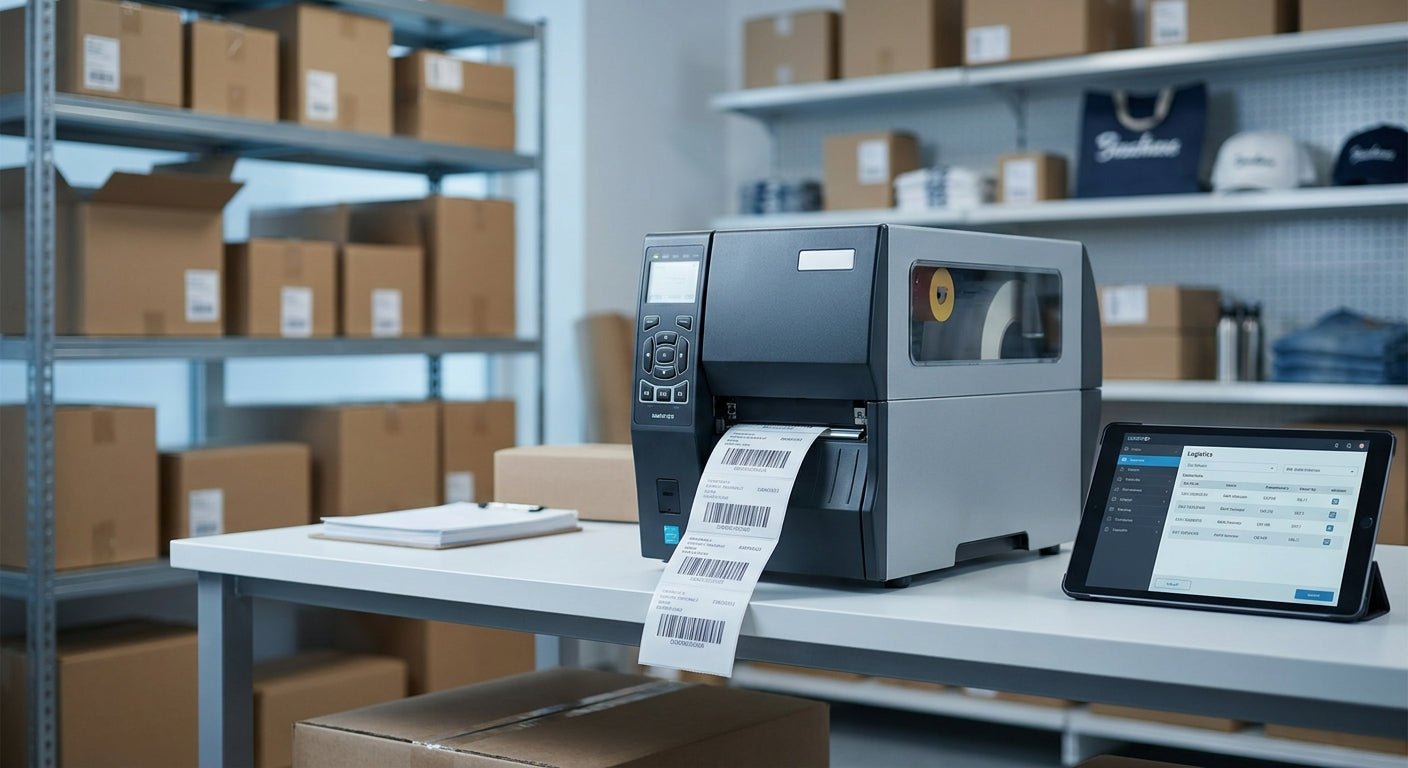
Retail chains and franchises shopping for a commercial label printer in 2026 need something single-location shops don't have to solve: a spec that performs identically at store one and store fifty. This guide ranks the GoDEX commercial label printer lineup McAuley Labels carries against what multi-site retail actually needs — barcode legibility at register speed, ribbon logistics across locations, and asset tracking for backroom equipment.
- GoDEX RT700i+ wins for retail backrooms at $581 in 2026 — buy it for daily price-tag and barcode volume.
- GoDEX DT230 is the ribbon-free pick at 300 dpi for chains printing thousands of labels weekly.
- Standardize one commercial label printer model chain-wide; mixed fleets create barcode scan failures at checkout.
- Skip the GoDEX RT200 in 2026 — its 200 dpi resolution is superseded by the RT200i at the same price tier.
- Add a GoDEX GE330 as a second unit once you need asset tags for POS terminals and coolers across sites.
Why this matters
A commercial label printer that runs fine in one store can fail the moment a franchise opens a second or tenth location. Retail chains standardize on one model because mixed fleets create barcode scan failures at the register — a code printed at 203 dpi on one machine and 200 dpi on another doesn't always read the same at scanner distance.
Franchises also carry two label jobs at once: price tags and barcodes up front, asset tags for POS terminals, freezers, and shelving in back. The GoDEX versus Zebra question comes up constantly among multi-site buyers weighing ribbon and printhead cost across a fleet — the GoDEX vs Zebra breakdown is worth reading before you commit chain-wide.
Downtime on one unit is an inconvenience. Downtime chain-wide during a price-change rollout is a bigger problem, which is why service-part availability matters as much as the spec sheet.
How we ranked
Every commercial label printer McAuley Labels carries on this list is scored on three factors that matter at retail scale: native resolution against the label size you're printing, print speed for peak-hour backroom volume, and total cost of ownership including ribbon and rewinder needs across multiple sites.
Direct thermal models get credit for skipping ribbon costs entirely. Thermal transfer models get credit for surviving humidity, handling, and repeated scanning in stockrooms and coolers. Price reflects unit cost as listed for 2026, not bundled accessory pricing.
A printer with a strong spec sheet but no service network at franchise scale gets marked down — that's a spec win that becomes a fleet-wide headache when a printhead fails mid-inventory-count on a Saturday.
Ranked: best commercial label printer for retail chains in 2026
1. GoDEX RT700i+ Thermal Printer — the safe pick for chain-wide rollout
The GoDEX RT700i+ thermal printer prints at 203 dpi off a 4-inch color touchscreen and lists at $581 in 2026 — the price point chains standardize on because it's the same unit whether you're outfitting store one or store fifty.
It handles daily price-tag runs and barcode labels without choking on volume, and the color display cuts training time for backroom staff who rotate between locations. Franchises buying five or more units get consistent print quality store to store, which is the entire point of standardizing hardware in the first place.
Verdict: Buy — the default chain-wide unit unless a location needs ribbon-free printing.
2. GoDEX DT230 Direct Thermal Printer — the ribbon-free volume pick
The GoDEX DT230 direct thermal printer prints at 300 dpi with no ribbon required, which matters for any chain running thousands of price-tag or receipt-style labels a week.
Skipping ribbon removes one recurring supply line item and one more part that can jam mid-shift. Direct thermal print does fade under prolonged UV, so it's the better call for interior signage and short-cycle labels than for anything going in a sun-facing window.
Verdict: Buy — the right call for high-volume interior label runs where ribbon logistics across multiple stores become their own headache.
3. GoDEX GE330 — the backroom asset tag specialist
The GoDEX GE330 is built around asset tag printing rather than retail price tags, which makes it the second machine a franchise adds once POS terminals, freezers, and shelving units need barcode-tracked tags across locations.
It's not the printer for the front counter; it's the printer for whoever manages equipment across ten or more stores and needs every asset tag to scan the same way at every site.
Verdict: Buy — add it as a second unit for asset tracking, not a replacement for a retail-floor label printer.
4. GoDEX RT200i — the steady mid-tier option
The GoDEX RT200i prints at 203 dpi, matching the resolution the RT700i+ covers, without the color display. That makes it a reasonable single-location backup unit.
It's fine for a location that already has a primary printer and needs overflow capacity, but it doesn't add anything the RT700i+ doesn't already do better for chain-wide standardization.
Verdict: Hold — keep it in mind as a backup, not the first purchase for a new location.
5. GoDEX RT200 — the outgoing model
The GoDEX RT200 prints at 200 dpi, a step behind the 203 dpi standard the RT200i and RT700i+ now cover, without a price or feature advantage that justifies the gap.
Franchises standardizing hardware in 2026 have no reason to mix this into a fleet that's otherwise running 203 dpi units.
Verdict: Skip — the RT200i replaces it at the same tier with no downside.
6. GoDEX G500 and G530 — the barcode specialists worth a second look
The GoDEX G500 and G530 are built for straightforward barcode label runs rather than the mixed price-tag-and-signage load a front counter handles, which makes them a better fit for a warehouse-style stockroom feeding a retail chain than for the sales floor itself.
Confirm resolution and ribbon compatibility against your specific label stock before ordering across multiple sites — the spec sheet varies enough between the two that a blanket chain-wide order without checking both is a mistake.
Verdict: Wait — verify the spec against your label stock before committing a franchise-wide order.


How the picks compare
| Printer | Resolution | Best for | Verdict |
|---|---|---|---|
| GoDEX RT700i+ | 203 dpi | Front-counter price tags and barcodes | Buy |
| GoDEX DT230 | 300 dpi (direct thermal) | High-volume ribbon-free runs | Buy |
| GoDEX GE330 | Asset tag optimized | Backroom equipment tracking | Buy |
| GoDEX RT200i | 203 dpi | Backup or single-location unit | Hold |
| GoDEX RT200 | 200 dpi | Legacy fleets | Skip |
| GoDEX G500 / G530 | Varies by model | Warehouse-style barcode runs | Wait |
Where to buy
- Buy the same model across every location. Don't let individual store managers pick whatever's cheapest that week — mixed fleets are how barcode scan issues start.
- Order ribbon and label stock in the same batch as the printer for new locations, so ribbon compatibility isn't a surprise on opening day.
- Get a bulk quote for five-plus units rather than pricing each store separately through McAuley Labels — multi-location rollouts save more on volume pricing than one-off orders ever do.
FAQ
What's the best commercial label printer for a multi-location retail chain?
The GoDEX RT700i+ is the best commercial label printer for most multi-location retail chains in 2026, printing at 203 dpi with a color display for $581. It's the unit chains standardize on because it performs the same at every store.
Is direct thermal or thermal transfer better for retail label printing?
Direct thermal, like the GoDEX DT230, skips ribbon costs and works well for high-volume interior labels. Thermal transfer holds up better on labels exposed to sunlight or heavy handling, which matters more for asset tags than price tags.
How much does a commercial label printer cost in 2026?
A commercial label printer for retail runs from roughly $581 for a GoDEX RT700i+ up to several thousand dollars for industrial-grade units in 2026. Most retail chains land in the $500-$1,000 range per unit for front-counter and backroom printing.
Do franchise locations need the same label printer model at every site?
Yes. Standardizing on one commercial label printer model prevents barcode scan inconsistencies caused by mismatched resolutions, like mixing 200 dpi and 203 dpi units in the same fleet.
What DPI is needed for retail barcode labels?
203 dpi is the standard resolution for retail barcode and price tag printing in 2026. Higher resolution like 300 dpi helps with small text or logos but isn't required for standard barcode scanning.
Is GoDEX or Zebra better for retail label printing?
Both brands cover retail-grade resolution and speed; the decision usually comes down to ribbon and printhead cost across a fleet plus service network access for a given chain. Compare total cost of ownership before standardizing chain-wide.
Can one printer handle both price tags and asset tags?
A single unit like the GoDEX RT700i+ can print both, but most multi-site operations run a second dedicated unit, such as the GoDEX GE330, for asset tags once equipment volume grows across locations.
How long does a commercial label printer last in a retail backroom?
Commercial-grade thermal printers are built for daily high-volume use and typically outlast consumer-grade desktop printers by several years under the same load. Printhead wear, not the chassis, is usually the first part to need replacement.
One last thing
One roll of wax/resin thermal transfer ribbon runs 243 feet. Plan reorder cycles around actual label volume per store, not a calendar reminder — a location printing 500 labels a day burns through that roll far faster than one printing 50, and running out mid-shift is the most common reason a backroom printer goes down for a day.