
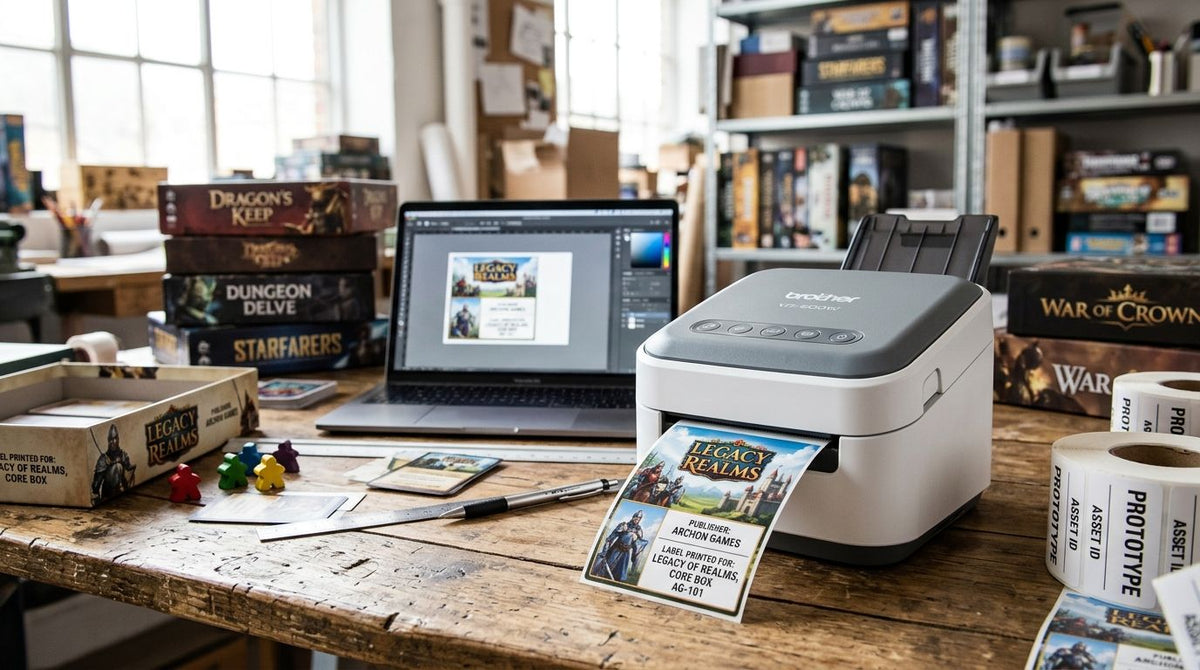
Board game and tabletop publishers need label printers that handle small, dense text on component bags, durable barcodes for retail distribution, and fast reprints when a Kickstarter fulfillment run doubles overnight. Best overall: GoDEX ZX430i+ (300 DPI). Best for production-floor monitoring: GoDEX RT700i+. Best budget option for indie publishers: GoDEX RT200i (203 DPI).
- GoDEX ZX430i+ is the best label printer for board game and tabletop publishers needing 300 DPI detail on component and box labels.
- GoDEX RT700i+ suits daily production runs where a color display tracks batch status on the floor.
- GoDEX RT200i is the budget pick for indie publishers running short print jobs at 203 DPI.
- Thermal transfer ribbon and 4-inch print width matter more for durability than sticker price.
Why this matters
Tabletop publishers print labels nobody else in the industry thinks about: component bag labels with a dozen tiny SKUs, box barcodes that need to clear a distributor's scanner on the first pass, and reorder tags for prototypes moving between a designer and a co-packer. A desktop office printer chokes on this workload by month two of a Kickstarter fulfillment cycle.
Resolution decides whether small print stays legible. The 203, 300, and 600 DPI printer resolution guide breaks down when each tier matters — for board game component labels with dense rules text or nested barcodes, 300 DPI is the practical floor in 2026, not the ceiling. Publishers still running 203 DPI printers on fine-detail component labels see blurred barcodes that fail retail scanners.
What makes the best label printer for board game and tabletop publishers
- Print resolution — 300 DPI holds up small rulebook references and dense barcodes better than 203 DPI
- Print width — component bags need narrow labels, boxes need wider ones; a printer that handles both saves buying two machines
- Thermal transfer vs. direct thermal — ribbon-based printing survives years in a warehouse; direct thermal fades faster on stored inventory
- Barcode/UPC accuracy — retail and distributor intake scans reject smudged or low-res barcodes at the door
- Duty cycle — Kickstarter fulfillment spikes push thousands of labels through in days, not months
- Display and monitoring — a color screen on the printer itself cuts down on misprints during long batch runs
At a glance
| Printer | Best for | Standout feature | Key limitation |
|---|---|---|---|
| GoDEX ZX430i+ | Component & box labels | 300 DPI resolution with color display | Costs more than entry 203 DPI models |
| GoDEX RT700i+ | Daily production monitoring | Color display shows batch status in real time | 203 DPI ceiling limits fine barcode detail |
| GoDEX RT200i | Budget/indie short runs | Entry-level cost at 203 DPI | No color display, fewer connectivity options |
| GoDEX GE330 | High-volume Kickstarter fulfillment | 4-inch thermal transfer head built for sustained runs | Bulkier footprint for a small studio |
1. GoDEX ZX430i+: best label printer for board game component and box labels
The GoDEX ZX430i+ prints at 300 DPI with a color display for monitoring jobs mid-run, and it's the printer McAuley Labels points tabletop publishers toward first in 2026. It handles the two label types a board game print run actually needs — small component bag labels with dense SKU text, and wider box labels carrying UPC barcodes for retail.
GoDEX ZX430i+ pros:
- 300 DPI resolution keeps small component text and barcodes scannable
- Color display simplifies status checks during long batch jobs
- USB, serial, and Ethernet connectivity covers most studio setups
GoDEX ZX430i+ cons:
- Priced above 203 DPI entry printers
- Overkill for a publisher only printing a handful of SKUs a year
Best for: publishers printing both component labels and retail box barcodes on one machine. Verdict: Buy.
2. GoDEX RT700i+: best label printer for daily production floor monitoring
The GoDEX RT700i+ runs at 203 DPI with a 4-inch print head and a color display built for shops printing labels every day rather than in occasional batches. Publishers running an in-house fulfillment line lean on the display to catch a ribbon jam or misalignment before it wastes fifty labels.
GoDEX RT700i+ pros:
- Color display flags print errors mid-batch instead of after
- 4-inch head width covers most board game box label sizes
- Reliable for sustained daily print schedules
GoDEX RT700i+ cons:
- 203 DPI resolution is a step down from the ZX430i+ on fine barcode detail
- Less suited to publishers needing sharp small-text component labels
Best for: studios running a fulfillment line daily rather than in seasonal spikes. Verdict: Buy.
3. GoDEX RT200i: best budget label printer for indie tabletop publishers
The GoDEX RT200i is a 203 DPI printer built for publishers who need reliable label output without the cost of a color-display model. It's the entry point for a solo designer or two-person studio printing prototype labels, small press runs, or convention-booth stock.
GoDEX RT200i pros:
- Lowest cost of entry among the printers on this list
- Straightforward setup for publishers new to thermal printing
- Handles short runs without a learning curve
GoDEX RT200i cons:
- No color display for monitoring longer jobs
- 203 DPI resolution struggles on very dense barcode labels
Best for: indie publishers or first-time self-publishers printing low volumes. Verdict: Buy for low-volume needs; upgrade once print runs grow.
4. GoDEX GE330: best label printer for high-volume Kickstarter fulfillment runs
The GoDEX GE330 is a 4-inch, 203 DPI thermal transfer printer built for sustained output rather than occasional jobs. When a Kickstarter campaign clears funding and a publisher needs thousands of shipping and component labels printed in days, this is the class of printer built to keep running without overheating a print head designed for lighter duty.
GoDEX GE330 pros:
- Thermal transfer durability holds up through long, continuous runs
- 4-inch print width matches most box and shipping label needs
- Built for sustained volume rather than short bursts
GoDEX GE330 cons:
- Larger footprint than desktop models
- More printer than a low-volume indie publisher needs
Best for: publishers fulfilling large crowdfunding print runs in-house. Verdict: Buy for high-volume fulfillment.


How we ranked these label printers
Each printer was measured against the criteria above: resolution for component and barcode detail, print width for both bag and box labels, ribbon durability, barcode accuracy, and duty cycle under a fulfillment spike. The GoDEX ZX430i+ scores highest because it's the only model here pairing 300 DPI with a color display; the others trade one of those for a lower cost or higher throughput.
Which label printer should you choose?
If you're printing both component labels and retail box barcodes and want one machine that handles both without a resolution compromise, buy the GoDEX ZX430i+. If you're already running daily fulfillment and want a display that catches misprints mid-batch, the GoDEX RT700i+ is the stronger fit. Indie publishers testing the waters on a first print run should start with the GoDEX RT200i and upgrade once volume justifies it. Publishers scaling a funded Kickstarter into thousands of units should look at a 4-inch thermal transfer model built for sustained runs.
FAQ
What's the best label printer for board game and tabletop publishers in 2026?
The GoDEX ZX430i+ is the best overall pick in 2026 because it prints at 300 DPI and handles both fine component text and retail box barcodes on one machine.
Is 300 DPI or 203 DPI better for board game component labels?
300 DPI holds up small text and dense barcodes better than 203 DPI. Publishers printing detailed component labels or nested barcodes should choose 300 DPI over 203 DPI.
Do board game publishers need thermal transfer or direct thermal labels?
Thermal transfer labels resist fading over years in storage, which matters for inventory and shipping labels sitting on a shelf. Direct thermal is fine for short-term labels that ship out quickly.
Can a GoDEX printer print barcodes for retail distribution?
Yes. GoDEX printers at 300 DPI, like the ZX430i+, print barcode resolution clean enough to clear standard retail and distributor scanning requirements.
What label size works best for board game box labels?
A 4-inch print width, available on models like the GoDEX RT700i+ and GE330, covers most standard board game box label sizes without needing a second printer.
Is a color display printer worth it for tabletop publishers?
A color display is worth it for publishers running daily or high-volume print jobs, since it flags ribbon jams and misalignment mid-batch instead of after wasted labels.
How do publishers print QR codes linking to digital rulebooks?
A 300 DPI printer produces sharper, more scannable QR codes than 203 DPI models, which matters when the code links to rules updates or errata hosted online.
What's the cheapest label printer option for a first-time board game publisher?
The GoDEX RT200i at 203 DPI is the lowest-cost entry point on this list, suited to short runs and first-time self-publishers before volume justifies an upgrade.
One last thing
Most tabletop publishers buy printer resolution for the box label and forget it applies to the component bag too — a 203 DPI printer that looks fine on a 2-inch box barcode often blurs a 6-point ingredient or SKU line on a 1-inch component tag. Match resolution to your smallest label, not your largest, and the rest of the run takes care of itself.