
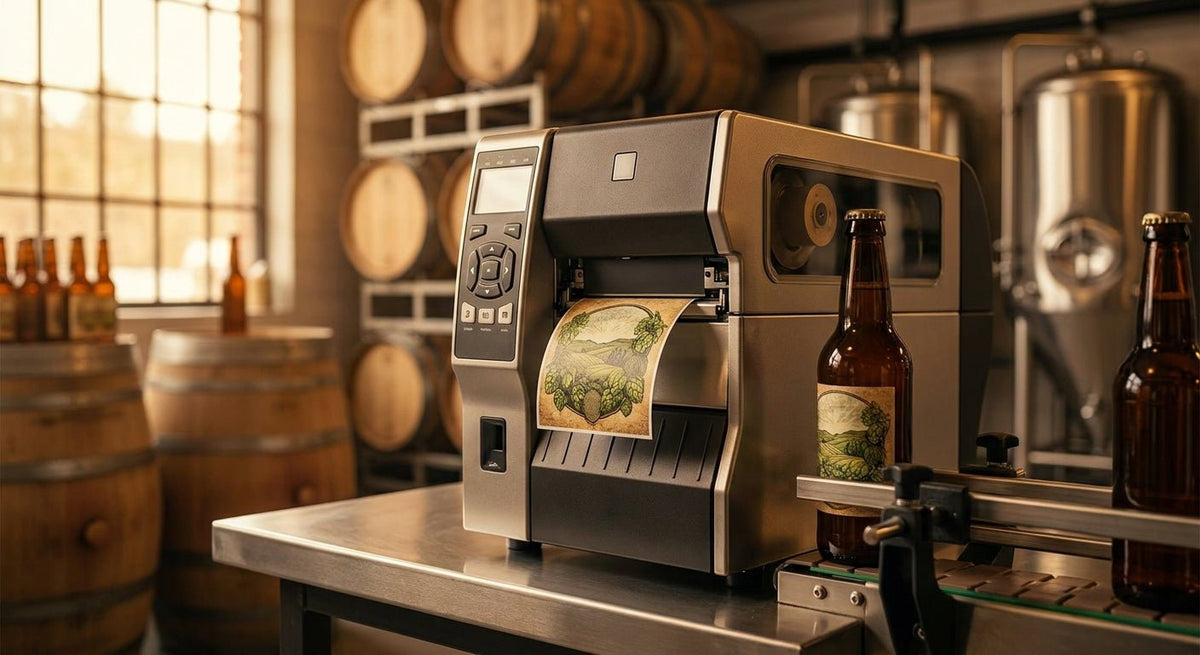
Picking the right label printer for brewery bottling or winery bottling is not the same decision as picking one for a warehouse or a shipping room. Bottle labels face condensation, ice buckets, wet hands, and refrigerated storage — conditions that destroy standard thermal paper labels within hours. This guide ranks the best thermal printers for brewery and winery bottling in 2026, with specs that actually matter for wet-environment label durability.
TL;DR: For brewery and winery bottling in 2026, the best label printer for brewery bottling is a thermal transfer unit running at 300 DPI or higher, paired with polyester or polypropylene label stock and a resin ribbon. The Godex RT230i (300 DPI) is the safest pick for small-to-mid production. The Godex RT863i (600 DPI) wins on print resolution for front-label branding. Direct thermal printers are a hard skip — moisture destroys the image. McAuley Labels supplies both printers and the compatible label stock from the US.
Why Resolution and Transfer Method Both Matter for Bottle Labels
Brewery and winery labels pull double duty: they carry regulatory text (ABV, net contents, government warning) that must stay legible, and they carry your brand art. A 203 DPI printer produces acceptable barcodes but soft edges on fine serif fonts and small logos — visible at arm's length on a shelf. At 300 DPI, text at 6pt prints cleanly. At 600 DPI, you get near-offset sharpness on a thermal budget.
The transfer method is equally critical. Direct thermal labels use a heat-sensitive coating that turns black when the printhead fires. That coating degrades on contact with moisture, UV light, and temperature swings — all three of which happen in a taproom cooler or a wine cellar. Thermal transfer bonds pigment from a ribbon into the label stock, producing an image that survives water, oils, and abrasion. For bottling, thermal transfer is not optional.
How We Ranked
Rankings are based on four factors relevant to brewery and winery bottling in 2026: print resolution (DPI), transfer method (direct thermal vs. thermal transfer), compatible label materials (polyester, polypropylene, paper), and print speed at production-relevant volumes. Price tier and US availability from McAuley Labels are noted for each. No subjective taste tests — only published specs and material compatibility data.
Ranked: Best Label Printers for Brewery and Winery Bottling (2026)
1. Godex RT230i — 300 DPI Thermal Transfer
The safe pick for craft production runs.
The RT230i prints at 300 DPI via thermal transfer, which is the minimum resolution you need for clean regulatory text and the minimum method you need for wet-surface durability. Print speed reaches 6 inches per second, enough for a 200-bottle labeling session without a bottleneck. The 4-inch print width covers standard 750 ml wine front labels and most craft beer wrap labels.
Compatible with polyester and polypropylene stock — both survive ice-bucket condensation and refrigerated display cases. McAuley Labels carries the Godex RT230i thermal printer with US shipping.
Why now: Craft breweries scaling from hand-applied pre-printed labels to in-house print-and-apply workflows in 2026 need a printer that handles both the compliance text run and the branding run. The RT230i does both at 300 DPI without stepping up to industrial pricing.
Verdict: Buy
2. Godex RT863i — 600 DPI Thermal Transfer
The pick for shelf-presentation-first operations.
The RT863i prints at 600 DPI — the highest resolution in the Godex desktop lineup as of 2026. At that resolution, fine-line artwork, small QR codes for TTB compliance linking, and dense regulatory text all print with zero visible pixelation on a 4-inch label. Thermal transfer method means the image is ribbon-fused into polyester or polypropylene stock, not a surface coating.
The tradeoff: the RT863i costs more than the RT230i and prints at a slightly lower peak speed under heavy ribbon loads. For a winery printing 500 front labels per week with brand-critical artwork, that tradeoff is correct. For a taproom printing batch codes on back labels, 300 DPI at the RT230i's price is sufficient.
Why now: TTB label approval in 2026 increasingly requires scannable QR codes on craft beverage labels. A 600 DPI printer ensures those codes scan cleanly at every bottle size.
Verdict: Buy (if label branding is a primary differentiator for your SKU)
3. Godex RT200i — 203 DPI Thermal Transfer
The entry point — acceptable for back labels and batch coding, not front labels.
The RT200i is a thermal transfer printer at 203 DPI. It handles barcodes, batch numbers, and plain-text back labels cleanly. At 203 DPI, fine logo artwork and small regulatory text show pixel stepping — workable for internal tracking labels on kegs and cases, less acceptable for consumer-facing bottle fronts.
At 5 inches per second and a compact footprint, it fits a small bottling room without taking up bench space. Compatible with polyester stock for wet-environment durability. The price point is the lowest of the thermal transfer options.
Why now: Breweries that need durable keg tags, case labels, and fermentation vessel identifiers in 2026 — but are not printing consumer front labels — get solid durability at the lowest entry cost.
Verdict: Hold (use for back labels and batch coding; upgrade to RT230i for front labels)
4. Godex GX4200i — 203 DPI Thermal Transfer, Industrial Frame
The pick for mid-size production lines that run all day.
The GX4200i is built on a heavier industrial chassis than the RT series. It runs thermal transfer at 203 DPI and is rated for higher-volume continuous runs — relevant for regional breweries printing 1,000-plus labels per shift in 2026. The metal frame handles the vibration of a bottling line environment better than desktop-class housings.
Resolution stays at 203 DPI, so the same front-label limitation applies. Pair it with the RT863i: GX4200i for back labels and case marks at volume, RT863i for front-label branding runs.
Why now: Regional craft breweries adding a second production shift in 2026 need a printer that does not jam or drift out of calibration under sustained thermal load.
Verdict: Consider (production-volume operations only)
5. Godex GE330 — 203 DPI Thermal Transfer, Budget Desktop
The wildcard — lowest cost thermal transfer, narrow use case.
The GE330 is a 203 DPI thermal transfer desktop printer. It prints on polyester and polypropylene stock, which qualifies it for wet environments. The hardware is basic: no color display, no Ethernet as standard, slower print speed than the RT series.
For a home meadery or a nanobrewery labeling 50 bottles per weekend in 2026, the GE330 prints durable labels at the lowest hardware cost. For anything approaching commercial production volume, the RT series is faster and more reliable.
Why now: If your 2026 bottling volume is under 200 labels per week and durability matters more than speed, the GE330 checks both boxes at entry-level cost.
Verdict: Consider (nano-scale only; skip for commercial production)
Comparison Table
| Printer | DPI | Method | Max Speed | Best For | Verdict |
|---|---|---|---|---|---|
| Godex RT230i | 300 | Thermal Transfer | 6 ips | Craft brewery/winery front + back labels | Buy |
| Godex RT863i | 600 | Thermal Transfer | 4 ips | Brand-critical front labels, QR compliance | Buy |
| Godex RT200i | 203 | Thermal Transfer | 5 ips | Back labels, batch codes, keg tags | Hold |
| Godex GX4200i | 203 | Thermal Transfer | 5 ips | High-volume production lines | Consider |
| Godex GE330 | 203 | Thermal Transfer | 4 ips | Nano-scale, under 200 labels/week | Consider |
What to Avoid
Direct thermal printers. Heat-sensitive paper turns gray and unreadable within hours in a cold cooler or under condensation. Every direct thermal printer on this list has been excluded for that reason. If a vendor recommends a direct thermal unit for bottling, walk away.
Paper label stock on any printer. Paper absorbs moisture and peels at the seams. For brewery and winery bottling, the label material must be polyester or polypropylene. A thermal transfer printer paired with paper stock still fails in a wet environment.
203 DPI on consumer-facing front labels. Regulatory text at 6-8pt, small QR codes, and fine logo linework all require 300 DPI minimum to print without visible pixelation. A 203 DPI printer is not wrong — it is wrong for that specific application.
Where to Buy
- McAuley Labels (mcauleylabels.com) carries the Godex RT230i, RT863i, GX4200i, GE330, and compatible thermal transfer ribbon stock. US-based, ships from the US.
- For compatible label stock (polyester white, polypropylene), match the material to your ribbon type — resin ribbon for polyester stock, wax-resin for polypropylene. McAuley Labels carries thermal transfer ribbon compatible with all Godex units.
- Order a sample run before committing to a full label stock purchase. Adhesive performance on glass varies by surface temperature at application — test at your coldest expected bottle temp (typically 38–42°F out of a bright tank).
FAQ
What is the best label printer for brewery bottling in 2026? The Godex RT230i at 300 DPI thermal transfer is the best all-around label printer for brewery bottling in 2026. It prints clean regulatory text and branding at 6 ips, handles polyester stock for wet-environment durability, and costs less than the 600 DPI RT863i.
Can I use a direct thermal printer for beer or wine labels? No. Direct thermal images degrade on contact with moisture, condensation, and temperature swings — all standard conditions in bottling and cold storage. Use thermal transfer only.
What DPI do I need for a bottle label? For back labels and batch codes, 203 DPI is functional. For consumer-facing front labels with fine text, logos, or QR codes, use 300 DPI minimum. For brand-critical artwork, 600 DPI.
What label material works best for bottles stored in a cooler? Polyester and polypropylene both resist moisture and low temperatures. Paper stock fails in cooler environments regardless of print method. Pair polyester stock with a resin ribbon for maximum durability.
How fast do these printers run at production volumes? The Godex RT230i runs at 6 inches per second. At a standard 4-inch label height, that is 90 labels per minute at full speed — sufficient for craft production runs up to approximately 5,000 labels per shift.
Is a 600 DPI printer worth the extra cost for a small winery? If your front label carries fine-line artwork, a serif typeface at small point sizes, or a scannable QR code for TTB compliance, yes. If you are printing plain-text back labels and batch codes, 300 DPI at the RT230i price is sufficient.
Do I need separate printers for front and back labels? Not necessarily. A single RT230i or RT863i can run both label formats sequentially with a label template switch. High-volume operations (1,000-plus labels per shift) may benefit from running two printers in parallel to avoid media changeover downtime.
What ribbon type should I use with polyester label stock? Resin ribbon. Wax and wax-resin ribbons do not bond fully to polyester surfaces and will smear under moisture. Resin ribbon produces a chemically resistant, waterproof print on polyester stock.
One Last Thing
Glass surface temperature at application is the single most overlooked variable in brewery label adhesion. Cold-fill bottles coming off a bright tank at 34°F will reject pressure-sensitive adhesive that bonds fine at room temperature. If labels are peeling at the seams during cold-fill runs, the fix is not a different printer — it is a label stock with a low-temperature adhesive rated to 32°F or below. Specify that requirement when ordering stock from McAuley Labels before your first production run.