
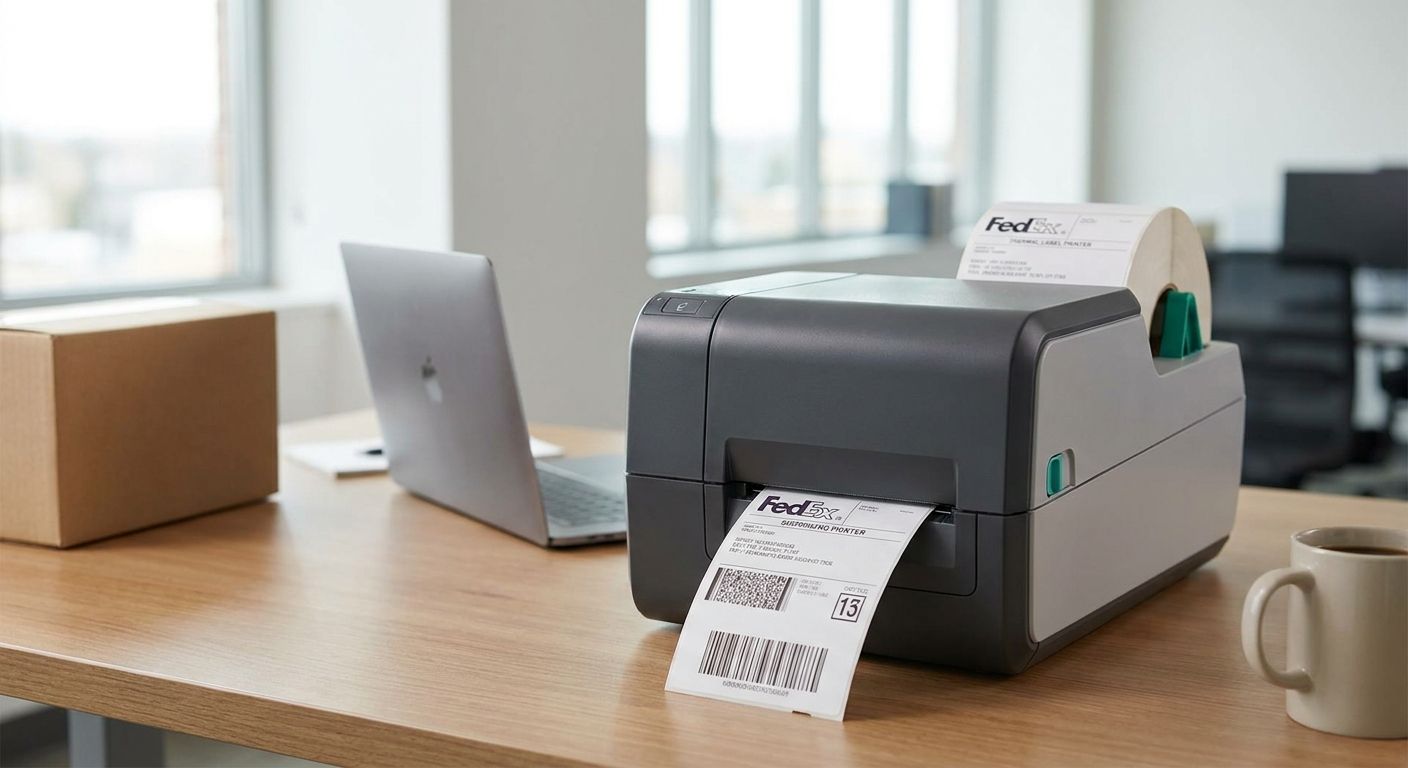
FedEx requires a 4x6 label on every shipment, and the printer behind that label decides whether the barcode scans clean at the depot or gets flagged for manual handling. This guide ranks the fedex shipping label printer options worth buying in 2026, from single-package sellers to full-time shipping desks.
- GoDEX RT700i+ is the fedex shipping label printer to buy for daily volume at $581 in 2026.
- GoDEX RT200i handles occasional FedEx labels at 203 dpi without paying for speed you won't use.
- GoDEX ZX430i+ jumps to 300 dpi for labels carrying extra barcodes or return codes at $945.
- Skip the $2,246 GoDEX GX4200i unless you're printing hundreds of FedEx labels a shift.
Why this matters
FedEx scans barcodes at conveyor speed, and a smudged or low-contrast print gets pulled for manual handling instead of moving through automatically. A dedicated label printer fixes this at the source: thermal print heads burn the image into the label instead of spraying ink that can smear in transit.
If you're setting up a FedEx account for the first time, how to print a FedEx shipping label at home covers the account and format basics before you pick hardware.
Direct thermal printers skip the ribbon entirely — heat activates the label coating and the image appears. That's the right call for FedEx labels because they aren't archival. A package moves in days, not years, so fade resistance doesn't matter the way it would on an asset tag meant to last a decade.
The market for a fedex shipping label printer in 2026 has settled around two resolutions, 203 dpi and 300 dpi, and two thermal methods, direct thermal and thermal transfer. Get the resolution right for your barcode density and label content, and you avoid buying either an underpowered printer or one loaded with features you'll never touch.
How this list is ranked
Every printer below comes from the GoDEX shipping and warehouse line sold through McAuley Labels, filtered to models that print 4x6 direct thermal or thermal transfer labels at speeds fast enough for daily FedEx volume. Ranking weighs three things: print resolution against FedEx's barcode scan tolerance, printer cost against realistic daily label counts, and interface options like USB and Ethernet that matter once labels are queued from a shipping platform instead of printed one at a time. Specs and pricing reflect McAuley Labels listings as of 2026. A printer that reads well on a spec sheet but costs more than your volume justifies gets marked Consider, not Buy — this list rewards the printer that matches your shipping volume, not the one with the longest feature list.
The ranked list
1. GoDEX RT200i Thermal Printer — the entry-level pick
GoDEX RT200i Thermal Printer prints at 203 dpi, the resolution FedEx's barcode scanners read without issue on a standard 4x6 label. It's a compact desktop unit sized for a shipping station running a dozen or two packages a day, not a fulfillment line. If you're printing fewer than 50 FedEx labels a day in 2026, this is the printer that gets it done without paying for speed you don't need.
Verdict: Buy if you ship occasionally.
2. GoDEX RT700i+ Thermal Printer — the workhorse pick
GoDEX RT700i+ Thermal Printer runs 203 dpi with a color display that shows ribbon and label status without connecting to a laptop. At $581 in 2026, it's the label printer McAuley Labels lists for a shipping desk printing FedEx labels five days a week, not just during a rush. The color screen matters more than it sounds — catching a jam mid-batch beats discovering it after 40 blank labels print.
Verdict: Buy for daily shipping volume.
3. GoDEX ZX430i+ Thermal Printer — the sharp-print pick
GoDEX ZX430i+ Thermal Printer doubles resolution to 300 dpi and adds Ethernet alongside USB and serial, so multiple shipping stations can queue to one printer over a network. At $945 in 2026, the jump over the RT700i+ buys sharper small text and denser barcodes — useful if your FedEx labels also carry a return-authorization code or a second tracking barcode from your shipping platform.
Verdict: Buy if your labels carry more than one barcode.
4. GoDEX GX4200i Thermal Printer — the high-volume pick
GoDEX GX4200i Thermal Printer prints up to 16 inches per second at 203 dpi with a 5-inch touchscreen for standalone operation once it's configured. At $2,246 in 2026, it's priced for a fulfillment operation running hundreds of FedEx labels a shift, not a single shipping desk. Speed is the only reason to pay this much — every other printer on this list meets FedEx's barcode requirement just as well.
Verdict: Consider above a few hundred labels a day; Skip for a single shipping station.
5. Direct thermal label stock — the materials pick
None of the printers above print anything without label stock. Direct Thermal Printer Labels skip the ribbon entirely — the label darkens from heat, so there's one less consumable to run out of mid-shipment — and fit any direct thermal printer on this list, including the RT200i and RT700i+.
Verdict: Buy alongside any direct thermal printer here.
“If you're printing fewer than 50 FedEx labels a day, the $2,246 GoDEX GX4200i is overkill — buy the $581 RT700i+ instead.”


Comparison table
| Printer | Resolution | Price (2026) | Best for | Verdict |
|---|---|---|---|---|
| GoDEX RT200i | 203 dpi | — | Occasional shippers | Buy |
| GoDEX RT700i+ | 203 dpi | $581 | Daily shipping desks | Buy |
| GoDEX ZX430i+ | 300 dpi | $945 | Labels with extra barcodes/text | Buy |
| GoDEX GX4200i | 203 dpi, 16 ips | $2,246 | High-volume fulfillment | Consider |
| Direct thermal labels | n/a | $6 | Any direct thermal printer above | Buy |
Where to buy
- Match label width to the printer. 4x6 is standard for FedEx, and label stock even a size off wrecks alignment and forces manual reprints.
- If you're running thermal transfer instead of direct thermal, buy ribbon from the same source as the printer — mismatched ribbon chemistry causes uneven wear on the print head.
- Order a small roll before committing to a case if you haven't run that label stock on your printer before, so you can test darkness settings first.
McAuley Labels sells the printer and the matching label stock together, which removes the guesswork on width and adhesive type for a fedex shipping label printer setup.
FAQ
What's the best label printer for FedEx shipping labels in 2026?
The GoDEX RT700i+ is the best fedex shipping label printer for daily volume in 2026 at $581. It prints 203 dpi direct thermal on 4x6 stock, which is what FedEx's barcode scanners expect.
Do FedEx shipping labels have to be 4x6 inches?
Yes, FedEx's standard shipping label size is 4x6 inches for domestic and most international shipments. Printing off that size can cause scanning and application issues at sort facilities.
Is direct thermal or thermal transfer better for FedEx labels?
Direct thermal is better for FedEx shipping labels because packages move in days, not years, so the fade that direct thermal prints eventually show doesn't matter. Thermal transfer with ribbon is better suited to asset tags or labels that need to last for years.
How much does a FedEx label printer cost?
A dedicated fedex shipping label printer runs from around $581 for a daily-volume desktop model like the GoDEX RT700i+ to $2,246 for a high-speed unit like the GoDEX GX4200i. Occasional shippers can get by with entry-level 203 dpi models priced lower than either.
Can I print FedEx labels with a regular inkjet or laser printer?
You can print FedEx labels on a laser or inkjet printer using adhesive-backed sheet labels, but a thermal printer is faster and cheaper per label once you're shipping daily. Ink and laser toner costs add up fast against a $6 roll of direct thermal labels.
What DPI do I need for FedEx barcodes?
203 dpi is the standard resolution for FedEx barcodes and is what most shipping-label printers ship with by default. 300 dpi only helps if your label also carries small text, a logo, or a second barcode that needs sharper detail.
Does a FedEx label printer need Ethernet or Wi-Fi?
Ethernet matters if more than one shipping station needs to send labels to the same printer, which is what the GoDEX ZX430i+ supports alongside USB and serial. A single shipping desk can run fine on USB alone.
One last thing
FedEx's barcode scanners are built around 203 dpi labels — that resolution has been the shipping-label standard since direct thermal printing went mainstream, and it hasn't changed for 2026. If you're paying for 300 dpi or higher, do it for sharper text or a logo, not because the barcode itself needs it. Most FedEx shippers overspend on resolution and underspend on label stock that actually matches their printer.