
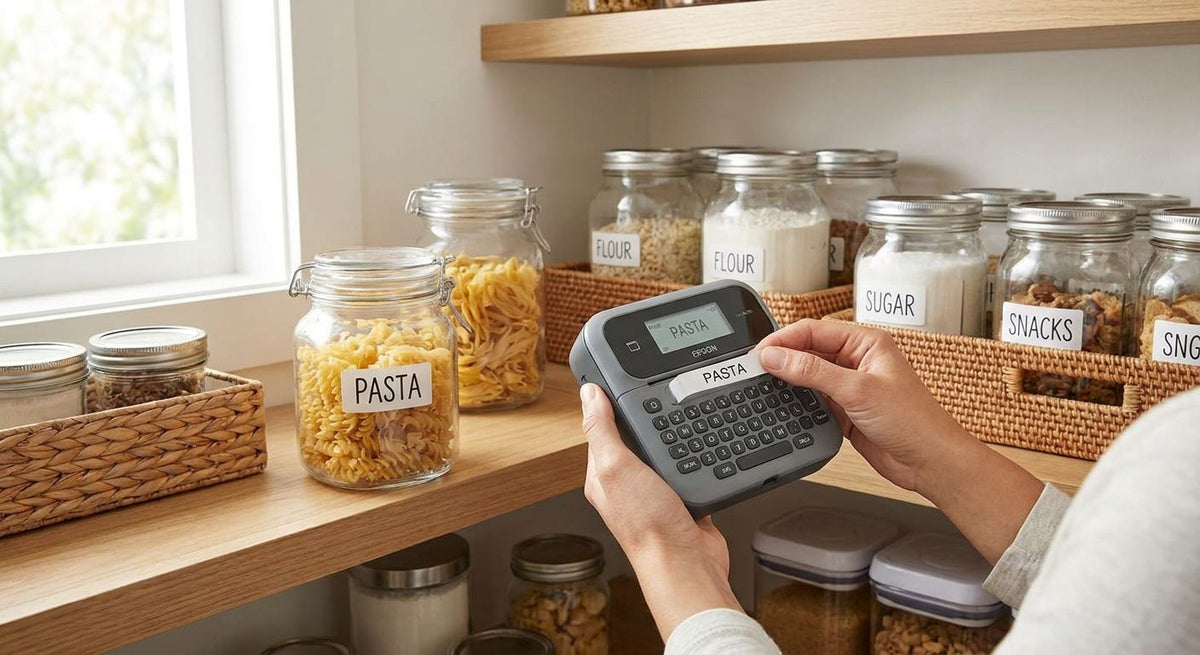
McAuley Labels ranks four GoDEX thermal printers by which pantry organization job they solve best, so you buy the printer that matches your jar count instead of the one with the most features.
- GoDEX DT200L wins as the best label printer for pantry organization overall at $374 — compact, ribbon-free, no ongoing ribbon cost.
- GoDEX ZX430i+ prints 300 DPI barcodes sharp enough to scan on jars for expiration tracking, at $945.
- GoDEX RT700i+ ($581) fits multi-room labeling — pantry, closet, garage — with a color touchscreen for fast template switches.
- GoDEX RT200i (203 DPI) is the pick for shoppers who just need plain text labels on jars, no barcodes, no color screen.
Why this matters
Pantry labels fail for one of two reasons: the print fades in a few months, or the printer is overkill for what you're actually doing — sticking a name and a date on a jar.
All four printers on this list are direct thermal or thermal transfer models built for daily commercial use, which means the print quality and durability hold up far past a home craft printer. Direct thermal printer labels with no ribbon needed cut your ongoing supply cost to just the label roll — no ribbon to restock, no ribbon to run out mid-batch.
In 2026, the label printer for pantry organization market splits into two camps: cheap consumer printers that jam and fade within a year, and commercial-grade printers priced for small business that happen to work just as well on a kitchen counter. This guide sticks to the second camp.
What makes the best label printer for pantry organization
- Print method — direct thermal (no ribbon, cheaper long-term) versus thermal transfer (ribbon required, more durable against grease and moisture)
- Resolution — 203 DPI handles plain text fine; 300 DPI is worth it if you're printing barcodes or small QR codes on jars
- Footprint — pantry and kitchen counters are tight; a printer under a foot wide matters more here than in a warehouse
- Label durability — adhesive that holds through fridge condensation, freezer cold, and repeated wipe-downs
- Running cost — ribbon-free direct thermal printers avoid a recurring consumable that ribbon-based models require
- Interface — a touchscreen speeds up switching between label templates (spice jars vs. freezer bags vs. bulk bins)
At a glance: best label printer for pantry organization in 2026
| Printer | Best for | Standout feature | Starting price | Key limitation |
|---|---|---|---|---|
| GoDEX DT200L | Best overall for pantry organization | Linerless, no ribbon needed | $374 | Narrower label width limits large jar labels |
| GoDEX RT700i+ | Best for multi-room label systems | Color touchscreen for fast template switching | $581 | Needs ribbon for thermal transfer mode |
| GoDEX ZX430i+ | Best for barcode-based food inventory | 300 DPI resolution for scannable small barcodes | $945 | More printer than you need for plain text labels |
| GoDEX RT200i | Best for simple single-category label runs | Straightforward 203 DPI direct thermal | Check current pricing | No color display, entry-level resolution only |
1. GoDEX DT200L: best label printer for pantry organization overall
The DT200L is a 2-inch linerless direct thermal printer built for fast, repetitive label runs — exactly what pantry labeling is. No ribbon means no second consumable to track down when you're mid-batch on 40 spice jars.
GoDEX DT200L pros:
- No ribbon required — lower running cost than thermal transfer models
- Compact enough for a kitchen counter or pantry shelf
- Linerless design skips the backing-paper waste
- Prices at $374, the lowest entry point on this list
GoDEX DT200L cons:
- 2-inch label width caps how large a single label can be
- 203 DPI resolution — fine for text, weaker for tiny barcodes
- Direct thermal prints fade faster under direct sunlight than thermal transfer
GoDEX DT200L pricing: starts at $374.
Best for: anyone labeling jars, bins, and freezer bags who wants the simplest, cheapest setup that still holds up daily.
Verdict: Buy. This is the default pick for most home pantry projects in 2026.
2. GoDEX RT700i+: best label printer for multi-room label systems
The RT700i+ is a 4-inch dual thermal printer with a color touchscreen, built to switch between label formats without reconfiguring software each time. That matters once your labeling project grows past the pantry into the closet, garage, and laundry room.
GoDEX RT700i+ pros:
- Color touchscreen speeds up switching label templates on the fly
- 4-inch width fits larger labels than the DT200L
- Dual thermal support (direct or transfer) gives flexibility across rooms
- Built on the same GoDEX printer line as McAuley Labels' industrial models, so parts and ribbon supply are the same across your setup
GoDEX RT700i+ cons:
- At $581 it costs more than the DT200L for pantry-only use
- Thermal transfer mode requires ribbon, an ongoing cost
- Larger footprint than the compact DT200L
GoDEX RT700i+ pricing: starts at $581.
Best for: households labeling more than just the pantry — closets, garage bins, laundry supplies — where a color screen speeds up daily use.
Verdict: Buy if your labeling project spans more than one room. Hold if it's pantry-only.
3. GoDEX ZX430i+: best label printer for barcode-based food inventory
The ZX430i+ prints at 300 DPI, double the pixel density of the entry-level models on this list. That resolution difference is the whole reason it exists: small barcodes and QR codes stay crisp enough to scan from a phone, which matters if you're tracking expiration dates or running a home food inventory system.
GoDEX ZX430i+ pros:
- 300 DPI resolution renders small barcodes and QR codes sharp and scannable
- 4-inch dual thermal printing, same flexibility as the RT700i+
- Color display for quick template switching
GoDEX ZX430i+ cons:
- At $945, it's the priciest option here for a home project
- Overkill if you only need plain text on jars
- Still requires ribbon for thermal transfer mode
GoDEX ZX430i+ pricing: starts at $945.
Best for: anyone building a barcode-scanned pantry inventory app or tracking expiration dates with a phone scanner.
Verdict: Buy if you're scanning barcodes daily. Skip if you're just printing "basil - opened 3/2026" on masking tape upgrades.
4. GoDEX RT200i: best label printer for simple single-category runs
The RT200i is a 203 DPI direct thermal printer without the color touchscreen or dual thermal transfer support of the pricier models. If your entire project is jar labels — no barcodes, no multi-room expansion — this is the printer that does exactly that job and nothing more.
GoDEX RT200i pros:
- Straightforward 203 DPI direct thermal printing, no ribbon to manage
- Simpler interface than the color-display models
- Fits a single, focused labeling job without paying for features you won't use
GoDEX RT200i cons:
- No color touchscreen — slower to switch between label formats
- 203 DPI resolution isn't built for small barcodes
- Pricing isn't published — check current pricing before you commit
Best for: a one-and-done pantry labeling project with no plans to expand into other rooms or barcode tracking.
Verdict: Hold until you confirm current pricing against the DT200L, which covers the same use case at a known $374.


How we ranked
The ranking weighs print method (ribbon vs. ribbon-free), resolution against actual pantry needs (barcodes vs. plain text), footprint on a kitchen counter, and starting price where GoDEX publishes it. No printer gets penalized for lacking a feature it was never built to have — the RT200i isn't dinged for missing a color screen it doesn't claim to include.
“If you can't scan the barcode from six inches away, the resolution is too low for pantry jars.”
Which label printer should you choose?
If you're labeling jars, bins, and freezer bags in a single kitchen and want the lowest cost with no ribbon to restock, buy the GoDEX DT200L at $374. It's the best label printer for pantry organization for the majority of home projects in 2026.
If your project already spans the pantry, closet, and garage, step up to the GoDEX RT700i+ at $581 for the color touchscreen. If you're building a barcode-scanned inventory system with expiration date tracking, the GoDEX ZX430i+ at $945 is the only printer here with the resolution to back it up.
FAQ
What's the best label printer for pantry organization in 2026?
The GoDEX DT200L is the best overall pick at $374 — it's a compact, ribbon-free direct thermal printer sized for a kitchen counter. Households labeling more than the pantry should look at the GoDEX RT700i+ instead.
Do I need a 300 DPI printer for pantry labels?
No, 300 DPI only matters if you're printing barcodes or QR codes small enough to fit on a spice jar. Plain text labels print fine on a 203 DPI printer like the GoDEX DT200L or RT200i.
Is direct thermal or thermal transfer better for pantry labels?
Direct thermal is better for most pantry use because it skips the ribbon entirely, lowering the running cost. Thermal transfer holds up better against grease and repeated wipe-downs, which matters more in a commercial kitchen than a home pantry.
How much does a label printer for pantry organization cost?
Starting prices on this list range from $374 for the GoDEX DT200L to $945 for the GoDEX ZX430i+. The GoDEX RT200i's price isn't published, so check current pricing before comparing it to the DT200L.
Can I use a commercial label printer at home for pantry labels?
Yes — all four printers in this guide are commercial-grade GoDEX models that work the same on a kitchen counter as they do in a warehouse. The build quality is the reason they outlast consumer craft printers.
Do pantry labels need to be waterproof?
Waterproof or moisture-resistant labels matter if jars go in the fridge or freezer, where condensation can lift a standard adhesive. Direct thermal labels rated for cold storage hold up better in those conditions.
What size label works best for pantry jars?
Most spice jars and small containers fit a 1 to 2 inch label, which the GoDEX DT200L handles natively. Larger bins and freezer bags often need the 4-inch width on the RT700i+ or ZX430i+.
One last thing
The resolution jump from 203 to 300 DPI only matters the moment you add a barcode or QR code to a label — for plain text, it's a wasted $571 difference between the DT200L and the ZX430i+. Buy for the job you're actually doing in 2026, not the one you might do someday.