
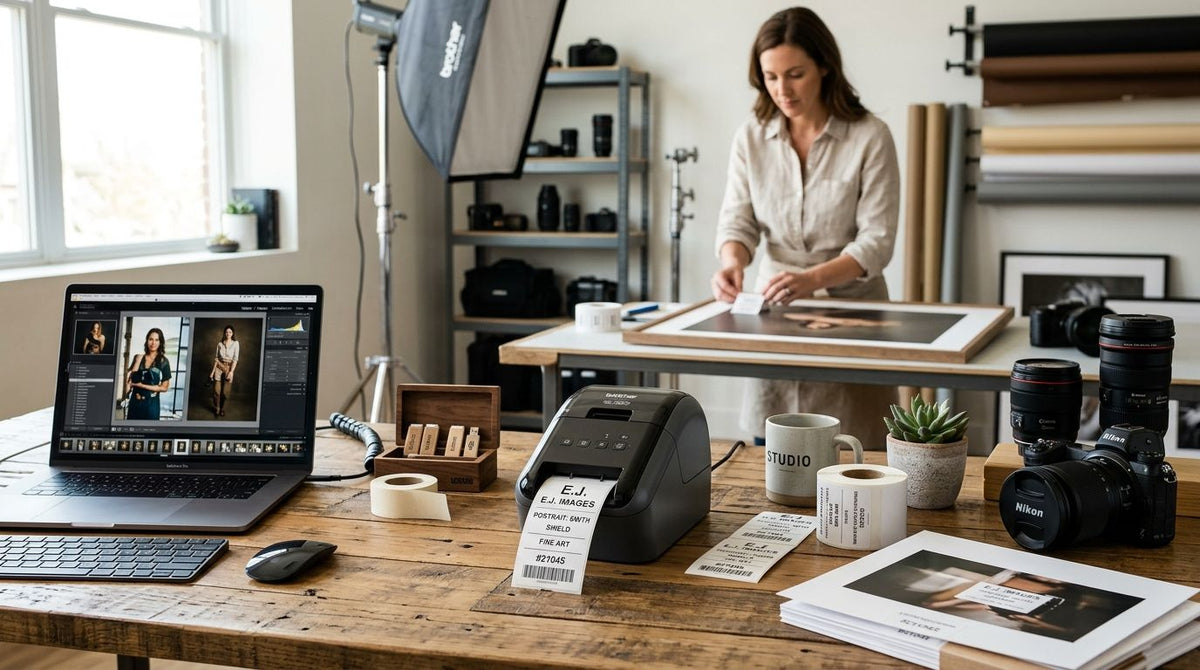
Photography studios label two very different things: the branded packaging that goes home with a client, and the thousands of dollars in cameras, lenses, and lighting gear that stays in the building. This guide ranks five GoDEX label printers by the exact job each one solves, so you can match hardware to workflow instead of guessing.
- The GoDEX ZX430i+ is the best label printer for photography studio packaging, printing 300 DPI barcodes and QR codes on product labels.
- The GoDEX RT700i+ covers daily client order tickets with a 203 DPI dual thermal engine and color display.
- High-volume print labs should run the GoDEX GX4200i, rated up to 16 ips with a 5-inch touchscreen.
- Studios tagging camera and lighting gear need the GoDEX GE330, a 4-inch 203 DPI thermal transfer printer.
- Solo and home studios on a tight budget start with the GoDEX RT200i, a 203 DPI entry printer.
Why this matters
A studio that only prints plain text tags doesn't need the same hardware as one printing barcoded product labels for retail-ready photo packages. Buying the wrong DPI or speed rating means either overpaying for capability you never use or bottlenecking a batch print run on a busy shoot day. McAuley Labels' custom label printers span this exact range, from entry-level desktop units to industrial 16 ips machines, which is why the ranking below sorts by use case instead of by price.
The distinction that matters most in 2026: resolution (DPI) drives how clean small barcodes and fine text look, while speed (ips) drives how fast you clear a batch of labels between sessions. Get either one wrong and the printer becomes a daily annoyance, not a tool.
What makes the best label printer for a photography studio
- Print resolution — 300 DPI resolves small barcodes and QR codes cleanly; 203 DPI is sharp enough for text and larger barcodes
- Print speed (ips) — matters when you're clearing a stack of session labels or batch-printing packaging between shoots
- Connectivity — USB, Serial, and Ethernet support let a printer sit on a shared network with multiple workstations
- Label stock compatibility — direct thermal for short-life tags, thermal transfer for labels that need to survive handling and years on equipment
- Display and controls — a color touchscreen speeds job switching in a busy studio; a simple panel keeps a one-person setup uncomplicated
For a full breakdown of what separates 203 DPI, 300 DPI, and 600 DPI hardware, McAuley Labels' printer resolution guide walks through where each resolution tier earns its keep.
At a glance
| Printer | Best for | Standout feature | Key limitation |
|---|---|---|---|
| GoDEX ZX430i+ | Product packaging & branded labels | 300 DPI with color display | Overkill for plain text tags |
| GoDEX RT700i+ | Daily client order labels | 203 DPI dual thermal + color display | Softer detail on tiny barcodes |
| GoDEX GX4200i | High-volume print labs | Up to 16 ips, 5" touchscreen | Larger footprint than a single studio needs |
| GoDEX GE330 | Equipment & gear asset tags | 4" thermal transfer, 203 DPI | Requires ribbon as a consumable |
| GoDEX RT200i | Budget entry for small studios | Straightforward 203 DPI printing | Fewer connectivity options than pricier models |
1. GoDEX ZX430i+: best label printer for photography studio packaging
The GoDEX ZX430i+ is a 4-inch dual thermal printer running at 300 DPI with a color display and USB, Serial, and Ethernet connectivity. That resolution matters when you're printing small barcodes or QR codes on product boxes, canvas wraps, or photo book packaging, where a blurry code means a rescan at checkout.
GoDEX ZX430i+ pros:
- 300 DPI resolves small barcodes and fine text other GoDEX models in this list can't match
- Color display simplifies switching between label formats at a busy counter
- Ethernet support lets it sit on a shared network with other print stations
GoDEX ZX430i+ cons:
- Higher resolution print heads run slower per label than 203 DPI equivalents
- More printer than you need if every label you print is plain text
Best for: studios printing barcoded or QR-coded packaging labels for client-facing products. Verdict: Buy.
2. GoDEX RT700i+: best label printer for daily client order labels
The GoDEX RT700i+ is a 4-inch dual thermal printer at 203 DPI with a color display, built for the labels a studio prints every day: session tags, order tickets, and print-queue labels. It's a desktop unit sized for a front counter rather than a print lab floor.
GoDEX RT700i+ pros:
- Dual thermal support means it handles both throwaway tags and longer-life transfer labels
- Color display speeds job switching between different label templates
- Compact enough for a reception desk or order-fulfillment station
GoDEX RT700i+ cons:
- 203 DPI is fine for text but softer than the ZX430i+ on tiny barcodes
- Not rated for the continuous high-volume runs a print lab pushes through
Best for: single-location studios that need a reliable daily-use label printer. Verdict: Buy.
3. GoDEX GX4200i: best label printer for high-volume print labs
The GoDEX GX4200i is an industrial 203 DPI printer rated up to 16 ips with a 5-inch touchscreen and USB, Serial, and Ethernet ports. Multi-photographer studios and labs that batch-print hundreds of labels a day need that print speed to avoid a queue backing up mid-shift.
Running several GX4200i units across a studio floor only works if the network holds up under load — a printer sitting on a weak Wi-Fi signal in a back corner will drop jobs just as often as a slow print engine does. Studios wiring multiple stations into one network benefit from the same principle behind eliminating Wi-Fi dead zones in any large office: coverage gaps kill throughput as fast as underpowered hardware does.
GoDEX GX4200i pros:
- Up to 16 ips clears large batch runs without bottlenecking a shift
- 5" touchscreen makes job monitoring straightforward for staff who aren't printer specialists
- Ethernet, Serial, and USB cover networked, multi-station setups
GoDEX GX4200i cons:
- Footprint and capability exceed what a single-photographer studio will use
- The touchscreen is one more component to keep clean and maintained on a busy floor
Best for: multi-photographer studios or labs running high daily print volumes. Verdict: Buy if you're printing at scale; Skip for a one-room studio.
4. GoDEX GE330: best label printer for equipment and gear tags
The GoDEX GE330 is a 4-inch, 203 DPI thermal transfer printer, and thermal transfer is the detail that matters here: transfer labels resist scuffing and fading in a way direct thermal tags don't when they're stuck to a camera body, tripod leg, or light stand that gets handled daily.
GoDEX GE330 pros:
- Thermal transfer output holds up to handling on camera bodies and gear cases
- 4" print width covers most asset-tag and barcode sizes used for equipment tracking
- 203 DPI is sharp enough for the barcodes an inventory system scans
GoDEX GE330 cons:
- Not the printer to reach for on fine-detail photo packaging
- Ribbon is an added consumable direct thermal printers don't require
Best for: studios tagging cameras, lenses, and lighting gear for insurance and inventory tracking. Verdict: Buy.
5. GoDEX RT200i: best budget label printer for small studios
The GoDEX RT200i is GoDEX's entry-level 203 DPI printer, built for studios that need dependable barcode and text labels without paying for capability a one-room operation won't touch. It's the printer to start with before scaling into a ZX430i+ or GX4200i later.
GoDEX RT200i pros:
- Lower cost of entry into a dedicated label printer versus the rest of this list
- 203 DPI handles standard text and barcode labels without issue
- Straightforward enough to set up without dedicated IT support
GoDEX RT200i cons:
- Fewer connectivity and display options than the RT700i+ or ZX430i+
- Not built for networked, multi-station printing as a studio grows
Best for: solo photographers or home studios just starting to label prints and gear. Verdict: Buy for a starting setup; Hold if you already know you'll scale to multiple stations this year.
How we ranked
Each printer above earns its spot on one criterion it wins outright: the ZX430i+ on resolution, the RT700i+ on everyday desktop convenience, the GX4200i on speed, the GE330 on label durability, and the RT200i on cost of entry. None of the five compete for the same "best for" slot, which is the point — this list is a decision tree based on what you're printing, not a single leaderboard.


Which label printer should you choose?
If you're printing barcodes or QR codes on client-facing packaging, the GoDEX ZX430i+ is the right call for 2026 — its 300 DPI head is the reason it tops this list. If your daily printing is order tickets and session labels rather than packaging, the GoDEX RT700i+ covers that without paying for resolution you won't use. Studios tagging equipment should pair either printer with the GoDEX GE330 for gear that needs to survive handling, and a growing studio scales into the GoDEX GX4200i once volume outpaces a single desktop unit.
FAQ
What's the best label printer for a photography studio in 2026?
The GoDEX ZX430i+ is the best label printer for photography studio packaging in 2026, printing 300 DPI barcodes and QR codes cleanly on product labels. Studios with different needs, like daily order tickets or equipment tags, are better served by the RT700i+ or GE330.
Is 300 DPI better than 203 DPI for barcode labels?
300 DPI resolves small barcodes and fine text more sharply than 203 DPI, which matters most on compact product labels. For larger barcodes or plain text tags, 203 DPI prints just as reliably and often faster.
How much print speed do I need for batch label runs?
The GoDEX GX4200i is rated up to 16 ips, built for studios or labs clearing large batch runs without a backlog. A single-photographer studio printing a handful of labels a day doesn't need that speed rating.
Can one printer handle both product packaging and equipment tags?
A single printer can handle both jobs if it supports thermal transfer ribbon for durability, but resolution and stock needs still differ. Most studios in this list run one printer like the ZX430i+ for packaging and a second like the GE330 for gear tags.
What's the best budget label printer for a small studio?
The GoDEX RT200i is the lowest cost of entry among GoDEX's studio-suited printers, running at 203 DPI. It's built for solo photographers or home studios starting to label prints and gear before scaling up.
Do these printers need special label stock?
Direct thermal printers need direct thermal label stock, while thermal transfer printers like the GE330 need transfer ribbon paired with compatible label material. Matching stock to printer type is what keeps prints from fading early.
How do I connect a GoDEX printer to a network for multiple stations?
GoDEX models like the GX4200i and ZX430i+ support Ethernet alongside USB and Serial, letting several stations queue jobs to one printer. Network reliability across the studio floor matters as much as the printer's own connectivity options.
Is a color display necessary on a studio label printer?
A color display isn't required, but it speeds up switching between label formats on a printer handling multiple job types daily. The RT700i+ and ZX430i+ both include one; the RT200i keeps things simpler for single-format use.
One last thing
The detail studios overlook most in 2026: thermal transfer printers like the GE330 need ribbon as an ongoing consumable, while direct thermal printers like the base RT200i don't. Buying a thermal transfer printer for gear tags but stocking only direct thermal labels is the single most common mismatch that leads to a printer sitting idle mid-shoot.