
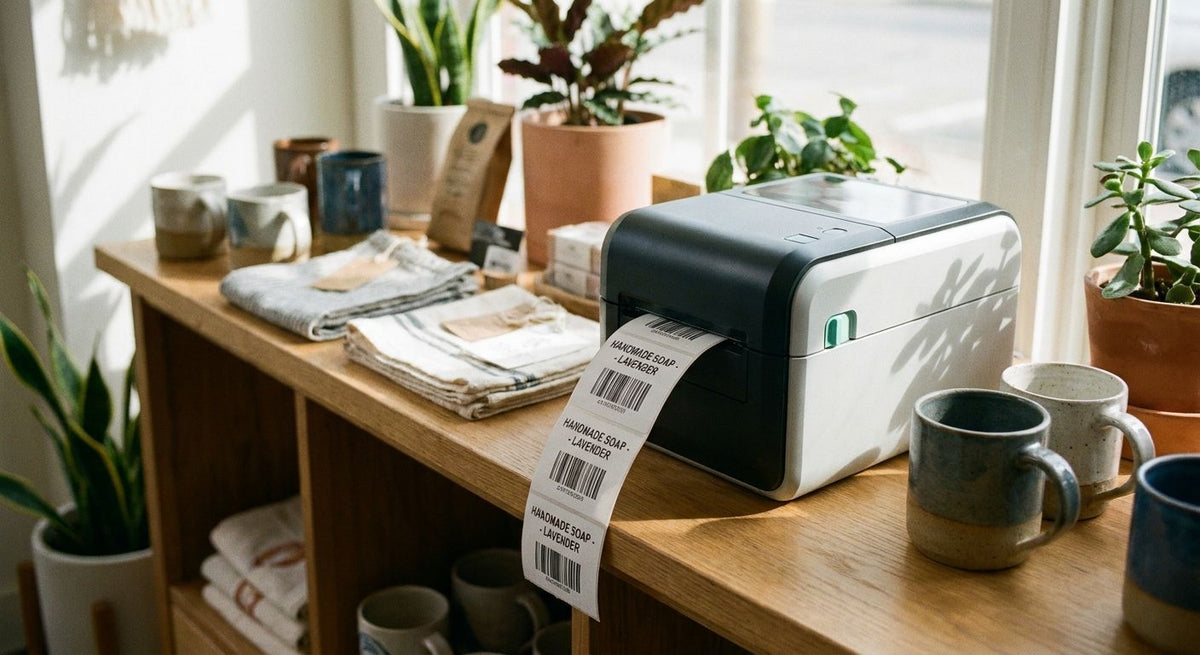
The best label printer for retail boutiques in 2026 is the GoDEX RT730i, a thermal printer built for daily price-tag and barcode runs at the counter. Boutiques printing under 50 labels a day do better with the lighter, lower-cost GoDEX RT200i (203 DPI). Shops printing QR codes or detailed logo tags need the sharper GoDEX ZX430i+ (300 DPI).
- GoDEX RT730i is the best label printer for retail boutiques handling daily price tags and barcode labels in 2026.
- GoDEX RT200i (203 DPI) suits boutiques printing under 50 labels a day and costs less to start with.
- GoDEX ZX430i+ (300 DPI) prints sharper QR codes and fine logo detail on hang tags.
- GoDEX GE330 thermal transfer resists fading from handling and sunlight better than direct thermal stock.
- GoDEX G500 is the compact desktop pick for boutiques with one register and tight counter space.
Why this matters
A boutique's label printer touches every price tag, restock barcode, and gift tag that leaves the register. Pick the wrong resolution and QR codes on hang tags come out fuzzy; pick the wrong media type and tags near a sunny storefront window fade within weeks. McAuley Labels builds the GoDEX printer line sold for exactly this kind of daily retail use, and the five models below cover the actual range of what a boutique needs in 2026 — not a generic ranking of every printer on the market.
Most boutiques don't need an industrial print engine. They need a printer that matches label content to resolution, fits on a counter that's already crowded with a POS tablet, and doesn't ask staff to relearn software every time the shop upgrades.
What makes the best label printer for retail boutiques
- Resolution matched to label content — 203 DPI handles barcodes and price text; 300 DPI is needed for small logos and dense QR codes
- Countertop footprint — boutique counters are tight, and a printer that eats the whole register area is a daily annoyance
- Media type — direct thermal needs no ribbon but fades faster in sunlight; thermal transfer uses ribbon and holds up longer
- Connectivity — USB is standard, but Ethernet and serial matter once a shop runs more than one register
- Daily print volume — a printer built for occasional runs bottlenecks fast once a shop restocks weekly
- Software consistency — GoDEX printers run on the same GoLabel design software, so switching models later doesn't mean relearning label design
Label printers for retail boutiques at a glance
| Printer | Best For | Standout Feature | Key Limitation |
|---|---|---|---|
| GoDEX RT730i | Daily counter printing | Built as the everyday workhorse in the GoDEX line | No color display like the RT700i+ |
| GoDEX RT200i (203 DPI) | Low-volume boutiques | Straightforward entry point into thermal printing | 203 DPI blurs small logos and dense QR codes |
| GoDEX ZX430i+ (300 DPI) | Sharp QR codes and hang tags | 300 DPI with color display and USB/Serial/Ethernet | Larger footprint than a compact desktop unit |
| GoDEX GE330 (203 DPI thermal transfer) | Tags exposed to handling or sunlight | Ribbon-based durability outlasts direct thermal | Ribbon is an added consumable |
| GoDEX G500 | Single-register, tight counter space | Compact desktop footprint | Runs slower than industrial-class printers |
1. GoDEX RT730i: best label printer for retail boutiques with daily counter volume
The GoDEX RT730i is positioned as the everyday counter printer in the GoDEX lineup — the model built for boutiques printing price tags, barcode labels, and gift tags throughout the business day rather than in one weekly batch.
GoDEX RT730i pros:
- Handles daily price-tag and barcode printing without swapping printers between tasks
- Runs the same GoLabel design software as every other GoDEX model in this guide
- Fits the workhorse role most boutiques actually need at the register
GoDEX RT730i cons:
- No published DPI figure sets it apart on paper the way the ZX430i+'s 300 DPI does
- Not the model to reach for if fine logo detail is the priority
Best for: Boutiques printing price tags and barcodes every business day. Verdict: Buy.
2. GoDEX RT200i (203 DPI): best for occasional, low-volume boutique printing
The GoDEX RT200i runs at 203 DPI, the standard resolution for barcodes and price text. It's the right starting point for a boutique printing under 50 labels a day that doesn't need fine logo detail on every tag.
GoDEX RT200i pros:
- Straightforward setup for a first thermal label printer
- 203 DPI is sufficient for barcodes and standard price text
- Lighter footprint than the higher-volume RT730i
GoDEX RT200i cons:
- 203 DPI blurs small logos and dense QR codes
- Not built for continuous daily high-volume printing
Best for: A boutique buying its first label printer with light, occasional volume. Verdict: Buy for low-volume shops, skip if you print QR-heavy tags daily.
3. GoDEX ZX430i+ (300 DPI): best for QR codes and detailed logo tags
The GoDEX ZX430i+ prints at 300 DPI on a 4-inch dual thermal engine with a color display and USB, serial, and Ethernet connections. That resolution renders small text, fine logo lines, and dense QR codes cleanly — something a 203 DPI printer can't reproduce.
GoDEX ZX430i+ pros:
- 300 DPI resolution for sharp QR codes and fine logo detail
- Color display for adjusting settings at the printer instead of a connected PC
- USB, serial, and Ethernet connectivity for boutiques networking multiple registers
GoDEX ZX430i+ cons:
- Larger footprint than a compact desktop model
- More printer than a boutique only running plain price tags needs
Best for: Boutiques building QR-code loyalty programs or branded hang tags. Verdict: Buy.
4. GoDEX GE330: best for tags that need to survive handling and sunlight
The GoDEX GE330 is a 4-inch thermal transfer printer running at 203 DPI. Thermal transfer uses a ribbon instead of heat-sensitive paper, so the print resists fading from handling, moisture, and sunlight better than direct thermal labels sitting near a storefront window.
GoDEX GE330 pros:
- Thermal transfer durability holds up to handling and light exposure
- 4-inch print width fits most boutique tag and label sizes
- Runs the same GoLabel software as the rest of the GoDEX line
GoDEX GE330 cons:
- Requires ribbon, an added consumable that direct thermal printers skip
- 203 DPI means fine QR codes still look sharper on the ZX430i+
Best for: Boutiques with tags displayed near windows or handled often before sale. Verdict: Buy for durability-first shops, hold if your tags stay in a drawer until checkout.
5. GoDEX G500: best for tight counter space
The GoDEX G500 is a compact desktop printer built for boutiques where counter space is the real constraint, not print volume. It takes up less room than the RT or ZX series without forcing the shop to dedicate a whole corner of the register counter to a printer.
GoDEX G500 pros:
- Compact desktop footprint
- Fits next to a register or POS tablet without crowding it
- Runs the same GoLabel software as every other GoDEX model here
GoDEX G500 cons:
- Runs slower than industrial-class printers like the RT730i
- Not the choice for boutiques scaling toward multiple registers
Best for: A single-register boutique with minimal counter space. Verdict: Buy for space-constrained counters, wait if a second register is coming soon.
“A 203 DPI printer prints barcodes fine but blurs a logo smaller than a dime - match resolution to what's actually on the label, not the other way around.”
How we ranked
Each printer above was matched against a single criterion first: daily volume, resolution needs, media durability, connectivity, or counter space. That's why the GoDEX RT730i takes the overall spot — daily volume is the constraint most boutiques hit first in 2026 — while the RT200i, ZX430i+, GE330, and G500 each solve a narrower problem instead of competing for the same slot.
Which label printer should you choose?
For most retail boutiques printing price tags and barcodes every day, the GoDEX RT730i is the default pick. If volume is under 50 labels a day, start with the GoDEX RT200i instead. If QR codes or fine logo detail matter more than raw speed, move up to the GoDEX ZX430i+. Tags that sit in a sunny window or get handled repeatedly belong on the GoDEX GE330. A single register with no floor space to spare points to the GoDEX G500.


FAQ
What's the best label printer for retail boutiques in 2026?
The GoDEX RT730i is the best label printer for retail boutiques handling daily price tags and barcode labels. Lower-volume shops do better starting with the GoDEX RT200i.
Is 203 DPI good enough for retail price tags?
Yes, 203 DPI is standard resolution for barcodes and price text and works fine for most boutique tags. It falls short on small logos and dense QR codes, where 300 DPI printers like the GoDEX ZX430i+ print sharper.
Do boutiques need thermal transfer or direct thermal printers?
Direct thermal needs no ribbon and works for tags that get sold quickly, but it fades faster in sunlight and from handling. Thermal transfer printers like the GoDEX GE330 use a ribbon and hold up longer on tags displayed near windows or touched often.
What's the difference between the GoDEX RT200i and RT730i?
The RT200i is a 203 DPI entry-level printer built for occasional, low-volume printing. The RT730i is positioned as the everyday workhorse for boutiques printing price tags and barcodes every business day.
Can one label printer handle both price tags and QR code loyalty tags?
A 300 DPI printer like the GoDEX ZX430i+ handles both plain price tags and dense QR codes cleanly. A 203 DPI printer works for price tags but blurs fine QR code detail.
How much counter space does a boutique label printer need?
It depends on the model - compact desktop units like the GoDEX G500 take up less room than the RT or ZX series. Boutiques with a single crowded register counter should prioritize footprint over print speed.
Does a boutique label printer need special software?
GoDEX printers run on GoLabel, the same label design software across every model in the lineup. Switching between GoDEX printers later doesn't require relearning label design.
Is the GoDEX RT730i better than the GoDEX RT200i for a boutique?
For daily, high-volume printing, yes - the RT730i is built as the everyday counter workhorse. For a boutique printing under 50 labels a day, the RT200i is the lighter, simpler option.
One last thing
Every GoDEX printer in this guide, from the entry-level RT200i to the 300 DPI ZX430i+, runs on the same GoLabel design software. That means a boutique can start with the cheaper RT200i in 2026 and move up to the RT730i or ZX430i+ later without redesigning label templates from scratch — the label files carry over.