
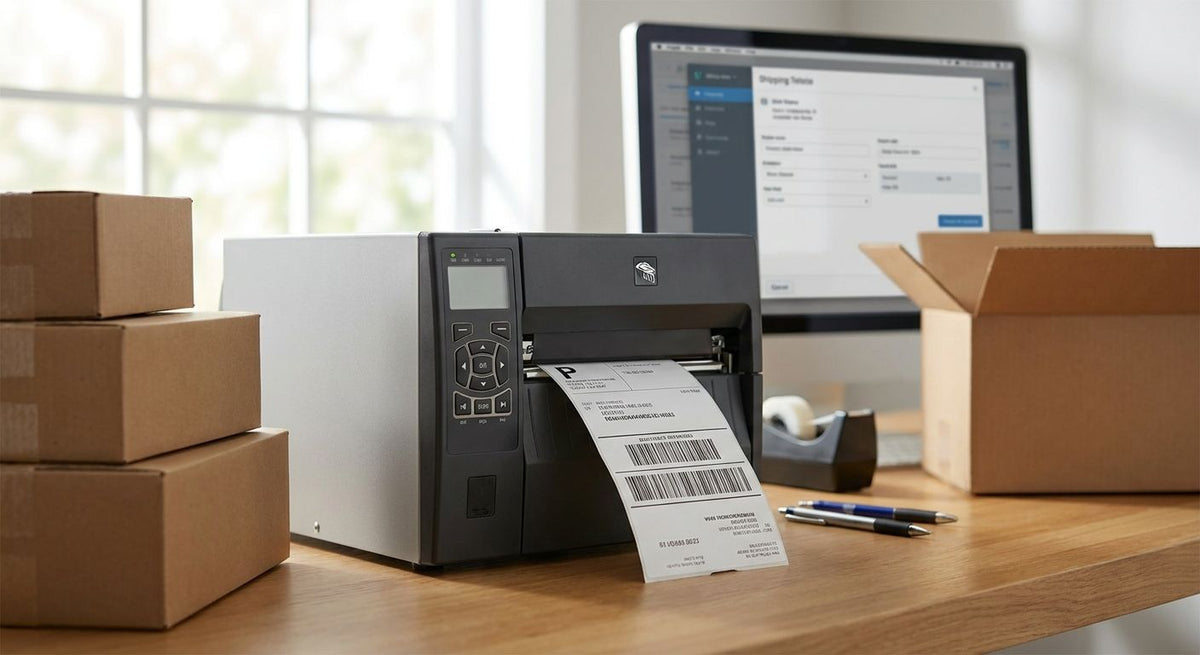
Amazon Vendor Central rejects cartons when the GS1-128 barcode on the label doesn't scan clean at the dock, and that's the entire ballgame for picking a printer. Best overall for Amazon Vendor Central compliance labels: GoDEX G530 Thermal Printer. Best for high-density barcode clarity: GoDEX RT863i+ Thermal Printer. Best budget pick: GoDEX G500 Thermal Printer.
- GoDEX G530 meets amazon vendor central label requirements at 300 DPI with a 2-in-1 direct thermal and transfer engine.
- GoDEX RT863i+ prints at 600 DPI for shrunk or dense GS1-128 barcodes that fail on lower-resolution printers.
- GoDEX G500 covers standard 203 DPI compliance labels for lower-volume Vendor Central accounts.
- Every printer on this list ships with a 3-year warranty and free GoLabel software.
- A rejected barcode costs more in chargebacks than the printer that would have prevented it, in 2026 or any year.
Why this matters
Meeting Amazon Vendor Central label requirements in 2026 comes down to three things: print resolution, label stock, and whether the printer runs direct thermal or thermal transfer. A carton that sits in a dock queue for days needs a label that won't fade before it gets scanned. The GoDEX printers McAuley Labels ships cover both jobs, and the guide on how to print GS1 barcodes on a thermal label printer walks through the barcode-specific settings this list assumes.
“If a barcode fails a dock scan, print resolution is the first thing to check, not the barcode design.”
What makes the best label printer for Amazon Vendor Central compliance labels
- Print resolution — GS1-128 carton and pallet barcodes need to stay sharp at small module widths; 203 DPI works for most, 300-600 DPI covers dense or shrunk barcodes.
- Thermal engine type — direct thermal is cheaper to run but fades under warehouse heat and light; thermal transfer with ribbon holds up through longer dwell times.
- Label width — most Vendor Central routing guides specify 4-inch by 6-inch carton labels, so the print head needs to handle that format without scaling.
- Warranty and parts availability — a printer down for a week during a vendor shipment window costs more than the unit itself.
- Software compatibility — GoLabel or ZPL-emulation support determines how fast label templates get built against Amazon's spec sheet.
- Duty cycle — a desktop unit rated for occasional runs won't hold up printing hundreds of carton labels a day.
Amazon Vendor Central label printers at a glance
| Printer | Best for | Standout feature | Key limitation |
|---|---|---|---|
| GoDEX G530 Thermal Printer | Overall Vendor Central compliance | 300 DPI, 2-in-1 direct thermal/thermal transfer | Desktop-class duty cycle, not built for 24/7 lines |
| GoDEX RT863i+ Thermal Printer | High-density GS1-128 barcodes | 600 DPI resolution | Higher resolution than most Vendor Central labels need |
| GoDEX G500 Thermal Printer | Budget compliance labeling | 203 DPI dual thermal engine | Lower resolution ceiling for shrunk barcodes |
| GoDEX EZ2250i Thermal Printer | High-volume distribution centers | Industrial dual thermal build at 203/300 DPI | Larger footprint than desktop models |
| GoDEX ZX1300i+ Thermal Printer | Mixed carton and asset labeling | 300 DPI 2-in-1 engine in one chassis | Overkill for single-purpose Vendor Central runs |
1. GoDEX G530 Thermal Printer: best label printer for Amazon Vendor Central compliance labels overall
The GoDEX G530 is a 4-inch, 300 DPI dual thermal printer that runs both direct thermal and thermal transfer jobs from the same unit. That resolution prints GS1-128 carton and pallet barcodes clean enough to pass a dock scan without hand-checking every label, and the dual-engine design means one printer covers both label types. McAuley Labels ships it with a 3-year warranty and free GoLabel software for building templates against Amazon's routing guide.
GoDEX G530 pros:
- 300 DPI resolution covers standard and slightly denser GS1-128 barcodes
- Switches between direct thermal and thermal transfer without a second printer
- 3-year warranty and free GoLabel software included
GoDEX G530 cons:
- Desktop-class print speed, not built for three-shift distribution centers
- No built-in label rewinder for continuous roll runs
Best for: vendors shipping a moderate, steady volume of Vendor Central cartons who want one printer to cover both label types.
Verdict: Buy.
2. GoDEX RT863i+ Thermal Printer: best label printer for high-density GS1-128 barcodes
The GoDEX RT863i+ prints at 600 DPI, double the resolution of most compliance-label printers on this list. That matters when a label template shrinks the barcode to fit a small carton face or a program calls for a denser symbol than a standard 4x6 allows. It's still a 4-inch dual thermal unit, so it handles both label types, and it carries the same 3-year warranty as the rest of the GoDEX lineup.
GoDEX RT863i+ pros:
- 600 DPI resolution handles the smallest GS1-128 barcodes Vendor Central allows
- Dual thermal engine covers direct thermal and thermal transfer stock
- 3-year warranty
GoDEX RT863i+ cons:
- Resolution this high is unnecessary for standard 4x6 carton labels
- Higher-resolution print heads run slower per label than 203 DPI units
Best for: vendors whose templates shrink barcodes onto small cartons or multi-pack units where 203 DPI starts producing marginal scans.
Verdict: Buy if your labels run dense; Wait if a standard 4x6 template is all you print.
3. GoDEX G500 Thermal Printer: best budget label printer for basic compliance labels
The GoDEX G500 is a 4-inch, 203 DPI dual thermal printer built for straightforward carton and pallet labeling. 203 DPI is the resolution floor most GS1-128 barcodes scan reliably at, so this covers standard Vendor Central labels without paying for resolution you won't use. Like the rest of the lineup it includes a 3-year warranty and GoLabel software.
GoDEX G500 pros:
- 203 DPI is enough for standard GS1-128 carton and pallet labels
- Dual thermal engine handles direct thermal and ribbon-based printing
- Lowest resolution tier still backed by a 3-year warranty
GoDEX G500 cons:
- No headroom if a future label template shrinks the barcode
- Desktop duty cycle, not rated for continuous high-volume runs
Best for: lower-volume vendors or new Amazon Vendor Central accounts that need compliant labels without over-buying resolution.
Verdict: Buy.
4. GoDEX EZ2250i Thermal Printer: best label printer for high-volume distribution centers
The GoDEX EZ2250i is a 4-inch industrial dual thermal printer built for heavier duty cycles than the desktop G-series. It switches between 203 and 300 DPI, covering standard and moderately dense GS1-128 barcodes, and the industrial chassis runs label jobs continuously rather than in short desktop bursts. It carries the standard 3-year GoDEX warranty.
GoDEX EZ2250i pros:
- Industrial build rated for continuous, high-volume label runs
- Switches between 203 and 300 DPI printing
- 3-year warranty
GoDEX EZ2250i cons:
- Larger footprint than desktop models, needs dedicated bench space
- More printer than a low-volume vendor needs
Best for: distribution centers and 3PLs printing Vendor Central labels across multiple shifts a day.
Verdict: Buy for high-volume operations; Skip for occasional shippers.
5. GoDEX ZX1300i+ Thermal Printer: best label printer for mixed carton and asset labeling
The GoDEX ZX1300i+ is a 4-inch, 300 DPI dual thermal printer that fits shops printing Vendor Central shipping labels alongside other barcode jobs, like asset tags or inventory labels, on the same machine. The 2-in-1 engine covers both label types at a resolution that handles standard GS1-128 symbols, and it ships with a 3-year warranty.
GoDEX ZX1300i+ pros:
- 300 DPI covers standard Vendor Central barcode density
- One printer handles compliance labels and other barcode label jobs
- 3-year warranty
GoDEX ZX1300i+ cons:
- Costs more than a single-purpose G-series printer
- Overkill if compliance labels are the only job on the floor
Best for: operations that need one printer covering compliance labels, asset tags, and general barcode labeling.
Verdict: Buy if you need the flexibility; Wait if compliance labels are your only use case.


Label stock matters as much as the printer
A 600 DPI printer won't save a label that peels off a carton in transit or smears before it reaches the dock. Thermal transfer runs need synthetic or heavy-duty stock that holds up through handling, humidity, and repeated scans — 3M heavy-duty barcode inventory labels are built for exactly that kind of durability on shipping and warehouse labels. Direct thermal stock costs less per label but starts fading under warehouse lighting within weeks, a real risk if a pallet sits in a dock queue before Amazon scans it.
Match the stock to the engine. Direct thermal printers need direct thermal stock; thermal transfer printers need ribbon-compatible label material. Running the wrong combination through a GoDEX printer either kills print quality or wears down the printhead faster than it should.
How we ranked these label printers
Each printer is judged against the criteria above: print resolution against GS1-128 barcode density, thermal engine flexibility, label width against Amazon's 4x6 carton standard, warranty length, and duty cycle for the shipping volume it's built to handle. The GoDEX G530 wins overall because it balances 300 DPI resolution with dual thermal flexibility without the industrial price and footprint of the EZ2250i or ZX1300i+.
Which label printer should you choose?
Pick the GoDEX G530 Thermal Printer if you want one machine that handles standard Amazon Vendor Central compliance labels in 2026 without overspending on resolution you won't use. Step up to the GoDEX RT863i+ Thermal Printer only if your templates shrink barcodes onto small cartons. Go with the GoDEX G500 Thermal Printer if budget is the deciding factor and your labels are standard 4x6 cartons. High-volume distribution operations should look at the GoDEX EZ2250i, and shops printing more than compliance labels should consider the GoDEX ZX1300i+. McAuley Labels stocks all five ready to configure for a 2026 Vendor Central rollout.
FAQ
What label printer resolution does Amazon Vendor Central require?
Most Vendor Central routing guides accept 203 DPI for standard GS1-128 carton and pallet barcodes in 2026. Templates that shrink the barcode onto smaller cartons need 300-600 DPI to stay scannable.
Is 203 DPI good enough for Amazon compliance labels?
Yes, for standard 4x6 carton and pallet labels, 203 DPI printers like the GoDEX G500 print GS1-128 barcodes that scan reliably. Denser or shrunk barcode templates need higher resolution.
Do Amazon Vendor Central labels need thermal transfer or direct thermal printers?
Either works, but thermal transfer with ribbon holds up better through long dock dwell times and warehouse light exposure. Direct thermal is cheaper to run but fades faster on labels that sit for weeks.
What size are Amazon Vendor Central shipping labels?
Most routing guides specify 4-inch by 6-inch carton labels for Vendor Central shipments. Confirm the exact size against your program's current spec sheet before printing a batch.
Can I use a home label printer for Amazon Vendor Central compliance?
A basic home printer can technically print a GS1-128 barcode, but most aren't built for the print resolution or daily volume Vendor Central shipping demands. A dedicated 203-300 DPI thermal printer like the GoDEX G530 is built for that job.
What's the difference between the GoDEX G530 and G500 for Amazon labels?
The G530 prints at 300 DPI and the G500 at 203 DPI; both are dual thermal engines with a 3-year warranty. Choose the G530 if your barcode templates run dense, the G500 if they're standard size.
Does Amazon reject blurry or smudged barcodes?
Yes, a GS1-128 barcode that fails a dock scan can trigger a compliance chargeback or shipment rejection. Print resolution and label stock quality are the two biggest causes of failed scans.
One last thing
Amazon doesn't publish one universal DPI number across every Vendor Central program, which is why a 600 DPI printer like the GoDEX RT863i+ has a place on this list even though most vendors never need it. Check your specific routing guide's barcode spec before assuming 203 DPI covers you. Swapping a printer is cheap; a chargeback for a rejected shipment isn't.