
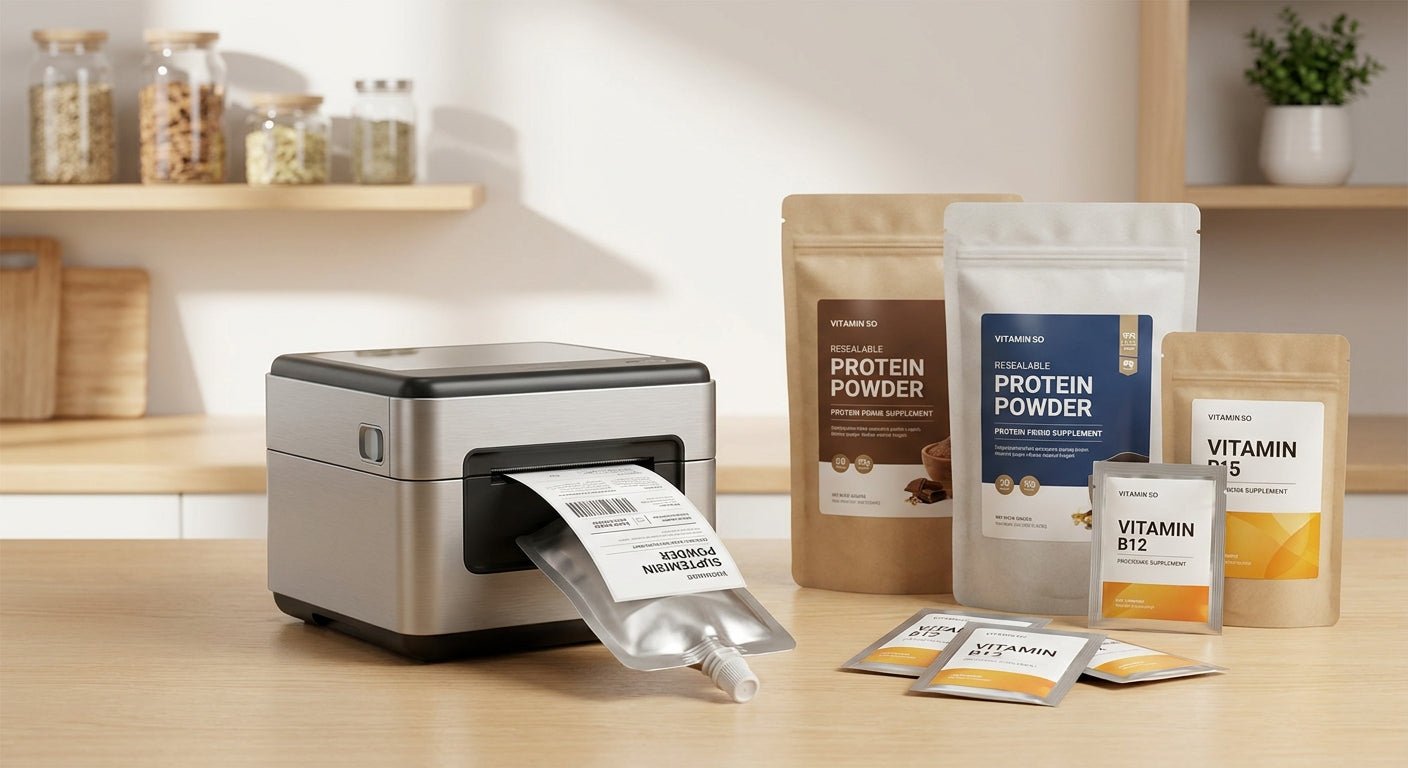
Supplement pouches and sachets flex, sweat condensation, and cram ingredient panels into 6-point type — three things that break a label printer built for shipping labels or price tags. This guide ranks the label printer for supplement pouches options that hold resolution, adhesion, and ribbon compatibility together under 2026 packaging demands.
- GoDEX G530 (600 DPI) is the label printer for supplement pouches that keeps sub-6-point ingredient text legible — Buy.
- GoDEX DT230 (300 DPI direct thermal) is the ribbon-free budget pick for standard sachet runs — Buy.
- GoDEX RT700i+ (203 DPI) works for larger pouch labels but blurs fine nutrition-facts type — Consider.
- Wax/resin thermal transfer ribbon paired with white polyester stock survives fridge and freezer storage in 2026 without smearing.
Why this matters
Most supplement brands buy a printer sized for shipping labels, then discover the ingredient panel on a 2x3-inch sachet turns into a gray smear at 203 DPI. Resolution isn't a spec sheet number here — it's the difference between a readable Supplement Facts box and a label that fails a retailer's compliance check.
A GoDEX DT230 direct thermal printer at 300 DPI is the floor for most sachet work in 2026, and it skips ribbon entirely for short-run direct thermal labels. Anything below that resolution belongs on boxes and cartons, not on a pouch panel someone reads under kitchen lighting.
Pouches also flex and stack, which stresses adhesive differently than a flat bottle label. That's the second variable this guide ranks against — not just print clarity, but whether the label stock stays stuck through a supply chain.
How this list was ranked
Each printer is scored against three variables that matter specifically for supplement pouches and sachets: print resolution against typical sachet text size, ribbon type compatibility for moisture resistance, and minimum label width supported without a media adapter. Pricing reflects 2026 list prices where available. Printers built primarily for pallet-scale shipping labels were excluded — this list is for the pouch and sachet niche, not general warehouse output.
The ranked list
1. GoDEX G530 — the sharpest-text pick
This printer runs at 600 DPI, double the resolution of a standard 300 DPI thermal transfer unit, which matters the moment your Supplement Facts panel drops below 7-point type. It's overkill for a simple logo sachet but becomes the only workable option once regulatory copy gets dense.
Brands packing multi-ingredient blends into a 1.5x2-inch sachet consistently need this resolution tier to stay legible after a few months of handling. the label printer for supplement pouches built for dense ingredient panels — Buy.
2. GoDEX DT230 — the ribbon-free workhorse
At 300 DPI, the GoDEX DT230 covers the vast majority of supplement pouch runs where text sits at 8-point or larger. It's direct thermal, so there's no ribbon to stock or swap mid-run, which simplifies inventory for a small production team.
The tradeoff: direct thermal prints fade faster under prolonged UV or heat exposure than thermal transfer, so it's better suited to pouches stored indoors than ones sitting in a delivery truck window. Buy for standard-run sachets without heavy sun exposure.
3. GoDEX RT700i+ — the budget entry point
This 203 DPI printer with a 4-color display works fine for larger pouch labels — think stand-up pouches with a 3x4-inch face — but the same resolution starts to blur once you shrink text below 8-point. It's priced to get a small operation started without the up-front cost of a 300 or 600 DPI unit.
Treat this as the printer for brand name and lot code, not for dense ingredient copy. Consider for larger pouch formats; Skip for small sachets with fine print.
4. Wax/resin thermal transfer ribbon — the consumable most people underbudget
A printer is only half the equation on flexible packaging. Wax/resin thermal transfer ribbon resists smearing from condensation and light abrasion far better than a straight wax ribbon, which matters when sachets get tossed into a gym bag or a cooler.
Running thermal transfer on polyester stock instead of paper adds a second layer of moisture resistance for pouches that see refrigeration. Buy the wax/resin blend for any pouch that leaves a climate-controlled shelf.
5. GoDEX RT200i — the compact desktop option
At 203 DPI, this model is sized for a countertop production line rather than an industrial floor — smaller footprint, lower throughput, same resolution ceiling as the RT700i+. It's a reasonable fit for a supplement brand still hand-packing sachets in small batches.
Once volume climbs past a few hundred units a day, the print speed becomes the bottleneck rather than the resolution. Consider for low-volume, small-batch operations only.
“If your sachet text drops below 8-point, 203 DPI turns it into a gray smudge no compliance reviewer will accept.”


Comparison table
| Printer | DPI | Ribbon | Best for | Verdict |
|---|---|---|---|---|
| GoDEX G530 | 600 | Thermal transfer | Dense ingredient panels | Buy |
| GoDEX DT230 | 300 | Direct thermal (none) | Standard sachet runs | Buy |
| GoDEX ZX430i+ | 300 | Thermal transfer | High-precision pouch labels | Buy |
| GoDEX RT700i+ | 203 | Thermal transfer | Larger pouch formats | Consider |
| GoDEX RT200i | 203 | Thermal transfer | Small-batch desktop use | Consider |
Where to buy
- Match the ribbon type to the label stock before ordering — wax/resin on polyester, not paper, for anything going in a cooler.
- Buy printer and ribbon from a single supplier so DPI, ribbon width, and label stock are confirmed compatible before the first run.
- Confirm 2026 lead times on printer stock directly with the seller; sachet production schedules rarely tolerate a delayed printer shipment.
FAQ
What is the best label printer for supplement pouches in 2026?
The GoDEX G530 at 600 DPI is the best label printer for supplement pouches with dense ingredient text; the GoDEX DT230 at 300 DPI covers standard runs without a ribbon.
Is 300 DPI enough for supplement sachet labels?
300 DPI is enough for text at 8-point or larger. Below that, switch to a 600 DPI printer like the GoDEX G530 to keep ingredient panels legible.
Do I need thermal transfer or direct thermal for pouches?
Direct thermal works for indoor storage and short shelf life. Thermal transfer with wax/resin ribbon resists fading and moisture better for pouches that travel or get refrigerated.
How much does a label printer for supplement pouches cost?
Entry-level 203 DPI units like the GoDEX RT700i+ run around $581, while 300 DPI models like the GoDEX ZX430i+ run closer to $945 as of 2026 pricing.
What label stock holds up on refrigerated sachets?
White polyester stock resists moisture and condensation better than paper labels, especially when paired with wax/resin thermal transfer ribbon.
Can one printer handle both pouches and bottles?
A 300 or 600 DPI thermal transfer printer can handle both if the label width and adhesive match the surface — pouches need more flex-resistant adhesive than rigid bottles.
What DPI do I need for FDA-compliant supplement labels?
There's no DPI requirement in the regulation itself, but 300 DPI minimum keeps small mandatory text legible enough to pass a compliance review in 2026.
Does ribbon type affect label shelf life?
Yes. Wax/resin ribbon resists smudging and light abrasion far longer than straight wax, which matters for sachets handled repeatedly before use.
One last thing
The variable that trips up most first-time supplement brands isn't the printer at all — it's ordering paper labels for a pouch that's going in a refrigerated display case. Paper wicks moisture at the edges within weeks; polyester doesn't. Spend the extra few dollars on stock before you spend it on a higher-DPI printer.