
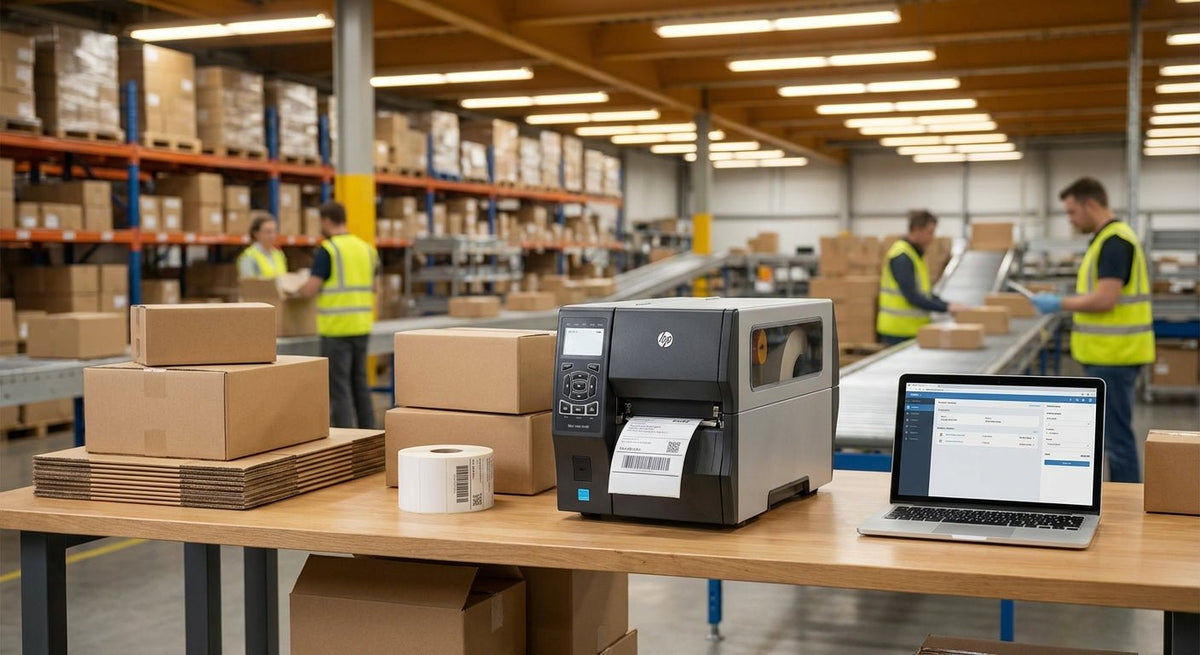
A fulfillment center running 500 or 5,000 shipments a day cannot afford a printer that jams, smears, or tops out at 200 labels per hour. The right shipping label printer for a fulfillment center prints fast, runs continuously without overheating, and outputs barcodes readable by every major carrier scanner on the first pass.
TL;DR: For 2026 fulfillment center use, a direct thermal 4×6 label printer is the category standard — no ink, no ribbons, no consumable cost beyond the label roll itself. The 4×6 thermal label printer from McAuley Labels handles continuous-duty cycles, prints the full 4-inch width carriers require, and ships ready to connect. High-volume operations processing more than 1,000 labels per hour should step up to a 600 DPI thermal transfer unit for barcode density. Budget and speed are the two levers; this guide ranks both.
Why This Matters in 2026
Carrier scan-fail rates cost fulfillment operations real money — a misread label on a UPS or FedEx shipment triggers manual intervention that can add 3–8 minutes per package. Multiply that by hundreds of daily shipments and the labor cost dwarfs the price of a better printer. The 2026 shipping label printer market has consolidated around two thermal technologies: direct thermal for standard 4×6 carrier labels and thermal transfer for anything requiring a longer-shelf-life barcode. Knowing which one your operation actually needs is the first decision, not the brand.
How We Ranked
Every printer in this list was evaluated against five criteria specific to fulfillment center environments: print speed (inches per second), maximum duty cycle, resolution (DPI), connectivity options, and total cost of ownership over 12 months. Consumer-grade printers — those rated for fewer than 300 labels per day — were excluded. Printers requiring proprietary label stock only were penalized. Rankings reflect real-world fulfillment throughput requirements, not spec-sheet peak numbers.
The Ranked List
1. McAuley Labels 4×6 Thermal Label Printer
The workhorse pick for standard fulfillment volume.
This direct thermal unit prints the 4×6 format every major carrier — UPS, FedEx, USPS, DHL — requires without ribbon or ink. At 203 DPI, it produces barcodes with enough contrast for carrier scanners at typical conveyor distances. Direct thermal means zero consumable cost beyond the label roll itself, which matters when you are burning through 500–2,000 labels per shift in 2026.
Connectivity includes USB and Ethernet, so it drops directly onto your warehouse network or connects to a ship-station PC. The driver stack is compatible with ShipStation, ShipBob, Shopify Fulfillment, and most WMS platforms without custom configuration.
Why now: Label printer supply chains tightened through 2024 and 2025. Having a unit from a manufacturer that stocks consumables — not just the hardware — removes a recurring operational risk in 2026.
Verdict: Buy. This is the right unit for operations printing up to roughly 1,500 labels per shift who do not need thermal transfer durability.
View the 4×6 thermal label printer
2. Godex RT863i Thermal Printer — 4-inch, 600 DPI
The high-resolution pick for dense barcodes and compliance labels.
The Godex RT863i runs at 600 DPI, which is three times the resolution of a standard 203 DPI unit. That resolution matters in two specific fulfillment scenarios: printing 2D barcodes (QR, DataMatrix, PDF417) at small sizes on a carrier label, and printing compliance labels for Amazon FBA, Walmart, or FDA-regulated products where barcode grade requirements are strict.
The RT863i uses thermal transfer, meaning it requires a ribbon. That adds a consumable cost and a reload step — typically 2–3 minutes per ribbon change. For high-mix fulfillment centers co-packing retail products alongside standard DTC shipments, that tradeoff is worth it. Print speed on the RT863i is rated at up to 4 inches per second, and the 600 DPI output holds at that speed without smearing.
Why now: Amazon's 2026 barcode compliance guidelines tightened minimum scan grades for FBA receiving. A 203 DPI printer can fail those checks on small labels; the RT863i does not.
Verdict: Buy for mixed-use or compliance-heavy fulfillment. Hold if you are printing only standard carrier labels.
3. Standard 203 DPI Desktop Direct Thermal (Category Pick)
The safe fallback for low-volume satellite stations.
If your fulfillment center runs satellite pack stations that print under 200 labels per shift, a standard 203 DPI desktop direct thermal unit covers the need at the lowest acquisition cost. Brands like Rollo, MUNBYN, and Zebra ZD220 all occupy this space. None of them are fulfillment-grade for continuous operation, but they are adequate for exception handling, returns processing, and overflow stations.
At $80–$150 per unit in 2026, they are disposable-tier hardware — replace rather than repair.
What it does: Prints 4×6 carrier labels, connects via USB, and runs on standard 4×6 direct thermal roll stock. No ribbon, no ink.
Verdict: Consider for secondary stations. Skip as your primary fulfillment printer.
4. Industrial Thermal Transfer Printer (250mm/s+ Category)
The wildcard for 24/7 operations with 3,000+ daily labels.
Operations running three shifts and printing 3,000 or more labels per day need a unit built for industrial duty cycles. In 2026, that tier sits above desktop thermal and below full production print-and-apply systems. Zebra ZT411, Honeywell PC45, and Godex EZ-DT4 represent this class. Print speeds hit 250–305 mm/s (approximately 10–12 inches per second), and duty cycles are rated at 24 hours of continuous use.
Cost runs $600–$1,200 per unit, and all require thermal transfer ribbon management. ROI is positive once you account for the labor cost of printer downtime at high volume — a single jam on a desktop unit at peak season costs more in delayed shipments than the price difference between tiers.
Verdict: Buy if daily label count exceeds 3,000. Wait if you are not yet there — the McAuley 4×6 direct thermal handles the growth period.
5. Mobile Thermal Label Printer (Belt-Clip / Bluetooth)
The pick for roving pack-and-ship or inbound receiving.
Some fulfillment workflows require printing at the point of pick rather than at a fixed station. Mobile thermal printers — Zebra ZQ521, Brother RJ-4, and similar — print 4×6 labels from a belt-worn unit via Bluetooth or Wi-Fi. Print speed is slower (2–4 inches per second) and duty cycles are lower, but the use case is different: inbound receiving, exception labels, and large-warehouse pick confirmation where running to a fixed station adds 30–90 seconds per event.
Verdict: Consider as a supplement to fixed-station printers. Skip as a replacement.
Comparison Table
| Printer | Technology | Resolution | Best For | Verdict |
|---|---|---|---|---|
| McAuley 4×6 Thermal | Direct thermal | 203 DPI | Standard fulfillment, up to 1,500 labels/shift | Buy |
| Godex RT863i | Thermal transfer | 600 DPI | FBA compliance, dense 2D barcodes | Buy / Hold |
| 203 DPI Desktop Category | Direct thermal | 203 DPI | Secondary / returns stations | Consider |
| Industrial 250mm/s+ | Thermal transfer | 203–300 DPI | 3,000+ labels/day, 24/7 ops | Buy at scale |
| Mobile Bluetooth | Direct thermal | 203 DPI | Roving receiving / pick exception | Consider |
What to Avoid
- Inkjet or laser printers for shipping labels. Both technologies produce labels that smear under moisture and warehouse condensation. Carrier scanners reject wet-smeared barcodes. Direct thermal and thermal transfer are the only technologies built for fulfillment.
- Printers with no Ethernet option. USB-only units lock you to a single workstation. Fulfillment networks need labels printable from any ship station, WMS terminal, or cloud platform. Confirm Ethernet or Wi-Fi is present before purchasing.
- Proprietary label stock requirements. Some consumer-brand thermal printers validate label rolls by chip or serial number and refuse third-party stock. In a fulfillment center buying labels by the case, this is an immediate disqualifier.
- Units with no listed duty cycle. If a spec sheet does not state daily label capacity, assume it is consumer-grade. "Up to 500 labels per day" is not fulfillment-grade in 2026.
Where to Buy
- Direct from the manufacturer is the lowest-risk option for hardware that needs to be on the floor running within 24–48 hours. McAuley Labels ships direct and stocks consumables, so you are not chasing label rolls from a third-party distributor.
- WMS or shipping software bundles — ShipStation, ShipBob, and EasyPost all offer pre-configured printer bundles. Convenient for initial setup, but hardware is often marked up 20–40% over direct pricing in 2026.
- Refurbished industrial printers are viable for the 24/7 tier if sourced from a certified Zebra or Godex reseller. Avoid general marketplace listings without factory refurb certification.
FAQ
What is the best shipping label printer for a fulfillment center in 2026? For standard fulfillment center volume — up to 1,500 labels per shift — a direct thermal 4×6 printer is the right choice. The McAuley Labels 4×6 thermal label printer is built for this use case, connects via Ethernet, and requires no ink or ribbon.
Is direct thermal or thermal transfer better for fulfillment centers? Direct thermal is better for standard carrier labels (UPS, FedEx, USPS, DHL) because it eliminates ribbon cost and the ribbon-change step. Thermal transfer is better when barcode durability or 600 DPI resolution is required — for example, Amazon FBA compliance labels or labels that will be stored for weeks before scanning.
What DPI do I need for shipping labels? 203 DPI is the minimum for standard 4×6 carrier labels and handles all major carrier barcodes reliably. 300 DPI is a safe middle tier. 600 DPI is only necessary for small 2D barcodes or strict compliance requirements. More detail on this in the 300 DPI vs 600 DPI guide.
How many labels per day can a desktop thermal printer handle? Most consumer-grade desktop direct thermal printers are rated for 500 labels per day. Fulfillment-grade desktop units handle 1,000–1,500. Industrial units run 3,000 or more per day continuously. Check the duty cycle specification before purchasing — it is a harder constraint than print speed.
Does a shipping label have to be 4×6? No, but 4×6 is the standard size accepted by UPS, FedEx, USPS, and DHL without modification. Some carriers accept 4×5 or 4×8 in specific contexts. For a fulfillment center running multiple carriers, standardizing on 4×6 eliminates a configuration variable.
What connectivity does a fulfillment center printer need? Ethernet is the minimum for a fixed pack station in 2026 — it allows any workstation or WMS on the network to send print jobs. USB is acceptable only for single-operator setups. Wi-Fi adds flexibility for temporary station deployment. Avoid Bluetooth-only for fixed stations.
Can I use one printer for both shipping labels and other warehouse labels? Yes, if you standardize on a 4-inch wide thermal unit. The same printer handles 4×6 shipping labels, 4×3 receiving labels, 4×2 bin location labels, and 4×1 product labels. Swapping label rolls takes under 60 seconds. A 600 DPI unit like the Godex RT863i gives you additional flexibility for compliance and product labels at higher resolution.
How long does a thermal label printer last in a fulfillment center environment? The print head is the critical wear component. Industrial-grade print heads are rated for 5–10 km of label stock. At 1,000 labels per day on a 4×6 label (roughly 6 inches each), that works out to approximately 3–5 years of daily use before print head replacement. Dusty environments accelerate wear — compressed air cleaning weekly extends head life significantly.
One Last Thing
The single most overlooked fulfillment center printer failure mode in 2026 is not the printer itself — it is label stock incompatibility. Direct thermal labels have two sides: the coated thermal face and the plain liner. Loading them liner-side-out produces a blank label every time, with no error message. Train every operator on roll orientation on day one. It sounds obvious; it costs fulfillment centers hours of lost throughput every year.