
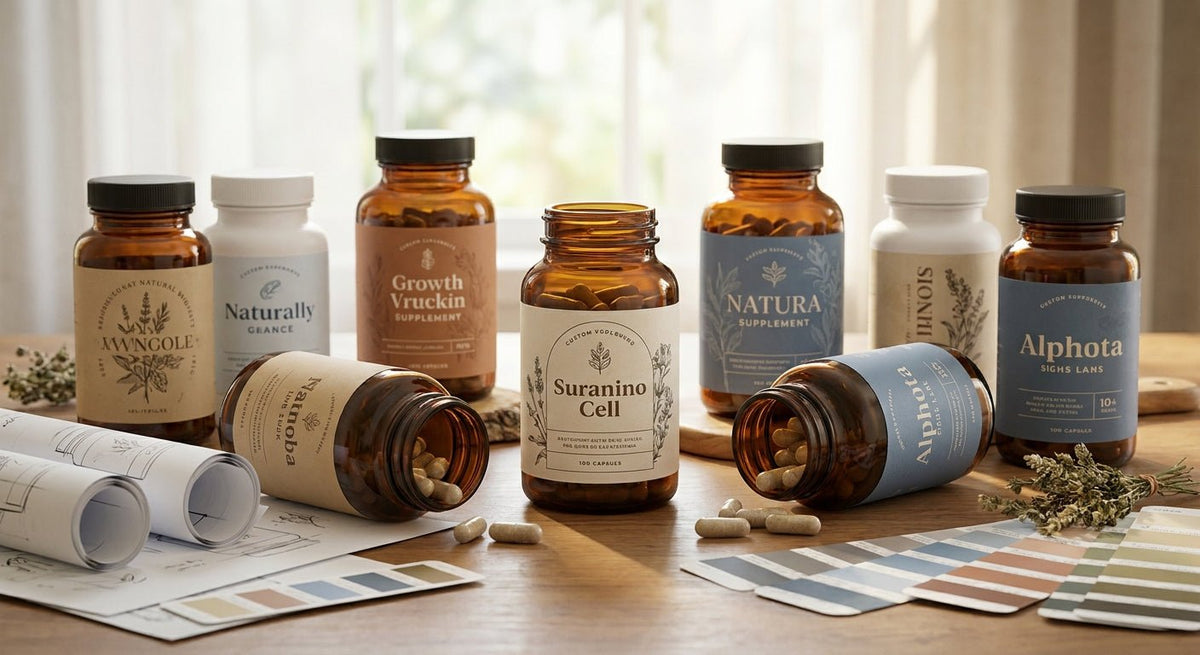
Supplement brands printing custom labels for supplement bottles in-house cut per-label costs and turn around batch updates in hours instead of weeks. This guide breaks down what to look for in a printer setup, who it fits best, and what to avoid.
TL;DR: Custom labels for supplement bottles require durable materials, high-resolution printing (300 DPI minimum), and a printer that handles small-diameter cylinders cleanly. A direct thermal or thermal transfer printer paired with polyester label stock is the standard 2026 setup for supplement manufacturers and private-label brands printing 500–10,000 labels per run. Outsourcing single-use designs works at low volume; anything above ~1,000 labels per month tips the math toward in-house printing.
Why This Matters in 2026
The supplement market is crowded. A label that smears during a gym-bag sweat session or peels off a cold bottle pulled from a refrigerator kills brand trust immediately. FDA 21 CFR Part 111 requires supplement labels to carry specific nutrition and ingredient information — errors mean reprints or, worse, a recall. In-house printing lets you catch a typo before 5,000 bottles are already labeled. The cost differential is real: outsourced short runs typically run $0.15–$0.40 per label; in-house thermal printing drops that to $0.02–$0.06 per label once you account for label stock and ribbon.
Who This Guide Is For
This guide is written for supplement brand owners, contract manufacturers, and private-label operators who are either printing custom labels for supplement bottles themselves or evaluating whether to bring that process in-house. If you are ordering 250 labels twice a year, a local print shop makes more sense. If you are running weekly batches, handling multiple SKUs with rotating lot numbers, or need to update expiration dates without re-ordering from a vendor, an in-house thermal printer setup is the right call. The setup also applies to lab operations that label sample bottles — a use case where the test tube labeler for labs fills a niche gap for small-diameter cylindrical containers.
What to Look For in a Printer for Supplement Bottle Labels
Print Resolution: 300 DPI Minimum
Supplement labels carry dense text — ingredient lists, Supplement Facts panels, lot numbers, barcodes, and often a QR code. At 203 DPI, small fonts blur and barcodes scan inconsistently. 300 DPI prints clean 6-point type and crisp UPC barcodes that retail scanners read first pass. If your label design includes a fine-line logo or micro-text compliance copy, 600 DPI eliminates any remaining ambiguity. The Godex RT230i at 300 DPI is the entry point for supplement label work in 2026.
Label Material: Polyester Over Paper
Bottles handled repeatedly — poured from, wiped down, stored in humid environments — destroy paper labels. White polyester (also called synthetic or polypropylene stock) resists moisture, mild chemicals, and abrasion. Thermal transfer printing onto polyester with a resin-blend ribbon produces a label that stays legible through the product's shelf life, typically 12–24 months for most supplement SKUs. Direct thermal on paper is appropriate only for short-dated internal batch tickets, not finished consumer-facing labels.
Cylinder Compatibility and Label Width
Standard supplement bottles — 60-count HDPE, 90-count PET — have diameters between 2.5 inches and 3.5 inches. Your label width and the printer's maximum print width must align. Most desktop thermal printers handle up to 4-inch label width, which covers the majority of supplement bottle label specs. Verify the printer's minimum label width too; narrow wrap-around labels on small bottles (single-serve shots, tincture bottles) require a printer that can handle 1-inch to 1.5-inch widths without feed errors.
Thermal Transfer vs. Direct Thermal
Thermal transfer uses a ribbon to fuse ink onto the label surface — the result is permanent, UV-stable, and chemical-resistant. Direct thermal reacts to heat without a ribbon, which cuts consumable cost but produces an image that fades under UV light and heat. For supplement bottles sitting on retail shelves or shipped in summer conditions, thermal transfer is the correct choice. Direct thermal is fine for lot-number scratch tickets used internally during packing.
Software and Template Flexibility
Supplement labels change constantly: new flavors, updated Supplement Facts after formula tweaks, seasonal packaging, lot/date coding. A printer that ships with capable label-design software — or integrates with tools you already use — prevents a $200 artwork fee every time you swap a dosage number. Look for software that supports variable data printing (VDP), which lets you print sequential lot numbers or expiration dates automatically across a run without manually editing each template.
Throughput and Duty Cycle
A 500-label batch takes roughly 10–15 minutes on a desktop thermal printer running at 4 inches per second. If your packing line runs 2,000–5,000 bottles per shift, a desktop printer becomes a bottleneck. Industrial thermal transfer printers rated for 8-hour duty cycles handle sustained throughput without overheating or head wear. Match the printer's rated duty cycle to your actual daily volume before buying.
Top Picks for In-House Supplement Bottle Labeling
The Precision Pick — Godex RT230i (300 DPI)
The safe choice for most supplement brands running 500–3,000 labels per week.
The Godex RT230i prints at 300 DPI on thermal transfer media up to 4 inches wide at 6 inches per second. That combination covers standard supplement bottle label widths and handles Supplement Facts panel text cleanly. Verdict: Buy for brands needing consistent, regulation-legible output without industrial complexity.
The Budget Entry — Godex GE300 (203 DPI)
For early-stage brands testing in-house label printing before committing to 300 DPI hardware.
The Godex GE300 is a 4-inch, 203 DPI thermal transfer printer. At 203 DPI it handles standard barcodes and larger body text. Fine-print ingredient panels will show pixelation on close inspection, which matters at retail. Verdict: Consider if volume is under 200 labels per week and the label design uses type no smaller than 8 points.
The High-Volume Pick — Godex RT863i (600 DPI)
For premium supplement brands where label quality is a direct brand differentiator.
The Godex RT863i thermal printer prints at 600 DPI across a 4-inch width. At 600 DPI, photographic-quality brand marks, micro-text, and dense QR codes all render sharply. It handles polyester label stock and resin ribbons without adjustment. Verdict: Buy if your label design includes fine-line artwork or you are targeting premium retail placement in 2026.
The Automation Pick — Godex AG1000F Bottle Applicator
For operations labeling 1,000+ bottles per shift and tired of hand-application.
The Godex AG1000F bottle applicator combines a thermal printer with an automatic label applicator designed for cylindrical containers. It applies labels to round bottles at a consistent placement height and wrap angle — two variables that manual application gets wrong in every long run. Verdict: Buy when labor cost on label application exceeds the hardware cost within 6 months.
The Label Stock — Glossy White Polyester TT Labels
The material choice, not just the printer, determines whether the label survives the shelf.
The glossy white polyester TT labels from McAuley Labels are cut for thermal transfer printing and rated for moisture, chemical wipe-down, and UV exposure — the three conditions supplement bottle labels face regularly. Running a premium printer on paper stock is the most common and most avoidable mistake in this category.
What to Avoid
- Direct thermal on finished consumer labels. The image degrades under UV in 60–90 days. Supplement bottles on a retailer's shelf sit near windows. You will get returns and chargebacks.
- 203 DPI for Supplement Facts panels. The FDA requires the Supplement Facts box to be legible. A 203 DPI print of 6-point type does not meet that standard cleanly. Courts and inspectors look at print quality when reviewing label compliance.
- Paper label stock on cylindrical bottles. Paper absorbs moisture at the cut edges, lifts from the curve of the bottle, and flags within weeks in a bathroom or gym bag. Polyester is not optional for supplement bottles.
Comparison Table
| Printer | DPI | Max Width | Best For | Verdict |
|---|---|---|---|---|
| Godex RT230i | 300 | 4 in | Weekly batches, retail labels | Buy |
| Godex GE300 | 203 | 4 in | Low-volume, early-stage | Consider |
| Godex RT863i | 600 | 4 in | Premium brand, fine-line art | Buy |
| Godex AG1000F | 203 | 4 in | High-volume auto-application | Buy |
FAQ
What is the best printer for custom labels for supplement bottles in 2026? The Godex RT230i at 300 DPI covers the majority of supplement label needs — it handles polyester stock, thermal transfer ribbon, and 4-inch label widths that fit standard HDPE and PET supplement bottles.
Do I need a thermal transfer printer or will direct thermal work? Thermal transfer. Direct thermal labels fade under UV and heat, which supplement bottles encounter regularly in shipping and on retail shelves. For a finished consumer product, thermal transfer onto polyester is the correct choice.
What DPI do I need for supplement bottle labels? 300 DPI minimum. Supplement Facts panels contain small-point text and dense data; 203 DPI produces visibly pixelated output at 6-point type. Use 600 DPI if your label includes fine-line logos or micro-text.
How much does it cost to print supplement labels in-house? In-house thermal transfer printing on polyester stock typically runs $0.02–$0.06 per label including ribbon and stock cost. Outsourced short runs (under 1,000 labels) typically run $0.15–$0.40 per label. The break-even point sits around 800–1,200 labels per month depending on hardware cost.
Can I print waterproof labels for supplement bottles at home? Yes, with the right materials. A thermal transfer printer, resin-blend ribbon, and glossy white polyester label stock produce a waterproof label. Direct thermal on paper is not waterproof regardless of lamination over it.
What label size fits most supplement bottles? Most 60-count and 90-count supplement bottles use a label between 3 inches and 4 inches wide, with a height of 3.5 to 5 inches depending on the bottle height. Measure your specific bottle circumference before ordering stock.
Is 300 DPI better than 600 DPI for supplement labels? 300 DPI is sufficient for compliance text, barcodes, and standard brand graphics. 600 DPI is better for photographic-quality brand marks and micro-text. See the 300 DPI vs 600 DPI resolution guide for a side-by-side breakdown.
What label material is FDA-compliant for supplement bottles? The FDA does not specify label substrate — it regulates legibility, required fields, and durability in normal use conditions. Polyester thermal transfer labels meet all practical durability requirements. Paper labels that degrade before the product's expiration date raise compliance concerns under 21 CFR Part 111.
One Last Thing
The single most overlooked variable in supplement label printing is ribbon chemistry. Not all thermal transfer ribbons bond to all label stocks. A wax ribbon on polyester produces an image that scratches off with a fingernail. For polyester supplement bottle labels, use a resin or wax-resin ribbon rated for synthetic substrates — the label that survives a 12-month shelf life versus the one that fails at 3 months comes down to this one material pairing, not the printer.