
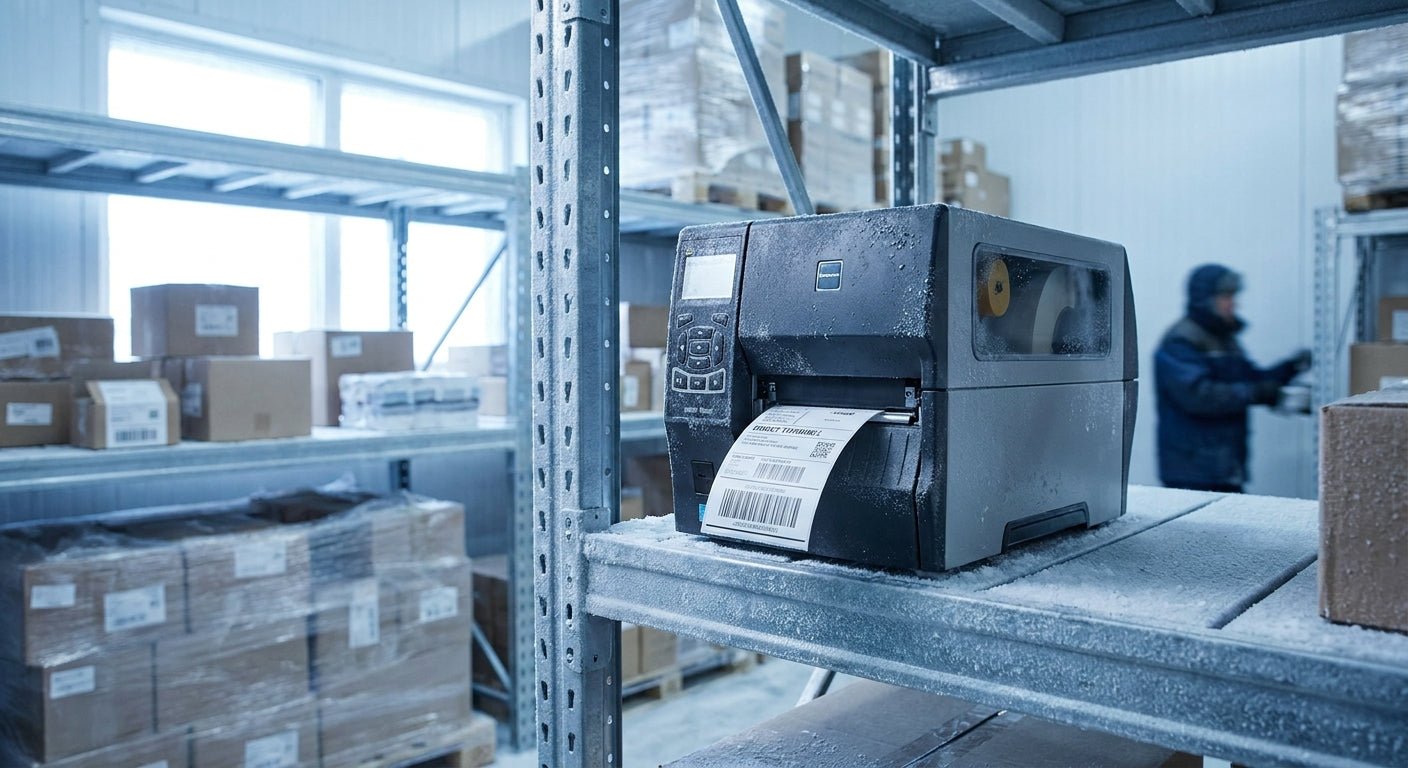
Cold storage floors are where label printers go to fail — condensation, sub-zero print heads, and ribbon jams take out more units than any other install McAuley Labels ships into in 2026. This guide narrows the field to the direct thermal printer for cold storage labels that actually holds up in a freezer, plus the label stock and asset tags that go with it.
- The GoDEX DT230 direct thermal printer at 300 DPI is the specialist pick for cold storage labels — Buy for freezer racks in 2026.
- GoDEX RT200i at 203 DPI is the safe entry choice when barcode detail doesn't need to be fine — Buy.
- Skip thermal transfer ribbon systems staged inside walk-in freezers; ribbon stiffens and wrinkles below 40°F.
- Metalized silver asset tags hold adhesion on cold racking and equipment better than paper stock.
Why this matters
Warehouses running product below 40°F see more label printer failures than any other install type McAuley Labels handles. Ribbon-based thermal transfer printers fight two problems in a freezer: the ribbon stiffens and misfeeds, and the print mechanism fogs every time a worker carries it from -10°F storage to a 55°F loading dock. A GoDEX DT230 direct thermal printer cuts the ribbon out of the equation entirely — the print head burns the image straight into heat-sensitive label stock, so there's one less moving part to jam in the cold.
The tradeoff: direct thermal print darkens with heat and UV exposure over months, which is fine for a label that ships with product today but wrong for a tag meant to last five years on a rack. For cold storage — where labels get replaced every shipment cycle anyway — that tradeoff barely matters in 2026.
Who this is for
This guide is built for warehouse and cold-chain teams labeling product inside coolers, walk-in freezers, or blast-chill rooms — food distribution, pharma cold storage, meal-kit fulfillment, and 3PL operators running mixed ambient/frozen racks. If labels need to survive a -10°F freezer, get carried to a 45°F dock, and still scan clean an hour later, printer and stock choice matters more here than in a dry ambient warehouse. It's not built for labs running cryogenic vials below -80°F — that's a different label chemistry entirely.
What to look for in a thermal printer for cold storage labels
Ribbon-free print engines for the freezer
Thermal transfer ribbon spools stiffen below 40°F, and a ribbon that doesn't feed evenly wrinkles the printed image or snaps mid-roll. Direct thermal engines strip the ribbon out entirely — the print head heats the label coating directly, so there's nothing to freeze, wrinkle, or run out mid-shift. That's the single biggest reliability gain for a walk-in freezer install.
Freezer-grade adhesive rated below 32°F
Standard permanent adhesive is engineered to bond at room temperature and loses tack as the surface gets colder — a label applied at 34°F might hold for an hour and then curl off a poly tote by the next shift. Freezer-grade adhesive reaches full bond strength down into single-digit and sub-zero ranges, and that's the difference between a label that survives a pallet move and one that's on the floor by morning.
Print resolution for small cold-chain barcodes
Cold storage totes and cases often carry codes at a smaller footprint than a shipping label, and a fuzzy bar at low resolution can bounce a scanner two or three times before it reads. Standard 203 DPI handles most case labels and asset tags fine; step up to 300 DPI when the barcode packs a lot number, expiration date, and location code into a 2-inch field.
Sealed printer housing against condensation
Every time a printer moves — or a worker walks through a freezer door — condensation forms on cold metal and electronics the second it hits warmer, humid air. A sealed or gasketed housing keeps that moisture off the print head and control board, which is the difference between a unit that lasts three years on a cold room shelf and one that corrodes out in six months.
Media compatibility for freeze-thaw cycles
Paper-based direct thermal stock can absorb enough moisture in a cold-to-warm cycle to soften the adhesive backing or curl the label edge. Polypropylene- or polyester-based direct thermal media resists that moisture pickup and holds its shape through repeated freezer-to-dock transitions, which matters most on labels scanned more than once before product ships.
Mobile vs. desktop placement in the cold room
A desktop printer staged just outside the freezer door prints in ambient conditions and gets hand-carried in — no cold-rated electronics needed, just a slower workflow. A printer mounted inside the cold room needs to run at sub-40°F ambient without misprinting, which narrows the field fast. Most cold storage operations in 2026 still stage printers outside the door because it's cheaper than a cold-rated mobile unit.


Top picks for cold storage labeling
GoDEX RT200i Thermal Printer (203 DPI) — the safe pick. Built as a straightforward desktop unit at 203 DPI, it covers case and pallet labels without paying for resolution most cold storage barcodes don't need. Buy for basic cold-chain case and pallet labels. GoDEX RT200i thermal printer
GoDEX G500 Thermal Printer — the workhorse. It's the mid-tier desktop option for teams running steady daily print volume across multiple shifts, without stepping up to an industrial-class chassis. Buy for teams printing high label counts across a cold room and a dock area. GoDEX G500 thermal printer
GoDEX DT230 Direct Thermal Printer (300 DPI) — the direct-thermal specialist. At 300 DPI with zero ribbon dependency, it's built for exactly the freeze-thaw, condensation-prone environment this guide is about. Buy for teams that want ribbon-free reliability in the cold room.
Metalized silver equipment asset tags — the equipment ID pick. These tags aren't for the product moving through the freezer — they're for tagging the racking, reach trucks, and freezer doors themselves, and metalized silver polyester holds adhesion on cold metal where paper stock lifts. Buy for facilities tracking cold storage equipment. Metalized silver equipment asset tags
GoDEX RT700i (4-color display) — the wildcard. The color display makes multi-operator freezer staging easier to configure without a laptop tethered to the unit, which matters when three shifts share one station. Consider if multiple operators run the same print station across shifts.
What to avoid
- Thermal transfer ribbon printers staged inside the freezer. Ribbon stiffens and misfeeds below 40°F, and a wrinkled ribbon ruins the print before it even reaches the label.
- Standard paper direct thermal labels without freezer-grade adhesive. They look identical to freezer-rated stock on the roll and fail to bond below 20°F.
- Uncoated matte label stock for repeated freeze-thaw handling. It absorbs condensation and curls off cold poly totes within a shift.
“If the ribbon wrinkles before the label prints, the printer wasn't built for a freezer.”
Verdict comparison
| Pick | Resolution | Ribbon Required | Cold Storage Verdict |
|---|---|---|---|
| GoDEX RT200i | 203 DPI | No | Buy |
| GoDEX G500 | Standard | No | Buy |
| GoDEX DT230 | 300 DPI | No | Buy |
| Metalized silver asset tags | N/A | N/A | Buy |
| GoDEX RT700i | 203 DPI class | No | Consider |
FAQ
What's the best thermal printer for cold storage labels in 2026?
The GoDEX DT230 direct thermal printer is the strongest fit for cold storage labels in 2026 because it removes the ribbon entirely and runs at 300 DPI. Teams printing higher volume without needing fine barcode detail can drop to the GoDEX RT200i at 203 DPI instead.
Is direct thermal or thermal transfer better for freezer environments?
Direct thermal wins in freezer environments because there's no ribbon to stiffen or wrinkle below 40°F. Thermal transfer still makes sense for labels that need to survive years of handling in warmer, drier storage.
Does direct thermal print fade over time?
Yes, direct thermal print darkens with heat and UV exposure over months, which is why it's a poor choice for long-term asset tags but fine for cold storage labels replaced every shipment cycle. Labels stored consistently below 40°F fade even slower than room-temperature stock.
What adhesive works on labels applied inside a freezer?
Freezer-grade acrylic adhesive is built to reach full bond strength in sub-zero and single-digit temperature ranges, unlike standard permanent adhesive designed for room temperature. Applying standard adhesive labels directly in a freezer is the most common cause of labels falling off within a shift.
What DPI do I need for cold storage barcode labels?
203 DPI covers most case and pallet labels used in cold storage in 2026, while 300 DPI is worth the upgrade when a label packs a lot number, expiration date, and location code into a small field. Higher DPI reduces barcode scan failures on dense codes.
Can I use a regular office label printer in a walk-in freezer?
Standard office printers aren't built for condensation or sub-40°F operation and jam or corrode faster than industrial units rated for cold storage. Staging the printer just outside the freezer door and hand-carrying labels in solves this without buying cold-rated hardware.
How long do direct thermal labels last in cold storage?
Direct thermal labels in cold storage typically get replaced every shipment cycle, so fade isn't the limiting factor — adhesive failure below freezing usually happens first. Freezer-grade adhesive labels outlast standard adhesive labels by multiple freeze-thaw cycles before edges lift.
Do I need special asset tags for freezer racking and equipment?
Yes, metalized silver polyester asset tags hold adhesion on cold metal racking and equipment better than paper-based labels, which curl and lift in repeated freeze-thaw cycles. These tags are built for permanent equipment ID, not the product labels that change every shipment.
One last thing
The failure point in most cold storage label programs isn't the freezer — it's the doorway. Labels and printers survive -10°F fine; they fail in the 30-second walk from the freezer to a 50°F dock, where condensation beads on cold plastic and lifts adhesive that held perfectly an hour earlier. Spec the label stock for that transition, not just the freezer temperature, and most complaints about labels "falling off in the cold" disappear in 2026.