
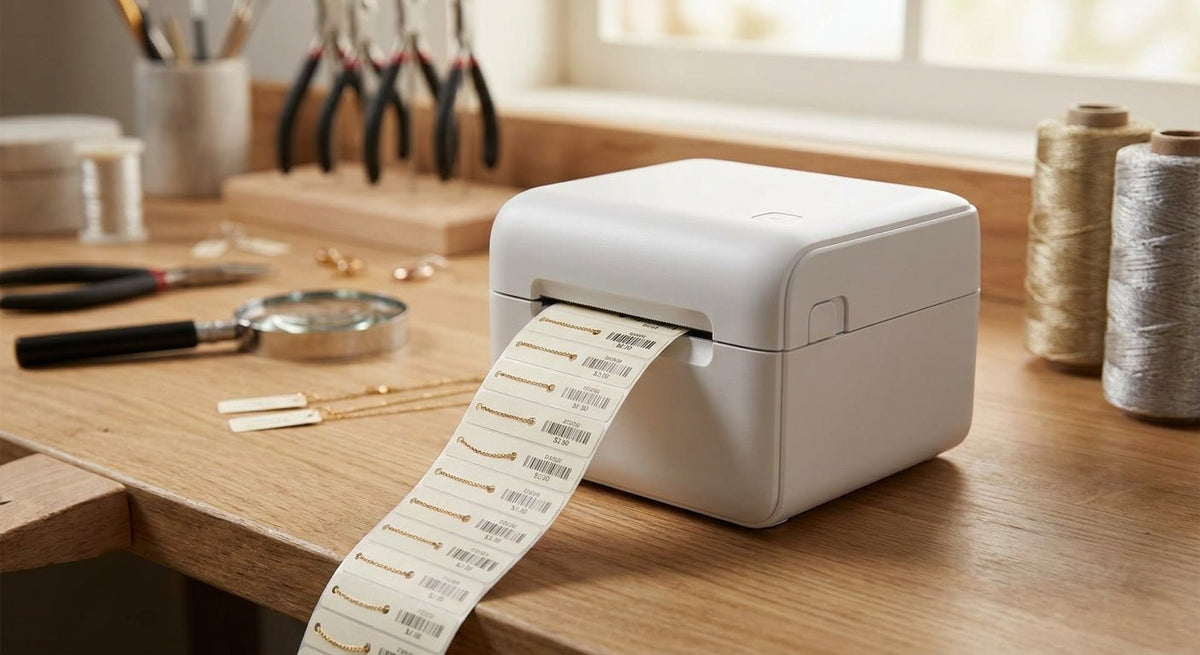
Jewelry price tags live in a space where millimeters matter — a blurry SKU or a smudged carat weight costs you a sale or a compliance headache. A high resolution thermal printer for jewelry tags solves that in 2026 by putting 600 DPI output on labels as small as 0.5" × 1", sharp enough to scan under a loupe.
TL;DR: For jewelry retailers and bench jewelers printing price tags in 2026, the right high resolution thermal printer for jewelry tags runs at 600 DPI, handles stock as narrow as 0.5 inches, and outputs thermal transfer prints that resist smearing from handling oils and display case humidity. The GoDEX RT863i is the strongest single pick in this category — 600 DPI native, 4-inch print width, and industrial-grade build at a price point that makes sense for a working jewelry counter. Skip any printer that tops out at 203 DPI; the difference is visible to the naked eye on a 1-inch tag.
Why This Matters in 2026
Jewelry tags are the smallest, most scrutinized labels in retail. Customers read them at arm's length and then under magnification. POS systems scan them at high speed. Compliance labels on gold and silver items must display karat, weight, and country of origin in type that survives polishing cloths. A 203 DPI printer that works fine on a 4×6 shipping label produces visibly pixelated text at 6-point font on a 0.75-inch hang tag. That is a display-floor problem every day it runs.
Who This Guide Is For
This guide is written for jewelry store owners, bench jewelers running their own tags, and retail buyers sourcing printers for multi-case display operations. If you print fewer than 50 tags per week on a home inkjet, this is overkill. If you run a case of 200+ SKUs, reprint tags after resizing or appraisal, or need barcode compliance on fine jewelry, you need a dedicated thermal printer at 300 DPI minimum — and 600 DPI when the tag is under 1 inch wide.
What to Look for in a High Resolution Thermal Printer for Jewelry Tags
Print Resolution: 600 DPI Is the Floor for Sub-Inch Tags
At 300 DPI, a label printed at 0.75" × 1.5" renders text at roughly 8.5 dots per character stroke. At 600 DPI, that doubles to 17 dots — enough to make 6-point serif type legible without a magnifier. For any tag smaller than 1 inch in either dimension, 600 DPI is not a luxury; it is the minimum for scannable barcodes and readable fine print. Printers listed as "high resolution" that ship at 203 DPI are optimized for shipping labels, not jewelry.
Media Width and Minimum Label Size
Jewelry hang tags and loop tags typically run 0.5" to 1.25" wide. Most shipping-class printers bottom out at 1-inch media and lose calibration below that. Look for a printer with a minimum media width of 0.5" and a media sensor that can detect short labels — anything under 0.5" in length requires a printer with gap sensing calibrated for that pitch. Confirm this in the spec sheet before purchasing; the stated minimum and the functional minimum are not always the same.
Thermal Transfer vs. Direct Thermal
Direct thermal prints without ribbon but the image fades in heat, UV, and when handled repeatedly. A jewelry tag on a ring tray gets touched dozens of times per day. Thermal transfer with a resin ribbon is the correct choice for jewelry — it produces a fused image that survives handling oils, cleaning sprays, and display lighting. A resin ribbon on a polyester or synthetic label stock will outlast the tag's display life by years. Direct thermal is acceptable only for short-run back-room tagging you expect to replace within a week.
Print Speed vs. Print Quality Trade-Off
High-resolution print heads slow down at maximum DPI. A printer rated at 6 inches per second at 203 DPI may drop to 2–3 IPS at 600 DPI. For a jewelry counter printing 30–100 tags per session, 2 IPS is perfectly workable — that is roughly one tag every 1–3 seconds at a 1.5-inch label length. If you are batch-printing 500 tags for a trade show, understand that the 600 DPI run will take 3–4× longer than the spec sheet's headline speed.
Connectivity and Software Compatibility
Most jewelry POS platforms (Lightspeed Retail, Jewel360, Podium) export label data as CSV or can connect to a label designer via USB. A printer that ships with a Windows driver and a native label design app covers 90% of use cases. Ethernet or USB-C connectivity matters if the printer sits at a shared counter. Bluetooth-only models are slower and less reliable for batch runs — pass on them for a counter environment.
Build Quality and Ribbon Path
Jewelry shops run printers through multi-hour tagging sessions before and after buying events or inventory counts. A printer with a metal chassis and a clean ribbon path — top-loading, tension-controlled — handles those sessions without ribbon wrinkle or media jam. Plastic-chassis printers rated for light duty will fail in a sustained 2-hour tag run. Check the rated duty cycle; anything under 3 inches per day average is consumer-grade.
Top Picks for Jewelry Price Tag Printing in 2026
The Primary Pick — GoDEX RT863i 600 DPI Thermal Transfer Printer
Hook: The safe, specification-correct choice for any jewelry operation printing tags smaller than 1 inch.
The GoDEX RT863i prints at 600 DPI native — not interpolated, not upscaled. Print width is 4 inches, and the minimum label size spec supports the narrow stock used on hang tags and loop tags. It runs thermal transfer, so resin ribbon is available and the output survives daily handling at a jewelry counter. The metal chassis handles sustained batch runs. GoLabel software ships with the printer and handles variable data, sequential numbering, barcodes, and logo placement — the exact set of functions a jewelry operation needs for SKU tagging and compliance labels.
Concrete number: 600 DPI, up to 4-inch print width, rated for continuous-duty use.
Verdict: Buy — for any jeweler printing tags under 1 inch wide in 2026, this is the correct hardware decision.
The Budget Step-Down — 4×6 Thermal Label Printer at 300 DPI
Hook: Workable for larger hang tags; not suitable for fine jewelry loop tags or anything under 0.75 inches.
The 4×6 thermal label printer runs at 300 DPI — sharp enough for a 1.5"×1" hang tag with standard barcode and price field, but not fine enough for sub-inch loop tags with 6-point type. It is a sensible choice if your smallest tag is a 1-inch hang tag and cost is the primary constraint. Do not use it for fine jewelry with karat stamps in small type.
Concrete number: 300 DPI, 4-inch print width.
Verdict: Consider — only if your minimum tag size is 1 inch or larger and you are not printing compliance text below 8-point.
The Wildcard — Repurpose an Asset Tag Printer for Durable Small-Format Jewelry Labels
Hook: If you need tamper-evident or polyester-substrate jewelry tags rather than paper hang tags, an asset tag printer setup handles both.
Some fine jewelry and pawn operations use polyester or metalized stock for tags that cannot be swapped out — the same substrate used for asset tags for equipment. A 600 DPI thermal transfer printer loaded with metalized silver polyester stock produces a tag that is scratch-resistant, solvent-resistant, and difficult to counterfeit. The trade-off is cost per label; polyester stock runs higher than paper. For high-value items where tag authenticity matters, it is justified.
Verdict: Consider — specifically for high-value or estate jewelry where tag durability and tamper resistance matter.
What to Avoid
- 203 DPI printers marketed as "label printers" — they are built for 4×6 shipping labels. On a 0.75-inch jewelry tag, the barcode may scan but the human-readable text will look jagged under any magnification. Customers notice.
- Direct thermal for display-floor tags — the print fades within weeks under display lighting and smears on contact with skin oils. You will be reprinting tags constantly, which defeats the purpose of an in-house printer.
- Bluetooth-only or Wi-Fi-only printers with no USB fallback — connection drops during a 200-tag batch run create partial print jobs that are difficult to reconcile in a jewelry POS system. Wired USB as the primary connection is non-negotiable for batch work.
Verdict Comparison Table
| Printer | Resolution | Min Media Width | Print Method | Verdict |
|---|---|---|---|---|
| GoDEX RT863i | 600 DPI | ~0.5" | Thermal Transfer | Buy |
| 4×6 Thermal Label Printer | 300 DPI | ~1" | Direct Thermal | Consider |
| Asset Tag / Polyester Setup | 600 DPI | ~0.5" | Thermal Transfer | Consider |
FAQ
What is the best thermal printer for jewelry price tags in 2026? The GoDEX RT863i at 600 DPI is the best choice for jewelry price tags in 2026. It handles narrow stock, runs thermal transfer for durable output, and ships with label design software that supports variable data and barcodes.
Is 300 DPI good enough for jewelry tags? 300 DPI is adequate for hang tags 1 inch wide or larger with standard price and barcode fields. For loop tags, tags under 0.75 inches, or any label with compliance text in 6-point font, 300 DPI is not sufficient — the text becomes visibly jagged.
Do I need thermal transfer or direct thermal for jewelry labels? Thermal transfer is required for display-floor jewelry tags. Direct thermal images fade under display lighting and smear from skin contact. Thermal transfer with a resin ribbon fuses the image into the label substrate, giving it a lifespan that outlasts the tag's useful life.
What label size do most jewelry price tags use? Common jewelry hang tag sizes are 0.75"×1.5" and 1"×1". Loop tags run as small as 0.5"×1". Confirm your printer supports the minimum size before purchase — not all printers that claim 0.5" minimum actually calibrate reliably at that size.
Can I print barcodes on jewelry tags with a thermal printer? Yes. A 600 DPI thermal transfer printer produces barcodes — Code 128, Code 39, QR — that scan reliably on stock as small as 0.75"×1". At 203 DPI, barcodes on small labels frequently fail to scan because the bars and spaces fall below the minimum width the scanner resolves.
How long do thermal transfer jewelry tags last? Thermal transfer labels printed with resin ribbon on polyester or synthetic stock last 5–10 years under normal display conditions. Paper stock with wax-resin ribbon is rated for 1–3 years. For fine jewelry that sits in a case for extended periods, polyester stock is the correct choice.
What software works with thermal printers for jewelry labeling? GoLabel (ships with GoDEX printers), Bartender, and ZebraDesigner all support variable data jewelry label templates. Most jewelry POS systems can export SKU, price, and description data as CSV, which any of these apps can import for batch printing.
How much does a 600 DPI thermal printer cost in 2026? A commercial-grade 600 DPI thermal transfer printer for jewelry labels runs $300–$600 depending on print width and duty cycle. Consumer-grade direct thermal printers cost $50–$150 but are not suitable for professional jewelry tagging.
One Last Thing
Jewelry tag barcodes fail at the point of sale more often because of label stock choice than print resolution. A 600 DPI image on a high-gloss paper stock can produce more scanner errors than a 300 DPI image on matte synthetic — the reflective surface scatters the scanner beam. Use matte or semi-gloss synthetic stock with your high resolution thermal printer for jewelry tags in 2026 and your scan rate at checkout will be effectively 100%.