
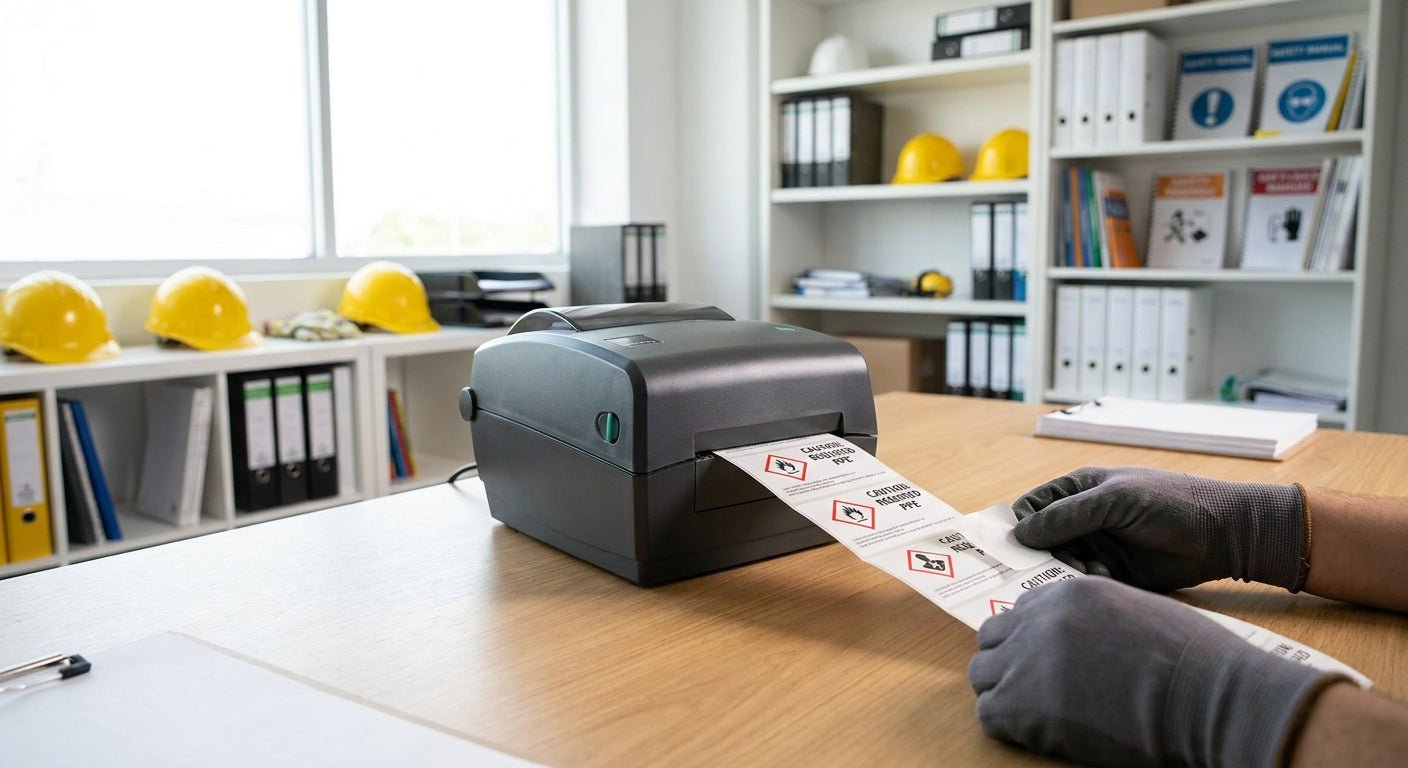
OSHA compliance labels for machine guards, chemical storage, and electrical panels have to hit specific colors, pictograms, and adhesion ratings before an inspector ever looks at them twice. Print the wrong stock and the label fails before it even fades.
- OSHA compliance labels need ANSI Z535 colors and GHS pictograms - 3M heavy-duty stock is the standard for 2026 industrial jobs. Buy.
- GoDEX G500 thermal transfer printer runs 300 DPI, sharp enough for barcodes and pictograms at arm's length. Buy.
- Direct thermal labels fade on outdoor panels within 6 months without ribbon protection. Skip for anything outside.
- 3M heavy-duty adhesive holds through chemical exposure and UV for 3+ years on metal and painted surfaces.
Why this matters
OSHA doesn't sell label printers, but its citation guidelines under 29 CFR 1910.144 and the GHS hazard communication standard set exact color and symbol requirements for machine safety, chemical storage, and lockout/tagout labels. A label that peels off a panel in 90 days or fades to gray in a warehouse skylight isn't a compliance label anymore - it's a liability.
Most shops that fail a labeling walkthrough in 2026 aren't missing labels. They printed the right content on the wrong material, or ran a direct thermal printer on stock meant for indoor use only. Getting label material and printer settings right the first time saves a reprint cycle and, more importantly, keeps the label legible when an OSHA compliance officer actually reads it. McAuley Labels builds label systems around exactly this gap between "prints fine" and "holds up on the floor."
What you'll need
- A thermal transfer printer rated for 300 DPI or better - resolution matters for small pictograms and barcodes
- Wax or wax-resin ribbon matched to your label stock (direct thermal alone won't survive UV or chemical exposure)
- 3M heavy-duty barcode labels or an equivalent industrial-grade adhesive stock
- Reference sheet for ANSI Z535 signal word colors (red = danger, orange = warning, yellow = caution)
- GHS pictogram library if you're labeling chemical containers
- 15-20 minutes per label run for setup, printing, and quality check
The steps
1. Identify the label category first
OSHA compliance labels split into a handful of buckets: machine safety (danger/warning/caution), GHS chemical labels, electrical panel arc-flash warnings, and pipe marking. Each has its own required color and pictogram set, so mixing templates is the fastest way to fail an audit. Pull the correct ANSI Z535.4 or GHS reference before you open your label software, not after.
Common mistake: using a generic "warning" template for an arc-flash label that actually needs specific voltage and PPE-category text under NFPA 70E.
2. Choose stock rated for the environment
Indoor office labels can run on semi-gloss paper. Anything near machinery, chemicals, or outdoor equipment needs heavy-duty polyester or vinyl with an aggressive adhesive. 3M heavy-duty stock is built to resist chemical splash, abrasion, and temperature swings that plain paper labels give up on within weeks.
Common mistake: printing chemical hazard labels on standard paper stock that dissolves the moment it contacts a splash.
3. Match signal word and color exactly
ANSI Z535 sets fixed colors: red for danger, orange for warning, yellow for caution, and blue for notice. Don't eyeball these in a generic design tool - use the exact hex values from the standard so the printed color reads correctly under warehouse lighting. A washed-out orange that looks yellow defeats the whole point of the color code.
Common mistake: letting default printer color profiles shift red into a shade close enough to warning-orange to confuse workers.
4. Set the printer to thermal transfer, not direct thermal
Direct thermal printing burns the image directly into the label surface with heat - no ribbon required - but that image fades under UV and heat exposure within 6 months outdoors. Thermal transfer runs a wax or resin ribbon over the label, which holds color for years. A printer like the GoDEX G500 thermal printer handles both modes, so confirm the ribbon is loaded before your first run.
Expected outcome: a label that still reads clean after a full year on an outdoor electrical box.
Common mistake: running direct thermal mode by default because it's faster, then wondering why panel labels fade by summer.
5. Print a test batch and inspect under real lighting
Print 3-5 labels before committing to a full run of 100 or more. Check pictogram edges under the same lighting the label will actually live under - a warehouse with sodium lights reads color differently than your office monitor. Confirm barcode scans if the label includes one; a barcode that scans at your desk but not on the shop floor usually means the resolution setting was too low for the label size.
Common mistake: approving a test print under office fluorescents, then finding the color reads wrong under warehouse LED fixtures.
6. Apply and log the placement
Clean the surface with isopropyl alcohol before applying - dust or oil under the adhesive cuts bond life dramatically. Log which label went where, especially for numbered asset or GHS labels, so a re-audit in 2026 or 2027 doesn't require re-identifying every location from scratch.
Expected outcome: full adhesion within 24 hours and a placement record that speeds up your next inspection.
Troubleshooting
- Pictograms print blurry or pixelated - resolution is set below 300 DPI, or the ribbon is worn. Bump print density in the driver settings.
- Label peels within weeks on a metal panel - surface wasn't cleaned before application, or the adhesive rating doesn't match the surface temperature. Heavy-duty adhesive stock handles temperature swings better than standard.
- Color reads wrong under warehouse lighting - printer color profile is shifting hues. Recalibrate against a physical ANSI Z535 swatch, not a screen.
- Barcode won't scan - label size is too small for the barcode density, or print speed was set too high, smearing fine lines. Slow the print speed and retest.
- Ribbon wrinkles mid-print - ribbon tension is off or the ribbon width doesn't match the label width. Check ribbon alignment against the label roll.
- Labels fade after 4-6 months outdoors - direct thermal was used instead of thermal transfer. Switch modes and re-run affected labels.


Tools and resources
- Thermal transfer printer rated at 300 DPI or higher
- Wax-resin ribbon matched to label width
- 3M heavy-duty label stock for outdoor or chemical-exposure locations
- ANSI Z535 color reference sheet and GHS pictogram library
- Isopropyl alcohol for surface prep before application
What to do next
Once indoor and outdoor label stock decisions are settled, the printer settings become the harder part - ribbon type, print speed, and density all interact differently depending on the label material. A deeper walkthrough on thermal transfer printing for compliance labels covers ribbon selection and print speed tuning specific to regulated environments.
FAQ
What's the best label material for OSHA compliance labels?
3M heavy-duty polyester or vinyl is the best material for OSHA compliance labels exposed to chemicals, abrasion, or outdoor weather. Indoor, low-contact labels can use semi-gloss paper stock instead.
Is direct thermal or thermal transfer better for OSHA labels?
Thermal transfer is better for OSHA compliance labels because the ribbon-based image resists UV fading and chemical exposure for years. Direct thermal labels typically fade within 6 months in outdoor or high-heat conditions.
How much does an OSHA compliant label printer cost?
Thermal transfer printers capable of printing OSHA compliance labels range from roughly $370 to $700 depending on print width, resolution, and included ribbon compatibility. Higher DPI models cost more but hold pictogram detail better.
Do OSHA labels need specific colors?
Yes, ANSI Z535 sets fixed signal colors: red for danger, orange for warning, yellow for caution, and blue for notice. Printing off-spec colors can make a label non-compliant even if the wording is correct.
Can I print GHS chemical labels in-house?
Yes, GHS chemical labels can be printed in-house with a thermal transfer printer and chemical-resistant label stock. The pictogram set and hazard statement wording still need to match the GHS standard exactly.
How long do OSHA compliance labels last outdoors?
Heavy-duty 3M stock printed with thermal transfer typically lasts 3 years or more outdoors before needing replacement. Direct thermal labels in the same conditions often fail within 6 months.
What DPI do I need for barcode or pictogram labels?
300 DPI is the minimum resolution for legible pictograms and scannable barcodes on standard compliance label sizes. Smaller labels or dense barcodes benefit from 600 DPI printers.
One last thing
Arc-flash labels under NFPA 70E often need to survive 5 years or more without fading enough to lose PPE-category legibility - print one test label and stick it on the actual panel for a week before committing to a full batch in 2026. A label that looks fine on your desk can read completely differently under a breaker room's fluorescent glare.