
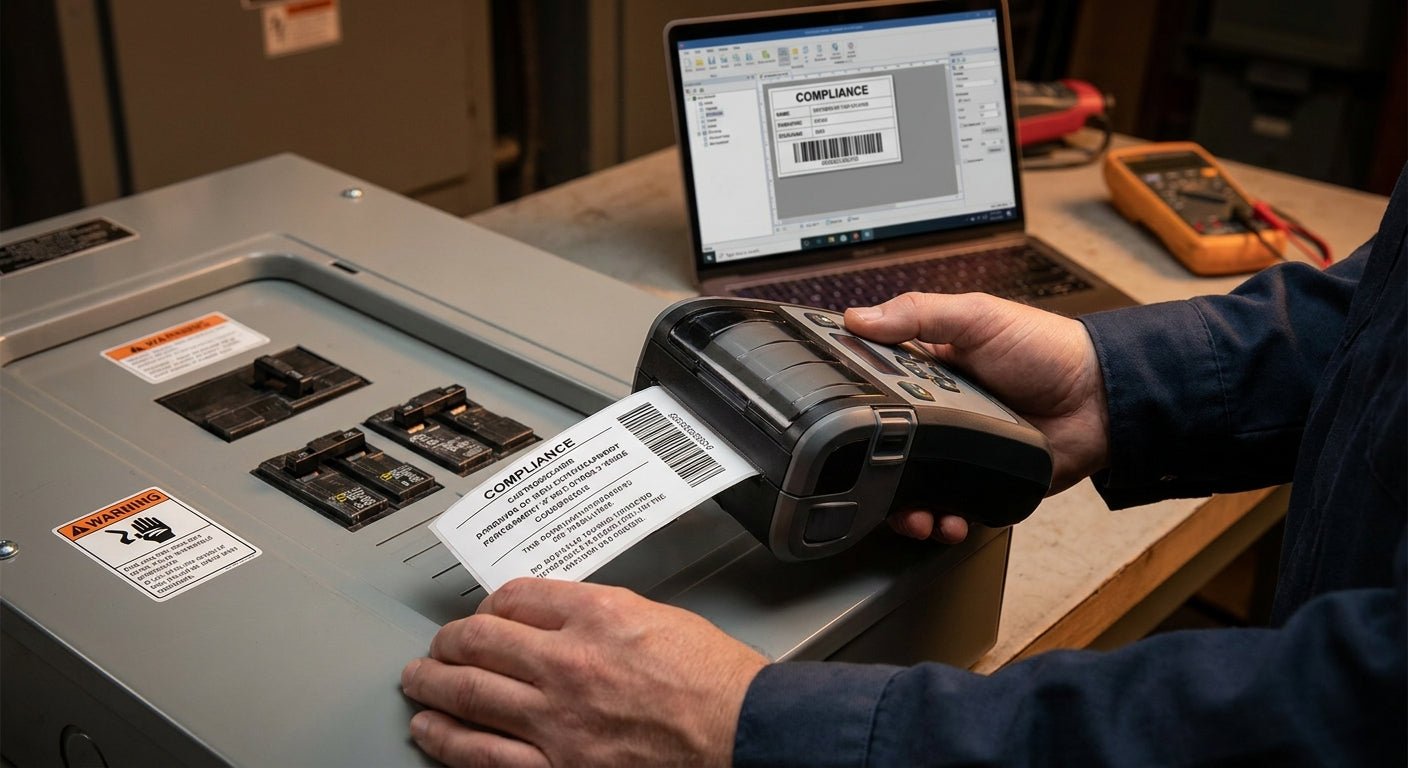
Electrical panels need labels that survive heat, vibration, UV exposure, and code inspections without fading or peeling for years. This guide walks through printing compliance labels for electrical panels in-house, from material choice to printer settings, so you stop reordering from a print shop every time NFPA 70E or arc-flash requirements change.
TL;DR: Printing compliance labels for electrical panels in-house means picking a thermal transfer printer at 300 DPI minimum, using a 3M heavy-duty or metalized polyester stock rated for outdoor and high-heat exposure, and running resin ribbon instead of wax for chemical resistance. The GoDEX GE330 thermal transfer printer (203 DPI) handles standard panel labels reliably, and metalized silver polyester stock holds up where wax-ribbon paper labels fail within months. Verdict: Buy thermal transfer over direct thermal for anything mounted on or near a panel — direct thermal fades under heat and sunlight, and a faded compliance label is a failed inspection waiting to happen.
Why this matters
Arc-flash labels, voltage warnings, and lockout/tagout tags on electrical panels get inspected by OSHA, insurance auditors, and electricians doing routine maintenance. A label that's peeled, faded, or unreadable isn't a cosmetic problem — it's a compliance gap that shows up on an audit report. Panels also sit in mechanical rooms, outdoor enclosures, and near motors that run hot, which rules out standard office labels and most direct thermal stock. Getting the print method and material right the first time saves you from relabeling a facility's panels twice in 2026.
What you'll need
- A thermal transfer printer, minimum 203 DPI, ideally 300 DPI for small text like voltage ratings and NFPA hazard categories
- Resin thermal transfer ribbon — not wax, not wax-resin — for chemical and abrasion resistance
- Heavy-duty polyester or metalized silver label stock rated for outdoor or high-temperature use
- Label design software (GoLabel or similar) to set field codes for panel ID, voltage, arc-flash boundary, and date
- A clean, dry surface and isopropyl alcohol wipe for the panel face before applying labels
- 15-30 minutes per printer setup, then a few seconds per label once templates are saved
The GoDEX GE330 thermal transfer printer at 203 DPI covers most panel labeling jobs — 4-inch print width, resin-compatible, built for repeat runs rather than one-offs.
The steps
1. Confirm the label content requirements
Before anything gets printed, pull the exact wording your compliance standard requires — NFPA 70E arc-flash category, voltage, incident energy, or OSHA lockout/tagout language. Getting this wrong means reprinting the entire batch. Check with your facility's electrical safety officer or the applicable code section for the current text; don't guess at phrasing.
Expected outcome: a finalized text and icon set per panel type, ready to drop into a template.
Common mistake: copying an old label's wording without checking if the voltage or arc-flash category changed after equipment upgrades.
2. Choose thermal transfer over direct thermal
Direct thermal printers burn the image directly into heat-sensitive paper — no ribbon needed — but that same heat sensitivity means the label fades under sunlight, engine heat, or a warm electrical room. Thermal transfer uses a ribbon to melt resin onto durable stock, which holds up for years instead of months. For panel labels, thermal transfer is the only real option.
Expected outcome: print output that resists fading through at least one full year of thermal cycling.
Common mistake: using a direct thermal printer because it's already on hand, then finding illegible labels within 6-12 months.
3. Pick the right label material
Metalized silver polyester and 3M heavy-duty stock are the two materials that hold up on metal panel surfaces exposed to grease, moisture, and temperature swings. Metalized polyester resists solvents and UV; 3M heavy-duty adhesive grips textured or slightly oily panel surfaces better than standard adhesive. Match the stock to where the panel sits — indoor electrical closet versus outdoor enclosure changes which adhesive class you need.
The custom QR code asset tags in metalized silver polyester work well here since they combine a durable substrate with a scannable code for maintenance logs tied to each panel.
Expected outcome: a label that stays adhered and legible through repeated cleaning and temperature cycling.
Common mistake: using semi-gloss white paper stock indoors because it's cheaper, then watching it curl at the edges within a few weeks near a heat source.
4. Load resin ribbon, not wax
Wax ribbon smears under a fingernail scratch and has no chemical resistance — fine for shipping labels, wrong for anything near electrical equipment. Resin ribbon melts into the label surface and resists solvents, abrasion, and the mild oil film common around panel rooms. Load the thermal transfer ribbon rated for resin printing and confirm it matches your printer's ribbon width before running a full batch.
Expected outcome: print that survives a fingernail scratch test and a light alcohol wipe without smearing.
Common mistake: running wax-resin ribbon because it's on the shelf, assuming it's close enough to full resin.
5. Set print density and speed for small text
Compliance labels often pack voltage numbers, arc-flash category, and a barcode or QR code into a 2x3 inch area. Push print density up two to three notches from the factory default and drop print speed to 2 inches per second (ips) for small fonts under 8pt. Too fast at default density and 300 DPI text turns fuzzy on inspection.
Expected outcome: crisp, scannable text and barcodes at the smallest font size your label design uses.
Common mistake: printing an entire batch at factory defaults, then discovering the fine print is unreadable after the labels are already applied to panels.
6. Print a test batch of five before the full run
One mislabeled compliance sticker on a live panel is a liability, not a minor error. Print five copies of each panel type, apply them to a scrap surface, and check adhesion, barcode scan rate, and text legibility under both fluorescent and outdoor light before committing to the full print run.
Expected outcome: confirmed scan rate and legibility across lighting conditions before mass production.
Common mistake: skipping the test batch to save 10 minutes, then reprinting 200 labels because the QR code didn't scan at the resolution set.
7. Clean and prep the panel surface before applying
Grease, dust, and old adhesive residue are the top reasons compliance labels fail early. Wipe the panel surface with isopropyl alcohol and let it dry fully — even 30 seconds of lingering moisture cuts adhesion strength significantly. Apply firm, even pressure across the entire label, working from center outward to avoid trapped air bubbles.
Expected outcome: full adhesive contact with no lifted edges or bubbles at the 24-hour mark.
Common mistake: applying labels to a panel that's still warm from equipment operation, which weakens initial adhesive bond.
Troubleshooting
- Label peels within weeks: switch to 3M heavy-duty adhesive stock and confirm the surface was alcohol-wiped, not just dusted, before application.
- Text is faded after a few months of sun exposure: you're likely running direct thermal instead of thermal transfer — switch printers or ribbon type.
- QR code won't scan: increase print density and confirm you're printing at 300 DPI rather than 203 DPI for codes smaller than 1 inch square.
- Ribbon wrinkles mid-print: check ribbon tension settings and confirm ribbon width matches label width — mismatched widths cause wrinkle lines across the print.
- Labels curl at the corners in heat: paper-based stock isn't rated for the temperature range near the panel — move to polyester or metalized silver.
- Print looks fine but smears when wiped with a rag: you're on wax or wax-resin ribbon; move to full resin ribbon for chemical resistance.
Tools and resources
- GoDEX GE330 thermal transfer printer — 203 DPI, resin-compatible, built for repeat industrial runs
- Custom QR code asset tags in metalized silver polyester — durable stock for panel and equipment tagging
- Thermal transfer ribbon — resin-grade for chemical and abrasion resistance
- GoLabel or equivalent label design software for barcode and field-code templates
- Isopropyl alcohol and lint-free wipes for surface prep
FAQ
What's the best printer for compliance labels for electrical panels? A thermal transfer printer at 300 DPI is the safest choice for small text and barcodes; 203 DPI works for larger panel ID labels. The GoDEX GE330 covers most standard panel labeling needs at 203 DPI.
Is thermal transfer better than direct thermal for panel labels? Yes — thermal transfer resists heat and UV fading that direct thermal can't handle, which matters for labels mounted near live electrical equipment. Direct thermal is fine for short-term shipping labels, not multi-year compliance tags.
How much does it cost to print compliance labels in-house versus ordering from a print shop? Costs vary by volume and label size, so check current per-label and printer pricing directly rather than assuming a flat rate. In-house printing typically pays off once you're relabeling more than a handful of panels per year.
Does the label material matter for outdoor electrical panels? Yes — metalized silver polyester and 3M heavy-duty stock hold adhesion and legibility outdoors far longer than standard paper labels, which curl and fade within months.
Can I use a QR code on a compliance label for panel tracking? Yes — a scannable QR code tied to a maintenance log works well alongside required compliance text, as long as print density is high enough for reliable scans.
What resolution do I need for small arc-flash text? 300 DPI is the safer choice for fine print under 8pt; 203 DPI can blur small numbers and characters at that size.
How often should electrical panel compliance labels be replaced? Replace any label showing fading, peeling, or illegible text immediately, and inspect panel labels on the same schedule as other electrical safety checks.
Do I need resin ribbon for every panel label? For anything exposed to heat, moisture, or chemical wipe-downs, yes — resin ribbon is the only ribbon type built for that kind of durability.
One last thing
The single biggest failure point in panel compliance labeling isn't the printer — it's running wax ribbon on a metalized polyester label because it happened to be loaded from a previous job. That combination looks fine on day one and fails a chemical-wipe test within 2026's first quarter of use. Check ribbon type before every batch, not just before the first one.