
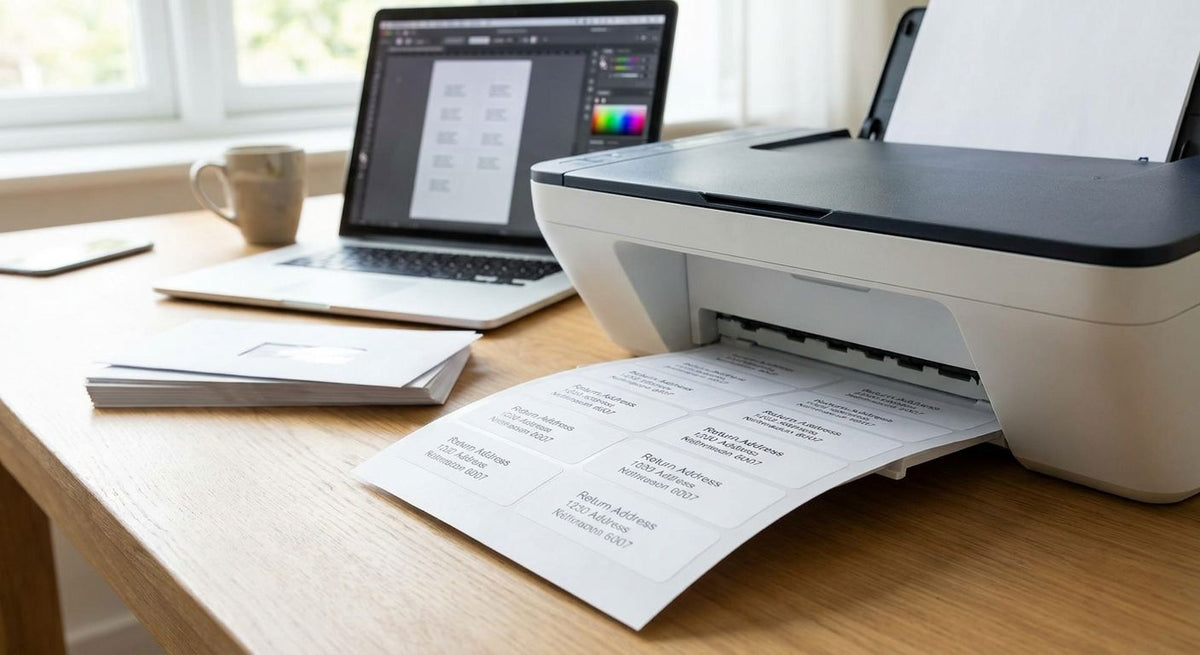
You can print return address labels at home with a regular inkjet or laser printer and adhesive label sheets, or skip ink entirely with a direct thermal label printer. Either setup puts a legible return address on an envelope in 2026 without ordering pre-printed rolls from a print shop or waiting on shipping.
- Standard adhesive sheets print 30 return address labels per 8.5x11 page on any inkjet or laser printer.
- Direct thermal printer labels start at $6 a roll and need no ink or ribbon at all.
- The GoDEX RT200i (203 DPI) handles plain-text addresses; go 300-600 DPI for logos or barcodes.
- Direct thermal print fades with heat and sunlight over time; thermal transfer with ribbon holds up longer.
Why this matters
Most people printing return address labels at home are doing one of two things: mailing a stack of envelopes for a business, or replacing a roll of pre-printed stickers that ran out. The method that makes sense depends entirely on volume. A dozen envelopes a month doesn't justify a dedicated label printer. A few hundred does, because ink cartridges for an inkjet printer cost more per page than a roll of direct thermal printer labels once you're past a couple hundred prints.
The other variable is durability. A label that sits in a mailbox for a day behaves differently than one on a package that rides in a delivery truck for a week. That difference decides whether direct thermal is fine or whether you need thermal transfer with ribbon.
How do you print return address labels at home?
- Pick a label size. The most common return address format is 1 inch by 2.625 inches — the standard Avery 5160 layout, which fits 30 labels on one 8.5x11 sheet.
- Set up a template. Word, Google Docs, or a label design tool lets you enter the label dimensions and print a full sheet of identical addresses.
- Load the sheet correctly. Feed adhesive label sheets into the regular paper tray of your inkjet or laser printer, printable side facing the right direction for your model.
- Test on plain paper first. Print one sheet on scrap paper before running actual label stock, so alignment is right before you waste a sheet of adhesive labels.
- Peel and apply, or switch methods. For a handful of envelopes, peel labels straight off the sheet. For ongoing volume, a direct thermal label roll skips this per-sheet workflow entirely.
Here's how the three home printing methods compare directly:
| Method | Startup cost | Ink or ribbon | Best for |
|---|---|---|---|
| Inkjet/laser + adhesive sheets | Cost of sheets only, ~30 labels/sheet | Ink cartridge required | Occasional mailers, under 100/month |
| Direct thermal printer | Rolls from $6 | None needed | Regular mailers, 200+ labels/month |
| Thermal transfer printer | Rolls plus ribbon cost | Ribbon required | Labels that need to survive heat, light, or handling |
Verdict: for anyone mailing under 100 envelopes a month, an inkjet printer with adhesive sheets wins on simplicity. Past that volume, a direct thermal setup pays for itself in skipped ink cartridges.
Direct thermal labels: starting at $6 a roll, no ink required
Direct thermal printing uses heat-sensitive label material instead of ink or toner. The printhead burns the image directly into the label, which is why direct thermal printer labels start at $6 a roll with no cartridge to replace. For a return address — plain text, no color — this is the cheapest per-label cost once you own the printer.
The tradeoff is fade resistance. Direct thermal print darkens or fades if the label sits in heat or direct sunlight for an extended stretch, since there's no ink layer protecting the image. For an envelope mailed within days, that's a non-issue.
GoDEX RT200i at 203 DPI: built for text-only addresses
The GoDEX RT200i 203 DPI printer prints crisp text at a resolution that's more than enough for a return address — no logo, no barcode, just a name and street. 203 DPI is the entry-level resolution most desktop label printers ship with, and it's the right call if all you're printing is an address line.
Where 203 DPI falls short is fine detail. Small logos, dense barcodes, or tiny fonts under 6 points start looking pixelated at that resolution. That's a decision point, not a flaw in the printer.
300-600 DPI printers: needed only for logos or barcodes on the label
If a return address label needs a company logo or a QR code alongside the address, jump to 300 or 600 DPI. Higher resolution renders sharp edges on small graphics that 203 DPI can't hold. This only matters if the label is doing double duty as a branding piece — a plain return address never needs it.


Why label printing results vary from setup to setup
- Printer resolution — 203 DPI is fine for text, 300-600 DPI is needed for logos or barcodes.
- Label material — plain paper adhesive sheets versus synthetic label stock changes how well the label survives handling.
- Print method — inkjet/laser ink fades differently than direct thermal, which fades differently than thermal transfer with ribbon.
- Volume — sheet-fed printing makes sense under 100 labels a month; roll-fed thermal printing wins above that.
- Exposure conditions — labels headed for a mail bin, delivery truck, or outdoor drop box need more fade resistance than one going straight into a mailbox.
What size are return address labels?
Return address labels are typically 1 inch by 2.625 inches, the standard layout that fits 30 labels on one 8.5x11 sheet. Continuous label rolls also come in narrower widths for printers that don't use sheet stock.
Can I print return address labels without buying a special printer?
Yes, any inkjet or laser printer prints return address labels on adhesive sheet stock run through the standard paper tray. All you need is label sheets sized correctly and a template set up in your word processor.
Is it cheaper to print return address labels at home or order them pre-printed?
Printing at home is cheaper per label once you own a printer, since a roll of direct thermal labels starts at $6 and needs no ink. Ordering pre-printed labels adds design time and shipping delay for something as simple as a name and address.
FAQ
What size are return address labels?
Return address labels are typically 1 inch by 2.625 inches, the standard Avery 5160 layout with 30 labels per sheet. Continuous thermal rolls come in narrower widths for printers that skip sheet stock entirely.
Can I print return address labels without a special printer?
Yes, any inkjet or laser printer prints return address labels on adhesive sheet stock loaded through the standard paper tray. You just need label sheets sized for your printer and a basic template.
Do I need a thermal printer to print return address labels at home?
No, a thermal printer is optional but removes the ongoing cost of ink cartridges. Direct thermal printer labels start at $6 a roll and print without ink or ribbon.
What DPI do I need to print return address labels?
203 DPI handles plain-text return addresses fine, which is the resolution of the GoDEX RT200i. Move up to 300 or 600 DPI only if the label includes a logo or barcode.
How long do direct thermal return address labels last?
Direct thermal print starts to fade after extended heat or sunlight exposure because the image is burned into heat-sensitive paper rather than printed with ink. Labels that need to stay legible for weeks in a mail bin or storage box hold up longer on a thermal transfer printer with ribbon.
Is it cheaper to print return address labels at home or order them printed?
Printing at home is cheaper per label once you own a printer, since a roll of direct thermal labels starts at $6. Ordering pre-printed labels adds design and shipping time you don't need for a simple text address.
Can I print a logo on my return address labels?
Yes, but a 203 DPI printer renders small logos with visible pixelation. Use a 300 DPI or 600 DPI printer for clean logo detail on a return address label.
One last thing
If the envelopes you're labeling sit in a mail bin, delivery truck, or outdoor drop box for more than a day or two before pickup, skip direct thermal and print on a thermal transfer setup with ribbon instead. Direct thermal print fades under heat and light because there's no ink layer protecting it — ribbon-based thermal transfer print doesn't have that problem, which matters more for return addresses than most people expect going into 2026.