
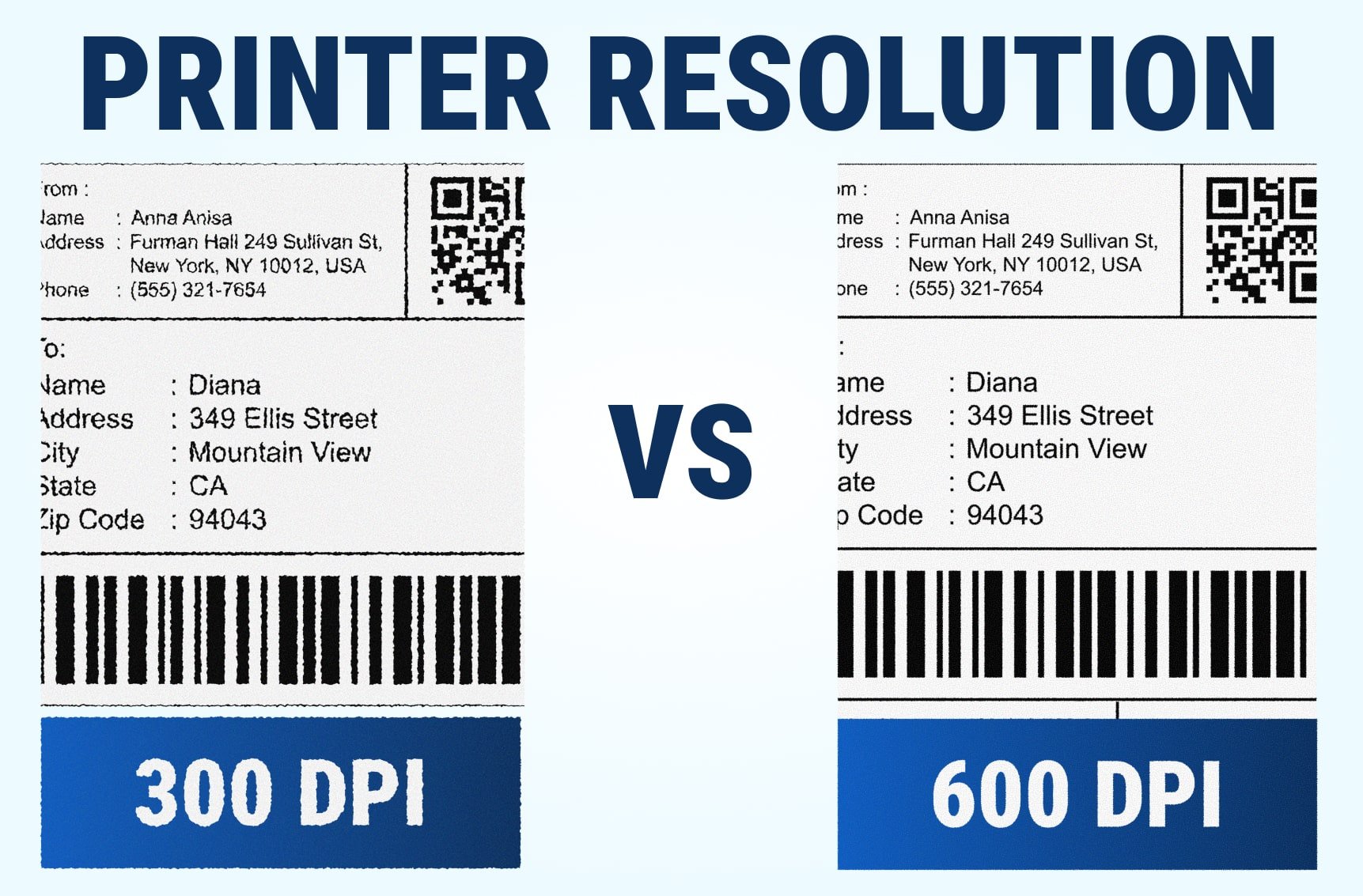
When choosing a thermal printer for your business, DPI (dots per inch) determines how detailed and readable your printed labels will be. Many buyers assume higher DPI automatically means better results. In reality, 300 DPI and 600 DPI serve different purposes. The right choice depends on your label size, design complexity, and speed requirements.
This guide explains the difference between 300 and 600 DPI printers, how each affects clarity and performance, and when it’s worth paying for higher resolution.
📊 Understanding the DPI Difference
DPI measures how many printed dots fit into a single inch. The more dots, the more defined your image or text looks.
| Resolution | Dots per inch | Print Speed | Detail Level | Ideal For |
|---|---|---|---|---|
| 300 DPI | 300 × 300 | Faster | Crisp text, sharp barcodes | Shipping, retail, general business labels |
| 600 DPI | 600 × 600 | Slower | Ultra-fine graphics, micro text | Electronics, medical, certification labels |
A 600 DPI printer prints twice as many dots, meaning better fine detail — but also slower output and slightly higher media costs.
🧾 300 DPI – The Smart Choice for Everyday Labeling
300 DPI printers are the industry standard for most label applications. They provide clean, legible text and scannable barcodes while maintaining fast print speeds.
Ideal for:
-
Retail and product labels
-
Inventory and logistics barcodes
-
Small logos or icons
Why businesses prefer 300 DPI:
✅ Sharp barcode edges for accurate scanning
✅ Faster label throughput
✅ Balanced price-to-performance ratio
Recommended models:
🧠 600 DPI – For Extreme Precision and Compliance
600 DPI printers are specialized tools used where micro-detail or regulatory readability is required. Each dot is smaller, producing ultra-fine edges on text and graphics.
Best for:
-
Electronic component and medical device labeling
-
Laboratory and specimen tags
-
Certification and compliance labels
Why 600 DPI matters:
✅ Superior definition for micro text
✅ Crisp small fonts on small labels
✅ Perfect for high-value, compliance-critical products
Recommended model:
⚙️ Side-by-Side Visual Comparison
| Example | 300 DPI | 600 DPI |
|---|---|---|
| Barcode (1×1 in.) | Clean, readable, industry standard | Sharper edges, no scan advantage |
| Text (6pt) | Slightly pixelated | Perfectly crisp |
| Logo (fine lines) | Clear for most uses | Exceptionally detailed |
| Speed | ~5–7 IPS | ~3–4 IPS |
In most use cases, 300 DPI already provides enough clarity for labels, barcodes, and text under 8 pt size.
💡 Pro Tip: Don’t Pay for DPI You Don’t Need
If your printer is used for barcodes, QR codes, or general labeling, 300 DPI is your best investment.
Only upgrade to 600 DPI if your design or compliance requires it.
“Resolution doesn’t always equal results, design clarity and material quality matter just as much.”
🧭 FAQ
Q1: Does 600 DPI print faster or slower?
Slower. Higher DPI takes longer to process and print, since the printer must create twice as many dots.
Q2: Can 300 DPI print fine logos or QR codes?
Yes. 300 DPI produces excellent barcode and logo results, provided you use clean vector artwork.
Q3: Is 600 DPI necessary for oil change or shipping labels?
No. 203 or 300 DPI provides the best mix of speed and clarity for those applications.
Compare GoDEX Printers by Resolution
All GoDEX printers include a 3-Year Warranty, free GoLabel software, and U.S. technical support, ideal for automotive, retail, and industrial printing environments.