
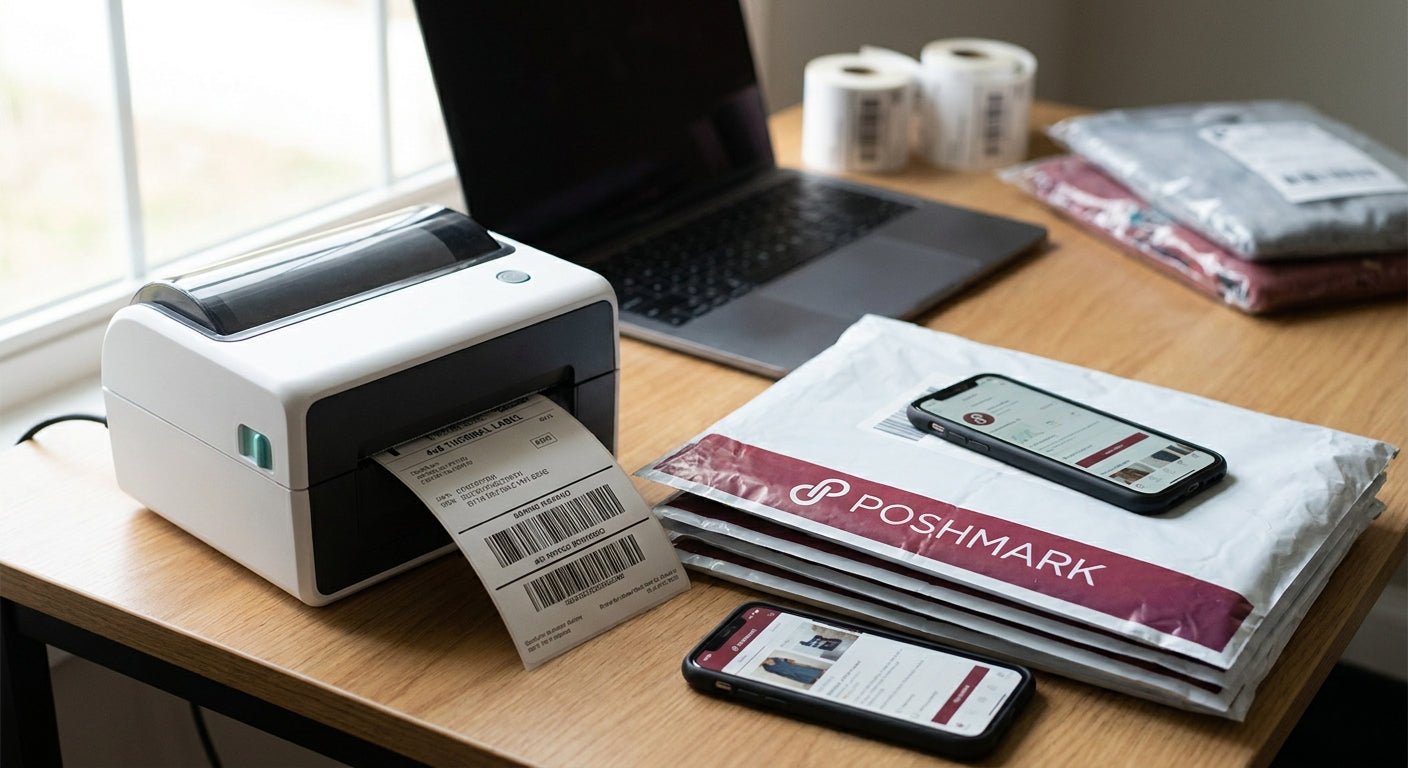
Poshmark sellers printing five labels a week need a different machine than someone printing fifty a day, and most buying guides ignore that split entirely. This breaks down what actually matters in a 4x6 thermal label printer for Poshmark sellers in 2026, which models earn a spot on your desk, and which specs are just marketing filler.
- GoDEX DT230 direct thermal printer wins for Poshmark sellers shipping under 50 packages a week — buy it.
- Direct thermal beats thermal transfer for shipping-only use; no ribbon, no ribbon cost, no ribbon jams.
- 203 DPI covers standard USPS and UPS barcodes fine; only step up to 300 DPI if you're printing tiny SKU text.
- 4x6 direct thermal label rolls run about $54; laser sheet labels cost more per package and jam printers built for paper.
Why this matters
Poshmark generates a prepaid 4x6 shipping label for every sale, and that label has to scan clean at the first USPS scan point or your package sits in limbo. Inkjet and laser printers were built for paper, not adhesive rolls — toner smears on glossy label stock, and inkjet ink smudges if a box gets damp in transit.
A dedicated thermal printer solves this with a heated print head instead of ink or toner. No cartridges to replace, no smearing, and a 4x6 label prints in about two seconds instead of the 15-20 seconds a desktop inkjet needs to warm up and feed a sheet.
The real decision isn't "thermal vs. inkjet" — that's settled. It's which thermal printer, at what resolution, for how many labels a week.
Who this is for
This guide is for active Poshmark sellers moving 5 to 100+ packages a week who are still printing shipping labels on a laser printer, cutting them out with scissors, or paying per-label fees at the post office. If you're shipping fewer than five packages a month, a basic label printer like the GoDEX DT230 still pays for itself faster than driving to a shipping counter every week — the math changes once volume climbs past 100 packages a week, which is where a heavier-duty model earns its keep.
What to look for in a 4x6 thermal label printer for Poshmark
Print width and true 4x6 support
Poshmark's prepaid label is a fixed 4x6 format, and printers marketed as "universal" don't always feed that width without margin trimming or manual calibration. Confirm the printer accepts 4-inch stock natively — anything narrower means you're cropping barcodes, and a cropped barcode is a rejected scan at the carrier facility.
DPI resolution — 203 vs 300
Most 4x6 shipping labels print fine at 203 DPI, which is the standard resolution across GoDEX's entry-level lineup. Step up to 300 DPI only if you're also printing small text — SKU codes, size tags, or QR codes under half an inch — where the extra resolution keeps characters from blurring into each other.
Direct thermal vs. thermal transfer
Direct thermal printers use heat-sensitive paper and need zero ribbon, which is the right call for shipping labels that only need to survive a few days in transit. Thermal transfer uses a ribbon to burn ink onto the label and costs more per print, but the label resists fading for years — overkill for a shipping label, worth it for permanent asset tags.
Desktop footprint and setup time
A Poshmark seller working from a bedroom or a spare closet doesn't have room for an industrial floor-standing unit. Look for a compact desktop model that connects over USB and installs its driver in under ten minutes — anything requiring an IT department to configure is built for a warehouse, not a side hustle.
Software and carrier compatibility
The printer needs to talk to Poshmark's own label generator plus whatever else you use — ShipStation, Pirate Ship, or a direct USPS account. Confirm driver support for standard PDF and ZPL label formats before buying; a printer that only accepts proprietary software formats turns a two-minute print job into a half-hour troubleshooting session.


Top picks for Poshmark sellers
GoDEX DT230 Direct Thermal Printer, 300 DPI — the safe pick. This is a 300 DPI direct thermal unit, which covers standard 4x6 shipping labels and small SKU text without upgrading hardware later. No ribbon to buy, no ribbon to run out mid-batch. If you ship anywhere from 5 to 80 packages a week and want one printer that never needs a second thought, this is it. Buy.
GoDEX RT200i, 203 DPI — the budget workhorse. Standard 203 DPI resolution handles every USPS, UPS, and FedEx barcode Poshmark generates without issue. It costs less upfront than the 300 DPI models, which matters if you're testing whether a dedicated thermal printer is worth it before committing more budget. For sellers under 50 packages a week who don't print fine text, this is the lower-cost entry point. Buy for budget-conscious sellers.
GoDEX G500 — the compact desktop pick. A smaller footprint fits tight desk space better than the larger industrial-style units, which matters if you're printing from a bedroom setup rather than a dedicated shipping station. It's a reasonable step if desk space is the binding constraint rather than print volume. Consider if space is tight.
GoDEX RT700i with color display — the wildcard. The color display makes it easier to navigate settings without a computer connected, useful if you batch-print labels between other tasks. It's built for higher-volume, more frequent use than a typical single-seller Poshmark closet — worth it if you're running a reselling team, overkill if it's just you. Consider only above 100 packages a week; otherwise Skip.
What to avoid
- Laser and inkjet printers repurposed for shipping labels. They're built for paper, not adhesive rolls — toner smears on glossy stock and barcode edges blur enough to fail a first scan at the carrier facility.
- No-name thermal printers with no stated DPI. If a listing doesn't disclose 203 or 300 DPI, assume it's a low-resolution unit that will struggle with anything besides plain black bars.
- Thermal transfer for shipping-only use. Ribbon costs add up over hundreds of labels a month for a label that only needs to survive a few days in transit — direct thermal is the cheaper, simpler call here.
Verdict comparison
| Printer | Resolution | Ribbon needed | Best for | Verdict |
|---|---|---|---|---|
| GoDEX DT230 | 300 DPI | No | 5-80 packages/week, mixed label types | Buy |
| GoDEX RT200i | 203 DPI | No | Under 50 packages/week, budget-first | Buy |
| GoDEX G500 | Standard | No | Small desks, light volume | Consider |
| GoDEX RT700i | Standard, color display | No | 100+ packages/week, team use | Consider/Skip |
For a deeper spec breakdown across models built specifically for shipping volume, see the best thermal printer for 4x6 shipping labels comparison.
Where this fits your workflow
Most Poshmark sellers running a dedicated thermal printer report the switch pays back within the first month once you account for the time saved cutting labels by hand and the reduction in re-ship costs from smudged barcodes. Set up the printer once, keep a spare label roll on hand, and the weekly shipping routine drops from twenty minutes to five.
FAQ
What's the best 4x6 thermal label printer for Poshmark sellers in 2026?
The GoDEX DT230 direct thermal printer is the strongest all-around pick for 2026, running at 300 DPI with no ribbon required. It handles standard shipping barcodes and finer SKU text on the same machine.
Is direct thermal or thermal transfer better for Poshmark shipping labels?
Direct thermal is better for shipping-only labels since it needs no ribbon and costs less per label. Thermal transfer makes sense for labels that need to survive years, not the few days a shipping label spends in transit.
Does a Poshmark shipping label have to be 4x6?
Yes, Poshmark generates its prepaid shipping label in the standard 4x6 format used by USPS, UPS, and FedEx. A printer that can't feed true 4-inch stock will crop the barcode and cause scan failures.
How much does a 4x6 thermal label printer cost in 2026?
Entry-level 203 DPI models run lower than 300 DPI units, with label rolls themselves running around $54 for a direct thermal 4x6 roll. Total cost depends on print volume more than the printer price itself.
Can I use a regular laser printer for Poshmark shipping labels?
You can, but toner smears on glossy adhesive label stock and barcodes often blur enough to fail the first carrier scan. A dedicated thermal printer avoids this entirely with a heated print head instead of toner.
What DPI do I need for scanning shipping label barcodes?
203 DPI handles standard USPS, UPS, and FedEx barcodes without issue. Only move to 300 DPI if you're also printing small SKU codes or QR codes under half an inch.
Do I need ribbon for a direct thermal 4x6 printer?
No, direct thermal printers use heat-sensitive label stock and need zero ribbon. That's the main reason direct thermal costs less to run than thermal transfer for shipping-only labels.
One last thing
The single biggest mistake Poshmark sellers make isn't picking the wrong printer — it's buying the wrong label stock for it. A direct thermal printer fed thermal transfer paper (or vice versa) either prints nothing or prints a faded ghost image, and the fix is checking the label packaging matches the printer type before the first roll ever loads.