
Gyms, race organizers, and event access teams searching for a wristband printer for gyms need one answer: which GoDEX model prints a wristband that survives a workout, a wristband scan at the door, and a full event day without smudging. This guide narrows the shortlist to three machines and tells you which one to skip.
- GoDEX RT700i+ at $581 is the safe wristband printer for gyms running daily member check-in — Buy.
- GoDEX G500 at $464 is the budget entry point for single-location gyms under 500 members — Consider.
- Consumer inkjet and dye-sub printers smudge under sweat and chlorine within one gym session — Skip.
- Direct thermal stock with no ribbon cuts per-wristband cost for high-volume event weekends in 2026.
Why this matters
A gym wristband or event access band only works if the barcode or QR code on it scans clean on the first pass. A blurry code at 7am during peak check-in means a manual override at the front desk, and a manual override means a line.
Most gyms and event operators default to whatever printer sat in the stockroom, usually a laser or inkjet unit built for paper, not for thermal-coated wristband stock. That mismatch is the single biggest reason wristband programs get abandoned after one season. McAuley Labels' printer catalog covers the GoDEX lineup built specifically for thermal label and wristband stock, and the right model depends on volume, not brand loyalty.
Who this is for
This guide is for gym owners printing daily member and guest wristbands, front desk managers handling class-pass check-in, and event access control teams running wristband scanning at races, festivals, or multi-day conferences. It is not for anyone printing full-color woven or Tyvek wristbands in bulk from a third-party vendor — that's a different production process entirely.
What to look for in a wristband printer for gyms
Print resolution for barcode scanning
A 203 DPI printer handles standard 1D barcodes and most QR codes cleanly at the size gyms typically print — around 1 inch to 1.5 inches wide. Go to 300 DPI only if the wristband carries a dense QR code with embedded member data, since finer dot spacing keeps small modules from bleeding together.
Direct thermal vs thermal transfer
Direct thermal printers need no ribbon and cost less per label, but the print can fade under prolonged heat or UV exposure over multiple days. Thermal transfer uses a ribbon and produces a more durable mark, which matters for multi-day events where a wristband needs to survive three days of pool time and sun.
Print speed for check-in lines
A gym printing one wristband per member at the front desk doesn't need blazing speed. An event gate scanning hundreds of arrivals in a two-hour window does. Match the inches-per-second rating to your actual check-in volume, not your total attendee count.
Desktop footprint vs industrial chassis
A single-location gym front desk has counter space for a compact desktop unit. A festival operations tent running three shifts a day benefits from an industrial chassis rated for continuous duty, since desktop units built for occasional use wear out faster under back-to-back printing.
Wristband stock compatibility
Not every thermal printer accepts pre-slit wristband label stock out of the box — some need a specific label sensor calibration. Confirm the printer's stock width range covers standard wristband label sizes before ordering in bulk. The same direct thermal principle used for wristband labels for patient ID in clinical settings applies directly to gym member ID and event access bands — same adhesive-backed thermal stock, different logo.
Software and connectivity
GoLabel and similar label design software let front desk staff build a wristband template once — barcode, member name field, expiration date — and reprint it in seconds without a design tool. USB and Ethernet connectivity both matter if the printer needs to sit on a shared front-desk network rather than a single kiosk PC.
“If the wristband smudges before the gym closes, the resolution was wrong.”
Top picks for 2026
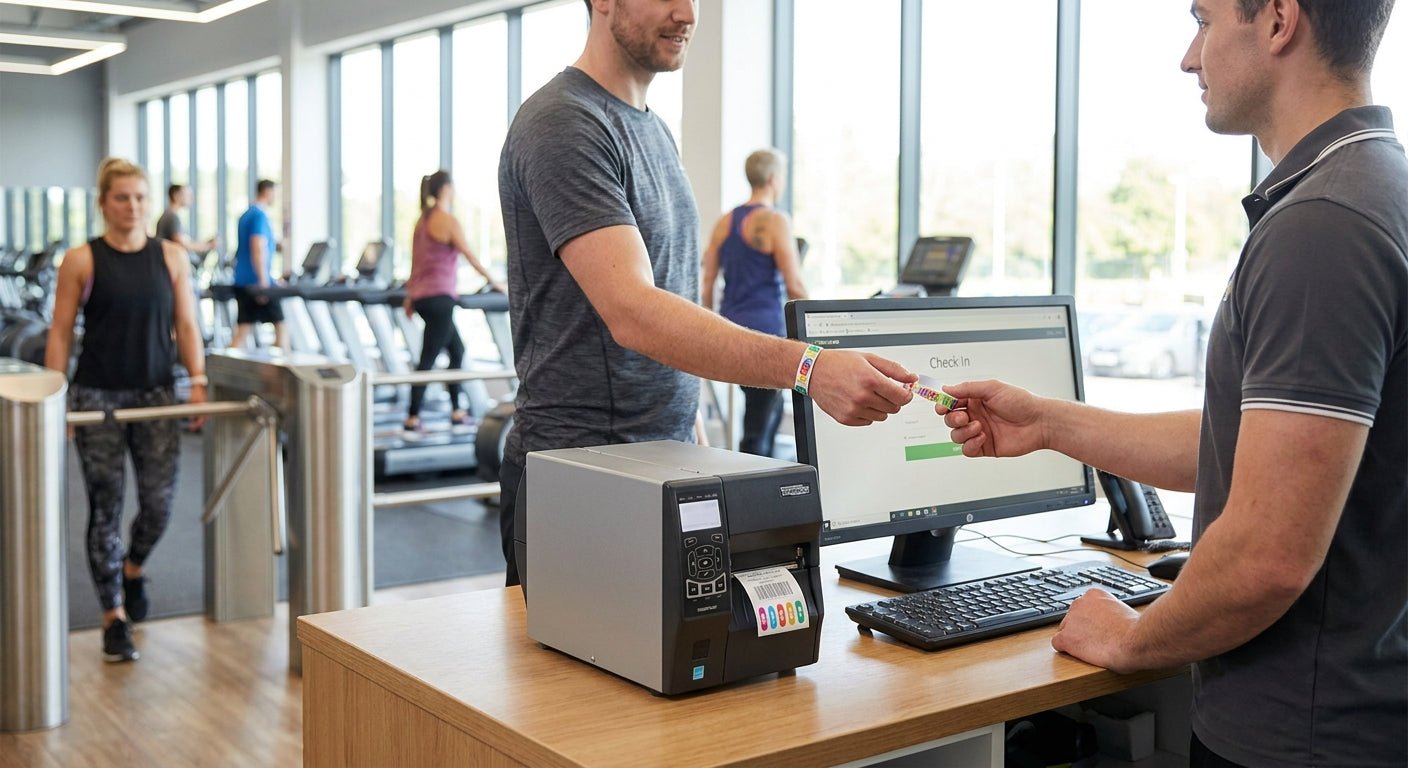
GoDEX RT700i+ — the safe pick. This 4-inch dual thermal printer runs 203 DPI with a color display for quick template switching at the front desk, priced at $581 in 2026. It handles daily member check-in wristbands and general label duty without the industrial price tag. Verdict: Buy for single or multi-location gyms doing daily wristband printing. GoDEX RT700i+
GoDEX G500 — the budget entry point. At $464, this 4-inch dual thermal desktop unit covers gyms under 500 active members that print wristbands only during peak hours or special classes. It won't out-speed an industrial unit, but for a front desk printing under 100 wristbands a day it's more printer than most gyms need. Verdict: Consider for smaller gyms and studios watching hardware spend. GoDEX G500
GoDEX GX4200i — the high-volume event pick. Rated up to 16 inches per second at 203 DPI, this is the model for festival gates and multi-day conference check-in scanning hundreds of arrivals per hour. It's overkill for a single-location gym front desk, but for event operators running back-to-back wristband printing across a three-day weekend, the speed difference is the whole point. Verdict: Buy for event access control teams, Skip for a single small gym.


What to avoid
- Consumer inkjet printers. They look cheaper on the shelf, but inkjet ink smears under sweat, pool water, or hand sanitizer within one gym session — the print is gone before checkout.
- Full dye-sublimation wristband printers. Built for photo-quality event badges, not daily barcode scanning. The per-unit cost is far higher than a gym needs for a scannable member ID band.
- Undersized ribbon-based printers at a festival gate. A thermal transfer printer rated for occasional desktop use will jam or overheat scanning hundreds of arrivals back-to-back — match the duty cycle to the event, not the sticker price.
Verdict comparison
| Printer | Resolution | Best for | Price (2026) | Verdict |
|---|---|---|---|---|
| GoDEX RT700i+ | 203 DPI | Daily gym check-in | $581 | Buy |
| GoDEX G500 | 203 DPI | Small gyms, low volume | $464 | Consider |
| GoDEX GX4200i | 203 DPI, 16 IPS | Multi-day events, high volume | $2,246 | Buy (events) / Skip (small gym) |
FAQ
What's the best wristband printer for gyms in 2026?
The GoDEX RT700i+ at $581 is the best all-around wristband printer for gyms running daily member check-in, thanks to its 203 DPI resolution and color display for quick template changes. Smaller gyms under 500 members can drop to the GoDEX G500 at $464.
Do I need 300 DPI or 203 DPI for gym wristbands?
203 DPI covers standard barcodes and most QR codes on typical wristband label sizes. Move to 300 DPI, like the GoDEX DT230, only if the wristband carries a dense QR code with a lot of embedded data.
Is direct thermal or thermal transfer better for event wristbands?
Direct thermal costs less per label and needs no ribbon, making it fine for single-day gym or event use. Thermal transfer holds up better across multi-day events with heat and sun exposure.
How much does a wristband printer for gyms cost?
Desktop thermal printers suited to gym wristband printing run from about $464 to $581 in 2026. Industrial units built for high-volume event scanning, like the GoDEX GX4200i, run closer to $2,246.
Can I print wristbands with the same printer used for oil change stickers or asset tags?
Yes, if it's a GoDEX thermal printer within the correct stock width range, since the underlying direct thermal or thermal transfer process is the same across label types. The stock changes, not the machine.
Do gym wristband printers need special software?
GoLabel software lets front desk staff build a wristband template once with a barcode and member fields, then reprint it in seconds. Most GoDEX printers ship with GoLabel included.
What print speed do I need for event access control?
A single gym front desk rarely needs more than a few inches per second. Event gates scanning hundreds of arrivals in a short window benefit from printers rated up to 16 IPS, like the GoDEX GX4200i.
One last thing
The detail most gyms miss: a wristband printed at 203 DPI on the wrong stock width can scan fine on day one and fail by week three, because the label sensor never calibrated correctly for that stock size in the first place. Confirm the stock width range before the first bulk order, not after 500 wristbands are already printed wrong.