
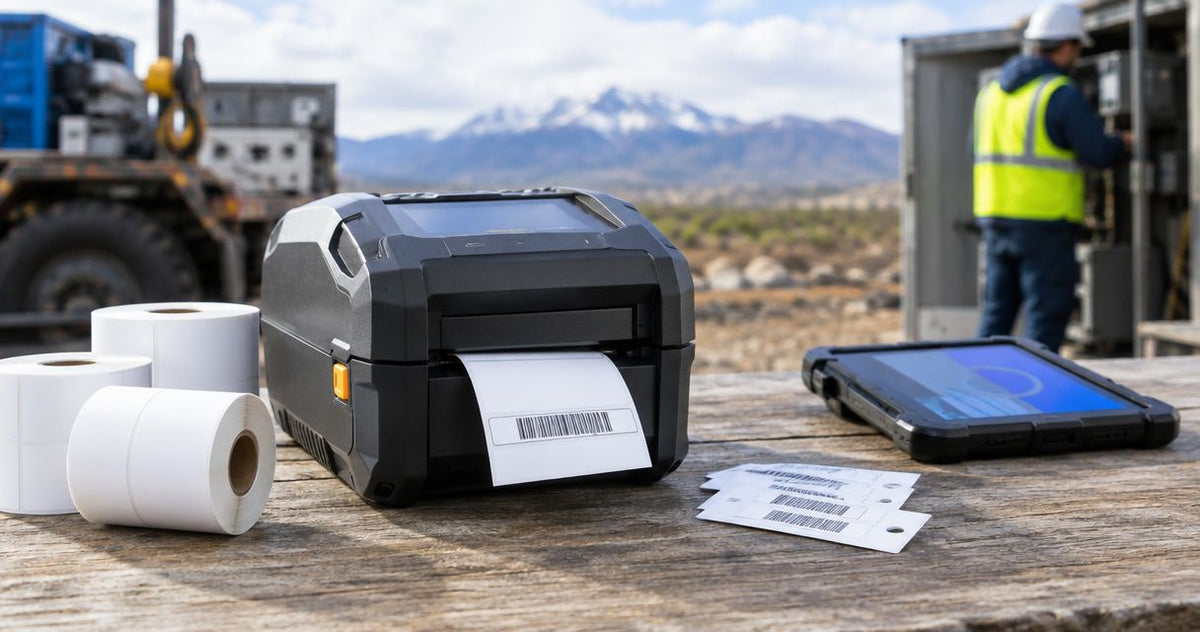
Outdoor asset tags fail for one reason more than any other: the printer behind them wasn't built to put down ink that survives UV, grease, and a pressure washer. The best asset tag printer for outdoor durability in 2026 is the GoDEX GX4600i, built for high-resolution barcodes that hold up under repeated scans in the field; the GoDEX EZ6350i wins for wide-format tags on heavy equipment, and the GoDEX G530 is the budget entry point for smaller outdoor tagging programs.
- GoDEX GX4600i is the best asset tag printer for outdoor durability in 2026 at 600 DPI resolution.
- GoDEX EZ6350i handles 6-inch wide tags for heavy equipment; GoDEX ZX1300Xi prints up to 14 IPS for high-volume yards.
- GoDEX RT863i+ fits compact IT and facilities tagging; GoDEX G530 is the budget pick for smaller outdoor programs.
- Wax/resin thermal transfer ribbon on metallized silver stock holds up in sun and rain far longer than direct thermal.
- All five printers in this ranking carry GoDEX's standard 3-year warranty, per McAuley Labels product listings.
Why this matters
An asset tag printer that works fine on an office desk can still print a tag that fades in six months on a forklift or a rooftop HVAC unit. Resolution, ribbon type, and print width decide whether a barcode still scans after a season of sun, rain, and grease, not just how the tag looks on day one.
McAuley Labels pairs heavy-duty silver barcode asset tags with GoDEX printers for exactly this reason: the label stock and the printhead need to match, or the durability claim on the label is meaningless. This ranking works through five GoDEX asset tag printer models by how they hold up for outdoor equipment tracking in 2026, not by which one prints the fastest in a climate-controlled office.
What makes the best outdoor asset tag printer
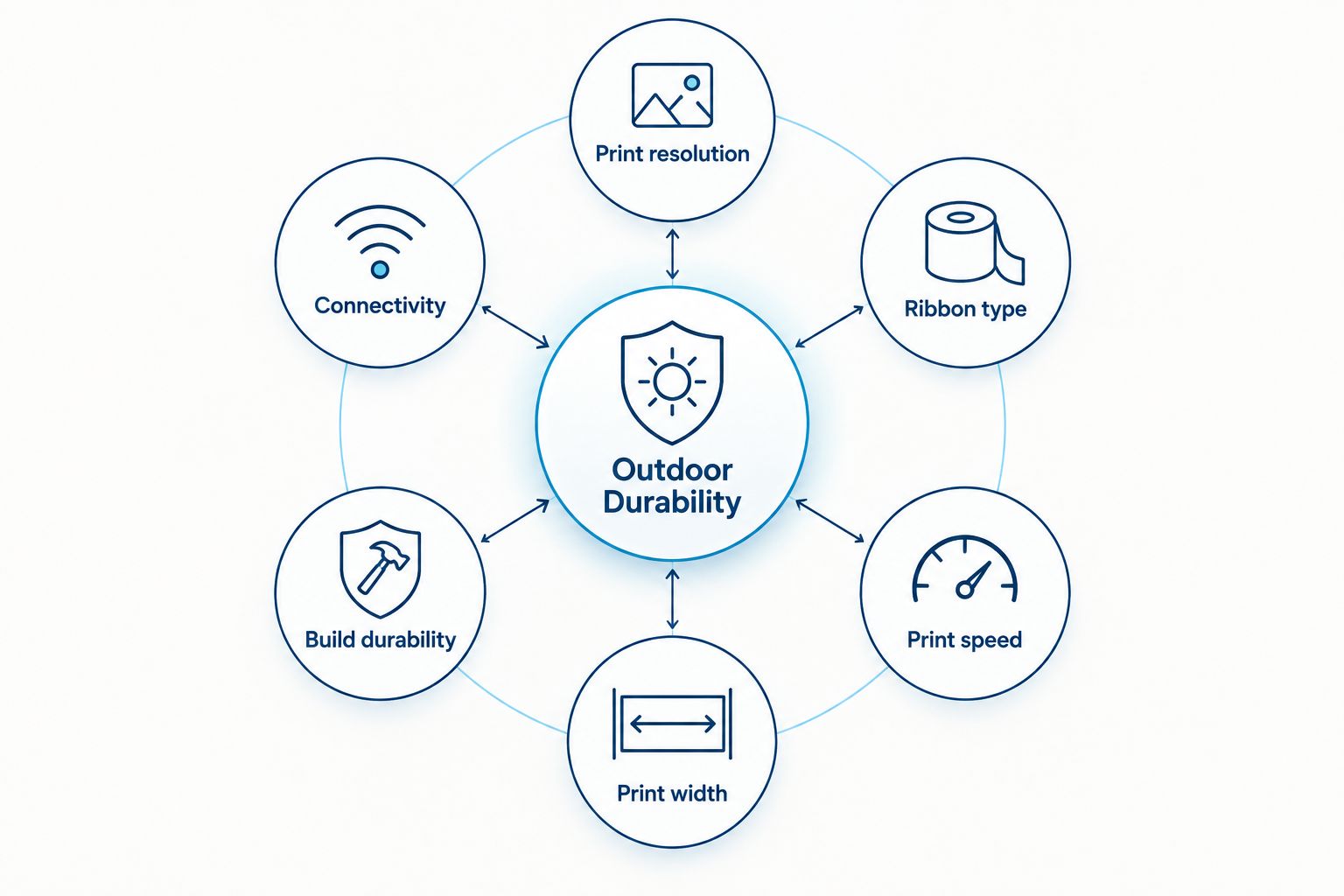
Six things separate a printer that survives outdoor duty from one that doesn't:
- Print resolution (DPI) — 203, 300, or 600 DPI determines how sharp a barcode or QR code stays at small sizes
- Ribbon compatibility — wax/resin thermal transfer ribbon resists UV and abrasion far better than direct thermal alone
- Print speed (IPS) — matters when tagging entire fleets or warehouses in one session
- Print width — a 4-inch head limits tag size; a 6-inch head opens up larger equipment plates
- Build durability — industrial dual-thermal chassis versus lighter desktop-class housings
- Connectivity — USB, Serial, and Ethernet options for shop-floor network integration
Asset tag printers ranked by outdoor durability: at a glance
| Printer | Best for | Standout feature | Key limitation |
|---|---|---|---|
| GoDEX GX4600i | Micro-detail barcodes on small tags | 600 DPI dual-thermal engine | Tops out at 8 IPS, slower than the ZX1300Xi |
| GoDEX EZ6350i | Wide-format tags on heavy equipment | 6-inch print head | 300 DPI ceiling, not for micro barcodes |
| GoDEX ZX1300Xi | High-volume outdoor tagging programs | Up to 14 IPS print speed | 300 DPI, same resolution ceiling as the EZ6350i |
| GoDEX RT863i+ | Compact IT and facilities tagging | 600 DPI in a 4-inch footprint | Capped at 4-inch labels, no wide-format option |
| GoDEX G530 | Small outdoor tagging programs on a budget | 2-in-1 dual thermal at 300 DPI | Lower speed and resolution than the industrial models above |
1. GoDEX GX4600i: best asset tag printer for micro-detail outdoor barcodes
The GoDEX GX4600i is a 4-inch dual-thermal printer running at 600 DPI, built to hold barcode and QR detail on tags as small as a fraction of an inch. That resolution matters when a technician scans a tag from an angle in low light, which is the normal condition for outdoor equipment checks.
GoDEX GX4600i pros:
- 600 DPI resolution keeps small barcodes and QR codes scannable after wear
- Print speeds up to 8 IPS for batch tagging runs
- 3-year warranty backs the industrial chassis
GoDEX GX4600i cons:
- Slower than the ZX1300Xi's 14 IPS ceiling for high-volume jobs
- 600 DPI is more than most large equipment tags need
Best for: outdoor asset tags with small barcodes, serial numbers, or dense QR data. Verdict: Buy if resolution is the deciding factor for your tagging program.
2. GoDEX EZ6350i: best asset tag printer for wide tags on heavy equipment
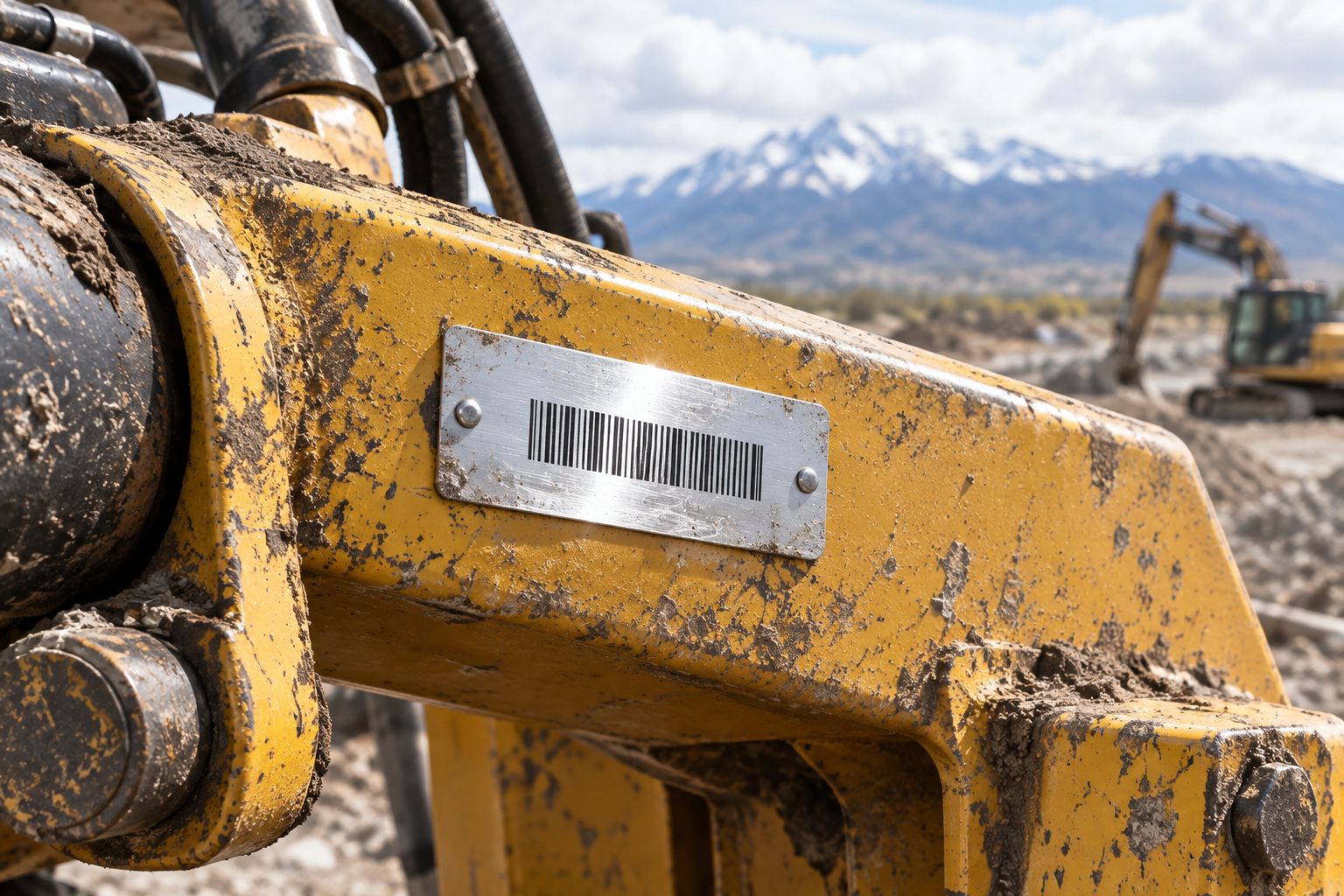
The GoDEX EZ6350i is a 6-inch industrial dual-thermal printer at 300 DPI, built for equipment plates and tags too wide for a standard 4-inch printhead. Heavy machinery, trailers, and large asset plates need that extra width more than they need 600 DPI sharpness.
GoDEX EZ6350i pros:
- 6-inch print width covers large equipment plates and wide labels
- 2-in-1 dual thermal support for ribbon or direct thermal stock
- 3-year warranty on the industrial chassis
GoDEX EZ6350i cons:
- 300 DPI resolution loses sharpness on very small barcodes
- Larger chassis takes more bench space than the 4-inch models
Best for: heavy equipment, trailers, and large outdoor asset plates. Verdict: Buy for fleets running wide-format tags.
3. GoDEX ZX1300Xi: best asset tag printer for high-volume outdoor tagging
The GoDEX ZX1300Xi prints up to 14 IPS at 300 DPI, the fastest speed in this ranking. That throughput matters for rental yards, warehouses, and fleets tagging hundreds of assets in a single pass rather than one tag at a time.
GoDEX ZX1300Xi pros:
- Up to 14 IPS, the fastest speed ranked here
- Industrial 2-in-1 dual thermal build
- 3-year warranty standard
GoDEX ZX1300Xi cons:
- 300 DPI ceiling, same resolution tradeoff as the EZ6350i
- Speed advantage only pays off at real volume; overkill for small batches
Best for: large-scale outdoor tagging rollouts across a whole fleet or facility at once. Verdict: Buy if you're tagging in the hundreds, not the dozens.
4. GoDEX RT863i+: best asset tag printer for compact outdoor-adjacent tagging
The GoDEX RT863i+ packs 600 DPI resolution into a 4-inch dual-thermal chassis, a fit for IT and facilities teams tagging rooftop units, exterior cabinets, and outdoor-adjacent equipment without the bulk of a wide-format printer.
GoDEX RT863i+ pros:
- 600 DPI resolution in a compact footprint
- 2-in-1 dual thermal flexibility
- 3-year warranty
GoDEX RT863i+ cons:
- Capped at 4-inch labels, no wide-format option
- No published IPS speed figure for high-volume comparison
Best for: IT and facilities teams tagging outdoor-adjacent equipment where desk space is limited. Verdict: Buy for compact, high-resolution needs.
5. GoDEX G530: best asset tag printer for small outdoor programs on a budget
The GoDEX G530 is a 4-inch 2-in-1 dual thermal printer at 300 DPI, the simplest entry point in this lineup for a small landscaping crew, a single service location, or a facilities team just starting an outdoor tagging program.
The GoDEX G530 still runs the same wax/resin ribbon compatibility as the industrial models above it, so durability doesn't disappear just because the price point is lower.
GoDEX G530 pros:
- 2-in-1 dual thermal support for ribbon-based durability
- 3-year warranty, same as the industrial models
- Smallest footprint in this ranking
GoDEX G530 cons:
- 300 DPI ceiling and lower print speed than the industrial models
- Built for lighter-duty programs, not high-volume production runs
Best for: small fleets or single-site outdoor tagging programs. Verdict: Buy if volume is low and budget is the priority.


How we ranked
Each printer was measured against the six criteria above, weighted toward resolution and ribbon compatibility since those two decide whether a tag survives outdoor conditions at all. Print speed and width broke ties between models that scored evenly on durability, and warranty coverage confirmed the manufacturer stands behind outdoor-duty use.
“If a barcode scanner can't read the tag from three feet in direct sunlight, the printer's resolution wasn't the right fit for the job.”
Which asset tag printer should you choose?
For most outdoor equipment tagging programs in 2026, the GoDEX GX4600i is the default pick: 600 DPI resolution holds barcode detail through repeated outdoor scans, and the 3-year warranty covers the duty cycle. Choose the GoDEX EZ6350i instead when tags need to be wider than 4 inches for heavy equipment plates, or the GoDEX ZX1300Xi when the job is tagging volume, not tag size. Budget-constrained programs with light outdoor use should start with the GoDEX G530 and scale up once the tagging volume justifies it.
FAQ
What's the best asset tag printer for outdoor equipment in 2026?
The GoDEX GX4600i is the best asset tag printer for outdoor durability in 2026, printing at 600 DPI so small barcodes stay sharp after repeated field scans. It carries GoDEX's standard 3-year warranty.
Is 600 DPI necessary for asset tags used outdoors?
600 DPI matters most when the barcode or QR code is small or dense with data. For larger equipment plates with simple barcodes, 300 DPI models like the GoDEX EZ6350i or ZX1300Xi work fine.
What ribbon works best for outdoor asset tags?
Wax/resin thermal transfer ribbon holds up better outdoors than direct thermal printing because it resists UV fading and abrasion. All the GoDEX models in this ranking support thermal transfer ribbon.
Can I use direct thermal printing for outdoor asset tags?
Direct thermal labels can fade faster in sun and heat compared to thermal transfer prints because there's no ribbon layer protecting the image. Thermal transfer with wax/resin ribbon is the more durable choice for outdoor asset tracking.
What's the difference between 203 DPI and 300 DPI for asset tags?
203 DPI is lower resolution and fine for large, simple barcodes, while 300 DPI sharpens smaller text and denser barcodes. Neither matches the fine detail of 600 DPI models like the GoDEX GX4600i or RT863i+.
Do metallized silver asset tags need a specific printer setting?
Metallized silver asset tags need a printer running compatible thermal transfer ribbon rather than direct thermal mode, since the metalized surface doesn't react to heat the way direct thermal paper does. Any of the dual-thermal GoDEX printers in this ranking handle that switch.
How much does print speed matter for outdoor asset tagging?
Print speed matters most when tagging large volumes at once, like a rental yard or warehouse rollout. For occasional tagging, resolution and ribbon durability matter more than IPS speed.
One last thing
Most outdoor asset tag failures trace back to the label stock, not the printer: a 600 DPI printer running direct thermal paper still fades in a season, while a 300 DPI printer running wax/resin ribbon on metallized silver stock can outlast the equipment it's tagging. Match the ribbon to the environment first, then pick the resolution that fits the barcode size.