
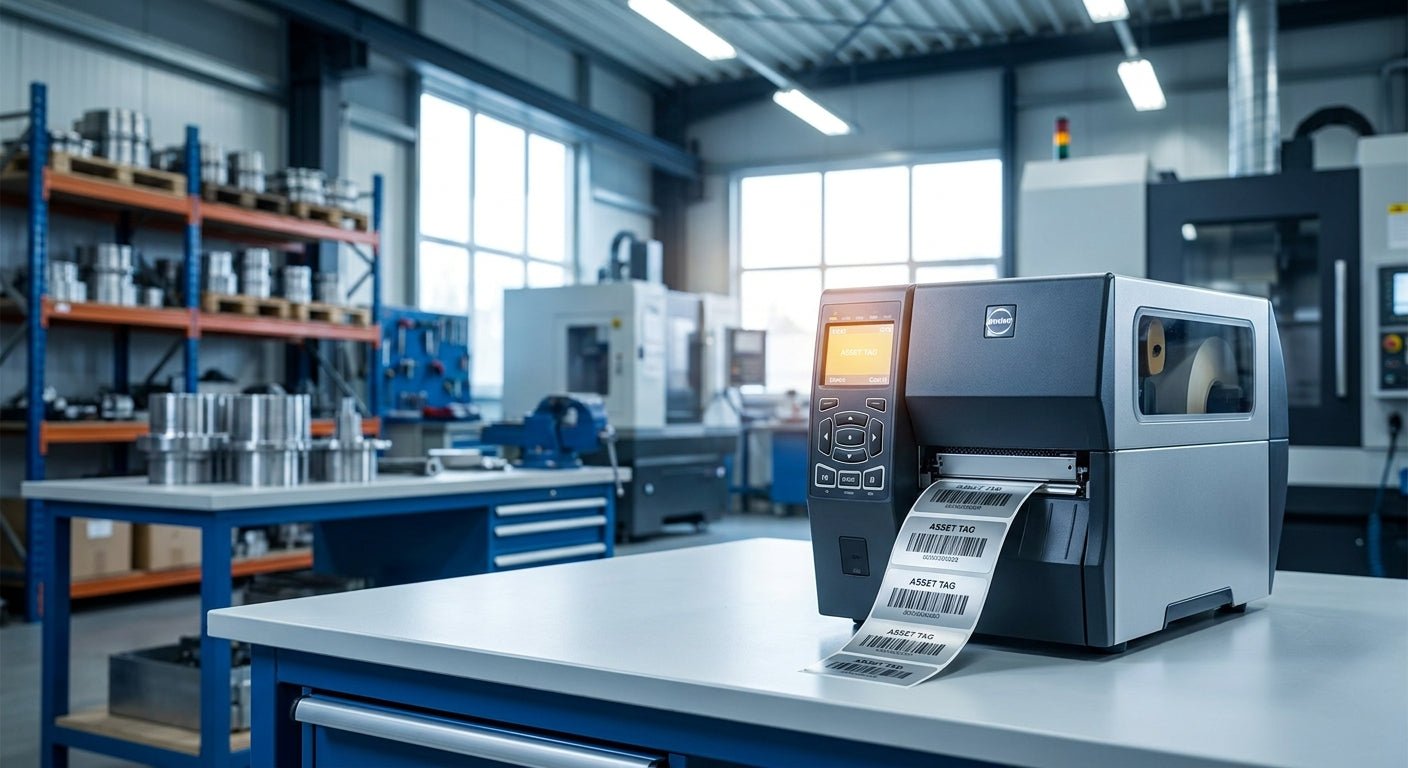
Manufacturing floors lose track of equipment fast when tags fade, print heads jam, or barcodes smear under grease and coolant. The right label printer fixes that at the source, and the picks below are ranked on print resolution, media compatibility, and how well each model holds up printing thousands of asset tags a month.
McAuley Labels' GoDEX GE330 thermal transfer printer is the 2026 pick for most manufacturing inventory programs, printing 4-inch barcodes at 203 dpi with the durability to run daily shifts. Pair it with heavy-duty silver barcode asset tags built for metal equipment surfaces, and you cover the two failure points that kill most in-house asset tagging setups: a printer that jams and tags that peel. If your parts are small — connectors, PCBs, tooling under 2 inches — the GoDEX RT863i at 600 dpi is the better call. Verdict: Buy on both, matched to part size.
Why this matters
Asset tracking on a manufacturing floor isn't optional once you're past a few hundred tagged items. Spreadsheets break down, barcode scans fail on smeared thermal prints, and audits take days instead of hours. A dedicated asset label printer solves the print-quality problem at the source: sharp barcodes at the right resolution, on media rated for oil, abrasion, and heat.
The printer you pick in 2026 has to match two things — your barcode density (small parts need higher dpi) and your label material (metalized silver, 3M heavy-duty polyester, or semi-gloss white depending on the surface). Get either wrong and you're reprinting tags every quarter instead of tagging once and moving on.
How this list was ranked
Every printer below is ranked on three factors that matter specifically for manufacturing inventory: print resolution relative to barcode/part size, thermal transfer vs. direct thermal durability, and how well the printer handles continuous batch runs without recalibration. Direct thermal printers are excluded from the top slots because thermal-transfer ribbon printing holds up far longer under handling and chemical exposure — a documented difference in industrial label durability, not a marketing claim. Pricing isn't factored into rank; use the quote process to compare cost against your volume.
The ranked list
1. GoDEX GE330 (4-inch, 203 dpi thermal transfer) — the workhorse
This is the printer most manufacturing plants should default to in 2026. It prints 4-inch labels at 203 dpi, which is sharp enough for Code 128 and QR asset tags on equipment, bins, and racking. Thermal transfer means the print resists smearing when a tag gets touched by an oily glove or wiped with solvent. Verdict: Buy — this is the safe, high-volume choice for general equipment tagging.
2. GoDEX RT863i (4-inch, 600 dpi) — the small-parts specialist
When barcodes have to fit on connectors, fasteners, or components under 2 inches, 203 dpi starts to blur at the edges. The RT863i's 600 dpi resolution keeps fine barcode lines and small text legible at that scale. It costs more to run than the GE330, so it's the right call specifically when part size demands it, not a default upgrade. Verdict: Buy for small-format, high-density tagging.
3. GoDEX GE300 (4-inch, 203 dpi) — the budget backup
The GE300 shares resolution with the GE330 but is positioned as a lighter-duty option, better suited to lower daily volumes or a second-line backup printer. If your floor runs one shift and moderate tag volume, it's adequate. If you're printing multiple batches a day across departments, it'll show wear faster than the GE330. Verdict: Hold — fine as a backup, not the primary line printer.
4. GoDEX RT230i (300 dpi) — the middle ground
Sitting between 203 and 600 dpi, the RT230i handles mid-density barcodes and standard asset ID labels without the cost premium of the 600 dpi tier. It's a reasonable pick if your tags mix general equipment IDs with some smaller components, and you don't want to run two separate printers. Verdict: Consider for mixed-format label programs.
5. GoDEX RT700i (4-inch, color display) — the easiest to run day-to-day
The color display and on-device controls make this the pick for floors where multiple people rotate through printing duties and don't want to relearn a menu system each shift. Print quality lands in the same tier as the GE330, but the interface reduces setup errors during shift changes. Verdict: Consider if operator turnover on the print station is high.
6. GoDEX GX4200i (203 dpi) — skip unless you already run GoDEX fleet software
This model fits a niche: facilities standardizing an entire GoDEX printer fleet under one management setup. On its own, for a single-line manufacturing tagging job, it doesn't outperform the GE330 at a comparable resolution. Verdict: Skip unless fleet compatibility is already the deciding factor.
Comparison table
| Printer | Resolution | Best for | Verdict |
|---|---|---|---|
| GoDEX GE330 | 203 dpi | General equipment tagging, high volume | Buy |
| GoDEX RT863i | 600 dpi | Small parts, dense barcodes | Buy |
| GoDEX GE300 | 203 dpi | Backup / lower volume | Hold |
| GoDEX RT230i | 300 dpi | Mixed-format tag programs | Consider |
| GoDEX RT700i | 203 dpi (color display) | Multi-operator print stations | Consider |
| GoDEX GX4200i | 203 dpi | Fleet-standardized shops only | Skip |
Where to buy
- Match printer to media before you order. A 600 dpi printer running standard 203 dpi ribbon settings prints muddy barcodes — confirm the ribbon and label stock are rated for your printer's resolution.
- Get a quote sized to your actual tag volume. Printer cost only matters relative to how many labels you'll run monthly; request a custom quote instead of pricing off list rates alone.
- Buy printer and tag stock together when possible. Matching the ribbon chemistry to the label material (metalized silver vs. semi-gloss white vs. 3M heavy-duty) is where most DIY setups go wrong in year one.
FAQ
What's the best asset label printer for manufacturing inventory in 2026? The GoDEX GE330 is the top pick for most manufacturing floors — 4-inch, 203 dpi thermal transfer output that handles daily batch printing without degrading. For parts smaller than 2 inches, the GoDEX RT863i at 600 dpi is the better fit.
Is 203 dpi enough for asset tags? Yes, for most equipment IDs, bin labels, and standard barcode formats, 203 dpi is standard and legible at typical scan distances. Only move to 300 or 600 dpi when barcodes have to shrink onto small parts or dense data matrices.
Is thermal transfer better than direct thermal for manufacturing labels? Thermal transfer wins for manufacturing environments because the ribbon-based print resists heat, abrasion, and chemical exposure far better than direct thermal, which fades with sunlight and friction alone. Direct thermal is fine for short-life labels; asset tags need to last years.
How much does an asset label printer cost to run? Cost depends on printer model, ribbon consumption, and label stock, and varies enough by volume that a fixed number isn't useful — request a quote sized to your monthly tag count for an accurate comparison.
What label material holds up best on metal equipment? Metalized silver polyester and 3M heavy-duty stock are the two materials built for metal surfaces exposed to oil, heat, and outdoor conditions. Semi-gloss white works for indoor bins and shelving where chemical exposure is minimal.
Can one printer handle both asset tags and general inventory labels? Yes — a 203 dpi thermal transfer printer like the GoDEX GE330 covers both use cases as long as the label width and ribbon type match. Running two label formats through one printer just means switching stock and ribbon between jobs.
Do I need a barcode scanner along with the printer? A scanner is a separate purchase from the printer and depends on your tracking software, but it's worth budgeting for at the same time you're speccing the printer, since barcode density and scanner read range need to match.
How long does a printed asset tag actually last on shop floor equipment? Durability depends on the label material and lamination more than the printer, but thermal-transfer print on metalized silver or 3M heavy-duty stock is built for multi-year exposure to grease, abrasion, and temperature swings common on manufacturing floors.
One last thing
Most manufacturing plants over-buy resolution. A 600 dpi printer sitting idle most of the day because only 5% of tags need that density is wasted ribbon cost — the GoDEX GE330 at 203 dpi covers the other 95% of asset tags at a lower per-label cost, and that's the math that should drive the 2026 purchase decision, not the spec sheet alone.