
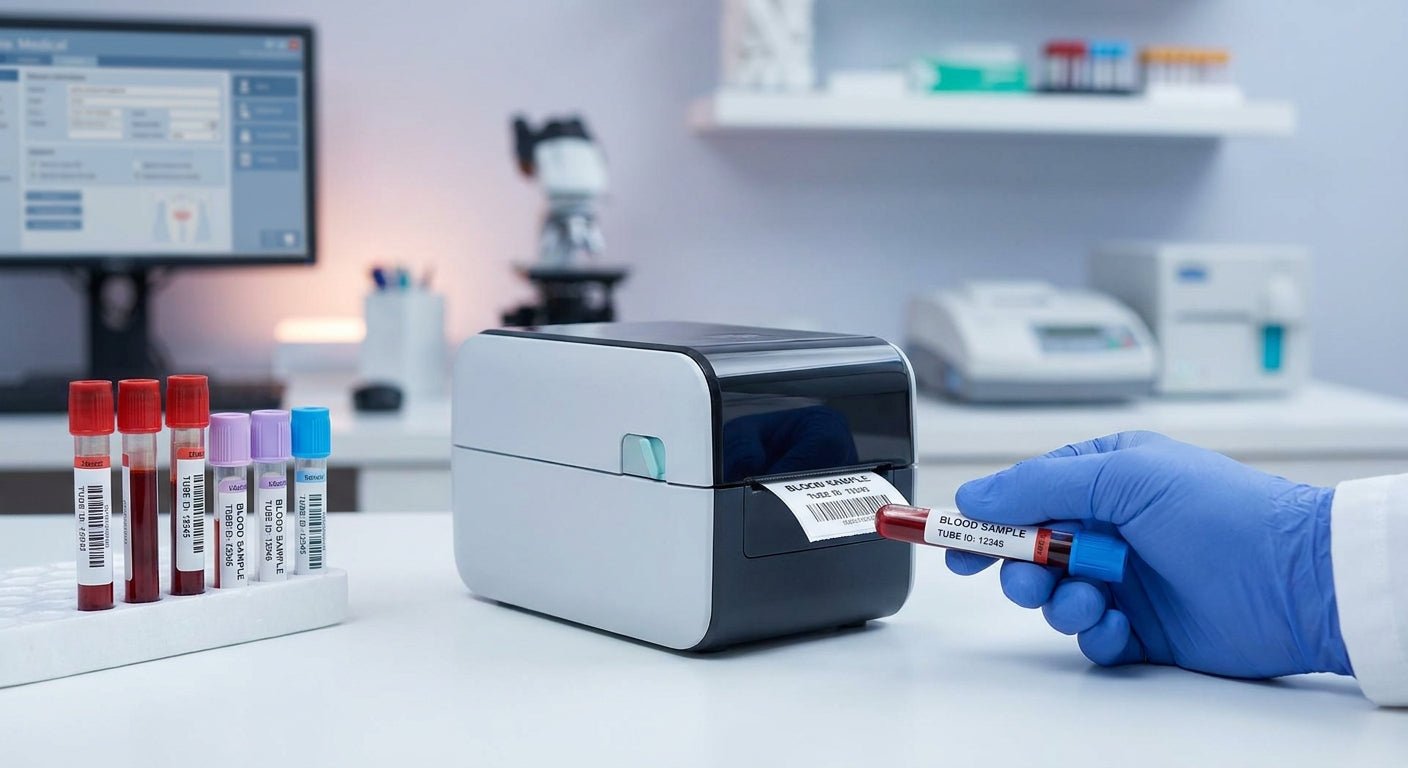
Blood sample tubes need labels that survive centrifuge spin, refrigeration, and handheld barcode scanners without smearing — and the printer you pick determines whether that happens every time or only most of the time.
TL;DR
For blood sample tubes, the GoDEX RT230i (300 DPI) is the safe buy for labs running mixed barcode and text formats, while the GoDEX DT230 direct thermal printer (300 DPI) is the better call if you want a ribbon-free setup for high-volume draws. Skip 200 DPI printers for anything smaller than a standard tube label — the resolution isn't fine enough for small-format barcodes. McAuley Labels stocks both, along with the GoDEX GE300 as a lower-cost 203 DPI option for labs printing larger specimen labels rather than tube-wrap barcodes. Pricing and configuration vary by volume, so confirm current specs before ordering for 2026 workflows.
Why this matters
A blood sample tube label isn't a shipping label — it's a chain-of-custody document. If the barcode won't scan after 20 minutes in a centrifuge or a stint in a -20°C freezer, someone in the lab is manually re-keying patient IDs, and that's where errors creep into specimen tracking. Resolution and adhesive/ribbon choice matter more here than in almost any other label application McAuley Labels sells into.
The best label printer for laboratory test tubes isn't necessarily the fastest one — it's the one that renders a legible barcode on a label narrower than an inch, consistently, across a full shift. That's a narrower spec sheet than most buyers expect walking in.
Who this is for
This guide is for phlebotomy teams, clinical lab managers, and research lab techs who print their own tube labels in-house rather than ordering pre-printed rolls — anyone deciding between a desktop thermal printer purchase and continuing to outsource label printing for blood draws, specimen collection, or sample archiving in 2026.
What to look for in a thermal label printer for blood sample tubes
Print resolution — 300 DPI is the floor, not the ceiling
Tube labels are narrow, often under an inch wide, and they carry a barcode plus a patient ID, date, and sometimes a QR code. At 203 DPI, small barcodes on curved surfaces blur enough that handheld scanners miss reads. 300 DPI printers render the same barcode with cleaner edges, which matters more on a 0.75-inch label than it does on a 4x6 shipping label.
Direct thermal vs. thermal transfer
Direct thermal printers burn the image directly into heat-sensitive label stock — no ribbon, lower running cost, but the image can fade under prolonged cold storage or UV exposure. Thermal transfer printers push a ribbon against the label for a more chemical- and cold-resistant print, which matters if tubes sit in a -80°C freezer for months rather than hours. Choose based on how long the sample — and its label — needs to stay legible.
Label width and roll compatibility
Blood tube labels run narrower than most standard label stock. Confirm the printer accepts the roll widths your tube supplier or in-house stock uses before buying — a printer that only handles 2-inch-plus rolls will waste material on a 0.75-inch tube wrap.
Desktop footprint
Phlebotomy stations and lab benches are tight. A desktop unit that fits next to a centrifuge or draw station beats a larger industrial printer that has to live across the room, adding steps to every draw.
Software and barcode format support
Most labs are printing GS1-128, Code 128, or QR formats tied to a LIS (lab information system) feed. Confirm the printer's driver and label design software — GoDEX printers run on GoLabel — support the barcode symbologies your LIS already outputs.
Chemical and cold resistance of the adhesive
Isopropyl alcohol wipes, centrifuge friction, and freezer condensation all test a label's adhesive. This is a label-stock decision as much as a printer decision, but it only matters if the printer itself can render sharp enough text and barcodes to survive the wear in the first place.
Top picks for blood sample tube labeling
GoDEX RT230i (300 DPI) — the safe pick. Runs at 300 DPI, which handles the small-format barcodes and text that blood tube labels demand without the blur you'd get at 203 DPI. Works for labs printing both patient ID barcodes and general specimen labels off the same unit. Verdict: Buy — see the GoDEX RT230i if you need one printer to cover tube labels and general lab label runs.
GoDEX DT230 (300 DPI, direct thermal) — the ribbon-free pick. Direct thermal only, no ribbon to load or replace, and still at 300 DPI resolution. Best for labs that draw high volumes daily and want to cut consumables management down to label stock alone. Fade resistance is lower than thermal transfer, so it fits short-to-mid-term sample handling better than long-term cryogenic storage. Verdict: Buy for high-throughput draw stations — check the GoDEX DT230 direct thermal printer.
GoDEX GE300 (203 DPI) — the budget pick. Runs at 203 DPI, which is fine for larger specimen container labels but under-resolved for the smallest tube-wrap barcodes. If your lab prints mostly standard specimen labels rather than sub-inch tube wraps, this is the lower-cost entry point. Verdict: Consider if your label format is 1 inch or wider — view the GoDEX GE300.
GoDEX RT200 (200 DPI) — the one to think twice about. At 200 DPI, this sits at the low end of the resolution range for tube-wrap barcodes. It's a capable general-purpose thermal printer, but for narrow blood tube labels specifically, the resolution gap versus a 300 DPI unit is the difference between a clean scan and a re-scan. Verdict: Skip for tube-specific work; fine for broader lab label printing where format size is larger.
What to avoid
- Any printer under 300 DPI if your tube label format is under 1 inch wide. The resolution math doesn't work — small barcodes need the extra dot density to stay scannable.
- Direct-thermal-only printers for samples headed to long-term cryogenic storage. If tubes sit in a freezer for weeks or months, thermal transfer's ribbon-based print holds up better against fade than heat-sensitive direct thermal stock.
- Printers without confirmed GoLabel or equivalent barcode design software support. If the printer can't talk to your LIS barcode format cleanly, you're re-formatting labels manually every batch, which defeats the point of an in-house printer.
Verdict comparison table
| Printer | Resolution | Thermal Type | Best For | Verdict |
|---|---|---|---|---|
| GoDEX RT230i | 300 DPI | Thermal transfer/direct | Mixed tube + specimen labels | Buy |
| GoDEX DT230 | 300 DPI | Direct thermal | High-volume draw stations | Buy |
| GoDEX GE300 | 203 DPI | Direct thermal | Larger specimen labels | Consider |
| GoDEX RT200 | 200 DPI | Direct thermal | General lab labels, not fine tube barcodes | Skip |
FAQ
What's the best thermal label printer for blood sample tubes in 2026? The GoDEX RT230i at 300 DPI is the strongest all-around choice for 2026 because it handles both narrow tube-wrap barcodes and standard specimen labels at a resolution fine enough for reliable scans.
Is direct thermal or thermal transfer better for specimen tubes? Direct thermal works for short-to-mid-term sample handling and cuts consumable costs since there's no ribbon. Thermal transfer holds up better for samples in long-term cold or cryogenic storage because the ribbon-based print resists fade longer than heat-sensitive direct thermal stock.
How much resolution do I need for tube labels? 300 DPI is the practical floor for labels under 1 inch wide carrying small barcodes. Below that, on a curved tube surface, barcode edges blur enough to cause scan failures.
Can thermal transfer ribbon printers handle cryogenic freezer storage? Yes — that's the main reason to choose thermal transfer over direct thermal for samples going into a -80°C freezer for extended periods, since the printed image resists cold-related fade better.
What's the difference between the GoDEX RT230i and the GoDEX DT230? The RT230i supports both direct thermal and thermal transfer printing at 300 DPI, giving labs flexibility between the two methods. The DT230 is direct thermal only, also at 300 DPI, which simplifies consumables but limits long-term cold storage durability.
Do lower-DPI printers like the GoDEX GE300 work for any lab labeling? Yes, for larger specimen container labels or general lab inventory tags where the format is 1 inch or wider, 203 DPI is sufficient. It's specifically small tube-wrap barcodes where the resolution gap becomes a problem.
Does McAuley Labels sell label stock along with the printers? McAuley Labels manufactures thermal printers alongside custom labels, so tube label stock and printer hardware can be sourced from the same supplier rather than coordinating two vendors.
How do I know if my LIS barcode format will work with these printers? Confirm your LIS outputs a standard symbology like Code 128 or GS1-128 and check that the printer's GoLabel software supports it — GoDEX printers are built around that software for label and barcode design.
One last thing
The resolution difference between 203 DPI and 300 DPI sounds small on paper, but on a label under an inch wide, it's the difference between a barcode that scans on the first pass and one that gets rejected and re-scanned by hand — and in a lab running hundreds of draws a day, that gap adds up to real time lost by shift's end.