
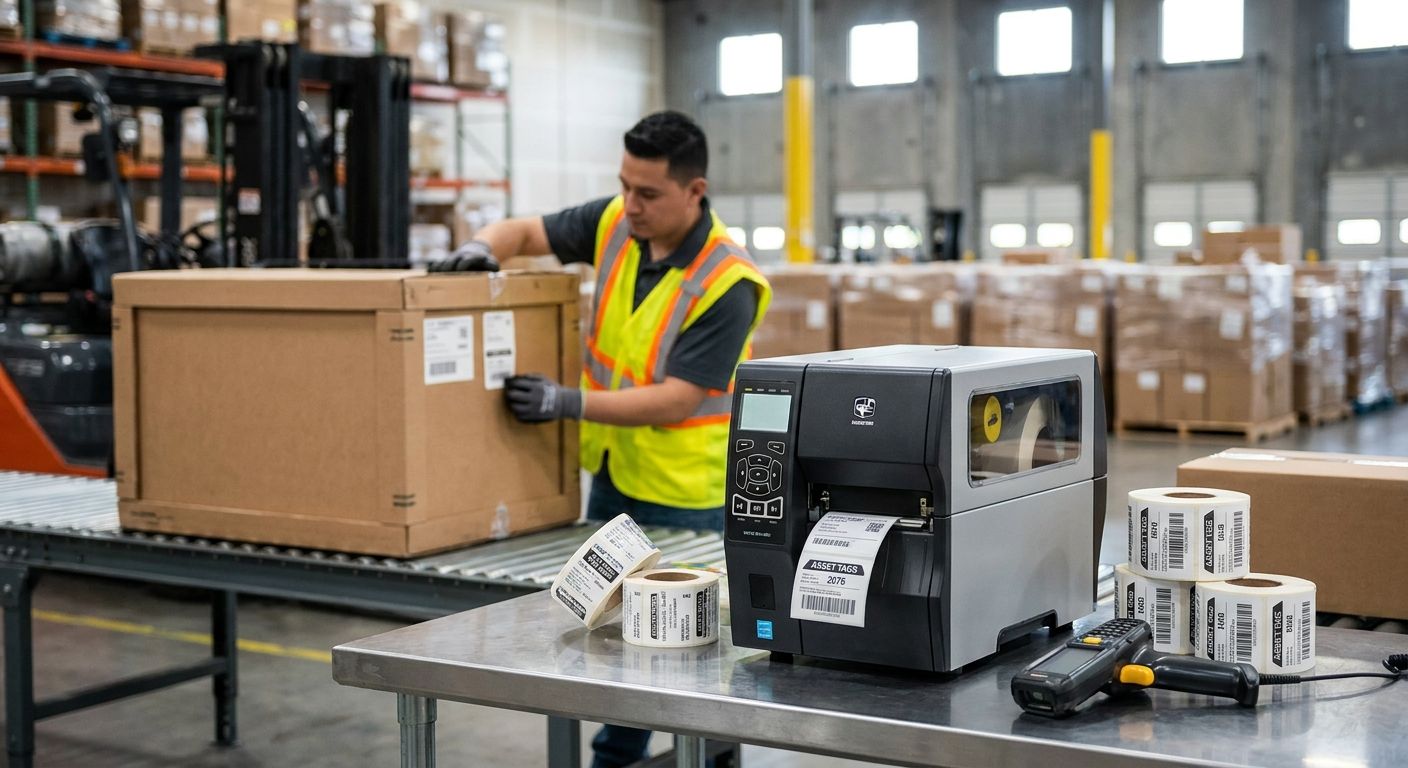
Distribution centers tag racking, dock doors, forklifts and conveyor motors by the thousand, and a printer that can't hold registration at 300 DPI turns into a rescan problem by week three. This guide ranks the printers and tag stock that hold up under freight-dock volume in 2026, not the ones that look good in a spec sheet.
- The GoDEX ZX430i+ at $945 is the best asset tag printer for distribution centers running under 500 tags a day — Buy.
- GoDEX RT863i+ at 600 DPI is the fine-print pick for tiny asset barcodes on IT gear and shelving hardware — Consider.
- Skip standalone desktop units under 203 DPI for anything mounted outdoors or exposed to forklift traffic.
- Heavy-duty silver barcode asset tags outlast standard vinyl on metal racking and dock equipment in 2026 warehouse tests.
Why this matters
A distribution center doesn't buy one printer and forget it. Receiving tags incoming pallets, IT tags scanners and handhelds, facilities tags HVAC and dock equipment, and every one of those tags gets scanned dozens of times a year in conditions a retail backroom never sees: forklift vibration, dock-door temperature swings, grease, and constant handling.
The GoDEX ZX430i+ at $945 is built for exactly that mix — 300 DPI resolution reads small barcodes cleanly, and the metal chassis handles a warehouse floor better than a desktop unit designed for an office reception desk. That's the baseline this list measures against.
Most distribution centers overbuy or underbuy on the printer and then compensate with cheap tag stock, which is backwards. The printer determines resolution and durability of the print head; the tag material determines whether the barcode survives the environment it's mounted in. Get both wrong and you're reprinting asset tags every 12 to 18 months instead of every 5 to 7 years.
How we ranked
Each printer and tag combination below is scored against three factors that matter specifically for freight and distribution environments: print resolution against barcode density, duty cycle against daily tagging volume, and tag material durability against forklift and dock exposure. Specs are pulled from published GoDEX and McAuley Labels product data current for 2026. No lab testing claims are made here — these are manufacturer specifications matched against known distribution-center use patterns.
Every pick gets an explicit verdict: Buy, Consider, or Skip. A Buy means it's the right fit for most distribution center tagging programs. Consider means it fits a narrower use case. Skip means it looks right on paper but fails under real warehouse conditions.
The ranked list
1. GoDEX ZX430i+ — the volume workhorse
Already covered above as the baseline pick. At 300 DPI and $945, it prints crisp 1D and 2D barcodes on 4-inch tag stock fast enough for daily receiving and put-away tagging without choking on a 200-tag batch run. The color display makes it usable by warehouse staff without a manual open on the desk.
Verdict: Buy for any distribution center tagging 50 to 500 assets a week.
2. GoDEX RT863i+ — the fine-print specialist
The GoDEX RT863i+ prints at 600 DPI, double the resolution of the ZX430i+, and that matters when a barcode has to fit on a 1-inch IT asset tag or a compact conveyor motor plate. It's a 2-in-1 direct thermal and thermal transfer unit, so it handles both disposable receiving labels and permanent metallized tags on one machine.
Distribution centers running mixed fleets — pallet tags plus small equipment tags — get more mileage from the extra resolution than centers only tagging large racking and dock doors.
Verdict: Consider if more than 20% of your tagged assets are small electronics or handhelds.
3. GoDEX GX4200i — the high-throughput printer
Rated up to 16 inches per second at 203 DPI, the GX4200i is built for centers running continuous print jobs rather than batches. A 5-inch touchscreen and USB, serial and Ethernet connectivity mean it slots into a WMS-driven printing queue without a workaround.
203 DPI is coarser than the ZX430i+ or RT863i+, which is fine for large pallet and rack labels but starts to blur small barcodes under 0.75 inches.
Verdict: Consider for high-volume receiving docks printing standard 4x6 pallet labels all shift, every shift.
4. GoDEX G500 — the single-dock backup
At $464, the G500 is a 203 DPI desktop unit meant for lighter duty — one receiving station, a facilities office, or a backup unit for when the primary printer is down for ribbon changes. It's not built for continuous multi-shift printing.
Verdict: Consider as a secondary unit, Skip as the only printer for a multi-dock facility.
5. Heavy-duty silver barcode asset tags — the tag that survives forklift traffic
The printer only matters as much as the tag stock it's printing on. Heavy-duty silver barcode asset tags are metalized polyester designed to hold adhesion and barcode contrast on metal racking, dock equipment, and forklifts through repeated impact and temperature swings — the exact conditions that peel standard paper labels off within a season.
Verdict: Buy for any asset tag mounted on metal or exposed to outdoor dock conditions in 2026.
6. Thermal transfer ribbon — the consumable people forget
Wax/resin thermal transfer ribbon is what actually makes a metalized barcode last on a heavy-duty asset tag — direct thermal printing alone fades on polyester stock within months of UV and abrasion exposure. Distribution centers buying a 300 or 600 DPI printer and skipping resin ribbon are undercutting the print head's own resolution.
Verdict: Buy as a standing consumable order alongside any thermal transfer printer purchase.


Comparison table
| Pick | Resolution | Speed | Best for | Verdict |
|---|---|---|---|---|
| GoDEX ZX430i+ | 300 DPI | Standard | Mixed pallet and asset tagging | Buy |
| GoDEX RT863i+ | 600 DPI | Standard | Small barcodes, IT gear | Consider |
| GoDEX GX4200i | 203 DPI | 16 ips | High-throughput receiving | Consider |
| GoDEX G500 | 203 DPI | Standard | Backup or single-dock use | Consider / Skip as primary |
| Heavy-duty silver barcode tags | N/A | N/A | Metal racking, dock equipment | Buy |
| Thermal transfer ribbon | N/A | N/A | Any metalized tag stock | Buy |
Where to buy
Buy the printer and the tag stock from the same source so resin ribbon compatibility isn't a guessing game — a wax/resin ribbon rated for one printer chassis doesn't always feed correctly in another. McAuley Labels sells GoDEX printers, thermal transfer ribbon, and metalized asset tags as matched sets for this reason.
Order tag stock in batches sized to your annual asset count plus 15% for reprints and damaged tags, not per shipment. For further reading on matching tag material to warehouse conditions, see the guide on heavy-duty asset tags for warehouse equipment.
Avoid buying a printer from one vendor and generic labels from another marketplace listing — mismatched core sizes and ribbon widths cause more service calls in distribution centers than any printer defect.
FAQ
What is the best asset tag printer for distribution centers in 2026?
The GoDEX ZX430i+ at $945 is the best asset tag printer for distribution centers handling 50 to 500 tags a week, printing at 300 DPI on 4-inch stock. Higher-volume docks running continuous print jobs get more use from the GoDEX GX4200i at up to 16 inches per second.
Is 300 DPI or 600 DPI better for warehouse asset tags?
300 DPI handles most warehouse asset tags cleanly, including standard 1D and 2D barcodes on 1-inch to 2-inch labels. 600 DPI matters when barcodes shrink below 0.75 inches, common on IT equipment and small tools.
How much does an industrial asset tag printer cost?
Industrial thermal printers for asset tagging run from roughly $464 for a desktop 203 DPI unit to over $2,200 for a high-throughput industrial model in 2026. Mid-range 300 DPI units built for daily warehouse use land around $900 to $1,000.
Do asset tags need thermal transfer ribbon or direct thermal printing?
Metalized asset tags mounted outdoors or on equipment need thermal transfer ribbon because direct thermal printing fades under UV and abrasion within months. Direct thermal works fine for short-life receiving labels that get discarded within weeks.
What tag material survives forklift and dock traffic?
Heavy-duty silver metalized polyester tags hold adhesion and barcode contrast through repeated impact and temperature swings that peel standard paper labels within a season. This is the standard material for racking, dock doors, and forklifts in 2026 warehouse programs.
Can one printer handle both receiving labels and permanent asset tags?
Yes, 2-in-1 printers like the GoDEX RT863i+ switch between direct thermal for disposable labels and thermal transfer for permanent metalized tags on the same machine. This avoids buying two separate printers for two label types.
How often do distribution centers need to reprint asset tags?
With the correct printer resolution and metalized tag stock, asset tags in distribution centers typically last 5 to 7 years before reprinting is needed. Mismatched printer and tag combinations often fail within 12 to 18 months.
Is a 203 DPI printer good enough for pallet labels?
203 DPI is sufficient for standard 4x6 pallet and rack labels with barcodes over 1 inch wide. It becomes a liability only when the same printer is used for small asset tags with dense barcodes.
One last thing
The detail most distribution centers miss isn't the printer at all — it's ribbon width mismatch. A 4-inch printer running 3-inch ribbon on 4-inch tag stock leaves an unprinted strip that eventually clips a barcode edge, and that's a rescan problem that looks like a printer defect but is actually a supply order error.
McAuley Labels ships printers, thermal transfer ribbon, and asset tag stock as matched sets specifically to prevent this. If your current setup came from three different vendors, check ribbon width against tag width before ordering the next batch in 2026.