
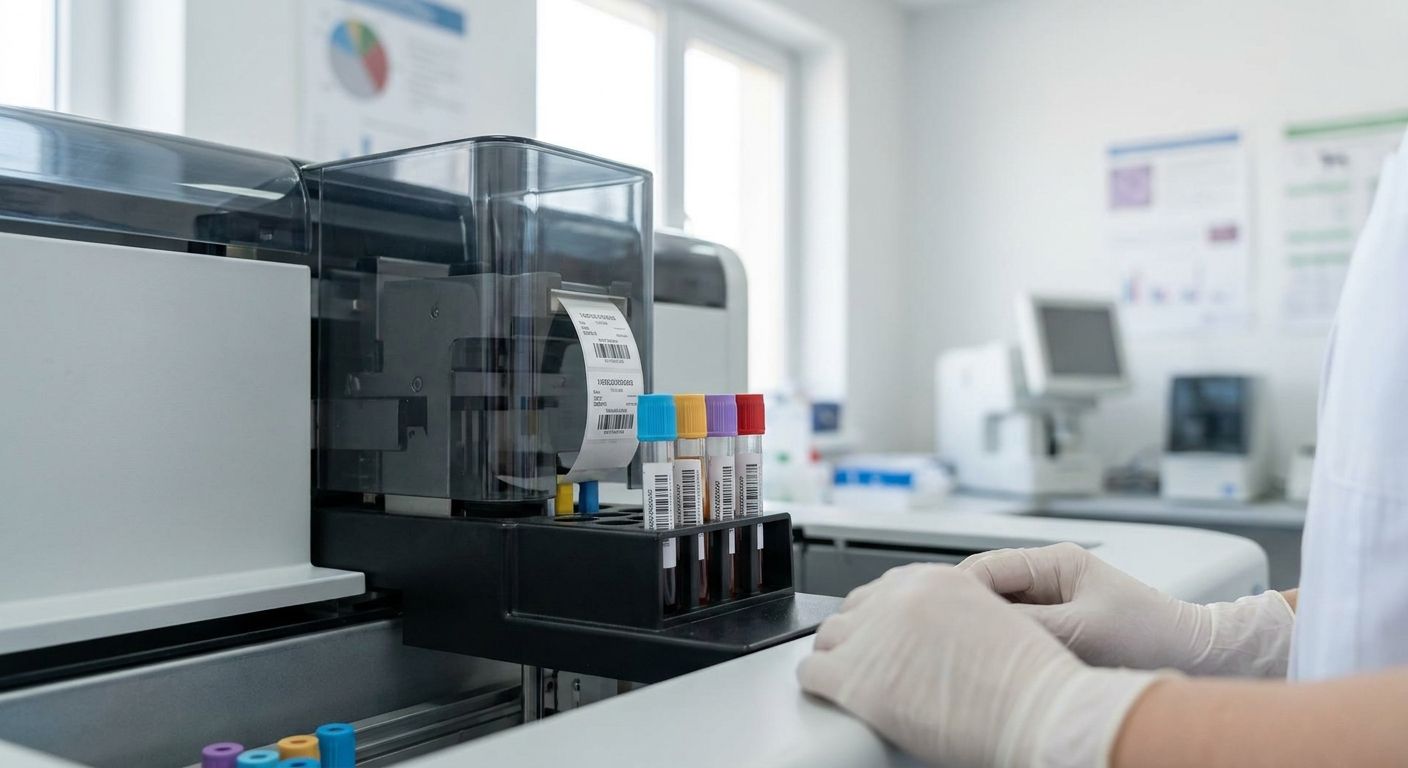
Veterinary diagnostic labs print specimen IDs that have to survive a centrifuge, a -20°C freezer, and an alcohol wipe — a mislabeled tube costs more than a slow printer ever will. This guide breaks down what separates a real test tube labeler for veterinary diagnostic labs from a general office label printer pressed into a job it wasn't built for.
- The GoDEX ZX430i at 300 DPI is the top test tube labeler for veterinary diagnostic labs printing 2D codes under 12mm — Buy.
- GoDEX RT730i handles high-volume batch runs for reference labs processing 150-400 tubes a day — Buy.
- Skip 203 DPI desktop printers for microtainer barcodes; resolution below 300 DPI blurs small 2D codes.
- A dedicated Test Tube Labeler for Labs unit runs $3,055.50 and standardizes one workflow — Consider it once volume justifies a single-purpose machine.
Why this matters
A veterinary reference lab running 150 to 400 tubes a day can't afford a printer that smears at 203 DPI or loses sync with the LIS mid-batch. McAuley Labels builds and sells the thermal printers most of that tube-labeling infrastructure runs on, and the gap between a cheap desktop unit and a purpose-built labeler shows up the first time a barcode has to scan through a frosted cryovial sleeve. Check the full McAuley Labels catalog if you're benchmarking against what's already sitting on your bench — most labs only upgrade after a scan-rate audit flags failures on 6mm barcodes.
Who this is for
This guide is for lab managers and vet techs at diagnostic labs, reference labs, and in-house veterinary clinical labs who print specimen IDs directly onto 12mm and 13mm test tubes, microtainers, or cryovials — not shipping labels, not cage cards. If your lab handles more than 50 tubes a day and needs barcodes or QR codes to survive a -20°C freezer, an alcohol wipe, and a centrifuge cycle, everything below applies to you.
What to look for in a test tube labeler for veterinary diagnostic labs
Print resolution for micro-barcodes
A 12mm tube gives you maybe 10mm of usable barcode width, and a 203 DPI engine turns that into a smear the moment you add a 2D QR code. 300 DPI is the practical floor for anything scanning at that scale in 2026 — below it, expect rescans and manual entry errors during peak intake.
Adhesive and label stock that survives lab conditions
Standard paper labels lift in a -20°C freezer within days and dissolve under an isopropyl wipe. Look for polyester or cryo-rated stock rated for freeze cycles, not general-purpose office label paper.
2D code density on tiny surface area
Single-line 1D barcodes eat width fast on small tubes, while a QR or DataMatrix code packs the same patient ID, accession number, and species code into a quarter of the space. This matters most for microtainers under 8mm in diameter.
Ribbon-based thermal transfer vs direct thermal
Direct thermal labels fade under UV and repeated alcohol exposure — fine for a same-day sample, risky for anything archived past a week. Thermal transfer with a wax-resin ribbon holds print integrity through freezer storage and repeat handling.
Batch speed during peak intake
Morning intake at a reference lab can mean 40-80 tubes in under an hour. A printer that queues single labels one at a time instead of a full batch print job turns into the bottleneck at your busiest hour of the day.
Footprint and bench integration
Diagnostic bench space is tight next to a centrifuge and a sample rack. A compact desktop unit that connects over USB or network without a separate driver station wins over a bulkier industrial chassis in a clinical lab setting.

Top picks
The wildcard: GoDEX ZX430i (300 DPI) This is the pick for labs printing 2D codes on tubes under 12mm — the 300 DPI engine holds barcode edges sharp at a scale where 203 DPI turns into noise. It's overkill for a low-volume in-house clinic running under 30 tubes a day, but for a diagnostic lab it's the resolution ceiling you actually need. Buy if your accession numbers or QR codes shrink below 10mm on the tube. See the GoDEX ZX430i thermal printer spec sheet before ordering ribbon stock.
The workhorse: GoDEX RT730i Built for the labs where volume, not resolution, is the constraint — batch printing through peak morning intake without a queue backup. It's the printer you put on the bench when 150-400 tubes a day is a normal Tuesday, not a spike. Buy for reference labs and multi-clinic diagnostic hubs running sustained daily volume. Compare it against your current setup on the GoDEX RT730i thermal printer page.
The purpose-built pick: Test Tube Labeler for Labs This is a dedicated unit built specifically for tube labeling workflows rather than a general thermal printer adapted to the job, priced at $3,055.50. If your lab is standardizing one station purely for specimen ID and wants to stop configuring label templates on a shared office printer, this is the single-purpose answer. Consider it once your tube volume justifies dedicating hardware to one task instead of running it alongside shipping or asset labels.
The one to skip for micro-codes: GoDEX RT200i (203 DPI) It's a capable, inexpensive desktop printer for larger labels — asset tags, shelf bins, general inventory — but 203 DPI is the wrong tool for a 10mm 2D code on a microtainer. It'll print fine on wider labels and struggle exactly where a diagnostic lab needs precision. Skip it for tube labeling; keep it in mind for asset tags elsewhere in the lab.
What to avoid
- General office label printers below 300 DPI for anything smaller than a standard 13mm tube — the resolution simply isn't there for dense 2D codes.
- Static cling or non-adhesive label stock marketed for windshield or oil-change use — different adhesive chemistry, and it won't hold through a centrifuge cycle or freezer storage.
- Direct thermal labels for archived or frozen samples — they're fine for same-day processing but fade under long-term cold storage and repeated alcohol wipes; thermal transfer ribbon holds up where direct thermal doesn't.
Verdict comparison
| Printer | Resolution | Best for | Verdict |
|---|---|---|---|
| GoDEX ZX430i | 300 DPI | Micro 2D codes on tubes under 12mm | Buy |
| GoDEX RT730i | 300 DPI engine | High-volume batch runs, 150-400 tubes/day | Buy |
| Test Tube Labeler for Labs | Purpose-built, $3,055.50 | Labs standardizing one dedicated station | Consider |
| GoDEX RT200i | 203 DPI | Larger labels, low-volume clinics | Skip for micro-barcodes |
FAQ
What's the best test tube labeler for veterinary diagnostic labs in 2026?
The GoDEX ZX430i at 300 DPI is the strongest pick for veterinary diagnostic labs printing dense 2D barcodes on tubes under 12mm in 2026. Labs with higher daily tube volume should pair it with a batch-capable unit like the GoDEX RT730i.
Is a 300 DPI printer necessary for veterinary specimen tubes?
Yes, for any tube under 12mm carrying a 2D QR or DataMatrix code, 300 DPI is the practical floor. Below that resolution, small codes blur and scan failure rates climb during high-volume intake.
How much does a test tube labeling system cost?
A dedicated test tube labeler runs around $3,055.50, while general-purpose thermal printers capable of tube labeling start well below that. The right choice depends on whether your lab wants one dedicated station or a printer shared across other labeling tasks.
Can thermal labels survive a -20°C freezer and centrifuge?
Cryo-rated polyester labels with thermal transfer printing survive -20°C storage and repeated centrifuge cycles; standard paper labels lift and fade under the same conditions within days.
Do I need thermal transfer or direct thermal for tube labels?
Thermal transfer with a wax-resin ribbon holds print integrity through freezer storage, alcohol wipes, and archival handling. Direct thermal is fine for same-day samples but fades under UV and repeated chemical exposure.
What size labels fit standard blood collection tubes?
Most veterinary blood collection tubes run 12mm to 13mm in diameter, which limits usable label width to roughly 10mm. This is exactly why print resolution matters more on tubes than on larger asset labels.
How fast can a lab print specimen labels during peak intake?
A batch-capable printer like the GoDEX RT730i handles 40-80 tubes within an hour without a queue backup, which matters most during morning intake at a reference lab. Single-label desktop printers without batch queuing become the bottleneck at that volume.
Is a dedicated test tube labeler better than a general barcode printer?
A dedicated unit standardizes one workflow and removes template-switching between tube labels and other jobs, which suits labs running consistent daily tube volume. A general 300 DPI thermal printer works fine for labs that also need asset tags or other label formats on the same machine.
One last thing
The detail most labs miss until a sample gets rejected: a direct thermal label that looks perfectly readable the day it's printed can drop below scannable contrast after 10-14 days in a -20°C freezer, well before the sample itself expires. If any tube in your workflow sits in cold storage longer than a week, thermal transfer ribbon isn't optional — it's the difference between a scan and a manual re-entry at the worst possible moment.