
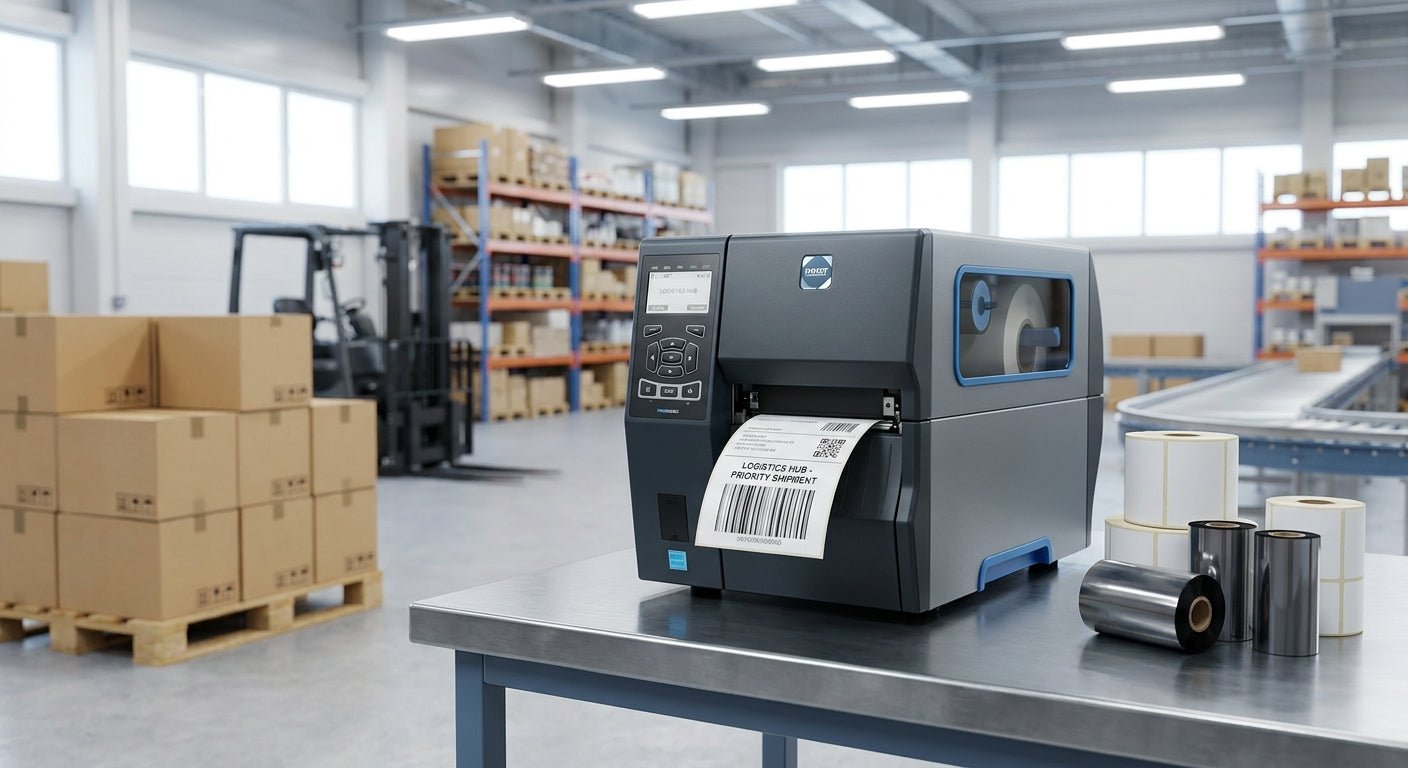
Logistics operations print thousands of barcode labels a week, and a printer that jams, prints faint codes, or can't keep up with a shift changes your shipping SLA fast. This guide ranks the GoDEX barcode label printers built for warehouse and logistics volume, based on resolution, print method, and durability specs published across the McAuley Labels catalog.
TL;DR
The GoDEX RT730i is the top pick for a barcode label printer for logistics in 2026 — it handles high-volume shipping and pallet labeling without the resolution compromises of entry desktop printers. For operations that need to print small serials or dense 1D/2D codes, the GoDEX RT863i at 600 DPI is the sharper option. Budget-conscious warehouses running thermal transfer ribbon for long-term durability should look at the GoDEX GE330. All three are Buy verdicts for 2026; skip anything below 203 DPI if your labels carry small text or 2D codes.
Why this matters
A barcode that scans on the first pass saves seconds per package. Multiply that across a few hundred scans a shift and a printer with soft edges or slow throughput becomes a labor cost, not just a hardware line item. Resolution (DPI), print method (direct thermal vs. thermal transfer), and duty cycle are the three variables that actually separate a logistics-grade printer from a retail desktop model in 2026 — everything else is packaging.
Direct thermal printers skip ribbon entirely and work fine for short-life shipping labels. Thermal transfer printers use a ribbon to bond ink into the label stock, which matters when labels sit on a pallet in a hot trailer for weeks before they're scanned again. If your logistics labels need to survive handling, moisture, or UV exposure, thermal transfer is not optional — it's the baseline. Confirm ribbon compatibility on the thermal transfer ribbon page before you commit to a print method.
How we ranked
Rankings below weigh three factors: print resolution (203, 300, or 600 DPI), print method (direct thermal vs. thermal transfer), and stated use-case fit for warehouse, dock, or fulfillment-center environments. Models built for barcode density and package volume score higher than desktop units meant for occasional office labeling. Every printer here is currently listed in the McAuley Labels 2026 GoDEX lineup, so availability and specs reflect the current catalog rather than discontinued models.
This is not a lab-tested speed benchmark — it's a spec and fit comparison for logistics buyers who need a decision this week, not a research project.
The ranked list
1. GoDEX RT730i — the workhorse pick
This is the printer logistics teams reach for when volume is the whole problem. It's built for continuous shipping-label runs rather than intermittent desktop printing, which is the difference that matters on a loading dock in 2026. If your daily label count is in the hundreds, not the dozens, this is where you start.
Verdict: Buy. GoDEX RT730i is the default recommendation for mid-to-high-volume logistics printing.
2. GoDEX RT863i — the sharp-code pick
At 600 DPI, this is the highest resolution in the current lineup — a real advantage when labels carry dense 2D barcodes, small serial numbers, or compliance text that has to stay legible after a scanner reads it a dozen times. Most logistics operations don't need 600 DPI, but the ones printing small-format asset or parts labels alongside shipping labels do.
Verdict: Buy if your barcodes include small text or 2D codes; Consider if you're only running standard shipping labels, where 203 DPI is enough. GoDEX RT863i thermal printer covers both cases but you're paying for resolution you may not use.
3. GoDEX GE330 — the durability pick
This is a thermal transfer model, meaning it runs ribbon instead of relying on heat-sensitive paper alone. That matters for logistics labels that need to survive weeks in transit, temperature swings, or repeated handling before the final scan. Direct thermal labels fade with heat and time; thermal transfer labels don't.
Verdict: Buy for any logistics operation shipping labels that need to stay scannable past 30-60 days. GoDEX GE330 thermal transfer printer is the practical choice when label longevity outranks print speed.
4. GoDEX RT700i — the display-and-control pick
The RT700i ships with a 4-color display, which is a small but real operational upgrade on a busy floor — status errors, ribbon-out warnings, and label misalignment show up on-screen instead of forcing a guess. For multi-operator warehouse shifts where the printer changes hands often, that visibility cuts troubleshooting time.
Verdict: Consider. Worth the upgrade if multiple staff run the same printer across shifts in 2026; skip it if one dedicated operator manages the unit.
5. GoDEX RT230i — the standard-resolution pick
At 300 DPI, this sits between the entry 203 DPI units and the 600 DPI RT863i. It's a reasonable middle ground for operations printing mixed labels — standard shipping labels most of the time, with the occasional denser barcode or small logo that 203 DPI would blur.
Verdict: Consider for mixed-label environments; Skip if you're strictly running standard shipping labels, where 203 DPI is sufficient and typically cheaper to run.
6. GoDEX GE300 — the entry pick
The GE300 runs at 203 DPI, which covers standard shipping label printing without issue. It's not built for dense barcodes or long-life labels, but for straightforward pack-and-ship label runs, 203 DPI direct thermal is the industry standard, not a compromise.
Verdict: Consider for low-volume or standard shipping-label-only operations; Wait if you expect to scale into asset tagging or compliance labeling, where you'll outgrow it fast.
Comparison table
| Printer | Resolution | Print Method | Best Fit | Verdict |
|---|---|---|---|---|
| GoDEX RT730i | Standard | Direct thermal | High-volume shipping labels | Buy |
| GoDEX RT863i | 600 DPI | Direct thermal | Dense barcodes, small text | Buy |
| GoDEX GE330 | 203 DPI | Thermal transfer | Long-life, durable labels | Buy |
| GoDEX RT700i | Standard | Direct thermal | Multi-operator floors | Consider |
| GoDEX RT230i | 300 DPI | Direct thermal | Mixed label types | Consider |
| GoDEX GE300 | 203 DPI | Direct thermal | Low-volume shipping only | Consider |
Where to buy
- Buy direct from the manufacturer catalog rather than a reseller marketplace — you get the current 2026 model lineup and accurate spec sheets instead of discontinued units repackaged under a new listing.
- Match ribbon to print method before ordering. Thermal transfer printers like the GoDEX GE330 need compatible ribbon stock; check the thermal transfer ribbon options before your first print run, not after.
- Confirm DPI against your smallest barcode use case, not your average one. If even 5% of your labels carry dense 2D codes, buy for that 5%, not the average shipping label.
What to avoid
- Consumer-grade inkjet or laser label printers. They're not built for continuous roll-fed barcode printing and can't hold up to warehouse duty cycles.
- 203 DPI-only printers for operations printing compliance or asset labels alongside shipping labels. The resolution gap shows up as scan failures, not just blurry text.
- Direct thermal printers for labels that need to survive more than a few weeks. Heat and sunlight fade direct thermal prints; that's a print-method limitation, not a defect.
FAQ
What's the best barcode label printer for logistics in 2026? The GoDEX RT730i is the top general-purpose pick for logistics volume, with the GoDEX RT863i as the better option when barcodes need 600 DPI sharpness.
Is thermal transfer better than direct thermal for shipping labels? Thermal transfer lasts longer under heat, UV, and handling, making it the better choice for labels that sit in transit for weeks. Direct thermal is cheaper and fine for short-cycle shipping labels scanned within days.
What DPI do I need for barcode labels? 203 DPI covers standard shipping barcodes. Move to 300 or 600 DPI only if you're printing small text, dense 2D codes, or compliance labeling alongside shipping labels.
How much does a logistics-grade barcode printer cost? Pricing varies by model and resolution; check current listings on the GoDEX RT730i page for the up-to-date figure.
Can one printer handle both shipping labels and asset tags? A 300 DPI or 600 DPI model like the RT863i can cover both use cases, but a dedicated 203 DPI unit is usually more efficient if you're only running high-volume shipping labels.
Do I need a display screen on a warehouse label printer? Only if multiple operators share the printer across shifts — the 4-color display on the RT700i cuts troubleshooting time in multi-user environments but isn't necessary for a single dedicated station.
How long do thermal transfer labels last compared to direct thermal? Thermal transfer labels resist fading from heat and UV far longer than direct thermal, which is why they're the standard for labels that travel or sit in storage before final scan.
What's the difference between a barcode label printer and a shipping label printer? In practice they overlap — a barcode label printer for logistics handles both, but resolution and print method requirements shift depending on whether you're printing simple shipping barcodes or denser compliance and asset codes.
One last thing
Most logistics teams over-buy on resolution and under-buy on print method. A 600 DPI printer running direct thermal stock still won't survive a hot trailer for three weeks — the print method, not the DPI, is what determines whether that barcode still scans on arrival. Get the print method right first in 2026, then worry about resolution.
For warehouse-specific setup guidance, see thermal label printer for shipping and warehousing.