
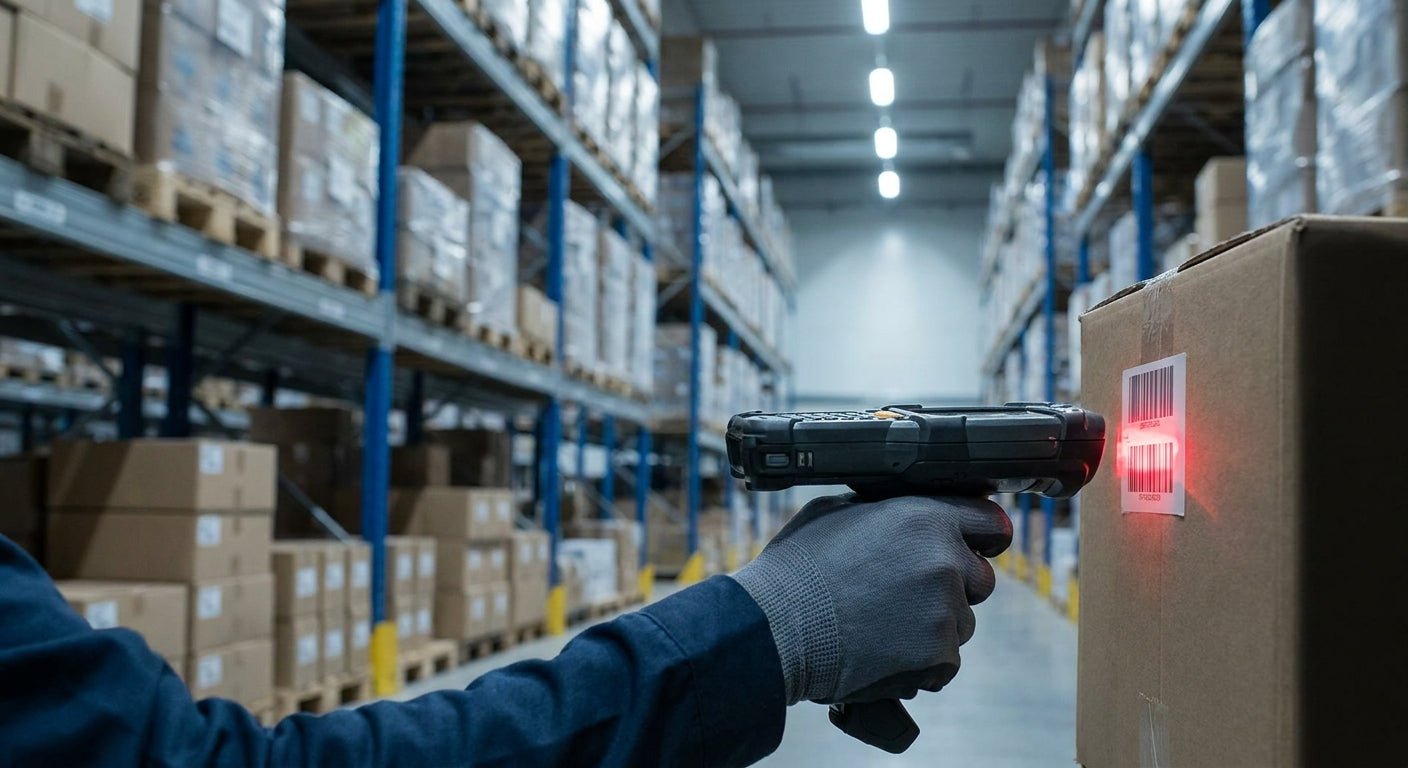
Warehouses running paper pick lists lose hours a week to miscounts. The right barcode scanner for warehouse inventory cuts that waste, but only if it's paired with labels that actually scan clean the first time.
TL;DR
For most warehouses in 2026, a corded 2D imager is the Buy — it reads damaged, dirty, and small barcodes that laser scanners miss, and it costs less than wireless models. Wireless Bluetooth 2D scanners are a Buy for teams doing mobile picking across more than one aisle zone. Wearable ring scanners are a Consider for high-volume pick-and-pack lines where hands need to stay free. None of this matters if your barcode scanner for warehouse inventory is reading labels printed on a home inkjet — smudged or faded barcodes are the top cause of failed scans in 2026 warehouse audits, and that's a labels problem, not a scanner problem.
Why this matters
A scanner is only as good as what it's reading. Warehouses that swap a $200 laser scanner for a $600 2D imager and keep printing labels on inkjet paper still get scan failures — because the barcode itself is degrading, not the hardware reading it.
Get the labels right first. Barcode labels printed for warehouse shelving need to survive forklift traffic, humidity, and repeated handling — direct thermal or thermal transfer stock holds up where inkjet doesn't. Once the label is durable and the barcode is printed at a resolution the scanner can actually resolve, the scanner choice becomes about workflow speed, not troubleshooting.
How we ranked
Each scanner type below is ranked on four factors that matter in a warehouse specifically: read range, drop and dust rating, connectivity for mobile picking, and total cost including any required base station or charging cradle. Consumer-grade retail scanners and phone-camera apps were excluded — warehouse floors are dustier, colder, and harder on hardware than a storefront counter, and gear rated for retail checkout typically fails inside 12 months on a warehouse floor. Rankings reflect aggregated industry specifications and buyer patterns as of 2026, not lab testing performed for this guide.
The Ranked List
1. Corded 2D Imager — the workhorse
This is the default scanner for fixed pack stations and receiving docks. A 2D imager reads both 1D barcodes and QR codes in one pass, which matters once a warehouse starts mixing barcode formats across vendors. Most corded 2D imagers in this class carry an IP54 dust and moisture rating and a 4-5 foot drop spec, which covers accidental drops off a pack table.
The upside is price: corded units run well below wireless equivalents because there's no battery or radio to pay for. The downside is the cord itself — it's a fixed-station tool, not a picking tool. Buy for receiving, pack-out, and QC stations. Skip if your team walks the floor to pick.
2. Wireless Bluetooth 2D Scanner — the cordless upgrade
Same optics as the corded imager, minus the tether. Bluetooth range on most 2026 models covers roughly 300 feet line-of-sight, enough to walk two or three aisles away from the base cradle without dropping connection. Battery life on a full shift is the deciding spec — look for 10+ hour runtime so a scanner doesn't die mid-shift.
This is the right call for warehouses running zone picking or wave picking where staff move constantly. It costs more than a corded unit and needs a charging routine, but the mobility pays for itself in picks per hour. Buy for multi-zone picking operations. Hold if your whole operation happens within reach of one station.
3. Wearable Ring Scanner — the hands-free pick
A ring scanner mounts on a finger with a wrist-worn computer, so pickers scan without ever putting down a box. This shines in high-volume pick-and-pack where every second of fumbling with a handheld unit adds up across a shift. Ring scanners generally trigger with a thumb-press and pair over Bluetooth to a wrist terminal or a phone.
The tradeoff is fit and durability — rings need to be sized per employee and tend to have a shorter battery life than full handheld units, often 6-8 hours. Consider for high-throughput fulfillment lines running 500+ scans per shift per employee. Skip for low-volume or occasional-use warehouses; the cost doesn't justify the convenience.
4. Rugged Mobile Computer with Built-In Scanner — the all-in-one
This is a handheld Android or Windows device with a 2D imager built into the housing, running a warehouse management app directly on the device instead of routing through a paired phone or terminal. It replaces a scanner, a phone, and often a mobile printer connection in one unit.
Drop ratings on rugged models typically hit 5-6 feet onto concrete, and most carry an IP65 rating for dust and water. This is the highest upfront cost on this list, but it's also the option that eliminates connectivity handoffs between separate devices. Buy for larger operations already running a WMS that supports mobile computer integrations. Wait if your inventory process still runs on spreadsheets — get the software workflow solid before buying the hardware to match it.
5. Long-Range Laser Scanner — the high-rack specialist
Standard imagers struggle to read barcodes 15-20 feet up a rack. A long-range laser scanner is built for exactly that gap, reading 1D barcodes from significant distances without a lift or ladder. This is a narrow use case: pallet racking with labels mounted high, not general floor picking.
It won't read QR codes or 2D barcodes at all, which rules it out as a primary scanner for most modern warehouses that have mixed barcode formats. Consider only as a supplemental scanner for high-rack pallet ID. Skip as your only scanner in 2026 — most inventory systems now mix in QR-coded barcode inventory labels that a laser-only unit can't read.
6. Budget USB Laser Scanner — the starter option
The cheapest entry point, plugging directly into a PC via USB with no app or software setup required. It reads standard 1D barcodes reliably at close range and works fine for a small stockroom or a single-desk inventory check-in process.
It has no wireless capability, no QR reading, and generally no rugged rating — a hard drop onto concrete will likely end it. Buy for a single fixed check-in desk with under 50 SKUs. Skip for anything resembling a real warehouse floor.
Comparison Table
| Scanner Type | Mobility | Reads QR/2D | Typical Drop Rating | Verdict |
|---|---|---|---|---|
| Corded 2D Imager | None (fixed) | Yes | 4-5 ft | Buy for stations |
| Wireless Bluetooth 2D | High | Yes | 4-6 ft | Buy for pickers |
| Wearable Ring Scanner | Highest | Yes | Varies by model | Consider |
| Rugged Mobile Computer | High | Yes | 5-6 ft | Buy for larger ops |
| Long-Range Laser | None (fixed) | No | 4-5 ft | Consider, supplemental only |
| Budget USB Laser | None | No | Minimal | Buy for small desks only |
Where to Buy
- Buy warehouse-grade scanners from an industrial equipment distributor, not a general electronics retailer — warehouse models carry drop and dust ratings that consumer listings often don't specify accurately.
- Match the scanner's supported barcode symbology to what's actually printed on your labels before ordering; a scanner that can't read QR codes is useless if your barcode labels for warehouse shelves already use them.
- Buy a spare charging cradle or backup battery for any wireless unit — a dead scanner mid-shift with no backup is a common complaint in 2026 warehouse forums, and it's a cheap problem to avoid upfront.
FAQ
What's the best barcode scanner for warehouse inventory in 2026? A corded 2D imager is the best default for fixed stations, and a wireless Bluetooth 2D scanner is the best pick for mobile picking teams. The right answer depends on whether staff move around the floor or work from a single station.
Is a 2D scanner better than a laser scanner for warehouse use? Yes, for almost every modern warehouse. 2D imagers read both 1D barcodes and QR codes, while laser scanners only read 1D codes — and most warehouses now mix formats across vendors and internal labels.
How much does a warehouse barcode scanner cost? Budget USB laser scanners sit at the low end, corded 2D imagers cost more, and wireless or wearable units cost the most due to batteries and radios. Pricing varies by vendor, so check current listings before budgeting.
Do barcode scanners work with any barcode label? Only if the label is printed clearly enough for the scanner's optics to resolve. Faded, smudged, or low-resolution barcodes cause scan failures regardless of scanner quality — this is the most common inventory complaint traced back to a labels problem, not a scanner problem.
Can a phone camera replace a dedicated barcode scanner? Not reliably in a warehouse setting. Phone cameras lack the dedicated imaging hardware and rugged housing that dedicated scanners have, and they slow down significantly under poor lighting or at scanning speed.
What barcode resolution do warehouse scanners need? Most 2D imagers read barcodes printed at 203 DPI or higher without issue, but smaller barcodes or dense QR codes read more reliably from labels printed at 300 DPI. Match your printer resolution to your label size, not just your scanner spec.
Do wireless scanners need a base station? Most Bluetooth warehouse scanners pair to a base cradle for charging and sometimes for extending wireless range. Some newer 2026 models pair directly to a mobile device or tablet without a separate cradle, which simplifies setup for smaller operations.
How long do warehouse barcode scanners last? Rugged, warehouse-rated units generally outlast retail-grade scanners by several years because of their drop and dust ratings. A scanner rated for a 5-foot concrete drop will survive daily warehouse handling far longer than a checkout-counter unit never designed for that abuse.
One Last Thing
The scanner gets the attention, but the label is where most warehouses actually lose scan rate. A $150 upgrade to heavy-duty barcode label stock fixes more failed scans in 2026 than a $400 scanner upgrade ever will, because a scanner reading a torn or faded label fails no matter how good its optics are.