
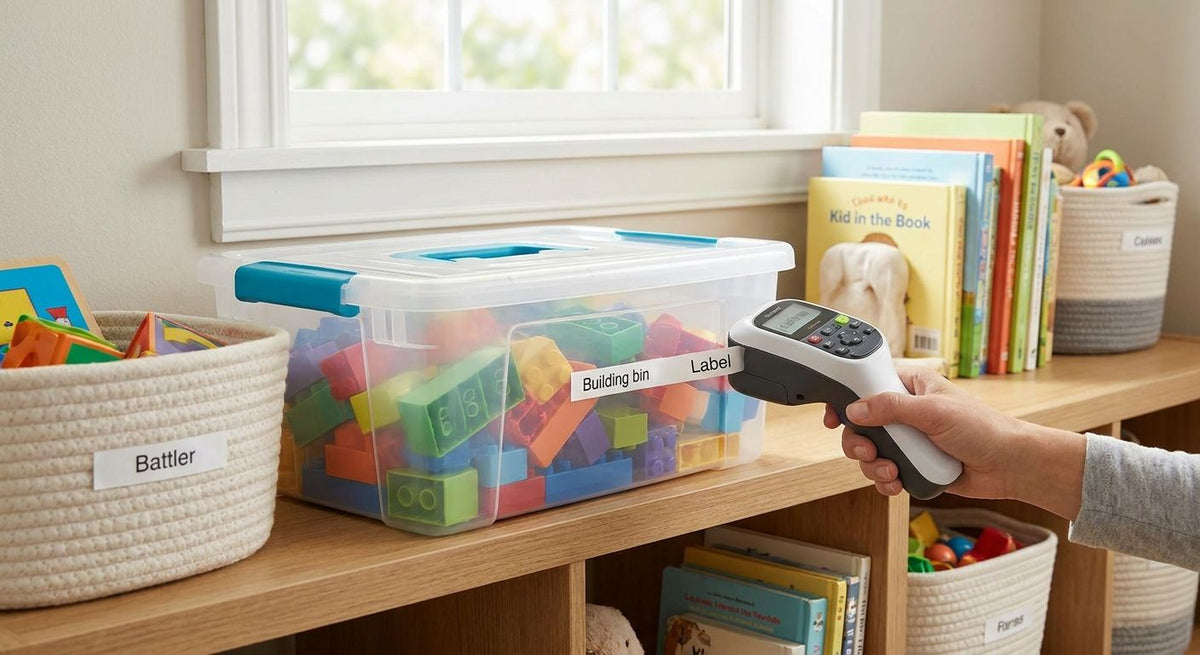
Toy bins get yanked, dropped, wiped down with baby wipes, and stacked by toddlers more times a day than any label in the house — most desk-drawer label makers were never built for that kind of abuse. This guide ranks five options for labeling kids' toy bins and playroom shelves in 2026, from a durable thermal printer built for volume to a handheld keypad a six-year-old can run alone.
- GoDEX DT2x direct thermal printer wins overall for a label maker for toy bins — no ribbon, 203 DPI, $351.
- Brother P-touch is best when kids old enough to spell want to label their own bins.
- Dymo LetraTag is the budget pick for a single afternoon playroom project.
- Cricut Joy fits picture-based labels for toddlers who can't read text yet.
- GoDEX MX20 mobile printer ($468) adds cordless printing for houses that label more than one room.
Why this matters
A label maker built for a home office desk doesn't always survive a playroom. Tape edges peel off textured plastic bins within weeks, and handwritten labels smear the first time a wet snack hand touches them. McAuley Labels already covers this ground for pantries and closets in its label printer for home organization guide, and the same questions apply to a playroom shelf: does the adhesive hold on curved plastic, does the text survive a wipe-down, and can one parent print an entire shelf system in one sitting instead of typing each label by hand.
A label maker that needs a computer to explain itself to a four-year-old is the wrong tool for a playroom shelf a toddler uses every day. That single line separates the five picks below more than price does.
“A label maker that needs a computer to explain itself to a four-year-old is the wrong tool for a playroom shelf a toddler uses every day.”
What makes the best label maker for toy bins
- Adhesive that holds on textured or curved plastic bins, not just flat paper or cardboard
- Fade resistance under playroom light and repeated wipe-downs
- Batch printing speed for labeling a whole shelf system in one sitting instead of one bin at a time
- A kid-usable interface if children are doing part of the labeling themselves
- No loose ink or ribbon that ends up on carpet or small hands
- Reasonable cost per label for a project that can mean 15-20 bins at once
Best label maker for toy bins: at a glance
| Label maker | Best for | Standout feature | Starting price | Key limitation |
|---|---|---|---|---|
| GoDEX DT2x | Bulk, durable bin labels | Direct thermal, no ribbon needed | $351 | Needs a computer to design labels |
| Brother P-touch | Kid-friendly DIY labeling | Standalone keypad, no computer | Check current pricing | Tape cartridges add ongoing cost |
| Dymo LetraTag | Budget, one-time projects | Simple one-line keypad | Check current pricing | Weak adhesion on textured plastic over time |
| Cricut Joy | Picture labels for pre-readers | App-based icon and shape library | Check current pricing | Requires phone/tablet and Wi-Fi or Bluetooth |
| GoDEX MX20 | Cordless, portable labeling | Bluetooth direct thermal, 203 DPI | $468 | More printer than one room usually needs |
1. GoDEX DT2x: best label maker for toy bins for bulk, durable labeling
The GoDEX DT2x is a compact 2-inch direct thermal printer that connects to a computer over USB and prints labels at 203 DPI without ink, toner, or ribbon. Direct thermal printing burns the image into heat-sensitive label stock, so there's nothing to load or spill while kids are underfoot. It ships with a 3-year warranty and free GoLabel design software, so one parent can build a full set of toy bin labels in a spreadsheet and print the batch in minutes.
GoDEX DT2x pros:
- No ribbon or ink cartridges around small children
- Prints a whole shelf of labels in one batch run instead of one at a time
- 3-year warranty backs a printer built for repeat use, not a single project
- 203 DPI is sharp enough for text, icons, and small barcodes if bins ever need tracking
GoDEX DT2x cons:
- Requires a computer and GoLabel software rather than a built-in keypad
- Direct thermal labels fade faster than laminated tape under direct window sunlight
- $351 is more than most households expect to spend just on toy bin labels
GoDEX DT2x pricing: $351 for the printer; label stock is a separate, ongoing cost.
Best for: parents relabeling an entire playroom system at once, or households that already print labels for other rooms.
Verdict: Buy.
2. Brother P-touch: best label maker for toy bins kids can run themselves
The Brother P-touch is a standalone handheld device with a built-in keyboard that prints on adhesive tape cartridges — no computer, no software, no cords. Turn it on, type the label, and print. It's the label maker most people already recognize from an office supply aisle.
Brother P-touch pros:
- No computer or software needed to operate it
- Kids old enough to spell can pick their own letters and label their own bins
- Portable enough to move between the playroom and a closet
- Built-in font and symbol options without any design step
Brother P-touch cons:
- Tape cartridges are an ongoing cost every time a bin gets relabeled
- One label at a time, with no batch printing from a list
- Print width is capped by the tape cartridge size
Brother P-touch pricing: check current retailer pricing; tape cartridges sell separately.
Best for: kids old enough to spell who want to label their own toy bins.
Verdict: Buy.
3. Dymo LetraTag: best budget label maker for toy bins
The Dymo LetraTag is an entry-level handheld label maker with a small one-line display, built for basic text on paper or plastic tape. It's the cheapest way into this category and asks nothing of the user beyond a keypad and a spool of tape.
Dymo LetraTag pros:
- Lowest upfront cost of the standalone options here
- Simple enough to finish a full playroom in one afternoon
- Sold at most office supply stores, no special ordering
Dymo LetraTag cons:
- Small screen makes previewing longer labels awkward
- Plastic tape adhesion weakens on textured bin surfaces after repeated wipe-downs
- No batch printing or software integration
Dymo LetraTag pricing: check current retailer pricing.
Best for: a one-time playroom labeling project on a tight budget.
Verdict: Hold — fine for a single afternoon, not built for a system that gets reprinted every school year.
4. Cricut Joy: best for picture-based labels
The Cricut Joy is a compact cutting machine that also produces smart label vinyl through a phone or tablet app, including icon and shape libraries. That makes it the one option here designed around pictures instead of words.
Cricut Joy pros:
- Picture and icon labels work for toddlers who can't read yet
- App design library covers shapes, colors, and simple icons
- Vinyl labels resist wipe-downs better than paper tape
Cricut Joy cons:
- Requires a phone or tablet and a Bluetooth or Wi-Fi connection to design and print
- Steeper learning curve than a keypad label maker
- Vinyl label material costs more per label than tape
Cricut Joy pricing: check current retailer pricing.
Best for: toddlers and pre-readers who sort toys by picture, not by word.
Verdict: Hold — worth it only if picture labels are the actual goal, not a nice-to-have.
5. GoDEX MX20: best for cordless, portable labeling
The GoDEX MX20 is a portable 203 DPI direct thermal printer with Bluetooth, built to move around a house rather than sit on one desk. It prints the same ribbon-free 2-inch labels as the DT2x, just untethered.
GoDEX MX20 pros:
- Cordless printing from anywhere in the house over Bluetooth
- Direct thermal — no ribbon to load or replace
- Rugged build meant for daily repeat use, not a one-off project
GoDEX MX20 cons:
- $468 is a lot of printer for one playroom
- Still needs an app or software to design labels, not a built-in keyboard
GoDEX MX20 pricing: $468.
Best for: households already using it for moving boxes or garage shelving, where the playroom is just one more room it covers.
Verdict: Wait — buy this if the portability serves more than the playroom.


How we ranked
The order above weighs adhesive durability, batch print speed, and whether a kid can safely operate the machine unsupervised — the same criteria listed earlier. Durability and batch speed push the GoDEX DT2x to the top; kid-usability pushes the Brother P-touch to second. Price and print volume separate the rest.
Which label maker for toy bins should you choose?
If you're relabeling a full playroom system in 2026 and want labels that survive juice spills and toddler hands, the GoDEX DT2x direct thermal printer is the default pick at $351. If your kids are old enough to spell and you want them labeling their own bins, hand them a Brother P-touch instead. Skip the Cricut Joy unless picture labels for pre-readers are the actual requirement, and treat the GoDEX MX20 as a printer for the whole house, not just one room — the same logic applies if you're also tackling a closet or wardrobe organizing project this year.
FAQ
What's the best label maker for toy bins in 2026?
The GoDEX DT2x direct thermal printer is the best label maker for toy bins in 2026 for anyone labeling a full shelf system — it prints without ribbon at 203 DPI for $351. For a single kid-run project, a Brother P-touch handheld covers the basics without a computer.
Is a direct thermal printer better than a handheld label maker for playrooms?
A direct thermal printer like the GoDEX DT2x is better for batch labeling many bins at once, since it prints from a computer file instead of one label at a time. A handheld label maker like Brother P-touch or Dymo LetraTag is better when a kid wants to make and print a single label themselves.
How much does a label maker for toy bins cost?
A desktop direct thermal printer like the GoDEX DT2x runs $351, and a portable version like the GoDEX MX20 runs $468. Handheld consumer label makers like Brother P-touch, Dymo LetraTag, and Cricut Joy vary by retailer, so check current pricing before buying.
Can kids use a label maker by themselves?
Kids old enough to spell can usually run a standalone handheld unit like the Brother P-touch or Dymo LetraTag without help, since neither needs a computer. A direct thermal printer like the GoDEX DT2x needs a parent to design the labels in GoLabel software first.
Do label maker tapes hold up on plastic toy bins?
Adhesion depends on the bin surface — textured or curved plastic causes tape edges to lift faster than flat surfaces do. Vinyl labels from a Cricut Joy or thermal labels from a GoDEX printer generally outlast basic paper tape on repeated wipe-downs.
What's the difference between the GoDEX DT2x and GoDEX MX20?
The GoDEX DT2x is a desktop printer that connects to a computer over USB for $351, while the GoDEX MX20 is a portable version with Bluetooth for $468. Both print 2-inch direct thermal labels at 203 DPI without ribbon.
Is Cricut Joy good for organizing kids' toys?
Cricut Joy works well for toddlers who sort toys by picture rather than by reading text, since it prints icon and shape-based vinyl labels through an app. It requires a phone or tablet and a Bluetooth or Wi-Fi connection, which is more setup than a keypad label maker.
How many toy bin labels can I print at once?
A direct thermal printer like the GoDEX DT2x can batch print an entire spreadsheet of labels in one run, covering 15-20 bins in minutes. Handheld label makers print one label at a time, so a full playroom takes longer bin by bin.
One last thing
Most parents miss this: direct thermal labels, the kind the GoDEX DT2x and GoDEX MX20 print, fade faster in direct sunlight than ribbon-printed or laminated tape labels. If a bin shelf sits under a playroom window, a Brother P-touch label using laminated tape actually outlasts a thermal print in that one spot. Match the label technology to where the bin sits, not just to the bin itself, and the labels from either McAuley Labels printer or a handheld unit will last through 2026 and beyond.