
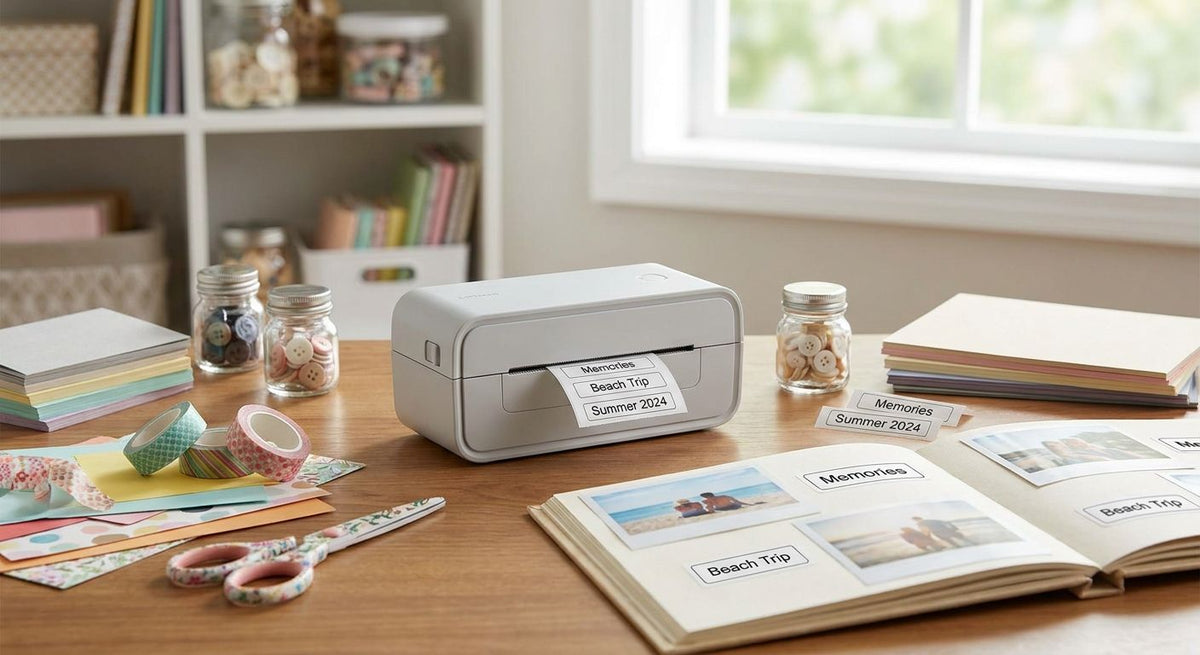
Scrapbookers and paper crafters searching for a label printer usually want one of two things: a simple way to print dated tags and captions for keepsake pages, or a faster machine to keep up with an Etsy shop or craft fair booth built from the same hobby. The GoDEX RT700i+ is the best label printer for scrapbooking and paper crafts overall at $581, the GoDEX DT200L wins on budget and desk space at $374, the GoDEX ZX430i+ takes fine-detail work at $945, and the GoDEX GX4200i covers production scaling at $2,246.
- GoDEX RT700i+ is the best label printer for scrapbooking overall at $581 for general craft tags and captions.
- GoDEX DT200L is the budget pick at $374, with linerless labels that skip backing-paper waste.
- GoDEX ZX430i+ prints at 300 DPI for $945 — buy it for fine text and photo-quality captions.
- GoDEX GX4200i at $2,246 fits crafters scaling into Etsy or craft-fair production, not casual scrapbooking.
Why this matters
Most consumer label makers sold for scrapbooking top out at low resolution and small label widths, which is fine for washi-style stickers but limiting once you want a crisp date stamp or a photo caption that doesn't look pixelated. Thermal printers built for business use solve the resolution problem, and because they run on heat instead of ink cartridges, there's nothing to dry out between projects.
The crafters who benefit most from a business-grade printer are the ones who've outgrown a hobby-store label maker — printing tags for gift sets, batches of jar labels for handmade goods, or inventory for a paper-craft label printer for Etsy sellers side business. A casual once-a-month scrapbooker doesn't need the same machine as someone printing 200 labels a week for a craft fair table, and that difference drives every pick below.
All four printers in this guide are made by GoDEX and sold through McAuley Labels, so the comparison is about which model matches your printing volume and detail level in 2026, not about brand.
What makes the best label printer for scrapbooking
- Print resolution (DPI) — 203 DPI handles tags and dates cleanly; 300 DPI is worth it for small text or photo-quality captions.
- Direct thermal vs. thermal transfer — direct thermal needs no ribbon but fades faster under heat and light; thermal transfer holds color longer for keepsake pages.
- Desktop footprint — a craft table has limited space, so width and depth matter as much as speed.
- Print speed — irrelevant for occasional tags, critical once you're printing in batches for a shop or booth.
- Price versus volume — the cheapest option isn't the best value if you're printing daily; the fastest option is wasted money for weekend hobbyists.
- Label and ribbon availability — a printer is only as good as the consumables you can keep in stock for it.
GoDEX label printers for scrapbooking at a glance
| Printer | Best for | Standout feature | Starting price | Key limitation |
|---|---|---|---|---|
| GoDEX RT700i+ | General scrapbooking and paper crafts | Dual thermal (direct + transfer) | $581 | 203 DPI is standard, not ideal for tiny text |
| GoDEX DT200L | Budget and compact desks | Linerless labels, no backing waste | $374 | 2" width limits larger tags |
| GoDEX ZX430i+ | Fine-detail photo captions | 300 DPI resolution | $945 | Higher cost than most casual crafters need |
| GoDEX GX4200i | Scaling a craft business | 16 IPS speed, 5" touchscreen | $2,246 | Industrial footprint, overkill for hobby use |
1. GoDEX RT700i+: best label printer for scrapbooking overall
The GoDEX RT700i+ is a 4-inch dual thermal printer with a color display, printing at 203 DPI. Dual thermal means it runs both direct thermal labels with no ribbon and thermal transfer labels with ribbon, so one machine covers quick throwaway tags and longer-lasting captions.
GoDEX RT700i+ pros:
- Handles both direct thermal and thermal transfer labels without switching machines
- Color display makes status and settings easy to read at a glance
- $581 price sits in the middle of the lineup, not the cheapest or priciest
- Backed by a 3-year warranty
GoDEX RT700i+ cons:
- 203 DPI is fine for tags and dates but not the sharpest option for tiny text
- No on-device touchscreen for label design — you'll design on a connected computer
- Overkill if you print fewer than a handful of labels per month
GoDEX RT700i+ pricing: $581 for the printer; ribbon and label stock are sold separately.
Best for: scrapbookers and paper crafters who want one printer that handles both quick tags and longer-lasting labels. Verdict: Buy.
2. GoDEX DT200L: best budget label printer for occasional crafters
The GoDEX DT200L is a 2-inch linerless direct thermal printer at 203 DPI, priced at $374. Linerless means the label stock has no backing paper to peel off and throw away, which trims both cost and clutter for a crafter who's just printing tags here and there.
GoDEX DT200L pros:
- Lowest price in this lineup at $374
- Linerless labels cut consumable waste and cost
- Direct thermal design needs no ribbon to buy or replace
- Compact 2-inch footprint fits tight craft desks
GoDEX DT200L cons:
- 2-inch width limits you to smaller tags and captions, not full-page labels
- Direct thermal prints fade with heat and sunlight exposure over time, a known tradeoff of the technology
- No color display for on-device status checks
GoDEX DT200L pricing: $374, and it pairs with direct thermal printer labels that need no ribbon at all.
Best for: hobbyists printing small batches of tags and captions who want the lowest entry cost. Verdict: Buy.
3. GoDEX ZX430i+: best label printer for fine-detail scrapbook captions
The GoDEX ZX430i+ steps up to 300 DPI on the same 4-inch dual thermal platform as the RT700i+, priced at $945. The extra resolution shows up in small text, fine line art, and photo-quality captions — the details that get muddy at 203 DPI.
GoDEX ZX430i+ pros:
- 300 DPI is the sharpest resolution in this lineup
- Dual thermal support for both direct and ribbon-based labels
- Color display for quick status checks
- 3-year warranty matches the rest of the GoDEX line
GoDEX ZX430i+ cons:
- $945 is nearly double the RT700i+ for a resolution boost most casual scrapbookers won't notice
- Still requires a connected computer for label design, no built-in touchscreen
- Ribbon costs add up if you print heavily in thermal transfer mode
GoDEX ZX430i+ pricing: $945 for the printer.
Best for: crafters printing detailed photo captions, small text, or fine artwork where 203 DPI looks soft. Verdict: Buy if resolution is your bottleneck; otherwise skip.
4. GoDEX GX4200i: best label printer for scaling a paper-craft business
The GoDEX GX4200i is built for volume: 203 DPI, print speeds up to 16 inches per second, a 5-inch touchscreen for standalone operation, and USB, serial, and Ethernet connectivity. At $2,246, it's priced for a business printing hundreds of labels a week, not a Sunday scrapbooking session.
Crafters selling handmade cards, tags, and keepsake books at fairs are building small production setups the same way makers in other handmade goods categories do — glass fusing for handmade gifts follows the same jump from one-off pieces to batch runs sized for a market table. Once you're printing at that scale, speed and standalone operation stop being nice-to-haves.
GoDEX GX4200i pros:
- 16 IPS print speed clears large batches fast
- 5-inch touchscreen runs jobs without a connected computer
- Ethernet support for multi-user shop setups
- 3-year warranty despite the higher price point
GoDEX GX4200i cons:
- $2,246 is far more than a casual scrapbooker needs to spend
- Industrial footprint takes up real desk or counter space
- 203 DPI, not 300 — you're paying for speed and standalone use, not resolution
GoDEX GX4200i pricing: $2,246.
Best for: paper crafters who've turned scrapbooking skills into an Etsy shop or craft fair and market vendor booth and need to print in volume. Verdict: Buy only if you're printing at business volume.


“Buy the extra DPI only if you can see the difference on your own labels — guessing at resolution just wastes budget.”
How we ranked these label printers
Each pick was measured against the criteria above: resolution for detail work, thermal type for durability, footprint for craft-desk practicality, speed for volume, price against likely usage, and consumable availability. The GoDEX RT700i+ wins overall because it balances resolution, thermal flexibility, and price better than the other three for a typical scrapbooker in 2026. The DT200L, ZX430i+, and GX4200i each win a narrower lane rather than competing head-to-head with the RT700i+.
Which label printer for scrapbooking should you choose?
If you're not sure where you land, start with the GoDEX RT700i+ at $581 — it prints both direct thermal and thermal transfer labels, which covers nearly every scrapbooking and paper-craft use case without forcing a resolution or speed decision you don't need yet. Drop to the GoDEX DT200L at $374 if budget and desk space matter more than label longevity. Step up to the GoDEX ZX430i+ at $945 the moment you can see soft edges on small text or captions. Reserve the GoDEX GX4200i at $2,246 for when scrapbooking has turned into a business printing hundreds of labels a week.
FAQ
What's the best label printer for scrapbooking in 2026?
The GoDEX RT700i+ is the best label printer for scrapbooking and paper crafts in 2026 for most hobbyists, printing at 203 DPI with dual thermal capability for $581. It handles typical tag and caption printing without the cost of an industrial-speed unit.
Is a thermal printer better than an inkjet for scrapbooking labels?
A thermal printer skips ink cartridges entirely, printing with heat instead, so there's nothing to dry out between projects. Direct thermal models like the GoDEX DT200L need no ribbon at all, while thermal transfer models like the RT700i+ and ZX430i+ use ribbon for labels that resist fading longer.
How much does a label printer for paper crafts cost?
GoDEX printers suited to scrapbooking range from $374 for the compact DT200L to $2,246 for the production-focused GX4200i in 2026. Most casual crafters land in the $581 to $945 range covered by the RT700i+ and ZX430i+.
What DPI do I need for detailed scrapbook labels?
203 DPI covers most tags, dates, and short captions cleanly, but 300 DPI on the GoDEX ZX430i+ renders small text and fine photo detail sharper. Skip the upgrade unless you can already see blur or jagged edges on your current prints.
Do I need thermal transfer ribbon for scrapbooking labels?
Only if you're using a thermal transfer printer like the RT700i+ or ZX430i+ — direct thermal units like the DT200L print without ribbon. Ribbon-based labels hold their color longer under light and handling, which matters for keepsake pages meant to last for years.
Can I use a business label printer for a scrapbooking hobby?
Yes, GoDEX printers are built for daily business use, so occasional scrapbooking sessions put far less strain on them than their rated duty cycle. The tradeoff is upfront cost and a bit of a learning curve with label design software compared to a plug-and-play consumer device.
What's the difference between direct thermal and thermal transfer for craft labels?
Direct thermal prints directly onto heat-sensitive label stock with no ribbon, and the image can fade with heat or sunlight over time. Thermal transfer burns wax or resin ribbon onto the label, producing a print that holds up better for labels meant to last in a scrapbook for years.
Is 300 DPI worth it for scrapbooking?
300 DPI is worth the $945 GoDEX ZX430i+ price tag if you print fine text, small barcodes, or photo-quality captions regularly. For basic date stickers and page tags, the 203 DPI GoDEX RT700i+ at $581 prints clean enough for most scrapbookers.
One last thing
Every printer in this lineup, from the $374 DT200L to the $2,246 GX4200i, carries the same 3-year warranty. Price buys speed, resolution, and connectivity here — not longer coverage — so there's no reason to overpay for peace of mind you already get at the entry-level price point.