
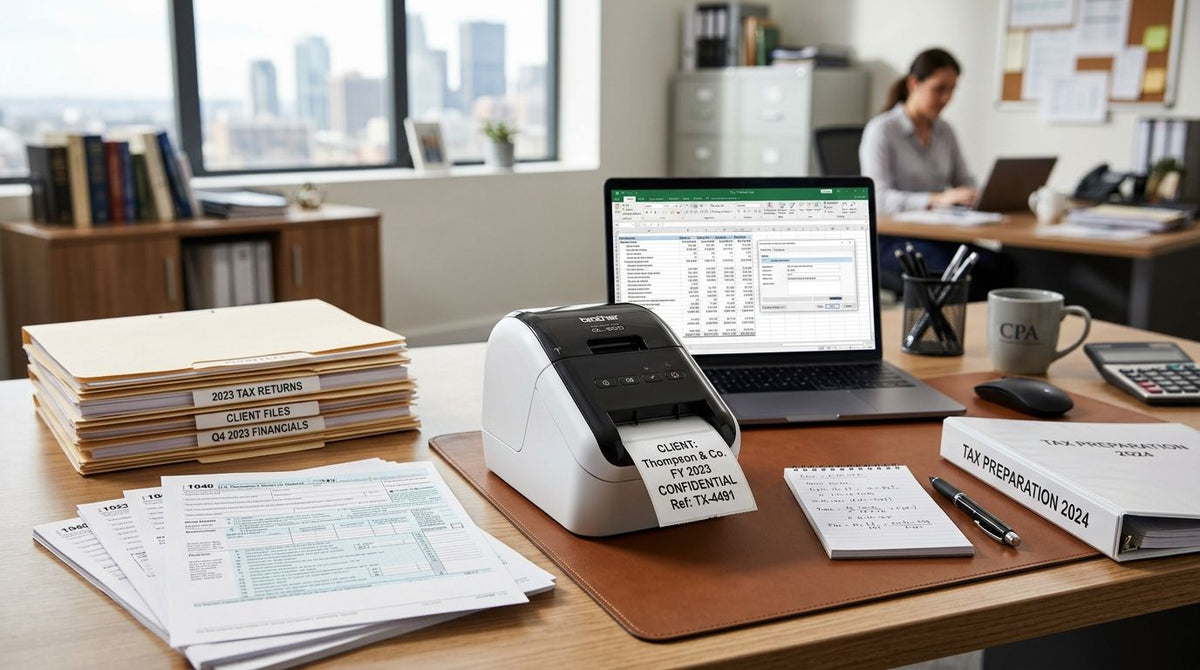
Accounting and tax preparation offices label client folders, tag shared equipment, and print barcode records that have to survive years in a filing cabinet — a $30 home label maker breaks down under that load fast. This guide ranks five GoDEX thermal printers by the specific job an accounting office throws at them, not by brand loyalty, so you can match the printer to the actual work in 2026.
- GoDEX RT730i is the best overall label printer for accounting office folder, file, and asset labels in 2026.
- GoDEX GE330 fits multi-location tax prep chains that need networked 4-inch thermal transfer printing.
- GoDEX RT200i is the budget pick for solo preparers printing a few hundred labels a week.
- GoDEX ZX430i+ prints at 300 DPI for compliance labels and small-type document identifiers.
- Pair any printer with 3M heavy-duty asset tags to track scanners, shredders, and laptops.
Why this matters
Most accounting offices don't think about label printers until a client folder gets misfiled or a leased scanner walks out the door untracked. The labeling need in this industry is narrow but constant: client file folders, document routing tags, retention-date stickers on archived boxes, and asset tags on the laptops and copiers a small firm shares between staff.
The wrong printer either can't hold small barcode text sharp enough to scan, or it's built for a warehouse and wastes desk space at a reception counter. Before buying, it's worth choosing the right label printer based on print volume and label size rather than price alone — accounting offices tend to print low volume but high precision, which changes the calculus versus a shipping-heavy business.
GoDEX printers sold through McAuley Labels carry a 3-year warranty across the line, which matters for a piece of equipment that sits idle most of the day and then gets asked to print cleanly during the January-to-April crunch.
What makes the best label printer for an accounting office
- Resolution for small text — 203 DPI handles standard file labels; 300 DPI is needed for compressed barcodes or masked SSN fields
- Desktop footprint — most tax prep offices don't have a dedicated print room, so the printer sits on a shared desk
- Label durability over time — retained tax records sit in storage for years, so direct thermal fade resistance or thermal transfer ribbon matters
- Connectivity — USB is fine for a solo preparer; Ethernet or networked printing matters once a firm has more than one workstation
- Asset-tagging capability — the same printer (or a paired label stock) should be able to tag office equipment, not just client files
- Print speed — low priority for most accounting offices, since volume is modest outside tax season
GoDEX label printers for accounting offices at a glance
| Printer | Best for | Standout feature | Key limitation |
|---|---|---|---|
| GoDEX RT730i | Best overall for accounting offices | 203 DPI with direct thermal and thermal transfer support | No touchscreen for quick label reprints |
| GoDEX RT200i | Best budget option for solo preparers | Compact desktop footprint at 203 DPI | Slower throughput under high volume |
| GoDEX ZX430i+ | Best for compliance and small-text labels | 300 DPI with color display | Ribbon cost runs higher than direct thermal |
| GoDEX G530 | Best for tagging office equipment | Rugged build suited to barcode asset tags | Overbuilt for simple folder labels |
| GoDEX GE330 | Best for multi-location tax prep chains | 4-inch thermal transfer printing with networking | Larger footprint than a desktop unit |
1. GoDEX RT730i: best label printer for accounting office file and folder labels
The GoDEX RT730i Thermal Printer prints at 203 DPI and switches between direct thermal and thermal transfer, which covers both quick folder labels and longer-life barcode tags without buying two machines. It's the printer most accounting offices should default to because it doesn't force a tradeoff between everyday file labels and the occasional asset tag run.
GoDEX RT730i pros:
- Handles both direct thermal and thermal transfer media
- 203 DPI is sharp enough for standard file and folder labels
- Desktop size fits a shared admin station
GoDEX RT730i cons:
- No built-in touchscreen, so label reprints go through a connected computer
- Not the fastest option if a firm scales past a few staff
GoDEX RT730i pricing: check current pricing on the McAuley Labels site.
Best for: accounting and tax prep offices that need one printer to cover client folders and equipment tags. Verdict: Buy.
2. GoDEX RT200i: best budget label printer for solo tax preparers
The GoDEX RT200i Thermal Printer runs at 203 DPI in a smaller, lower-cost frame built for offices that print in the low hundreds of labels a week rather than thousands. A solo preparer or a two-person firm doesn't need thermal transfer ribbon support or networking — just clean, repeatable file labels.
GoDEX RT200i pros:
- Smallest footprint in this list, fits a tight desk
- 203 DPI covers standard folder and file labels without issue
- Lower cost of entry for a single-user setup
GoDEX RT200i cons:
- Slower print speed under sustained runs
- No thermal transfer option, so archived labels rely on direct thermal fade resistance alone
Best for: solo preparers and very small firms with light, steady label volume. Verdict: Buy if volume stays low; Wait if the firm is about to add staff.
3. GoDEX ZX430i+: best label printer for compliance and small-text labels
The GoDEX ZX430i+ thermal printer doubles the resolution to 300 DPI, which is the number that matters when a label needs to fit a compressed barcode, a masked account number, or small compliance text without blurring. Offices handling more sensitive document routing — think multi-partner firms with formal retention tagging — get more legible small print here than on a 203 DPI unit.
GoDEX ZX430i+ pros:
- 300 DPI resolution for sharp small-text and dense barcodes
- Color display simplifies status checks without a connected PC
- Handles higher-precision labeling than the RT-series units above
GoDEX ZX430i+ cons:
- Ribbon-based thermal transfer runs a higher ongoing cost than direct thermal
- More printer than a small tax office with simple file labels actually needs
Best for: firms printing compliance labels, small barcodes, or masked account numbers. Verdict: Buy for precision needs; Skip if standard folder labels are the only job.
4. GoDEX G530: best label printer for tagging accounting office equipment
An accounting office isn't just paper — it's laptops, scanners, shredders, and check printers that walk between desks and sometimes walk out the door during a lease turnover. The GoDEX G530 Thermal Printer is built to run barcode asset tags at a rugged spec, which fits equipment tracking better than a printer optimized purely for folder labels.
Pairing this printer with asset tags built for financial branch equipment gives a firm a barcode scan-and-log system for every laptop, monitor, and piece of office hardware it owns.
GoDEX G530 pros:
- Built for continuous barcode asset tag runs
- Pairs directly with metalized silver or 3M heavy-duty tag stock
- Rugged build holds up to daily office use over years
GoDEX G530 cons:
- Overkill if the only need is client folder labels
- Larger unit than a strict desktop file-labeling printer
Best for: firms that want one printer dedicated to IT and equipment asset tags, separate from client paperwork. Verdict: Buy for multi-device offices; Skip for a one-person practice.
5. GoDEX GE330: best label printer for multi-location tax prep chains
A single-branch tax office rarely needs networked printing. A chain with three, five, or a dozen locations does. The GoDEX GE330 thermal transfer printer runs at 4 inches wide and 203 DPI with networking support, which lets a franchise standardize labels across every branch instead of leaving it to each location's own printer.
GoDEX GE330 pros:
- 4-inch print width covers larger labels and wider barcodes
- Networked setup standardizes labeling across multiple offices
- Thermal transfer durability suits long-term archived records
GoDEX GE330 cons:
- Larger footprint than a desktop unit — not built for a tight reception desk
- More printer than a single small office needs
Best for: multi-location tax prep and accounting chains standardizing labels across branches. Verdict: Buy for chains; Skip for a single-office practice.


How we ranked
Each printer above is matched to one distinct job — folder labels, budget solo use, compliance-grade small text, equipment asset tags, or multi-location networking — rather than stacked against the others on a single scorecard. Resolution (203 vs 300 DPI), desktop footprint, media type support, and connectivity drove the ranking, in that order, because those are the four variables that actually change day-to-day in an accounting office.
Which label printer should you choose?
For most accounting and tax prep offices in 2026, the GoDEX RT730i is the default buy — it covers folder labels and light asset tagging in one machine without forcing a second purchase later. Solo preparers with light, steady volume should look at the GoDEX RT200i instead and save the upgrade for when staff count grows.
Firms handling compliance labels or masked account numbers should skip straight to the GoDEX ZX430i+ for its 300 DPI resolution, and any office managing shared equipment across desks should pair whichever printer it buys with barcode asset tags run on a GoDEX G530. Multi-location chains are the one case where the GoDEX GE330 earns its larger footprint — a single branch almost never needs it.
“If a printer can't hold a barcode sharp at half an inch, it's not built for compliance labels — that's a 300 DPI job, not a 203 DPI one.”
FAQ
What's the best label printer for an accounting office in 2026?
The GoDEX RT730i is the best overall pick for accounting offices in 2026 because it handles both direct thermal folder labels and thermal transfer asset tags on one machine. Firms with heavier compliance labeling needs should step up to the 300 DPI GoDEX ZX430i+.
Is 203 DPI enough for tax office file labels?
Yes, 203 DPI is enough for standard folder, file, and routing labels used in most accounting offices. Step up to 300 DPI only when labels carry dense barcodes or small masked text.
Direct thermal vs thermal transfer, which should an accounting office use?
Direct thermal is fine for short-term client folder labels that get replaced each tax season. Thermal transfer holds up better on labels and asset tags meant to last years in storage.
How much does a label printer for an accounting office cost?
Pricing varies by resolution and connectivity, from compact 203 DPI desktop units up to networked 300 DPI models. Check current pricing on the McAuley Labels site for the specific model that fits your volume.
Can a label printer tag office equipment like scanners and laptops?
Yes, a printer like the GoDEX G530 paired with 3M heavy-duty or metalized silver asset tags can barcode-tag laptops, scanners, and shredders for tracking. This is separate from the printer used for daily client folder labels.
What's the best label printer for a multi-location tax prep chain?
The GoDEX GE330 is built for multi-location chains because it prints at 4 inches wide with networking support to standardize labels across branches. A single-office practice rarely needs this footprint.
Do accounting offices need a networked label printer?
Only if there's more than one workstation or location printing labels regularly. A solo preparer or small two-person office is fine with a USB-connected desktop unit.
One last thing
Most accounting offices default to direct thermal labels because they're cheaper per print, but direct thermal fades with heat and light exposure over time — a real problem when the IRS's general guidance points toward keeping tax records for three to seven years. Thermal transfer ribbon labels hold their print quality through that entire retention window, which makes the ribbon cost the cheaper option once you account for a label that still has to be legible in 2029.