
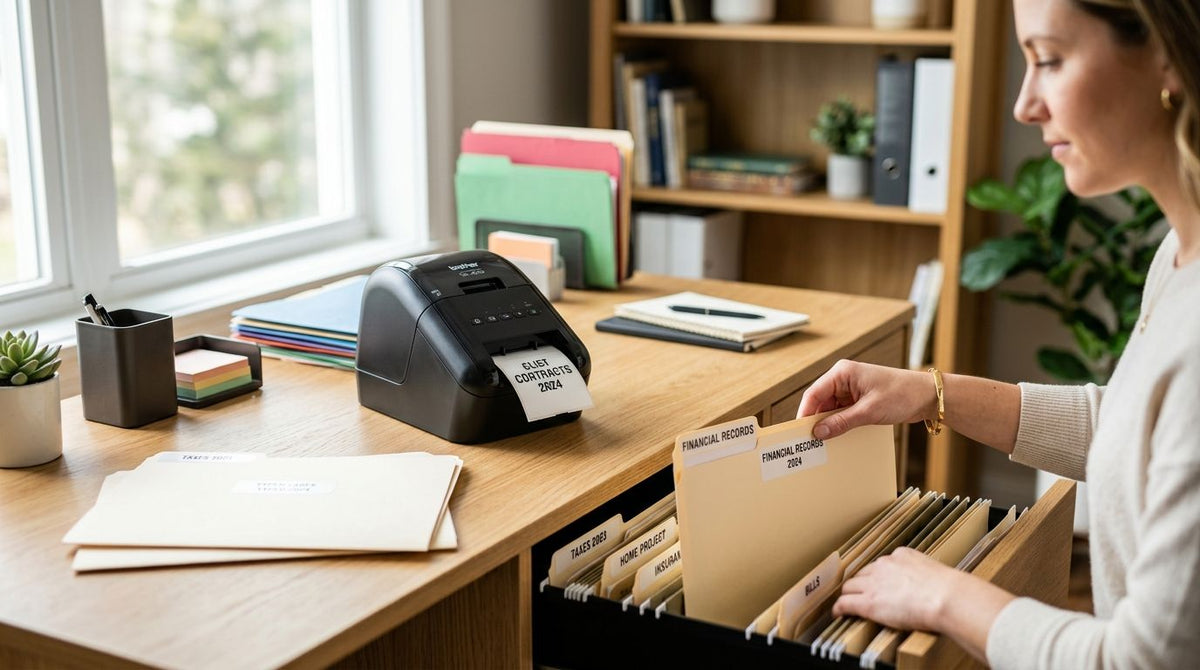
Filing labels for a home office need clean, small-scale text and barcodes that hold up in a drawer for years, not the industrial throughput of a warehouse floor. Best overall: GoDEX RT200i (203 DPI). Best for fine barcode and small-text labels: GoDEX ZX430i+ (300 DPI). Best budget option: GoDEX G500.
- GoDEX RT200i is the best label printer for home office filing in 2026 for most desks running folder and document labels.
- GoDEX ZX430i+ steps up to 300 DPI when file codes or small barcodes need to stay crisp.
- GoDEX G500 is the budget pick for people who print folder labels occasionally, not daily.
- GoDEX RT700i+ adds a color display for shared home offices where two people print from one machine.
- All four run on GoLabel design software, so templates carry over if you upgrade later.
Why this matters
A laser printer sheet of address labels works until you need sequential file numbers, barcode tracking on a filing cabinet, or a label that survives a coffee spill on the desk. Desktop thermal printers solve that, but the model lineup gets confusing fast — DPI counts, connector types, and display options all change what a printer is actually good for.
The GoDEX RT200i thermal printer sits at the entry point of that lineup and covers most home office filing needs without extra features you won't use. From there, resolution and display upgrades solve specific problems — not everyone needs them, which is exactly why this list ranks by use case instead of a single leaderboard.
What makes the best label printer for home office filing
- Desktop footprint that fits a shelf, drawer, or corner of a desk without needing a dedicated table
- Print resolution matched to the label type — 203 DPI handles plain text and folder tabs; 300 DPI is for small barcodes or dense document codes
- GoLabel software compatibility so template design, barcode fields, and text layout live in one program
- Connectivity that fits how you print — USB for a single desk, Serial or Ethernet if two people share one printer
- Direct thermal vs. thermal transfer stock support, since filing labels that sit in a drawer for years need different durability than a shipping label used once
- Setup that doesn't require an IT background, since most home office buyers are setting this up alone
GoDEX label printers for home office filing at a glance
| Printer | Best for | Standout feature | Key limitation |
|---|---|---|---|
| GoDEX RT200i | Overall home office filing | 203 DPI in a compact desktop body | Soft on small barcodes vs. 300 DPI models |
| GoDEX ZX430i+ | Fine barcode and small-text labels | 300 DPI with color display and USB/Serial/Ethernet | More printer than you need for plain folder tabs |
| GoDEX G500 | Budget / occasional filing | Straightforward desktop model, low learning curve | Fewer display and connectivity options than the i-series |
| GoDEX RT700i+ | Shared, multi-user home offices | Color display shows print status at a glance | Same 203 DPI ceiling as the RT200i |
1. GoDEX RT200i: best label printer for home office filing overall
The GoDEX RT200i is a 203 DPI desktop thermal printer built for exactly this use case — plain document labels, folder tabs, and moderate-resolution barcodes without a large industrial footprint. It runs on GoLabel software, so a filing template built once can be reused for every batch of labels going forward.
GoDEX RT200i pros:
- 203 DPI resolution is sharp enough for standard text, dates, and file numbers
- Compact desktop size fits a home office without dedicating a table to it
- GoLabel software handles templates without a design background
GoDEX RT200i cons:
- 203 DPI starts to soften on very small barcodes or dense QR codes
- No color display for checking print status without walking over to the printer
Best for: anyone printing standard document, folder, and file labels at home and wanting one printer that does the job without extra features.
Verdict: Buy.
2. GoDEX ZX430i+: best for fine barcode and small-text document labels
The GoDEX ZX430i+ doubles the resolution ceiling to 300 DPI and adds a color display plus USB, Serial, and Ethernet connectivity. That resolution jump matters once labels carry small barcodes, dense QR codes, or tiny reference numbers that need to scan cleanly years after printing.
GoDEX ZX430i+ pros:
- 300 DPI resolution keeps small barcodes and fine text sharp
- Color display makes checking ribbon and print status quick
- Ethernet connectivity supports a shared home office setup
GoDEX ZX430i+ cons:
- Overkill for people who only print plain folder tabs
- More setup steps than a single-connection desktop model
Best for: home offices labeling filing systems with barcodes or QR codes that need to scan reliably at small sizes.
Verdict: Buy if resolution actually matters for your labels; otherwise skip and save the step-up for later.
3. GoDEX G500: best budget option for occasional filing
The GoDEX G500 is a straightforward desktop thermal printer positioned as an entry point in the GoDEX lineup. It suits someone who prints a batch of file labels a few times a month rather than running labels daily.
GoDEX G500 pros:
- Simple desktop model with a low learning curve
- Fits occasional, low-volume home office filing needs
- Same GoLabel software support as the rest of the lineup
GoDEX G500 cons:
- Fewer display and connectivity options than the i-series models
- Not the pick if filing volume grows or barcode resolution needs increase
Best for: light, occasional label printing where a full-featured desktop printer isn't necessary yet.
Verdict: Buy for light use; upgrade later if volume increases.
4. GoDEX RT700i+: best for shared, multi-user home offices
The GoDEX RT700i+ runs at 203 DPI like the RT200i but adds a color display, which matters when more than one person in a shared home office is printing from the same machine and needs to see status without guessing.
GoDEX RT700i+ pros:
- Color display shows print status and ribbon level at a glance
- Same reliable 203 DPI resolution as the RT200i for standard filing labels
- Handles higher print volume than an entry-level desktop model
GoDEX RT700i+ cons:
- Same 203 DPI ceiling as the RT200i, no resolution upgrade
- More printer than a single-person home office typically needs
Best for: a home office setup where two or more people print filing labels from one shared printer.
Verdict: Buy if the printer is genuinely shared; otherwise the RT200i covers the same resolution for less machine.
How this list was ranked
Each printer above was placed against the six criteria listed earlier — footprint, resolution match, GoLabel compatibility, connectivity, stock flexibility, and setup simplicity. No two printers compete for the same use case: the RT200i, ZX430i+, G500, and RT700i+ each solve a different filing scenario rather than fighting for the same spot on a leaderboard.


Which label printer for home office filing should you choose?
Start with the GoDEX RT200i if you just need clean folder labels, file tabs, and document tags — it covers that job in 2026 without extra cost you won't use. Move up to the GoDEX ZX430i+ the moment barcodes or QR codes on your filing labels need to scan reliably at a small size. If the printer will sit between two desks in a shared home office, the GoDEX RT700i+ color display earns its keep. The GoDEX G500 stays the right call only if your filing volume is genuinely light.
FAQ
What's the best label printer for home office filing in 2026?
The GoDEX RT200i is the best overall pick for home office filing in 2026, running at 203 DPI in a compact desktop body. It handles folder tabs, document labels, and standard barcodes without extra features most home offices won't use.
Is 300 DPI better than 203 DPI for filing labels?
300 DPI, like the GoDEX ZX430i+, is sharper on small barcodes and dense text, while 203 DPI covers plain document and folder labels fine. Choose 300 DPI only if your filing labels carry small QR codes or fine reference numbers that need to scan cleanly.
Do home office label printers need special software?
GoDEX desktop printers run on GoLabel design software, which handles template layout, barcode fields, and text formatting in one program. Templates built for filing labels carry over if you upgrade to a higher-resolution model later.
Can one label printer work for two people in a shared home office?
Yes — the GoDEX RT700i+ adds a color display and handles higher print volume, which suits a printer shared between two desks. A single-user desk is usually fine with the standard RT200i instead.
What's the difference between direct thermal and thermal transfer for filing labels?
Direct thermal labels print without ribbon and suit labels that won't sit in direct sunlight or heat for years. Thermal transfer, using a ribbon, holds up longer for filing labels stored in cabinets or drawers over multiple years.
Is the GoDEX G500 good enough for a home office?
The GoDEX G500 is fine for occasional, low-volume filing label printing but has fewer display and connectivity options than the i-series models. It's a budget starting point, not a long-term pick if filing volume grows.
Do I need a barcode-capable printer for home filing?
Only if your filing system uses barcodes or QR codes to track documents, in which case 300 DPI models like the GoDEX ZX430i+ hold small codes more reliably. Plain text folder and file labels work fine on 203 DPI printers.
One last thing
Every printer on this list runs GoLabel design software, which means a filing label template built on the entry-level GoDEX RT200i in 2026 still works if you move up to the 300 DPI GoDEX ZX430i+ later — the resolution changes, the template doesn't.