
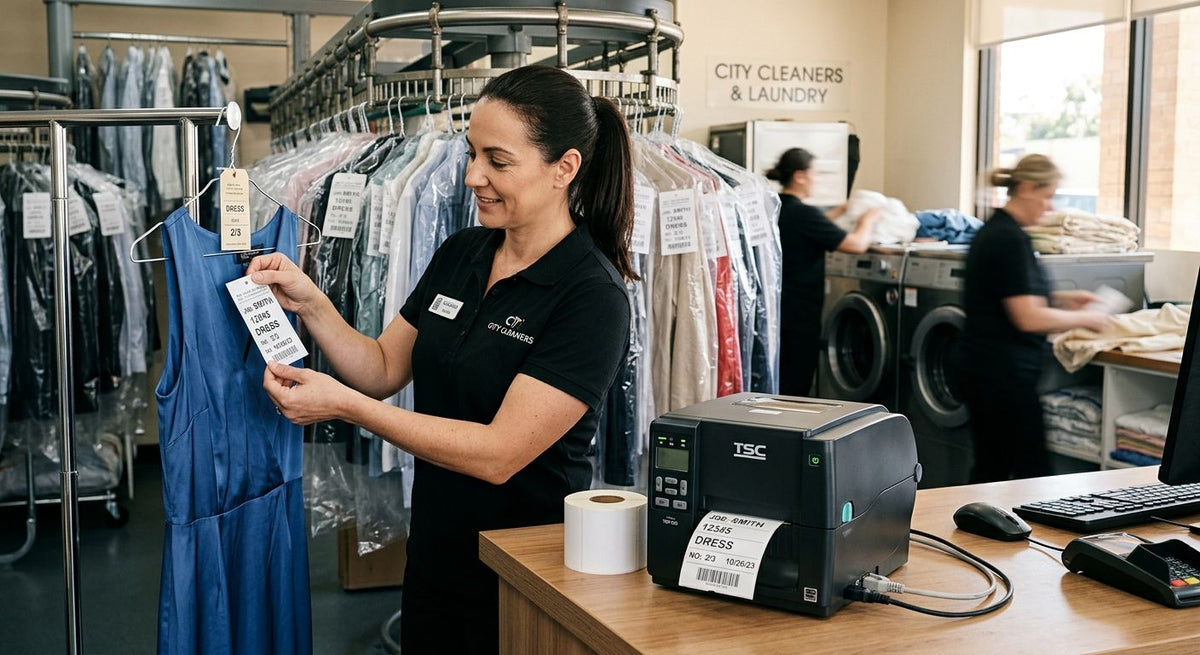
Dry cleaners and laundromats need a printer built for one job: fast, legible tags that survive steam, heat, and constant handling without smearing. GoDEX RT730i is the best overall label printer for dry cleaners in 2026 for shops printing standard garment tickets all day. GoDEX GE330 is the pick for high-volume laundromats tagging bulk wash-and-fold loads. GoDEX RT200i is the best budget option for a single-location cleaner just getting a ticketing system in place. Each one is sold through McAuley Labels, which carries the GoDEX lineup along with the ribbon and label stock these machines actually run on.
- GoDEX RT730i is the best overall label printer for dry cleaners handling daily garment ticket volume in 2026.
- GoDEX GE330 fits high-volume laundromats tagging bulk loads with a 4-inch thermal transfer print width.
- GoDEX RT200i is the budget entry point for single-location shops at 203 DPI.
- GoDEX ZX430i+ runs at 300 DPI for shops scanning barcode or QR tags at pickup.
- Thermal transfer ribbon, not direct thermal, holds up better near steam presses and heat tunnels.
Why this matters
A dry cleaner's ticket is the only thing linking a garment to a customer once it disappears into the back of the shop. If the tag fades, smears, or jams the printer mid-shift, you're guessing which shirt belongs to which ticket. That's a bad way to run a counter in 2026, when customers expect a barcode scan and a text alert, not a handwritten claim slip.
Laundromats have a different problem: volume. A wash-and-fold operation might print hundreds of tags a day, and a printer that chokes on paper jams or burns through ribbon too fast turns into a labor cost, not a convenience. The choice between direct thermal and thermal transfer printing matters more here than in most retail settings, because garment tags sit near heat sources — pressing stations, steam tunnels, dryers — that fade direct thermal prints over time.
What makes the best label printer for dry cleaners
- Print method that survives heat. Thermal transfer with resin or wax/resin ribbon resists fading near presses and steam; plain direct thermal does not.
- Resolution matched to the tag. 203 DPI is enough for a plain claim number; 300 DPI earns its keep once you add barcodes or QR codes.
- Daily-use durability. A counter printer runs for hours without a break — desktop build quality matters more than spec-sheet extras.
- Simple software. GoDEX printers run on GoLabel design software, which keeps ticket templates easy to update without a designer on staff.
- Reasonable footprint. Dry-cleaning counters are tight; a bulky industrial printer eats space you don't have.
- Ribbon and label availability. A printer is only as reliable as the supply chain behind its consumables.
GoDEX label printers for dry cleaners at a glance
| Printer | Best for | Standout feature | Key limitation |
|---|---|---|---|
| GoDEX RT730i | Everyday garment ticket printing | Desktop thermal transfer workhorse built for daily ticket runs | No color display for quick on-the-fly settings changes |
| GoDEX ZX430i+ | Barcode and QR-heavy tagging | 300 DPI resolution with a color display for sharp small codes | More resolution than a plain-ticket shop needs |
| GoDEX RT200i | Budget-conscious single-location shops | 203 DPI printing at an entry-level footprint | Lower resolution struggles with dense micro-barcodes |
| GoDEX GE330 | High-volume laundromat tagging | 4-inch thermal transfer print width for wider claim tickets | Ribbon consumption adds a recurring supply cost |
| GoDEX RT700i+ | Multi-location chains with rotating staff | Color display simplifies training across counters | Overkill for a single counter with one trained operator |
1. GoDEX RT730i: best label printer for dry cleaners handling daily garment tickets
The RT730i is a straightforward thermal transfer desktop printer built for the volume a typical dry-cleaning counter sees in a shift. It runs claim tickets, care tags, and pickup receipts back to back without the setup complexity of an industrial print engine.
GoDEX RT730i pros:
- Thermal transfer printing resists steam and heat exposure near pressing stations
- Desktop footprint fits a standard counter without crowding the register
- Runs on GoLabel software, so template edits don't need a designer
GoDEX RT730i cons:
- No color touchscreen, so settings changes go through a PC
- Requires ribbon, an added consumable direct thermal printers skip
Best for: shops printing standard garment tickets all shift, every day. Verdict: Buy.
2. GoDEX ZX430i+: best label printer for dry cleaners running barcode and QR tag systems
Once a dry cleaner moves to barcode scanning or QR-code pickup notifications, resolution starts to matter. The GoDEX ZX430i thermal printer 300 DPI prints with a color display, which keeps small barcodes and QR modules crisp enough to scan on the first try instead of the third.
GoDEX ZX430i+ pros:
- 300 DPI resolution renders dense barcodes and QR codes cleanly
- Color display simplifies status checks without a connected PC
- Handles the same thermal transfer ribbon workflow as the rest of the GoDEX line
GoDEX ZX430i+ cons:
- Higher resolution is wasted on shops printing plain numbered tickets
- Color display adds a step new staff have to learn
Best for: shops that text customers a QR code for pickup or scan tags at drop-off. Verdict: Buy.
3. GoDEX RT200i: best budget label printer for a single-location dry cleaner
The RT200i is the entry point into a real ticketing system for a shop that's still running handwritten tags. At 203 DPI, it handles plain claim numbers and basic barcodes without the extras a busier operation would pay for.
GoDEX RT200i pros:
- 203 DPI is enough resolution for standard garment claim tags
- Lower cost of entry than the higher-resolution GoDEX models
- Same ribbon and label compatibility as the rest of the lineup
GoDEX RT200i cons:
- Struggles with dense micro-barcodes if you scale up scanning later
- Fewer connectivity options than the higher-tier RT and GX printers
Best for: a single counter just replacing handwritten tags. Verdict: Buy.
4. GoDEX GE330: best label printer for high-volume laundromat tagging
Laundromats tagging bulk wash-and-fold orders need width as much as speed. The GoDEX GE330 thermal transfer printer prints a 4-inch label at 203 DPI, wide enough for a claim ticket that lists customer name, load count, and special instructions on one tag instead of two.
GoDEX GE330 pros:
- 4-inch print width fits more information on a single claim tag
- Thermal transfer durability holds up through dryer heat exposure
- Built for the repeat, high-frequency print cycles a laundromat generates
GoDEX GE330 cons:
- Wider ribbon and label stock cost more per tag than a 2-inch printer
- Larger footprint than a compact counter printer
Best for: wash-and-fold operations tagging bulk loads daily. Verdict: Buy.
5. GoDEX RT700i+: best label printer for multi-location dry-cleaning chains
A chain with several locations and rotating counter staff benefits from a color display that walks a new employee through settings without a manual. The RT700i+ standardizes that experience across every counter.
GoDEX RT700i+ pros:
- Color display reduces training time for new or rotating staff
- 4-inch format matches the GE330 for consistent tag sizing across locations
- Fits into a standardized ticketing rollout across multiple counters
GoDEX RT700i+ cons:
- Overkill for a single shop with one trained operator
- Adds cost that a single-location cleaner doesn't need to spend
Best for: multi-location chains standardizing counter equipment. Verdict: Hold for single-location shops; Buy for chains.


How we ranked
Each printer was measured against the six criteria above: heat resistance, resolution match, build durability, software simplicity, footprint, and consumable availability. Printers that only win on one dimension — resolution, say — got a narrow use-case slot instead of an overall crown, which is why no two entries above compete for the same "best for" label in 2026.
Which label printer should you choose?
If you run one counter and print plain claim tickets, GoDEX RT730i is the default answer for 2026 — a proven thermal transfer workhorse that doesn't ask you to learn new software. Scanning barcodes or QR pickup codes tips the decision toward GoDEX ZX430i+ at 300 DPI. Tagging bulk laundromat loads by the hundreds points to GoDEX GE330 for its wider 4-inch print format. Budget-first shops start with GoDEX RT200i and upgrade resolution later if scanning gets added.
FAQ
What's the best label printer for dry cleaners in 2026?
GoDEX RT730i is the best overall pick for most dry cleaners in 2026 because it prints standard garment tickets reliably at a desktop footprint. Laundromats tagging bulk loads should look at GoDEX GE330 instead for its wider 4-inch print format.
Is thermal transfer or direct thermal better for garment tags?
Thermal transfer holds up better for garment tags because the ribbon-based print resists fading from steam and heat near presses. Direct thermal prints darken with repeated heat exposure over time, which makes them less reliable near a pressing station.
Do dry cleaners need barcode or QR-code tags?
Not every dry cleaner needs barcodes, but shops offering text-alert pickup or scan-based tracking do. A 300 DPI printer like the GoDEX ZX430i+ prints small barcodes and QR codes clean enough to scan on the first try.
What DPI is needed for barcode tags at a dry cleaner?
203 DPI is enough for plain claim numbers, but dense barcodes and QR codes print more reliably at 300 DPI. Shops running a scan-based system should choose a 300 DPI printer to avoid scan failures.
Is GoDEX or Zebra better for a dry-cleaning business?
Both brands make reliable thermal printers, and the right choice depends on your existing software and support setup rather than a universal winner. A direct comparison of the two is covered in the GoDEX vs. Zebra guide linked below.
How often do you need to replace thermal transfer ribbon?
Ribbon consumption depends on print volume and label size, since a wider or longer tag uses more ribbon per print. High-volume laundromats printing hundreds of tags a day go through ribbon rolls faster than a single-counter dry cleaner.
Can one printer handle both garment tags and receipts?
Yes, a single thermal transfer printer like the GoDEX RT730i can run both garment claim tickets and paper receipts if you stock the matching label and ribbon widths. Switching between the two means changing the media roll.
What happens if I use direct thermal labels near a steam press?
Direct thermal labels darken and degrade faster when exposed to sustained heat, which is common near pressing equipment in a dry-cleaning shop. Thermal transfer printing avoids that problem because the image comes from ribbon, not heat-sensitive paper.
One last thing
The detail most shops miss: a direct thermal tag hanging near a steam tunnel or pressing station degrades faster than the same tag stored in a drawer, because heat is exactly what direct thermal paper reacts to. If your garment tags spend any time near heat sources, thermal transfer printing is the safer default for 2026, not a nice-to-have upgrade.