
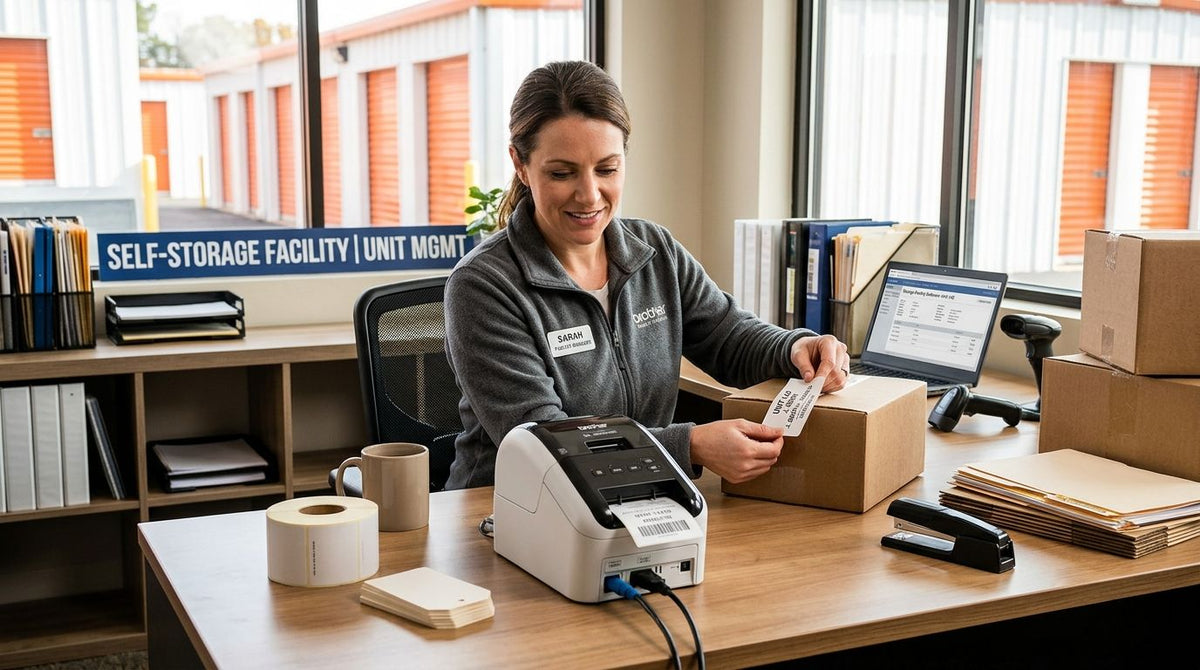
Self-storage facilities live and die by inventory control: unit numbers, gate access tags, move-in stickers, and the barcode scans that tie a tenant to a unit. The right label printer for self-storage facility operations needs to survive metal roll-up doors, outdoor exposure, and daily front-desk turnover without slowing down the counter line.
- Custom Asset Tags for Equipment (Metalized Silver Barcode Label) wins overall for permanent unit door numbering in 2026.
- GoDEX RT700i+ Thermal Printer is the pick for front-office speed printing move-in tags and access badges.
- GoDEX RT200i Thermal Printer 203 DPI is the budget option for single-location facilities.
- QR-linked metalized asset tags fit multi-location operators that need tenant-app scanning.
Why this matters
A storage facility isn't a warehouse and it isn't a retail counter — it's both, at once, with tenants walking in expecting a fast checkout and a manager somewhere trying to keep 300+ units straight on a spreadsheet. Barcode asset tags on unit doors turn a walk-through audit into a scan-and-go job instead of a clipboard exercise. If your team already handles moving boxes and pallets for tenants, the same labeling logic used for labels for moving and storage boxes applies to the units themselves — durable adhesive, legible print, and a barcode that scans on the first try.
Getting this wrong costs real time: a printer that jams during move-in, or a tag that peels off a roll-up door after one hot summer, turns into a support ticket. The label printer for self-storage facility use has to survive weather and high transaction volume without downtime.
What makes the best label printer for self-storage
- Adhesive strength on metal and painted steel doors — most self-storage units are corrugated metal, not smooth plastic.
- Barcode and QR resolution matched to scan distance — 203 DPI covers most barcode scans; 300 DPI holds up for denser QR codes read by tenant phone cameras.
- Standalone or front-desk-tethered operation — front office staff need to print a move-in tag in seconds, not work through a software menu.
- Weather resistance for drive-up and outdoor units — UV and moisture exposure will fade a low-grade label within a season.
- Consumable supply — thermal transfer printers need wax/resin ribbon on hand; direct thermal units skip that step entirely.
- Multi-location consistency — chains running more than one facility need the same printer model and label stock across sites to avoid mismatched formats.
Label printers for self-storage: at a glance
| Item | Best for | Standout feature | Key limitation |
|---|---|---|---|
| Custom Asset Tags (Metalized Silver Barcode) | Permanent unit door numbering | Metalized polyester holds up outdoors | Needs a thermal transfer printer for variable data |
| GoDEX RT700i+ Thermal Printer | Front-office move-in and access printing | 4-inch dual thermal head with color display | 203 DPI ceiling limits dense QR use |
| Custom QR Code Asset Tags (Heavy-Duty Metalized) | Tenant-app-linked unit tracking | QR code plus barcode on one tag | Needs 300 DPI printing for reliable phone-camera scans |
| GoDEX ZX430i+ Thermal Printer | Multi-site barcode audits | 300 DPI resolution with color display | Higher-spec printer than most single-site offices need |
| GoDEX RT200i Thermal Printer | Single-location, budget-conscious facilities | 203 DPI entry point | No color display, fewer connectivity options |
1. Custom Asset Tags for Equipment (Metalized Silver Barcode Label): best label output for permanent unit numbering
These are the physical tags, not the printer, but they're the item every self-storage operator actually needs first: a barcode-scannable, weather-resistant unit ID that stays legible for the life of the tenant contract. Metalized silver polyester resists UV fade and doesn't peel off a metal door the way a paper label does. Custom Asset Tags for Equipment print with sequential numbering, so a 400-unit facility can order one batch instead of hand-numbering doors.
Custom Asset Tags pros:
- Metalized silver polyester survives outdoor exposure and drive-up unit conditions
- Barcode scans directly into inventory or property management software
- Sequential numbering ships pre-printed, no on-site variable printing required
Custom Asset Tags cons:
- Barcode only — no QR option on this specific tag
- Best applied to clean, dry metal surfaces for full adhesive life
Best for: facilities that want permanent, pre-numbered unit IDs without running a printer on-site. Verdict: Buy.
2. GoDEX RT700i+ Thermal Printer: best label printer for front-office move-in printing
Front desk staff need to print a move-in tag, a gate code sticker, or a temporary access badge in the time it takes a tenant to sign paperwork. The GoDEX RT700i+ Thermal Printer runs at 203 DPI with a 4-inch dual thermal head and a color display for status and error messages, which cuts down on guesswork at the counter.
GoDEX RT700i+ pros:
- 4-inch print width covers most move-in tag and access badge formats
- Color display simplifies status checks for non-technical staff
- Dual thermal design works with either direct thermal or ribbon-based label stock
GoDEX RT700i+ cons:
- 203 DPI is fine for barcodes but tight for dense QR codes
- Requires desk space and a PC connection for most workflows
Best for: front-office counters printing move-in tags and visitor passes throughout the day. Verdict: Buy.
3. Custom QR Code Asset Tags (Heavy-Duty Metalized): best for tenant-app-linked tracking
Operators running a tenant portal or mobile app need a tag that scans into that system, not just a static barcode. Heavy-duty metalized QR asset tags combine a scannable code with the same outdoor durability as the barcode version, letting a tenant or manager pull up unit history from a phone.
QR Code Asset Tags pros:
- QR code links to digital records instead of a lookup table
- Heavy-duty metalized stock matches the outdoor durability of barcode tags
- Fits facilities already running app-based check-in
QR Code Asset Tags cons:
- Needs 300 DPI printing for the code to hold up at typical phone-camera scan distance
- Overkill for facilities that track units on paper or spreadsheet only
Best for: multi-location operators or facilities with a tenant-facing app. Verdict: Buy if you run app-based unit tracking; Skip if you're still on paper logs.
4. GoDEX ZX430i+ Thermal Printer: best for multi-site barcode audits
A facility group running several locations needs one printer standard so labels look and scan the same everywhere. The GoDEX ZX430i+ Thermal Printer prints at 300 DPI, the resolution level QR-heavy tags actually need, and carries the same 4-inch format as the RT700i+ for consistency across a fleet of printers.
GoDEX ZX430i+ pros:
- 300 DPI handles dense QR codes reliably
- Color display matches the RT700i+ for staff familiarity across sites
- Same 4-inch width keeps label stock interchangeable between locations
GoDEX ZX430i+ cons:
- Higher-resolution printhead than a single small facility typically needs
- Standardizing across sites means replacing older, lower-DPI units first
Best for: multi-site self-storage groups standardizing barcode and QR printing. Verdict: Buy for multi-site rollouts.
5. GoDEX RT200i Thermal Printer 203 DPI: best budget option for single-location facilities
A single-location operator that just needs basic barcode tags for unit tracking doesn't need 300 DPI and a color display. The GoDEX RT200i covers 203 DPI barcode printing without the extra features a small office won't use.
GoDEX RT200i pros:
- Entry point into the GoDEX thermal printer line for smaller operations
- 203 DPI is sufficient for standard barcode-only unit tags
- Simpler feature set means less to configure at setup
GoDEX RT200i cons:
- No color display for status checks
- Not built for high-density QR printing if the facility later adds app-based tracking
Best for: single-location facilities running barcode-only unit tags on a tight budget. Verdict: Buy for single-site, barcode-only setups; Wait if QR tracking is coming soon.


How we ranked
Each item above maps to one criterion from the list: adhesive strength and weather resistance for the metalized asset tags, front-desk speed and simplicity for the RT700i+, resolution for QR-heavy operations with the ZX430i+, and cost for the RT200i. No two items compete for the same job — that's the point of a decision tree instead of a leaderboard.
Which label printer should you choose?
If you're numbering doors on one facility right now in 2026, order Custom Asset Tags for Equipment (Metalized Silver Barcode Label) and pair them with a GoDEX RT700i+ for anything printed on-site. Running an app-based tenant portal across more than one location pushes the decision toward the GoDEX ZX430i+ at 300 DPI paired with QR-code metalized tags. A single small facility on a tight budget starts with the GoDEX RT200i and upgrades resolution later if QR tracking gets added.
FAQ
What's the best label printer for a self-storage facility in 2026?
The GoDEX RT700i+ Thermal Printer is the best overall pick for front-office use in 2026, paired with metalized silver barcode asset tags for the unit doors themselves. Facilities running QR-based tenant apps should move to 300 DPI printing instead.
Is a barcode or QR code better for self-storage unit tracking?
Barcodes work for straightforward inventory and spreadsheet-based tracking, while QR codes are better when a tenant app or portal needs to link a scan to digital records. Facilities with no app in place don't need QR complexity yet.
How much does it cost to run a thermal label printer at a storage facility?
Cost depends mainly on print volume and whether the printer uses ribbon or direct thermal stock, since ribbon is a recurring consumable and direct thermal is not. Check current label and ribbon options directly before setting a monthly budget.
Do self-storage units need weatherproof asset tags?
Yes, especially for drive-up and outdoor units exposed to UV and moisture year-round. Metalized silver polyester tags are built to resist fade and peeling in those conditions.
Can a direct thermal printer be used for self-storage barcode labels?
Yes, direct thermal printers skip ribbon entirely and work well for barcode tags that do not need long-term outdoor exposure. For permanent outdoor unit tags, a thermal transfer printer with ribbon typically holds up longer.
What DPI resolution is needed for QR codes on storage unit tags?
300 DPI is the reliable threshold for QR codes scanned by a tenant's phone camera at arm's-length distance. 203 DPI works fine for standard linear barcodes but gets tight with denser QR modules.
Should a multi-location storage company use one printer model across sites?
Yes, standardizing on one model like the GoDEX ZX430i+ keeps label formats and staff training consistent at every location. Mixed printer models across sites tend to create inconsistent barcode quality.
Is metalized silver or semi-gloss white better for storage unit tags?
Metalized silver holds up better against outdoor UV exposure and the metal door surfaces common in self-storage. Semi-gloss white suits indoor equipment tracking rather than exterior unit doors.
One last thing
Most facilities default to 203 DPI because that's what the first printer in the office happened to have, then wonder why QR-linked unit tags scan inconsistently on tenant phones. Print QR-linked tags at 300 DPI from the start — going back and reprinting 300 unit tags after a scan-failure complaint costs more time in 2026 than buying the right resolution once.