
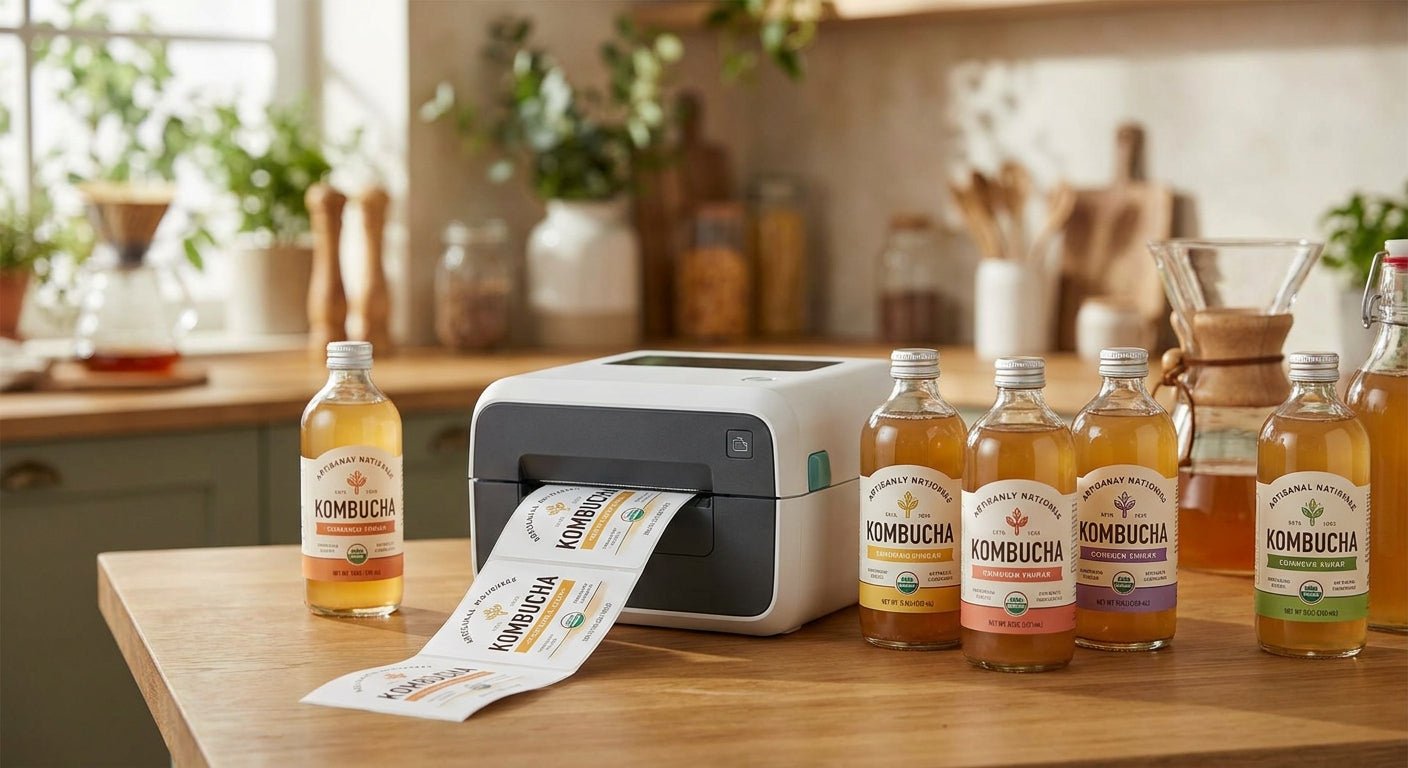
Kombucha bottles get refrigerated, sweat with condensation, and get handled by shoppers checking best-by dates before they ever reach a register -- a label that smears or peels doesn't just look bad, it costs you facings. This guide ranks the label printer for kombucha bottles that holds up through cold storage, wet handling, and repeat scanning in 2026.
TL;DR
The best label printer for kombucha bottles in 2026 is the GoDEX RT230i -- 300 DPI thermal transfer output that resists smearing from condensation and refrigeration cycles. For dense nutrition panels or fine QR codes on small labels, the GoDEX RT863i at 600 DPI is the pick. Brewers bottling under a few hundred units a week can start with the GoDEX GE300 at 203 DPI and upgrade later. Skip inkjet-style desktop printers for kombucha runs -- moisture and cold storage break down most standard ink-and-adhesive combinations well before a 60-90 day shelf life is up.
Why This Matters
Kombucha labeling has one job that most other bottled beverages don't: surviving repeated temperature swings between cold-chain storage and shelf display. A label printed on a home inkjet or a low-resolution direct thermal unit will fade, blur, or lift at the corners within weeks in a cooler case.
Resolution and print method both matter more here than for dry goods. A GoDEX GE300 at 203 DPI handles basic batch and lot codes fine, but thermal transfer models hold ink better against condensation because the ribbon fuses to the label surface instead of sitting on top of it.
McAuley Labels sells the printer hardware side of this equation -- the GoDEX line covers 203 DPI through 600 DPI, direct thermal and thermal transfer, desktop and heavier-duty models. The right pick depends on batch volume and how much detail your label design actually needs.
How We Ranked
Rankings below weigh four factors specific to kombucha bottling: print resolution (DPI), print method (direct thermal vs. thermal transfer), practical batch throughput, and label stock compatibility with wet or cold-stored glass. Specs come from published GoDEX printer documentation as of 2026. No lab testing claims are made here -- these are aggregated spec comparisons, not first-person test results.
The Ranked List
1. GoDEX RT230i -- the all-around workhorse
300 DPI thermal transfer resolution puts fine barcode lines and small nutrition text in sharp focus, and thermal transfer ribbon resists the smudging that direct thermal labels get in a cold case. It handles roll-fed labels sized for standard kombucha bottle shapes without needing a die-cut custom run for every SKU.
For a brand producing multiple flavors with rotating batch codes, this is the printer that scales from a hundred bottles a week to several hundred without a hardware swap. Buy -- the GoDEX RT230i is the balanced pick for most kombucha operations in 2026.
2. GoDEX RT863i -- the label perfectionist
600 DPI is double the resolution of the entry-level GoDEX models, and it shows up in fine print: dense QR codes linking to batch traceability pages, small ingredient lists, and thin barcode elements print cleanly instead of blurring into a gray smear.
If your kombucha labels carry a lot of regulatory text in a small footprint -- common once you're selling through grocery distribution instead of farmers markets -- 600 DPI stops those labels from becoming unreadable at arm's length. Buy for label-dense SKUs; the GoDEX RT863i is overkill if your design is a simple logo and flavor name.
3. GoDEX GE300 -- the entry point
At 203 DPI, this is the standard resolution for basic batch codes, flavor names, and simple barcodes. It won't render small dense text as sharply as the 300 or 600 DPI models, but for a straightforward label design it's more than adequate.
This is the printer for a kombucha maker still bottling in small runs and testing flavor combinations before committing to a bigger production schedule. Consider it a starting point, not a permanent setup, if you expect label complexity or volume to grow through 2026.
4. GoDEX GE330 -- the durability step-up
Thermal transfer at 203 DPI splits the difference between the entry-level GE300 and the higher-resolution RT230i. You keep the ribbon-based durability against condensation but at a lower resolution ceiling than the RT230i.
For kombucha brands whose labels are mostly logo and flavor name with minimal fine print, this is a reasonable middle option. Hold if you're already deciding between the GE300 and RT230i -- the GE330 only makes sense if thermal transfer durability matters more than resolution for your specific design.
5. GoDEX RT200i -- the budget floor
203 DPI thermal transfer gives you the durability benefit of ribbon-based printing at the lowest resolution tier in the lineup. It's a reasonable fallback if budget is the primary constraint and label complexity is minimal.
For most kombucha bottling setups this sits below where you want to land long-term -- resolution is fine for basic codes but tight on detailed graphics. Wait on this one unless cost is the deciding factor over label quality.
6. Thermal transfer polyester label stock -- the consumable that actually matters
The printer only does half the job. Polyester thermal transfer label stock resists the moisture and cold-condensation cycle that paper stock fails against within days. Pairing a 300 DPI printer with paper labels defeats the purpose of the hardware upgrade.
For kombucha specifically -- a beverage that's refrigerated, sweats condensation, and gets handled wet at checkout -- polyester stock is the non-negotiable pairing. Buy the stock alongside whichever printer you land on.
Comparison Table
| Printer | Resolution | Print Method | Best For | Verdict |
|---|---|---|---|---|
| GoDEX RT230i | 300 DPI | Thermal transfer | Multi-SKU brands, rotating batch codes | Buy |
| GoDEX RT863i | 600 DPI | Thermal transfer | Dense QR codes, small regulatory text | Buy (label-dense SKUs) |
| GoDEX GE300 | 203 DPI | Direct thermal | Small-batch, simple label designs | Consider |
| GoDEX GE330 | 203 DPI | Thermal transfer | Logo-forward labels, low fine print | Hold |
| GoDEX RT200i | 203 DPI | Thermal transfer | Budget-first buyers | Wait |
Where To Buy
- Buy the printer and the label stock from the same source so ribbon width, label width, and printer calibration are matched from day one -- mismatched stock is the most common cause of print quality complaints in 2026 support tickets across the label printer category.
- Avoid marketplace resellers offering GoDEX hardware at steep discounts with no documented ribbon or driver support -- a printer without GoLabel software access or ribbon compatibility guidance becomes a paperweight fast.
- Confirm label roll core size and outer diameter match your printer's spindle before ordering bulk stock -- this single spec mismatch causes more returns than any resolution complaint.
FAQ
What's the best label printer for kombucha bottles in 2026? The GoDEX RT230i at 300 DPI thermal transfer is the balanced pick for most kombucha bottling operations, handling both label detail and condensation resistance without the premium cost of the 600 DPI RT863i.
Is direct thermal or thermal transfer better for kombucha labels? Thermal transfer wins for kombucha because the ribbon-fused ink resists smearing from condensation and cold storage, while direct thermal labels can fade or blur after repeated cooler exposure.
Do I need 600 DPI for kombucha bottle labels? 600 DPI only matters if your label carries dense small text, fine QR codes, or detailed graphics -- a simple flavor-and-logo design prints fine at 203 or 300 DPI.
What label stock should I use with a thermal transfer printer for kombucha? Polyester label stock rated for thermal transfer printing holds up against moisture and cold-storage condensation far better than paper stock, which is critical for refrigerated kombucha bottles.
How much does a label printer for kombucha bottles cost? Costs vary by resolution and print method -- check current pricing directly on the product pages, since 203 DPI direct thermal units sit at a different price point than 600 DPI thermal transfer models.
Can a home inkjet printer work for kombucha bottle labels? No -- inkjet ink and standard adhesive combinations break down under refrigeration and condensation cycles well before a typical 60-90 day kombucha shelf life ends.
How often do kombucha brands need to replace batch code labels? Every production run, since batch and lot codes change with each bottling cycle -- a printer capable of quick label changeovers cuts more production time than resolution alone.
What's the difference between the GoDEX GE300 and RT230i for kombucha labeling? The GE300 prints direct thermal at 203 DPI for basic designs, while the RT230i adds thermal transfer at 300 DPI for sharper detail and better resistance to cold and moisture.
One Last Thing
The detail most kombucha brands miss isn't the printer -- it's the label stock mismatch. A 300 DPI thermal transfer printer paired with paper label stock still fails against condensation just as fast as a cheaper direct thermal setup, because the failure point is the adhesive and stock material, not the print head. Match resolution and print method to the label stock before comparing hardware specs, and the printer choice gets a lot simpler.