
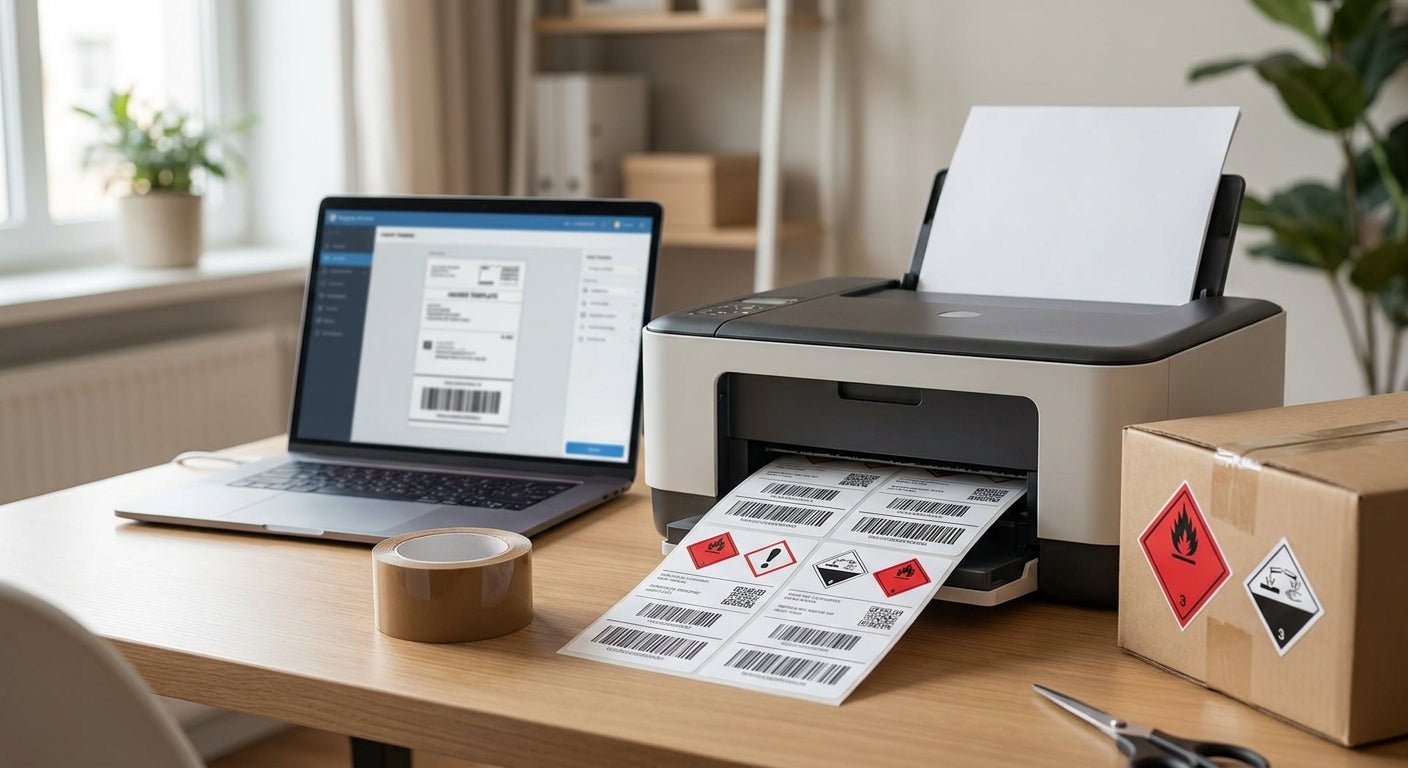
Hazmat shipping labels split into two categories: the DOT hazard class diamond (the red, orange, or white symbol required under 49 CFR 172.407) and the actual shipping label with your address, tracking barcode, and package details. Printing both at home in 2026 is possible, but only one of them should ever be printed on a standard thermal printer without extra care.
TL;DR
You can print compliant hazmat shipping labels at home in 2026 using a thermal transfer printer like the GoDEX RT230i (300 dpi) loaded with polyester label stock and a resin ribbon — but the DOT hazard class diamond itself has fixed color and size rules under 49 CFR 172.407 that most desktop printers can't reliably hit without pre-printed diamond labels. Verdict: print your own address/tracking label and UN-number data plate in-house, but source pre-printed hazard diamonds rather than trying to print the full-color symbol yourself. This keeps you compliant and saves you from a rejected shipment at the carrier counter.
Why this matters
A hazmat shipment with a smudged, faded, or wrong-color hazard label gets rejected at the dock — not flagged, rejected. Carriers like FedEx and UPS enforce DOT label placement and legibility standards strictly because a mislabeled hazmat package is a federal violation, not a customer service issue.
The other failure mode is durability. A hazmat label that peels off in transit, smears in rain, or fades under a truck's dome light defeats the entire point of the label. Direct thermal labels (no ribbon, heat-only) fade within weeks under UV or heat exposure — fine for a produce sticker, unacceptable for a label that has to survive a cross-country freight run in 2026's summer heat.
What you'll need
- A thermal transfer printer rated at 300 dpi or higher (203 dpi works for basic text but struggles with small UN-number type and barcodes)
- Polyester or synthetic label stock with permanent adhesive — paper labels tear and fade
- A resin thermal transfer ribbon matched to your label stock (wax ribbons smear on synthetic media)
- Pre-printed DOT hazard class diamonds sized to the correct hazard class (these are sourced separately, not printed on your desktop printer)
- Label design software that supports variable data fields (UN number, proper shipping name, package group)
- A label size confirmed against your carrier's shipping label spec — most ground carriers require 4x6 for the shipping/tracking label
The steps
1. Separate your two labels before you design anything
Decide upfront which label is the hazard class diamond and which is the shipping/tracking label — combining them into one print job is where most in-house printing goes wrong. The diamond has fixed proportions and color placement mandated by 49 CFR 172.407; the shipping label is flexible and carrier-specific.
Common mistake: trying to print the hazard diamond and the shipping barcode on the same label roll in one pass, which forces a compromise on stock type (glossy diamond paper vs. matte barcode stock) that hurts scan rates.
2. Confirm the correct hazard class and UN number
Pull the UN number and proper shipping name from your Safety Data Sheet or hazmat classification before you print anything — this data goes on the shipping label, not the diamond itself. A wrong UN number is a compliance failure regardless of how good the label print quality is.
Expected outcome: a confirmed UN number, hazard class (1 through 9), and packing group ready to drop into your label template.
3. Load synthetic label stock and resin ribbon into your thermal transfer printer
Run polyester thermal transfer labels through a printer like the GoDEX RT230i, which prints at 300 dpi and handles synthetic media without the drag issues you get on lower-end direct thermal units. Pair the stock with a thermal transfer ribbon rated for synthetic label bonding, not the standard wax ribbon meant for paper.
Why it matters: paper labels and wax ribbons fail chemical exposure tests within days. Polyester with resin ribbon survives fuel splash, moisture, and abrasion for the life of the shipment.
Common mistake: using leftover wax ribbon from a paper-label job — it smears on polyester stock and produces illegible UN numbers.
4. Design the shipping label with variable fields
Build your template with fixed fields (your company name, hazmat contact number) and variable fields (UN number, proper shipping name, tracking barcode) so batch printing doesn't require redesigning per shipment. Set label dimensions to match your carrier's requirement — most ground carriers specify 4x6 for the primary shipping label.
Expected outcome: a template you can reuse for every hazmat shipment in 2026 without touching layout again.
5. Print a test batch and check contrast and barcode scan rate
Print five test labels before running a full batch and scan each barcode with a handheld scanner — a barcode that scans on-screen but fails on a warehouse scanner wastes an entire shipment's worth of labor. Check that UN-number text reads clearly at arm's length; 300 dpi resolution should render 6-point type cleanly, 203 dpi often blurs it.
Common mistake: skipping the scan test and discovering barcode failures only at the carrier drop-off counter.
6. Apply the pre-printed hazard diamond alongside your printed shipping label
Affix the DOT-compliant hazard class diamond in the position specified by 49 CFR — typically on a contrasting background near the shipping label, not overlapping it. The diamond's color and symbol placement are fixed by regulation, so this label is sourced pre-printed rather than run through your desktop printer.
Expected outcome: a package with two distinct, fully legible labels — one compliant hazard diamond, one printed shipping/tracking label.
7. Store unused label rolls away from heat and direct sun
Synthetic label stock and resin ribbon both degrade slower than paper, but heat above 100°F still softens adhesive backing over time. Keep rolls in their original packaging until loaded.
Expected outcome: consistent print quality across the entire roll instead of degraded adhesive on labels printed from the last few feet.
Troubleshooting
- Barcode won't scan after printing — check ribbon-to-stock match first; a resin ribbon on the wrong synthetic finish causes uneven ink transfer that scanners can't read.
- UN-number text looks blurry — you're likely on a 203 dpi printer trying to render small type; step up to 300 dpi like the GoDEX RT230i for hazmat-grade text density.
- Label peels within days — direct thermal paper stock instead of permanent-adhesive polyester is almost always the cause.
- Print head leaves faint streaks — clean the print head with isopropyl alcohol; residue buildup from resin ribbons is common after a few hundred labels.
- Colors on the diamond look off — stop trying to print the diamond in-house; source it pre-printed since 49 CFR color tolerances are tighter than most desktop printers can hold consistently.
- Labels jam feeding through the printer — synthetic stock is stiffer than paper; confirm your printer's media gap sensor is calibrated for the thicker stock.
Tools and resources
- GoDEX RT230i thermal transfer printer, 300 dpi — the resolution floor for legible UN-number and barcode printing
- Polyester thermal transfer labels, white — permanent-adhesive synthetic stock built for chemical and moisture exposure
- Thermal transfer ribbon — resin-grade ribbon matched to synthetic label stock
- Your Safety Data Sheet, for confirming UN number, hazard class, and packing group before you print anything
- A handheld barcode scanner, for verifying scan rate on test batches before a full print run
FAQ
What's the best printer for hazmat shipping labels? A thermal transfer printer at 300 dpi or higher, like the GoDEX RT230i, prints the sharpest UN-number text and the most reliable barcodes on synthetic label stock. Direct thermal printers work for short-term labels but fade under heat and UV within weeks.
Can you print the DOT hazard diamond yourself? Technically yes, but 49 CFR 172.407 sets fixed color and proportion rules that most desktop printers can't hold consistently across a full run. Most shippers source pre-printed diamonds and print only the UN number and shipping data in-house.
Is thermal transfer better than direct thermal for hazmat labels? Thermal transfer wins for hazmat because resin ribbon on synthetic stock resists fuel, moisture, and abrasion; direct thermal labels fade from heat and sunlight within days to weeks.
How much does it cost to print hazmat labels at home? Costs vary by printer and label stock choice, but the ongoing expense is polyester label rolls and resin ribbon rather than a per-label fee from a print shop — check current pricing on individual product pages for exact figures.
Does a hazmat shipping label have to be 4x6? Most ground carriers specify 4x6 for the primary shipping label with tracking barcode, though the hazard diamond itself follows a separate DOT size spec independent of the shipping label dimensions.
What happens if a hazmat label doesn't scan at the carrier? A barcode that fails to scan gets the shipment held or rejected at the counter, which is why test-scanning a sample batch before a full print run in 2026 matters more for hazmat than standard shipping labels.
Can I use a laser printer instead of a thermal printer for hazmat labels? A laser printer can produce the shipping label text and barcode, but toner doesn't bond to synthetic stock the way resin ribbon does, so durability against moisture and abrasion drops significantly.
Do hazmat labels need special adhesive? Yes — permanent adhesive on polyester or synthetic film holds up to the handling and environmental exposure a hazmat shipment goes through; standard paper labels with removable adhesive are not built for it.
One last thing
The single biggest compliance risk isn't the printer — it's shippers assuming one label does both jobs. Keep the DOT hazard diamond and your printed shipping/tracking label as two distinct components, sourced two different ways, and the rest of the process in 2026 is mostly print-quality management.