
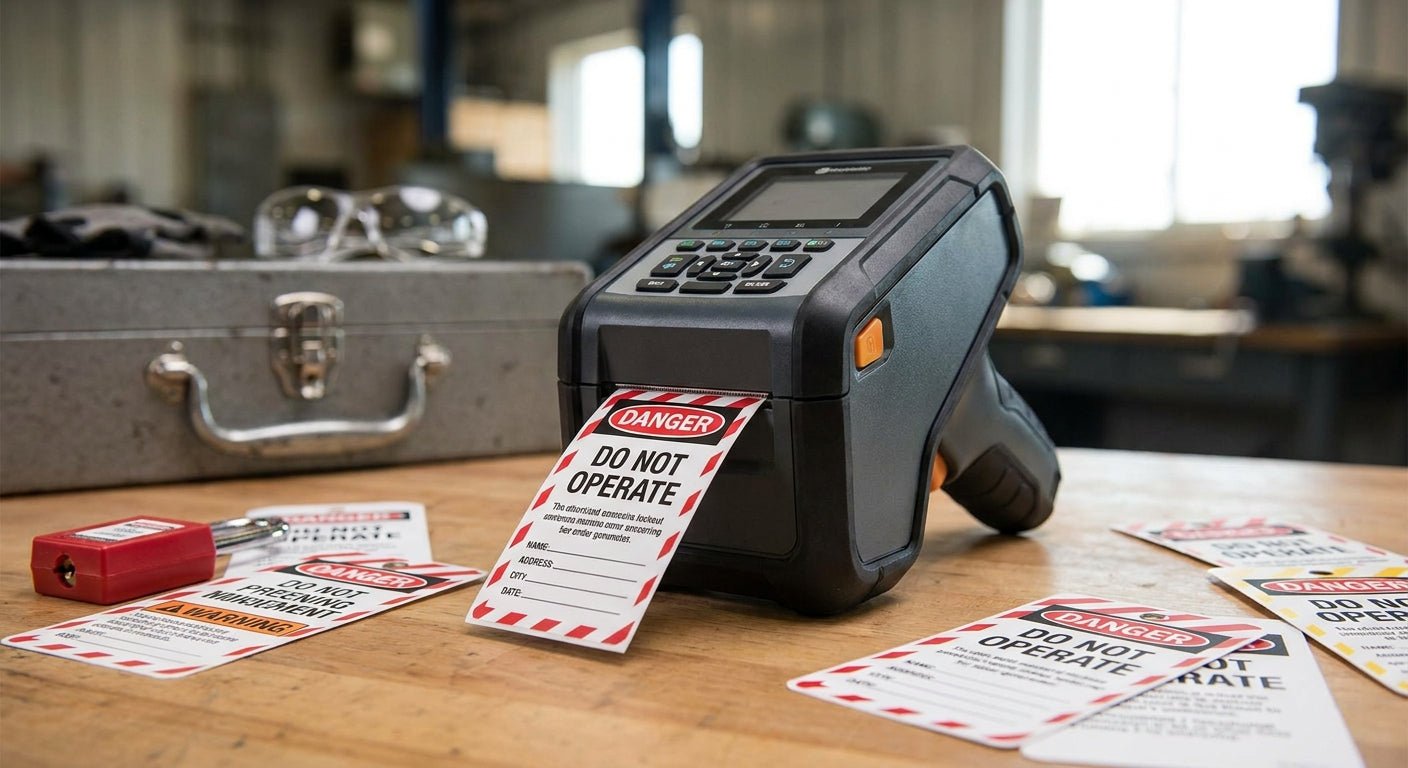
Lockout/tagout tags take oil, grease, sunlight, and rough handling that shipping labels never see, and the printer behind them decides whether that tag is still legible when an OSHA inspector or a night-shift tech checks it six months later. This guide ranks the label printers and tag stock that hold up inside 2026 LOTO programs, from single-machine shops to full production floors.
- The GoDEX RT700i+ is the best label printer for lockout tagout tags in 2026 for daily plant use — buy it.
- Direct thermal-only printers fade under oil and UV; thermal transfer holds legibility far longer.
- 3M heavy-duty polyester tag stock outlasts standard paper under grease and washdown — pair it with any thermal transfer printer.
- Budget shops can start with a basic 203 DPI thermal transfer printer for low-volume tag runs.
Why this matters
OSHA's lockout/tagout standard, 29 CFR 1910.147, requires tags that stay legible and attached for the life of the lockout — not just legible the day they're printed. A tag that fades or peels off a valve handle after three months in a hot mechanical room isn't compliance paperwork, it's a hazard.
McAuley Labels builds its printer lineup around that durability problem: thermal transfer engines that bond ink into the label instead of just heating a coating, paired with polyester and 3M heavy-duty stock rated for grease, moisture, and repeated handling. The GoDEX RT700i+ thermal printer sits at the center of that lineup for facilities running daily LOTO tag volume in 2026.
How this list was ranked
Each printer here is scored against four things that matter specifically for lockout/tagout tags: print method (thermal transfer versus direct thermal), resolution for small barcodes and warning text, tag material compatibility, and duty cycle for shops printing tags in batches rather than one at a time.
Direct thermal printers get docked hard. They're fine for a shipping label that lives for three days, but a LOTO tag baking on an outdoor compressor or splashed with hydraulic fluid needs the ink bonded into the material, which only thermal transfer does reliably. Every "Buy" verdict below runs thermal transfer or gives you the option to.
The ranked list
1. GoDEX RT700i+ — the daily-use workhorse
This is a 4-inch dual thermal printer running 203 DPI with a color display and USB, serial, and Ethernet connections, priced at $581 in 2026. The color display matters more than it sounds for LOTO: technicians can confirm the correct tag template loaded before a run, cutting the reprint rate on mixed-shift floors.
It handles both direct thermal and thermal transfer, so one machine covers general labeling and LOTO tag runs without buying a second unit. Verdict: Buy — this is the default pick for any facility printing lockout/tagout tags weekly or more.
2. GoDEX GE330 — the floor-duty pick
The GoDEX GE330 thermal transfer printer is a 4-inch, 203 DPI machine built for continuous industrial runs rather than desk use. It's the printer to put in a maintenance shop or tool crib where tags get printed in batches ahead of a shutdown, not one at a time.
Its thermal transfer engine is what earns it a spot here — no fading on tags left on outdoor equipment through a Texas summer or a coastal winter. Verdict: Buy for plants running scheduled lockout events across multiple lines.
3. GoDEX DT230 — the fine-print specialist, with a catch
The GoDEX DT230 direct thermal printer runs 300 DPI, which prints noticeably sharper small barcodes and dense warning text than a 203 DPI machine. If your LOTO tags carry a scannable QR code linking to an equipment history, the extra resolution helps scanners read it faster.
The catch: it's direct thermal only. That's fine for tags stored indoors and swapped out on a regular schedule, but it's the wrong call for anything left on equipment exposed to sunlight, heat, or solvent contact — the print fades. Verdict: Hold — use it for indoor, short-cycle tags only, not permanent LOTO placards.
4. GoDEX RT200i — the budget entry point
A basic 203 DPI thermal transfer printer, the RT200i covers the same durability ground as the RT700i+ without the color display or the price tag to match. For a single-location shop printing a handful of tags a month, this is enough machine.
It lacks the touchscreen convenience and the faster print speeds of the higher-tier GoDEX models, so high-volume plants will outgrow it. Verdict: Buy for low-volume shops, Skip for anything running multiple daily lockout events.
5. 3M heavy-duty barcode inventory labels — the stock that survives the shop floor
A printer is only half the equation. 3M heavy-duty barcode inventory labels are built on 3M adhesive and heavy-duty facestock rated to resist grease, washdown chemicals, and repeated flexing — the exact conditions a LOTO tag sits in on a pump or breaker panel.
Run this stock through any thermal transfer printer on this list and the combination outlasts standard paper tags by a wide margin. Verdict: Buy as the default tag material for any facility serious about tags surviving an OSHA walkthrough.
Comparison table
| Printer | Print method | Resolution | Best for | Verdict |
|---|---|---|---|---|
| GoDEX RT700i+ | Thermal transfer / direct thermal | 203 DPI | Daily LOTO tag runs | Buy |
| GoDEX GE330 | Thermal transfer | 203 DPI | Batch printing before shutdowns | Buy |
| GoDEX DT230 | Direct thermal | 300 DPI | Indoor, short-cycle tags | Hold |
| GoDEX RT200i | Thermal transfer | 203 DPI | Low-volume single shops | Buy (small ops) |
Where to buy
- Match printer and ribbon. A thermal transfer printer without the matching wax/resin ribbon prints nothing — buy printer, ribbon, and tag stock as a set so resolution and adhesive are already tested together.
- Confirm print method before you order stock. Direct thermal labels won't hold up in a thermal transfer printer's ribbon path, and the reverse wastes ribbon. Check the printer spec before ordering tag rolls.
- Buy 3M or heavy-duty polyester for anything permanent. Standard paper tags are fine for temporary work orders, never for a LOTO placard meant to survive months on equipment.


FAQ
What's the best label printer for lockout tagout tags in 2026?
The GoDEX RT700i+ is the best label printer for lockout tagout tags in 2026 for shops printing tags daily or weekly. It runs thermal transfer at 203 DPI with a color display for template checks before each run.
Is thermal transfer better than direct thermal for LOTO tags?
Yes, thermal transfer holds up far better on tags exposed to oil, heat, or sunlight because the ink bonds into the label rather than sitting on a heat-sensitive coating. Direct thermal is fine only for short-life, indoor tags.
How much does a LOTO-ready label printer cost?
A 203 DPI thermal transfer printer suited to lockout/tagout tags runs from roughly $400 to $600 in 2026, with higher-resolution or higher-speed industrial models costing more. Tag stock and ribbon are separate ongoing costs.
Do lockout tagout tags need to be a specific material?
OSHA doesn't mandate a specific material, but tags need to stay legible and attached for the duration of the lockout. 3M heavy-duty polyester or metalized stock resists grease and washdown far better than standard paper.
Can I print LOTO tags on a 300 DPI printer?
Yes, a 300 DPI printer like the GoDEX DT230 prints sharper barcodes and small text, which helps if tags include scannable QR codes. Confirm it's paired with thermal transfer ribbon if the tags will be exposed to heat or sunlight.
How often should LOTO tags be replaced?
Replace a tag as soon as it's illegible, torn, or the adhesive fails, whichever comes first. Heavy-duty stock printed with thermal transfer typically outlasts standard paper tags by months under the same conditions.
What's the difference between a LOTO tag and an asset tag?
A LOTO tag communicates an active lockout status and is temporary by design, while an asset tag permanently identifies equipment for tracking. Both benefit from the same durable 3M or metalized stock and thermal transfer printing.
One last thing
A single 243-foot thermal transfer ribbon roll prints thousands of small LOTO tags before it needs replacing, which is why the ribbon cost per tag is nearly always smaller than the printer purchase decision most shops agonize over. Get the print method right — thermal transfer over direct thermal — and the rest of the buying decision gets a lot easier.