
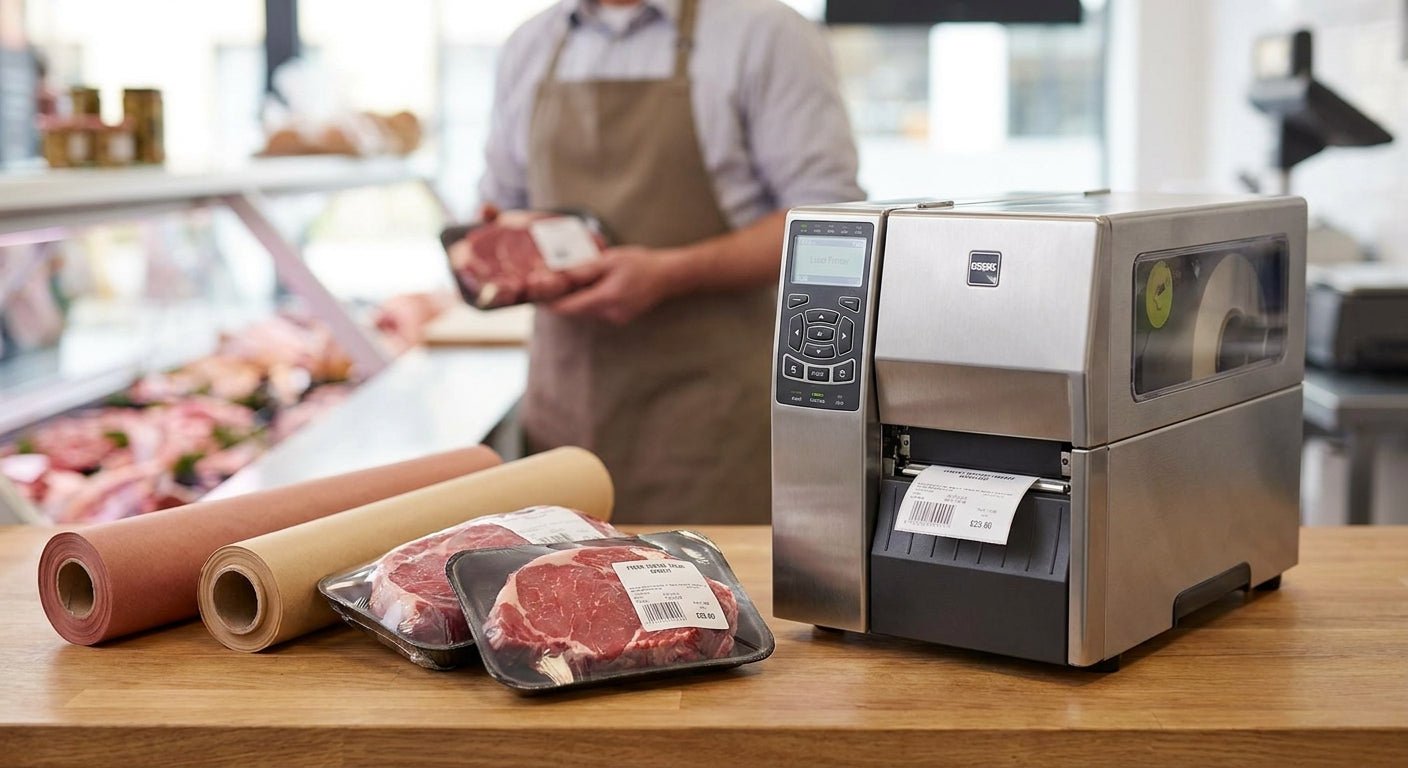
A butcher shop label printer has to survive wet counters, freezer cycles, and a print queue that never stops moving — most desktop printers built for offices or e-commerce shipping don't hold up. This guide ranks the GoDEX models and label stock that handle daily meat-case volume in 2026 and tells you which one to skip.
- GoDEX RT700i+ wins as the label printer for butcher shops running a busy wrap counter in 2026 — buy it.
- GoDEX DT230 prints 300 dpi ribbon-free but fades in freezer storage — hold for quick same-day labels only.
- Thermal transfer ribbon with resin coating outlasts direct thermal on frozen and vacuum-sealed cuts.
- GoDEX RT200i is fine for a single small counter but stalls once you're printing 500+ labels a day — skip for growing shops.
Why this matters
Meat labels carry weight, price, lot code, and a use-by date that has to stay legible through condensation, freezer frost, and handling. A label printer for food products built for retail shipping labels usually can't hold that line quality once grease and moisture hit the label face.
Most butcher shops in 2026 are still running printers bought for a different job — a general office thermal printer pressed into service for the meat case. That mismatch shows up as smeared barcodes at the register and torn labels on vacuum-packed cuts. The fix isn't a better label. It's matching the printer's resolution and ribbon type to what actually happens at your counter.
How this list is ranked
Each printer here is scored on three things that matter at a meat counter: print resolution for barcode and small-text legibility, ribbon compatibility for freezer and wet-surface durability, and daily print volume without overheating the printhead. Specs come from published GoDEX model data as of 2026. Price points reflect current McAuley Labels store pricing. Printers that only handle light, intermittent printing get marked down regardless of resolution, because a butcher counter runs continuously through peak hours.
The ranked list
1. GoDEX RT700i+ — the counter workhorse
The RT700i+ prints at 203 dpi with a color touchscreen display, which matters when three people share one printer during a lunch rush and need to see status without squinting at an LCD. It's a thermal transfer model, meaning it runs a ribbon that resists freezer frost and condensation far better than direct thermal alone.
At $581, it sits in the mid-range for industrial GoDEX units, and the color display cuts training time for new counter staff. This is the model most butcher shops should default to in 2026 for a single busy station. Buy.
2. GoDEX DT230 — the ribbon-free option
The DT230 runs 300 dpi direct thermal printing — no ribbon, no ribbon changes mid-shift. That's a real convenience if your labels only need to survive a few hours in the case before sale.
The catch: direct thermal print fades under heat and light exposure, and freezer storage accelerates that fade. If a chunk of your business is vacuum-sealed cuts going into a chest freezer for weeks, this printer's labels won't hold up. Fine for same-day fresh case rotation, wrong tool for frozen inventory. Hold — pair it only with fast-turnover fresh product, not freezer stock.
3. GoDEX RT730i — the mid-tier all-rounder
The RT730i is a step between compact counter units and full industrial printers, built for shops running two or more label stations that don't need the volume of a production-line printer. It handles thermal transfer ribbon the same way the RT700i+ does, which keeps freezer-durability consistent across your setup if you're scaling to multiple counters.
It's a reasonable buy if you're standing up a second station, but for a single counter it's more printer than most shops need in 2026. Hold until you're running more than one active label station.
4. GoDEX RT200i — the compact single-counter unit
The RT200i prints at 203 dpi in a smaller footprint, which fits a tight counter better than the larger RT-series bodies. It's a legitimate pick for a single small operation printing under a couple hundred labels a day.
Once daily volume climbs past that, the smaller printhead runs hotter and slower than the RT700i+, and you'll notice it during a Saturday rush. For a growing butcher shop, this becomes the bottleneck first. Skip unless your daily label count stays low and steady.
5. GoDEX GX4300i — the high-volume production printer
The GX4300i prints at 300 dpi and runs as a dual-thermal industrial unit, meaning it accepts both direct thermal and thermal transfer depending on the job. That flexibility makes sense for a central commissary printing labels for multiple retail locations rather than a single storefront counter.
It's overbuilt for a one-location butcher shop but the right call if you're supplying labels to several stores from one back-of-house printing station. Buy for multi-location or commissary operations; overkill for a single counter.


Comparison table
| Printer | Resolution | Ribbon | Best fit | 2026 verdict |
|---|---|---|---|---|
| GoDEX RT700i+ | 203 dpi | Thermal transfer | Busy single counter | Buy |
| GoDEX DT230 | 300 dpi | Ribbon-free (direct thermal) | Same-day fresh case | Hold |
| GoDEX RT730i | Mid-range | Thermal transfer | Two-station shops | Hold |
| GoDEX RT200i | 203 dpi | Thermal transfer | Small single counter | Skip (for growth) |
| GoDEX GX4300i | 300 dpi | Dual thermal | Multi-location commissary | Buy |
Where to buy
- Match ribbon width to label width exactly — a mismatched ribbon burns through faster and leaves streaks on barcodes.
- Buy printer, ribbon, and label stock as a matched set rather than mixing suppliers; calibration issues at the printhead usually trace back to mismatched stock, not the printer itself.
- For anything going into a freezer or vacuum sealer, use waterproof polyester labels instead of paper stock — paper wicks moisture and lifts at the corners within days.
FAQ
What's the best label printer for butcher shops in 2026?
The GoDEX RT700i+ is the best label printer for butcher shops running a single busy counter in 2026, printing at 203 dpi with thermal transfer ribbon for freezer durability. Shops running multiple stations should look at the GoDEX RT730i or GX4300i instead.
Is direct thermal or thermal transfer better for meat labels?
Thermal transfer is better for meat labels that go into a freezer or sit for more than a day, because the ribbon-based print resists fading from cold and light. Direct thermal works fine for same-day fresh case labels but degrades faster in storage.
How much does a butcher shop label printer cost?
A counter-ready thermal transfer printer like the GoDEX RT700i+ runs $581 in 2026, while industrial dual-thermal units built for higher volume run over $2,000. Ribbon and label stock are ongoing costs on top of the printer itself.
Can a butcher shop print barcodes on the same printer as price labels?
Yes, a 203 dpi or 300 dpi thermal transfer printer prints barcodes and price text on the same label in one pass. Higher resolution models print smaller barcodes more cleanly, which matters if your label size is tight.
Do meat labels need waterproof label stock?
Yes, waterproof polyester label stock holds up against condensation, blood, and freezer frost far better than standard paper labels. Paper labels tend to lift at the edges within days in a wet meat case.
How often do you need to replace the ribbon in a thermal transfer printer?
A standard ribbon roll runs 243 feet, which covers several thousand labels depending on label size and print density. High-volume counters printing all day typically swap ribbon once or twice per shift.
What resolution do I need for small text on meat labels?
203 dpi handles standard barcode and price text cleanly for most butcher shop labels. Move to 300 dpi only if you're printing small lot codes or dense barcodes that need extra sharpness.
Is a direct thermal printer good enough for a small butcher shop?
A direct thermal printer works for a small shop selling mostly fresh, same-day product, but it's the wrong choice if any inventory sits in a freezer for weeks. The print fades under cold storage faster than thermal transfer.
One last thing
Direct thermal labels look identical to thermal transfer labels on the day you print them — the difference only shows up two or three weeks later when the direct thermal print has faded to gray in the freezer case. If your shop moves any product into cold storage for more than a few days, that's the single fact that should decide which printer you buy in 2026, not the sticker price on the box.