
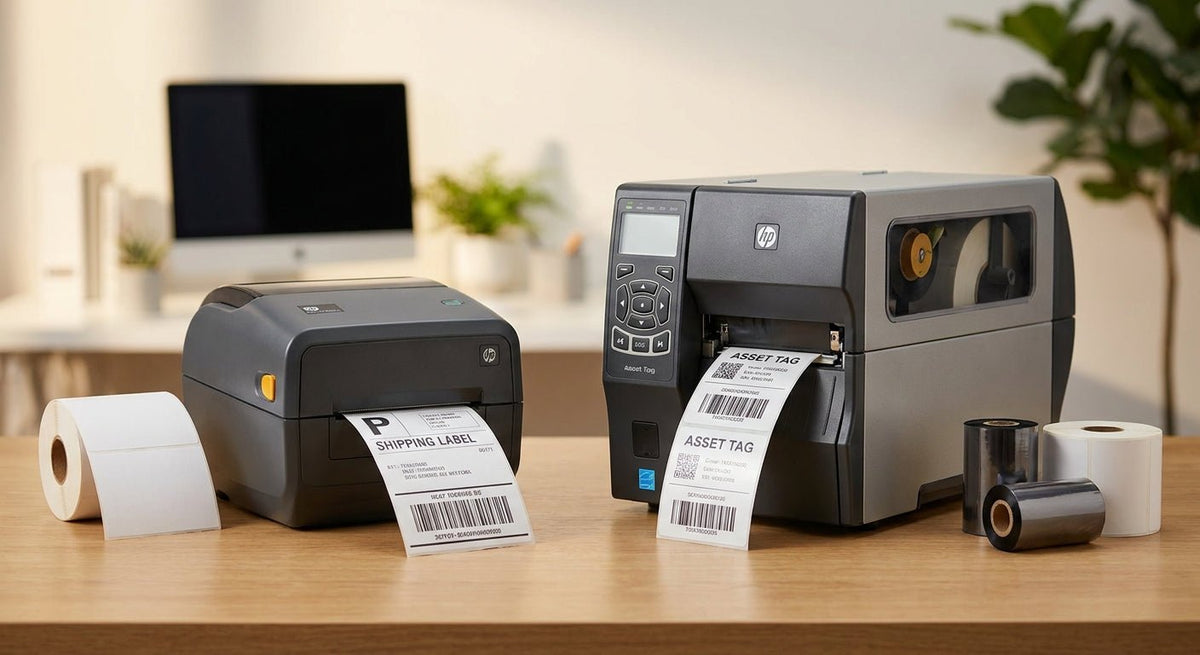
Direct thermal and thermal transfer are the two print technologies behind virtually every barcode label, asset tag, and service sticker in use today. Pick the wrong one and you get faded barcodes, voided warranties, or a supply chain that costs twice what it should. This guide cuts through the specs so you land on the right direct thermal vs thermal transfer label printer for your application in 2026.
TL;DR: Direct thermal prints by heating the label stock itself — no ribbon, lower cost per label, but output fades over months in heat or sunlight. Thermal transfer uses a wax or resin ribbon to bond ink to the substrate, producing labels that last years outdoors, on metal, or in chemical environments. For short-lived labels (shipping, receipts, oil change reminders) choose direct thermal. For asset tags, compliance labels, or anything stored outdoors beyond 6–12 months, choose thermal transfer.
Why the Technology Split Matters in 2026
Both methods use heat, but the heat does different things. In a direct thermal printer, the printhead activates a heat-sensitive coating baked into the label stock. No ribbon sits between the head and the paper. In a thermal transfer printer, the printhead melts ink from a ribbon onto the label face — the substrate itself is not heat-sensitive.
That single mechanical difference drives every downstream tradeoff: label lifespan, media cost, printhead wear, and which substrates you can even print on.
What You'll Need
Before you commit to either technology, confirm you have clarity on four things:
- Label lifespan required — weeks, months, or years?
- Storage and use environment — indoor climate-controlled, outdoor UV exposure, chemical contact, or freezer?
- Label substrate — paper, polypropylene, polyester, or metalized silver?
- Print volume — labels per day and labels per month. Higher volume shifts the ribbon cost calculus.
- Printer budget — direct thermal units typically run $150–$400; thermal transfer units with ribbon handling start around $250 and scale to $800+ for industrial models.
The Decision Steps
Step 1: Lock Down Your Label's Required Lifespan
Ask how long the label needs to remain scannable. Direct thermal labels printed on standard paper stock start to fade noticeably after 6–8 months when stored at room temperature and faster under UV exposure or heat above 150°F. If your label goes on a shipping box that moves through a warehouse and gets scanned within 30 days, direct thermal is fine. If the same label gets applied to a server rack and needs to be readable in 2028, direct thermal will fail you.
Common mistake: Assuming "indoor" means safe for direct thermal. A label on a vehicle dashboard, near a boiler, or in a sunny stockroom sees enough heat to trigger the coating and turn the label black or blank within weeks.
Step 2: Identify the Substrate You're Printing On
Direct thermal chemistry only works on specially coated paper or select coated synthetics. Thermal transfer prints on a far broader range: semi-gloss paper, matte paper, polypropylene, polyester, and metalized silver polyester. If your application calls for a metalized silver barcode label or a heavy-duty asset tag built to survive abrasion and chemicals, you need thermal transfer — those substrates have no heat-sensitive coating to activate.
For asset tracking on IT equipment, machinery, or outdoor gear in 2026, metalized polyester labels printed via thermal transfer are the industry standard. The ribbon's resin ink bonds to the polyester face and resists solvents, humidity, and temperature swings from -40°F to 300°F depending on ribbon grade.
Expected outcome of getting this right: A properly matched thermal transfer label on a metalized silver substrate can remain scannable for 5–10 years under normal conditions.
Step 3: Calculate the True Cost Per Label
Direct thermal looks cheaper at the printer level because you eliminate ribbon stock. But the math changes at scale. A thermal transfer ribbon covers roughly 1,000–1,500 standard 4×2-inch labels per roll, adding $0.01–$0.03 per label in ribbon cost. On 500 labels per month, that's under $15/month — negligible against the cost of reprinting faded barcodes or replacing an asset tracking system.
Where direct thermal wins on cost: high-volume, short-life applications. A fulfillment center printing 10,000 shipping labels per day on paper stock saves meaningful ribbon budget with direct thermal, and those labels only need to survive 3–7 days in transit.
Common mistake: Buying a direct thermal printer because it's $80 cheaper upfront when your labels need 3-year outdoor durability. You'll reprint everything within a year.
Step 4: Match the Printer to the Technology
Many mid-range printers — including several GoDEX models — are dual-mode: they run both direct thermal and thermal transfer depending on whether a ribbon is loaded. The GoDEX RT230i at 300 DPI and the GoDEX GX4200i at 203 DPI both support dual-mode operation, giving you flexibility as your label mix changes. If you know you'll never need thermal transfer — shipping labels only, paper stock, sub-30-day life — a dedicated direct thermal unit like the GoDEX DT230 at 300 DPI cuts the upfront cost.
For dedicated thermal transfer output on asset tags and compliance labels, the GoDEX RT863i at 600 DPI handles fine-detail barcodes, small fonts, and QR codes on polyester substrates where lower resolution becomes a scan failure.
Expected outcome: Matching mode to application eliminates the most common source of barcode scan failures — degraded print contrast from the wrong print method on the wrong media.
Step 5: Choose Your Ribbon Grade (Thermal Transfer Only)
If you're going thermal transfer, the ribbon grade determines chemical resistance and temperature range:
- Wax ribbons — best on paper, lowest cost, good for indoor labels not exposed to solvents. Smears if scratched hard.
- Wax-resin ribbons — suitable for coated paper and some synthetics, better abrasion resistance than pure wax.
- Full resin ribbons — required for polyester and metalized silver substrates, resists chemicals, extreme heat, and outdoor UV. Highest cost per ribbon but the only option for industrial asset tags.
McAuley Labels carries thermal transfer ribbon sized for the GoDEX printer line. Spec the ribbon grade at the same time you spec the label stock — they are matched materials, not interchangeable.
Step 6: Validate with a Test Print Before Ordering in Volume
Before committing to a label stock order of 5,000+ labels, print 20–30 labels and run them through your actual use conditions: scan rate at 12 inches, exposure to the storage environment for 2 weeks, adhesion test on the target surface. A label that scans clean off the printer but fails after 10 days in a freezer or under a heat lamp tells you the media–technology pairing is wrong.
Expected outcome: You catch a media mismatch at $30 in test labels rather than after a $600 bulk order.
Troubleshooting
Barcodes are fading within weeks on a direct thermal printer. The labels are likely stored above 100°F or exposed to direct sunlight. Either move to thermal transfer on a synthetic substrate or reposition labels away from heat sources. Paper direct thermal stock has no UV or heat stabilizers.
Print is smearing on a thermal transfer printer. You are using a wax ribbon on a synthetic or coated label stock that requires wax-resin or full resin. Swap ribbon grade before adjusting any printer settings.
Labels print blank — no image at all. On a direct thermal printer, the label is loaded face-down (heat-sensitive coating must face the printhead). On a thermal transfer printer, check that the ribbon is loaded with ink-side toward the label, not the printhead.
Ribbon wrinkles or breaks mid-print. Printhead pressure is too high for the ribbon grade in use, or ribbon and media widths are mismatched. Reduce pressure by one step and confirm the ribbon width matches or slightly exceeds the label width.
Scan failures on small QR codes or fine barcodes. You may be at 203 DPI on a label that needs 300 or 600 DPI. A QR code below 0.8 × 0.8 inches printed at 203 DPI regularly fails handheld scanners. Move to a 300 or 600 DPI printer. See the printer resolution guide covering 203, 300, and 600 DPI for detailed specs.
Adhesive fails on metal or curved surfaces. The issue is the label stock, not the print technology. Switch to a metalized silver or heavy-duty 3M adhesive label designed for the surface type.
Tools and Resources
- Dual-mode thermal printer (203 DPI): GoDEX GX4200i — runs direct thermal or thermal transfer
- Direct thermal only (300 DPI): GoDEX DT230 — dedicated shipping and short-life label use
- High-resolution thermal transfer (600 DPI): GoDEX RT863i — fine-detail barcodes, QR codes, asset tags on polyester
- Thermal transfer ribbon: matched wax, wax-resin, or full resin for GoDEX printers
- Label stock: McAuley Labels offers metalized silver polyester, semi-gloss white, and 3M heavy-duty options designed for thermal transfer output
What to Do Next
If you've confirmed your application is thermal transfer and the labels will go on equipment, read the thermal transfer printer for durable barcode labels guide for media-specific recommendations by industry.
FAQ
What is the main difference between a direct thermal and thermal transfer label printer? Direct thermal uses heat to activate a coating on the label itself — no ribbon required. Thermal transfer melts ink from a ribbon onto the label stock. Direct thermal is simpler and cheaper per-unit but produces labels that fade over time; thermal transfer output lasts years on the right substrate.
Which lasts longer — direct thermal or thermal transfer labels? Thermal transfer labels on polyester or metalized silver stock last 5–10 years under normal conditions. Direct thermal paper labels begin fading after 6–8 months at room temperature and faster under heat or UV. For any label expected to stay readable beyond one year, thermal transfer wins.
Can one printer do both direct thermal and thermal transfer? Yes. Many mid-range label printers — including GoDEX dual-mode units — switch between methods based on whether a ribbon is loaded. You get full flexibility without buying two separate printers.
Is direct thermal good for shipping labels in 2026? Yes. Shipping labels need to survive 3–7 days in transit, not years of outdoor exposure. Direct thermal on standard 4×6 paper stock handles that without ribbon cost. It's the dominant method for e-commerce and fulfillment shipping labels.
What ribbon do I need for thermal transfer on polyester asset tags? Full resin ribbon. Wax and wax-resin ribbons do not bond properly to polyester or metalized silver surfaces and will smear or flake under abrasion. Resin ribbon is the only correct choice for industrial asset tags.
How does DPI interact with direct thermal vs thermal transfer? Both technologies scale across 203, 300, and 600 DPI. The print method does not set the resolution — the printhead does. That said, fine-detail barcodes and small QR codes on thermal transfer polyester benefit most from 300–600 DPI because the resin ink holds edge definition better than heat-activated coatings at the same DPI.
Is thermal transfer more expensive to run than direct thermal? Slightly, because of ribbon cost. For a shop printing 500 asset tags per month, ribbon adds roughly $10–$15/month. That cost is easily offset by not reprinting faded labels. At very high volumes (tens of thousands of labels per day on paper), direct thermal saves meaningful money.
Can I use direct thermal labels outdoors? Not reliably. UV exposure and heat above 100–150°F will darken or erase direct thermal labels within weeks. Outdoor applications require thermal transfer on UV-resistant synthetic stock.
One Last Thing
The most underrated failure mode in 2026 is pairing the right printer technology with the wrong ribbon grade. Operators who switch from paper to polyester labels often keep their existing wax ribbon — it prints, but the ink wipes off with a fingernail within a week. Spec the ribbon and the label stock together, from the same supplier, confirmed for the same substrate. The print technology choice is the first decision; the ribbon-media match is where most real-world failures actually live.