
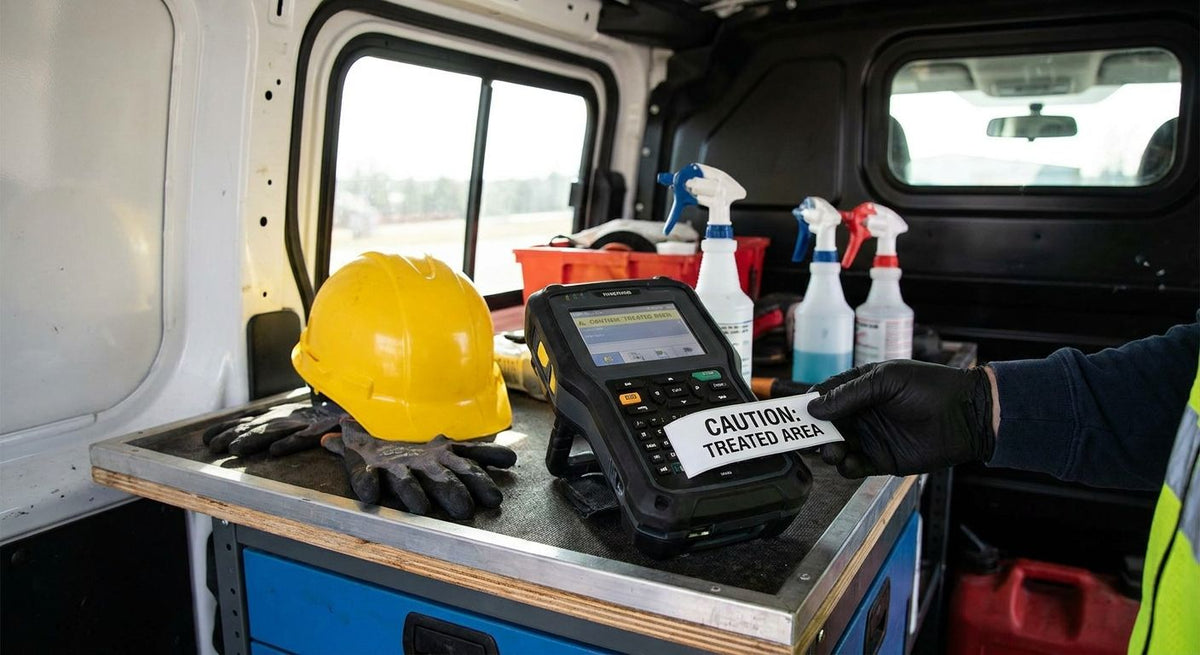
Pest control technicians juggle chemical inventory tags, equipment barcodes, and customer-facing service reminders — all on labels that have to survive a truck cab in July and a spray tank in the rain. Picking the right label printer for pest control business operations means matching resolution and label material to the job, not just grabbing whatever a big-box store has in stock. This guide ranks six GoDEX-built options by the specific task each one solves on a route in 2026.
- GoDEX RT700i+ is the best label printer for pest control business daily route printing at 203 DPI.
- GoDEX ZX430i+ prints 300 DPI barcodes sharp enough for bait station QR codes and service history.
- 3M heavy-duty silver barcode asset tags survive spray rigs, tanks, and rental gear through a full 2026 season.
- 3M heavy-duty ID asset tags handle sequential numbering on trucks and toolboxes without a scanner.
- An oil change sticker printer system repurposes cleanly for quarterly treatment-due reminders on customer doors.
Why this matters
A pest control route in 2026 runs on three label jobs that have nothing to do with each other: chemical inventory barcodes for compliance audits, asset tags on sprayers and tanks that move between trucks, and reminder stickers customers actually see. A home-office inkjet handles none of these once it's been in a glovebox at 110 degrees. The GoDEX RT700i+ thermal printer and its siblings are built for that environment, and the label stock matters as much as the printer driving it.
What makes the best label printer for pest control business
- Resolution matched to code density — 203 DPI covers most barcodes; 300 DPI is needed for small QR codes on bait stations
- Durability under heat and chemical exposure — truck cabs and spray equipment are harder on hardware than an office desk
- 3M heavy-duty adhesive options for asset tags that stay legible on metal tanks and aluminum ladders
- Barcode and QR support for chemical inventory audits and service history lookups
- Standalone operation so a single technician can print without hauling a laptop
- Warranty coverage built for daily field use, not occasional home printing
At a glance
| Item | Best for | Standout feature | Key limitation |
|---|---|---|---|
| GoDEX RT700i+ | Daily route printing | Color display, dual thermal | 203 DPI struggles with tiny QR codes |
| GoDEX ZX430i+ | High-res QR/barcode labels | 300 DPI resolution | Overkill for basic asset tags |
| 3M Heavy-Duty Silver Barcode Tags | Tagging sprayers and tanks | 3M heavy-duty adhesive | Needs clean surface for full adhesion |
| 3M Heavy-Duty Silver ID Tags | Sequential vehicle/toolbox IDs | No scanner required | No barcode for audit scanning |
| Oil Change Sticker Printer System | Treatment-due reminders | Standalone kit with keyboard | Built around oil-change terminology by default |
| Custom Logo Stickers | Truck and invoice branding | Waterproof, made in USA | Not built for barcode data |
1. GoDEX RT700i+: best label printer for pest control business for daily route printing
The GoDEX RT700i+ is a 4-inch dual thermal printer with a color display, built for high-volume, professional printing rather than occasional home use. It handles the bulk of what a pest control tech prints daily: chemical labels, service tags, and basic barcodes at 203 DPI.
GoDEX RT700i+ pros:
- Dual thermal support means it runs both direct thermal and thermal transfer labels
- Color display simplifies job selection in a truck or shop
- Backed by a 3-year warranty standard across GoDEX printers
GoDEX RT700i+ cons:
- 203 DPI is the ceiling — small QR codes get soft at this resolution
- Needs a stable power source, so it's a shop or cab-mounted unit, not a handheld
Best for: technicians who need one printer to cover most daily label jobs. Verdict: Buy.
2. GoDEX ZX430i+: best label printer for pest control business for QR-code service labels
The GoDEX ZX430i+ steps up to 300 DPI, a real jump for anyone printing QR codes on bait stations or linking a sticker to a digital service record. Higher resolution means smaller codes stay scannable from a phone camera without smudging into a gray block.
GoDEX ZX430i+ pros:
- 300 DPI resolution renders fine barcode lines and small QR codes cleanly
- High-resolution color display for label selection on the fly
- Same 3-year warranty coverage as the rest of the GoDEX line
GoDEX ZX430i+ cons:
- More resolution than a basic asset tag or shipping label needs
- Overkill if the business only prints large-format chemical labels
Best for: operations tracking bait stations or service history through scannable codes. Verdict: Buy.
3. 3M Heavy-Duty Silver Barcode Asset Tags: best for tagging spray rigs and rental equipment
These are metalized silver barcode tags built with 3M heavy-duty adhesive, designed for equipment that moves between trucks and gets handled outdoors year-round. A sprayer or backpack tank tagged this way keeps a scannable ID through 2026 and beyond without the barcode peeling or fading.
3M Heavy-Duty Silver Barcode Asset Tags pros:
- 3M heavy-duty adhesive holds on metal tanks and aluminum equipment
- Barcode format supports scanning for inventory and maintenance audits
- Silver finish resists fading in direct sun
3M Heavy-Duty Silver Barcode Asset Tags cons:
- Requires a clean, dry surface for full adhesion
- No sequential numbering visible without a scanner in hand
Best for: fleets tracking sprayers, tanks, and rental gear across multiple trucks. Verdict: Buy.
4. 3M Heavy-Duty Silver ID Asset Tags: best for vehicle and toolbox numbering
When a barcode scanner isn't part of the workflow, the ID-only version of the same heavy-duty silver tag does the job with a visible number instead. It's the same 3M adhesive durability, minus the barcode a dispatcher would otherwise need a scanner to read.
3M Heavy-Duty Silver ID Asset Tags pros:
- Readable at a glance — no scanner needed for a quick ID check
- Same weather and chemical resistance as the barcode version
- Good fit for smaller operations that track equipment manually
3M Heavy-Duty Silver ID Asset Tags cons:
- No barcode means no automated audit trail
- Manual tracking doesn't scale past a handful of trucks
Best for: single-truck or small-fleet operations that don't need scan-based audits. Verdict: Buy for small fleets, Skip once you outgrow manual tracking.
5. Oil Change Sticker Printer System: best for treatment-due reminder stickers
This is a standalone kit built around oil-change reminders — preloaded with custom labels, ribbon, and a keyboard so it works without a connected computer. The same standalone workflow applies to any recurring service reminder, including a quarterly pest treatment or termite inspection due date left on a customer's door or window.
Oil Change Sticker Printer System pros:
- Standalone kit means no laptop tethered to the truck
- Comes preloaded with labels and ribbon, ready to run
- Custom text replaces oil-change wording for a treatment-due message
Oil Change Sticker Printer System cons:
- Designed around oil-change terminology by default, so text needs customizing
- Adds a second dedicated printer if the shop already runs an RT700i+
Best for: businesses that want a dedicated reminder-sticker workflow separate from inventory labels. Verdict: Buy if reminder stickers are a real customer touchpoint.
6. Custom Logo Stickers: best for truck and invoice branding
These are waterproof, made-in-USA stickers built for putting a business logo on trucks, invoices, or equipment cases — not for barcode data. For a pest control brand that wants consistent signage across a growing fleet, this is the label that customers actually notice.
Custom Logo Stickers pros:
- Waterproof construction holds up on truck exteriors
- Made in the USA with consistent print quality
- Works on invoices, cases, and vehicle panels alike
Custom Logo Stickers cons:
- No barcode or QR functionality
- Doesn't replace asset tags for equipment tracking
Best for: branding consistency across trucks and paperwork. Verdict: Buy alongside, not instead of, an asset tag system.


How we ranked
Each item was scored against the six criteria above: resolution match, durability, adhesive type, barcode support, standalone operation, and warranty coverage. Printers were separated from labels and asset tags because they solve different problems — a printer choice doesn't compete with a tag material choice, they stack together in a real setup.
When a route expands from one truck to three, printer and label costs multiply fast, and pest control operators tracking fleet purchases the right way often write off equipment purchases in the same tax year they buy the hardware rather than spreading the cost out. That's a budgeting question worth raising with an accountant before the next truck gets added to the route.
Which label printer should you choose?
For most pest control businesses running one to three trucks, the GoDEX RT700i+ is the default pick — 203 DPI covers barcodes, chemical labels, and basic asset tags without overspending on resolution you won't use. Move up to the GoDEX ZX430i+ only if QR codes on bait stations or service records are part of the daily workflow. Add 3M heavy-duty silver barcode asset tags the moment equipment starts moving between trucks, and layer in reminder stickers or logo stickers once the branding and customer-communication side of the business catches up with the labeling side.
FAQ
What's the best label printer for a pest control business in 2026?
The GoDEX RT700i+ is the best all-around label printer for pest control business use in 2026, printing barcodes, chemical labels, and asset tags at 203 DPI with a 3-year warranty. Operations needing sharper QR codes should step up to the 300 DPI GoDEX ZX430i+.
Is a 300 DPI printer better than 203 DPI for pest control labels?
300 DPI is better specifically for small QR codes and fine barcode lines, like those used on bait station tags. For standard chemical labels and larger asset tags, 203 DPI is sufficient and often the more practical choice.
Can pest control technicians print their own barcode asset tags?
Yes — a printer like the GoDEX RT700i+ paired with 3M heavy-duty silver barcode asset tags lets a technician print and apply equipment tags directly from the shop or truck. The barcode format supports inventory and maintenance audits without outsourcing label production.
How durable do labels need to be for pest control equipment?
Labels on sprayers, tanks, and outdoor equipment need heavy-duty adhesive and weather resistance to survive sun, moisture, and chemical exposure through a full 2026 season. 3M heavy-duty silver tags are built specifically for that kind of surface and exposure.
Do pest control companies need QR codes on service labels?
QR codes aren't required, but they help link a physical label to a digital service record, which matters for bait station tracking and compliance audits. If QR codes are part of the workflow, a 300 DPI printer like the GoDEX ZX430i+ keeps them scannable at small sizes.
What's the difference between GoDEX RT700i+ and ZX430i+?
The RT700i+ prints at 203 DPI and covers most daily labeling needs, while the ZX430i+ prints at 300 DPI for sharper small-format barcodes and QR codes. Both are dual thermal printers backed by the same 3-year GoDEX warranty.
Can a label printer print customer service reminder stickers?
Yes — a standalone kit like the oil change sticker printer system, built around oil-change reminders by default, can be customized with different text to print quarterly treatment-due reminders for pest control customers. It runs without a connected computer, which suits a route business.
Are 3M asset tags waterproof for outdoor pest control equipment?
3M heavy-duty silver asset tags are built for outdoor exposure on metal and aluminum surfaces, resisting fading and adhesive failure in sun and rain. They're designed for equipment that stays outside or moves between job sites, not just indoor storage.
One last thing
The DPI gap between 203 and 300 isn't cosmetic — it's the difference between a QR code that scans on the first try from a customer's phone and one that turns into a gray smudge once printed under half an inch. Most pest control labels never need that resolution, but the moment bait station tracking or digital service records enter the workflow, it's the first spec worth checking before buying a printer.